
reqtrace
v0.2.0
Published
Self-hosted HTTP request monitoring for Node.js — track outbound requests, proxy health, and failed targets in a realtime dashboard
Downloads
85

Maintainers
 emircansahin
Readme
reqtrace
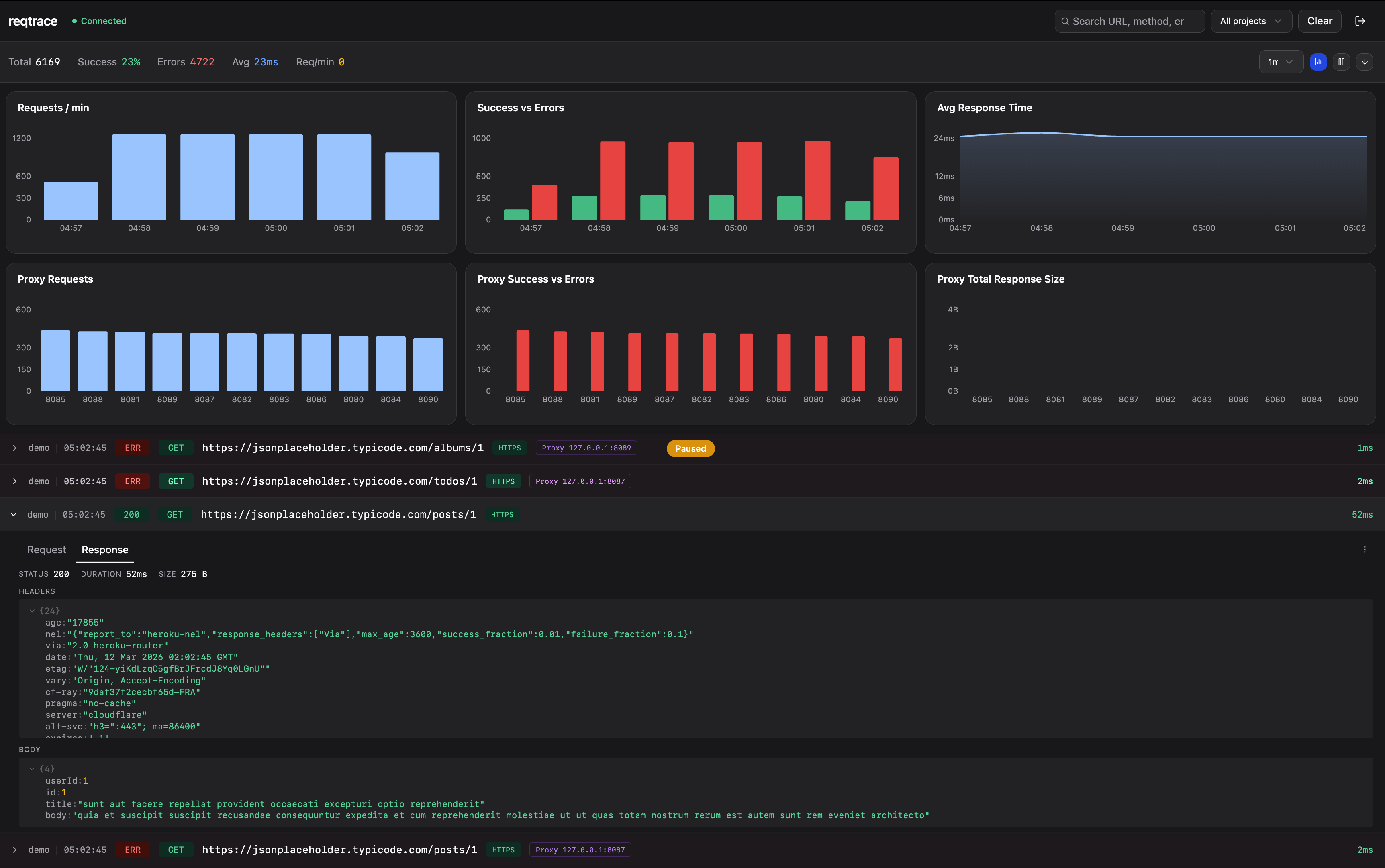
Self-hosted HTTP request monitoring for Node.js. Drop in an Axios or Fetch adapter, see every outbound request in a realtime dashboard — including proxy usage, blocked proxies, and failed targets.
Features
- Realtime feed — WebSocket-powered live log stream
- Request inspection — Headers, body, and JSON tree-view
- Proxy tracking — Monitor proxy health, detect blocked proxies, identify which sites fail through which proxy
- Project filtering — Tag requests by project, filter in the dashboard
- Charts & analytics — Request timeline, success/error rates, latency breakdown
- Fully self-hosted — No cloud, no third-party services, you own your data
Installation
npm install reqtrace
# or
pnpm add reqtrace
Usage
With Axios
import axios from 'axios'
import { ReqtraceCore, AxiosAdapter } from 'reqtrace'

const core = new ReqtraceCore({
  serverUrl: 'http://localhost:3100',
  apiKey: 'your-api-key',
  projectName: 'my-api',
  captureBody: true,
})

const adapter = new AxiosAdapter(axios, core)
adapter.install()

// All axios requests are now logged to your dashboard
See full example:
examples/axios-demo.ts
With Fetch
import { ReqtraceCore, FetchAdapter } from 'reqtrace'

const core = new ReqtraceCore({
  serverUrl: 'http://localhost:3100',
  apiKey: 'your-api-key',
  projectName: 'my-api',
})

const adapter = new FetchAdapter(core)
adapter.install()

// All fetch() calls are now logged to your dashboard
const res = await fetch('https://api.example.com/users')
See full example:
examples/fetch-demo.ts
Config Options
| Option | Type | Default | Description |
|--------|------|---------|-------------|
| serverUrl | string | — | Server URL (required for logging) |
| apiKey | string | — | API key for server authentication |
| projectName | string | 'default' | Project name for filtering |
| captureBody | boolean | true | Log request/response bodies |
| maxBodySize | number | 51200 | Max body size in bytes |
| enabled | boolean | true | Enable/disable logging |
| filter | function | () => true | Skip specific requests |
Cleanup
adapter.eject()   // remove interceptors
core.destroy()    // close WebSocket connection
Server Setup
The SDK sends logs to a self-hosted reqtrace server. You need to set up the server and dashboard before using the SDK.
# Clone the repo
git clone https://github.com/emircan-sahin/reqtrace.git
cd reqtrace
pnpm install

# Set up PostgreSQL
createdb reqtrace
cp packages/server/.env.example packages/server/.env
Edit packages/server/.env and set your own values:
JWT_SECRET=your-random-secret
API_KEY=your-api-key          # use this same key in your SDK config
# Start server + dashboard
pnpm devOpen http://localhost:5173 and create your admin account on first visit. Then use the API_KEY from your .env as the apiKey in your SDK config.
For more details, see the full documentation.
Contact
Have questions, feedback, or want to contribute? Reach out:
- LinkedIn: Emircan Sahin
- GitHub: @emircan-sahin
License
MIT