
restart-ee-router
v1.4.0
Published
A simple app for regularly restarting your EE router using your admin password.


Readme
restart-ee-router
We find that our EE Smart Hub Router needs restarting around once a week to keep working reliably, and they lack a setting for restarting themselves automatically.
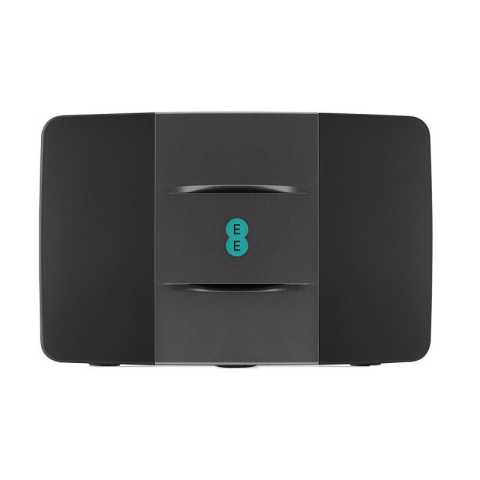
This is my not-so-simple solution to that problem - a script that can access the router settings, enter your admin password, and restart.
Prerequisites
macOS
brew install nodeDebian linux
sudo apt-get update
curl -sL https://deb.nodesource.com/setup_10.x | sudo bash -
sudo apt install nodejs
sudo apt-get install npm
sudo apt-get install chromium-browser chromium-codecs-ffmpeg
sudo apt-get install gconf-service libasound2 libatk1.0-0 libc6 libcairo2 libcups2 libdbus-1-3 libexpat1 libfontconfig1 libgcc1 libgconf-2-4 libgdk-pixbuf2.0-0 libglib2.0-0 libgtk-3-0 libnspr4 libpango-1.0-0 libpangocairo-1.0-0 libstdc++6 libx11-6 libx11-xcb1 libxcb1 libxcomposite1 libxcursor1 libxdamage1 libxext6 libxfixes3 libxi6 libxrandr2 libxrender1 libxss1 libxtst6 ca-certificates fonts-liberation libappindicator1 libnss3 lsb-release xdg-utils wget
How to use
npx restart-ee-router [arguments]or:
sudo npm -g restart-ee-router
restart-ee-router [arguments]
Arguments
| name | default |
| ---------------------------- | --------------------- |
| --password or -p | NA |
| --debugging or -d | false |
| --executablePath or -ep | null |
| --router-address or -ra | http://192.168.1.254/ |
| --silent or -s | false |
| --verbose or -v | false |
| --windowed or -w | false |
Note that if executablePath is specified, puppeteer-core will be used instead of puppeteer.
Note that if debugging, then windowed mode will automatically be enabled too.
Scheduling
macOS and Linux both come with crontab preinstalled.
There's plenty of in-depth information about scheduling tasks in crontab, but I'll help you set up a simple task to restart the router every Monday morning at 0400:
- Open crontab config:
env EDITOR=vim crontab -e # sets the editor to vim and opens the crontab config- Add the task:
0 4 * * Mon restart-ee-router -p "MY_ROUTER_ADMIN_PASSWORD" -sDebian
On debian linux, it is necessary to be running a desktop GUI for this to work. You may need to specify a display in the crontab command so that the command is executed in a graphical context. You may also need to use windowed mode for interactions to happen correctly.
For example:
0 4 * * Mon DISPLAY=:0 npx restart-ee-router -w -s -p MY_ROUTER_ADMIN_PASSWORD -ep "/usr/bin/chromium-browser"Further to this, if your device is not connected to a router, you may need to fake a display. See my guide on adding a fake display to Raspbian
Contributing
TODO
Future work
- [ ] More extensive error handling with more descriptive error messages.
- [ ] Support other routers (eg BT Home Hub and EE Bright Box Router)