
revacss
v1.2.1
Published
A CSS framework for native HTML. Shared design defaults, adaptive themes, and native components.

Maintainers
 eristavi
Readme
RevaCSS
Start with HTML. Set your defaults once.
Build consistent interfaces from native HTML. Choose your theme, palette, shape, and spacing on a parent; components inherit the design, and local settings handle the exceptions.
Documentation · Live demos · Get started · API reference
Version 1.2.1 · Erisian · Download the release · MIT
Why RevaCSS
- A shared design, with fewer repeated decisions. Set page or section defaults with inherited
data-*attributes. Override individual settings where you need them. - Native elements and interactions. Buttons, forms, details, radio choices, and popovers keep their browser behavior. The framework requires no JavaScript runtime.
- Room for your own design. Tokens, CSS custom properties, low-specificity selectors, and cascade layers make ordinary CSS overrides practical.
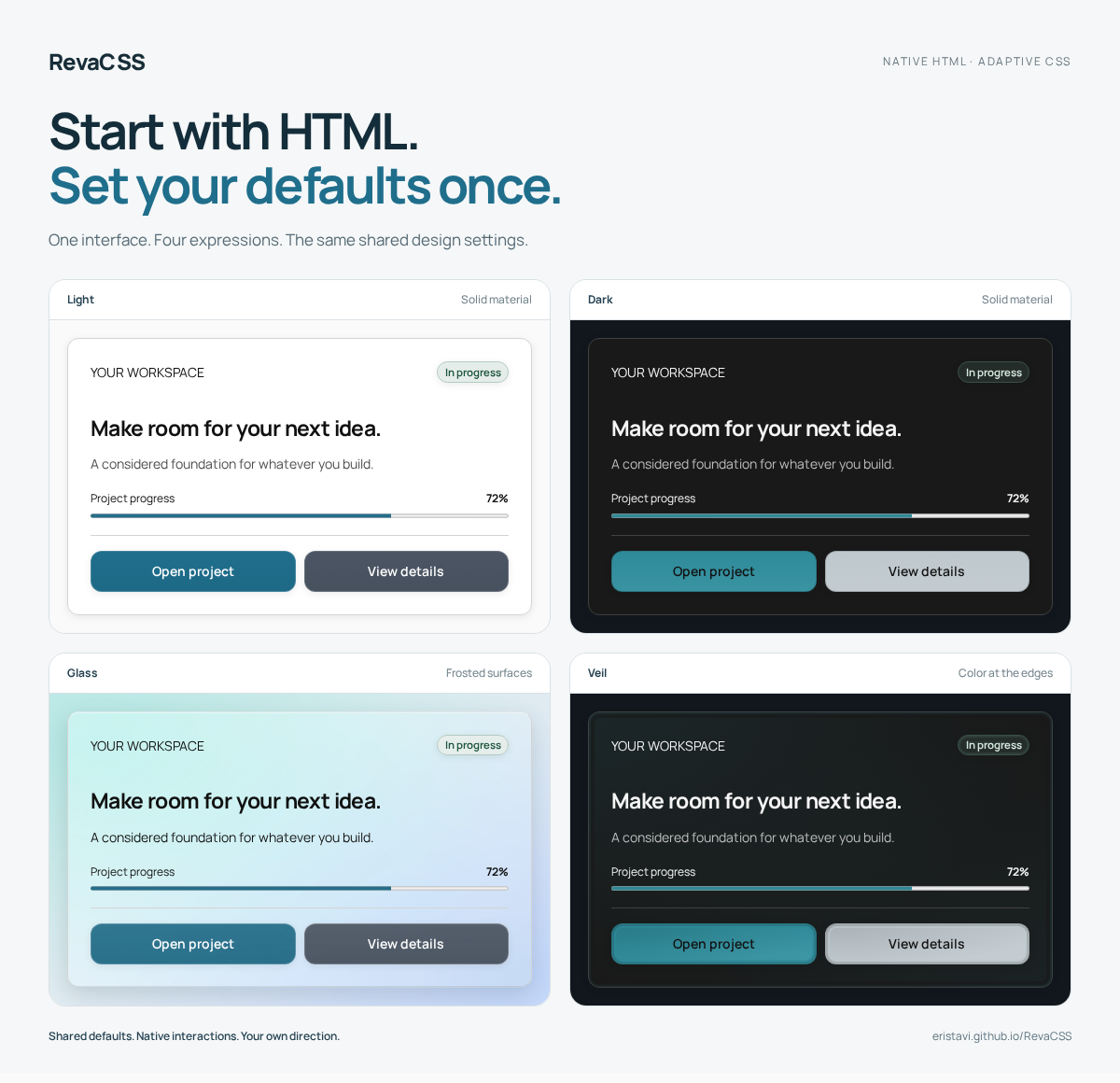
- Appearance that adapts. Light, dark, and system themes; 14 coordinated palettes; optional Glass, Soft UI and Veil materials; support for user preferences.
- A compact foundation. The complete minified core has an enforced 17 KiB gzip budget. Fonts, icons, and optional extensions are separate assets.
Use RevaCSS with static pages, server-rendered templates, or a framework that renders HTML. Your application owns its data, routing, and business actions.
See it in action
Explore complete layouts, change their appearance, and download the starting HTML.
| Demo | Explore | | --- | --- | | Forma · Marketing website | Responsive navigation, features, pricing, FAQ, and a contact form. | | Workspace · Dashboard | An application shell, metric cards, SVG charts, and activity history. | | Fieldnotes · Journal | Articles, archives, category pages, and author profiles. | | Still · Shop | A catalogue, product pages, native scroll-snap galleries, and a sample bag. |
The demos use sample content. Commerce, form processing, and live application data come from your backend.
Start with HTML
Download reva.min.css, place it beside your HTML, and link it in the page:
<!doctype html>
<html lang="en" data-theme="auto" data-palette="ocean" data-shape="rounded">
  <head>
    <meta charset="utf-8">
    <meta name="viewport" content="width=device-width, initial-scale=1">
    <title>My first RevaCSS page</title>
    <link rel="stylesheet" href="reva.min.css">
  </head>
  <body>
    <main class="container">
      <article class="card">
        <h1>Your next idea starts here.</h1>
        <p>Native HTML. A shared design. Your own direction.</p>
        <button type="button">Get started</button>
      </article>
    </main>
  </body>
</html>
Native elements receive useful defaults. A structural class, such as .card or .container, identifies a pattern where one is needed. See the getting-started guide for installation and stylesheet choices.
Install the published package with npm install [email protected], then import revacss in your application's CSS-capable bundler. See the npm guide for scoped styles, fonts, icons, and CDN installation.
Version 1.2.1 includes optional button materials. Load reva.button-materials.css after the core, then set data-button-material="liquid" on your HTML root or a section. Choose default, solid, glass, veil, soft or liquid. Liquid is transparent neutral glass without accent tint; its movement follows data-motion. Navigation toggles, dropdown controls and general surfaces keep their existing appearance. This extension is included in the 1.2.1 GitHub downloads.
Configure once, refine locally
Appearance settings work independently. A local value changes that setting while the rest of the design continues to inherit.
<section data-theme="dark" data-palette="violet" data-size="large">
  <button type="button">Save changes</button>
  <button type="button" class="secondary" data-size="small">Back</button>
</section>
Choose shared attributes and defaults, learn inheritance and overrides, or browse the component contracts.
Make it yours
| Choice | What it adds | | --- | --- | | Palettes | 14 coordinated color families across light, dark, and system themes. | | Glass | Frosted surfaces, backdrop blur, and shared appearance settings. | | Soft UI | Raised opaque surfaces, inset fields and pressed actions using paired shadows. | | Veil | Diffused perimeter color and inset contours without backdrop blur. | | Motion | Optional native overlay transitions that follow the shared motion setting. | | Native selects | An optional enhancement for single-select pickers in supporting browsers. | | Icons | An outline SVG set that inherits the surrounding text color. |
Load an optional extension after the core, then configure it through the same parent settings:
<link rel="stylesheet" href="reva.min.css">
<link rel="stylesheet" href="reva.glass.css">

<article class="card" data-material="glass">
  <h2>A different atmosphere.</h2>
  <p>The same markup and shared design settings.</p>
</article>
Complete, scoped, and modular builds are available in dist/. Fonts load separately through reva-fonts.css; copy dist/fonts/ alongside it. The stylesheet reference explains dependencies and extension choices.
Version 1.1 adds modern CSS patterns: viewport-safe overlays, .card-grid with container-responsive actions and subgrid, and a native .gallery with proximity scroll snapping. Card grids and galleries are included in the complete core and scoped core, with individual modular files available.
Scroll-driven card entrances are opt-in through reva.scroll-motion.css (or reva.scroll-motion.scoped.css) and inherited data-motion="expressive". Cross-document same-origin transitions are opt-in through reva.transitions.css on both pages; this document-level extension has no scoped variant. Unsupported enhancements retain static content or ordinary navigation. Reduced-motion preferences take priority.
Version 1.1 also adds motion-aware native scrolling and a labelled .scroll-top link. none disables smoothing, subtle uses browser-native smooth navigation, and expressive adds a brief fragment highlight. The optional motion module now supports dialogs, edge-directed drawers and discrete exits. See motion and state feedback for dependencies and limitations.
Project status
RevaCSS 1.2.1 — Erisian adds six palettes, independent button materials, sticky navbar controls and a shared documentation/demo customizer. Download the compiled CSS, optional extensions, icons, font, and starter HTML from the release page. Archives include licenses; a separate SHA-256 checksum file verifies the downloads.
Automated validation and known limits are recorded in the release notes and validation record. The maintainer reports all six manual checks passed. The validation record distinguishes that sign-off from automated results and documents missing device/version evidence. This is not accessibility certification.
The current implementation targets modern browsers. Native popover patterns require browser support; individual enhancements document their fallbacks. Accessibility also depends on your markup and application behavior. See the behavior and accessibility guide.
Specification · Implementation record · Component quality standard
Develop and validate
Clone the repository for development; the release archives contain compiled assets. Use Node 22.12 or newer; Node 24 is recommended. Python 3 is required for the browser-test server.
npm ci
npm run dev
npm run clean
npm run build
npm test
npx playwright install --with-deps chromium firefox webkit
npm run test:browser
npm run test:package
npm run test:package:browser
npm run check:release-qualityUnit checks cover tokens, contrast pairs, output budgets, documentation, and runtime boundaries. Browser tests run against the built documentation in Chromium, Firefox, and WebKit. The release-quality command reports remaining blockers separately; automated checks do not replace manual accessibility and real-device review.
After building, run npm run release:package to reproduce the GitHub downloads in artifacts/, including the starter page, licenses, and SHA-256 checksum file.
The npm package workflow validates a clean tarball installation and retains a candidate archive for review. npm pack --pack-destination artifacts creates the same kind of local candidate; the existing quality gate still applies to publication.
GitHub Pages builds and deploys documentation from main. The three-engine validation workflow can be run manually. Release publication also requires the complete automated suite, installed-package checks and quality gates. REVA_SITE and REVA_BASE configure the documentation origin and path.
Optional sticky navigation uses data-navbar-position="sticky", independently of navbar layout and material. Place menus in a .navbar-header wrapper alongside page content; standalone menus and app-shell headers are also supported. Set --re-navbar-height for custom header clearance. Use data-navbar-spacing="flush" and data-navbar-width="full" for a header at the safe top edge with page-aligned contents. See sticky headers.
Astro builds the documentation. An optional shared customizer remembers one appearance profile across documentation and demo pages and prepares demo downloads; the RevaCSS framework itself has no JavaScript runtime.
License
RevaCSS is MIT licensed. The bundled Manrope font retains its SIL Open Font License.
Versioning
RevaCSS follows semantic versioning: fixes and compatible visual tweaks use patch releases; new components, classes, materials and configuration options use minor releases; breaking changes use major releases. Versions are bumped once per published release, with changes recorded in the changelog.