
reveal-badges
v1.2.2
Published
Add badges to blocks in a reveal.js presentation


Readme
Badges for reveal.js - Live Demo
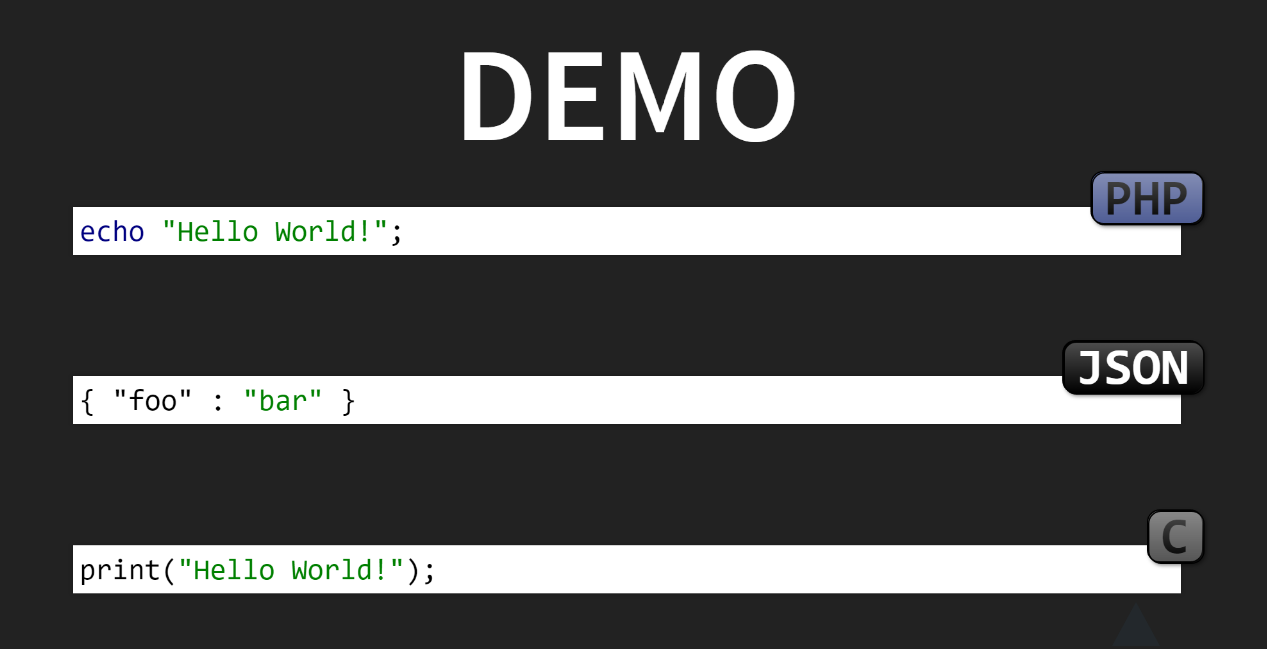
After a talk, one of the attendees said that it was sometimes a little difficult to put source examples into the right context. He suggested to add the language to the slides.
That seems to be a good idea, so I wrote a plugin that adds a badge to code blocks.
If you use bower for your reveal.js presentations, you can install the plugin using it.
bower install --save reveal-badgesAfter that add it to the dependencies section in your HTML file.
Reveal.initialize(
  {
    dependencies: [
      { src: 'bower_components/reveal-badges/src/badges.js' },
      //...
    ]
  }
);
Options
Reveal.initialize(
  {
    // ...
    badges: {
      path: '/path/to/plugin',
      defaults: {
        bg: 'black',
        fg: 'white',
        position: 'tr'
      },
      languages: false
    }
    // ...
  }
);
Path
@var {string} path
The plugin will try to recognize its installation path automatically. If that doe not work correctly, you can provide the path, that will be used to include additional plugin files.
Defaults
@var {Object} defaults
You can change the default colors and position for badges
using the defaults option.
bg- background colorfg- text colorposition- badge position (tr, br, bl, tl)
Languages
@var {boolean|{}} languages
If set to true, the plugin will add data-badge attributes to all
pre > code constructs that have a language-* class.
It will use the language from the class name as text for the badge.
You can use this property to configure the badge for a specific language, too.
Reveal.initialize(
  {
    // ...
    badges: {
      languages: {
        php: {
          label: 'PHP 7',
          fg: 'white',
          bg: 'black',
          position: 'tr'
        }
      }
    }
    // ...
  }
);
Disable
To disable the badge for a specific language, set it to false.
Reveal.initialize(
  {
    // ...
    badges: {
      languages: {
        plaintext : false
      }
    }
    // ...
  }
);
Data Attributes
You can add data-badge attributes to any element. A manually added
data attribute will take priority. It allows you to override
the defaults for a language badge or add individual badges.
<pre data-badge="PHP 7.1" data-badge-fg="red">
  <code class="language-php">...</code>
</pre>
Available Attributes
- data-badge - text
- data-badge-fg - text color
- data-badge-bg - background color
- data-badge-position - tr (default), tl, br, bl
- data-badge-class - additional css classes