
richtext-core-sdk
v1.10.2
Published
Eddyter SDK — framework-agnostic embeddable editor


Readme
richtext-core-sdk



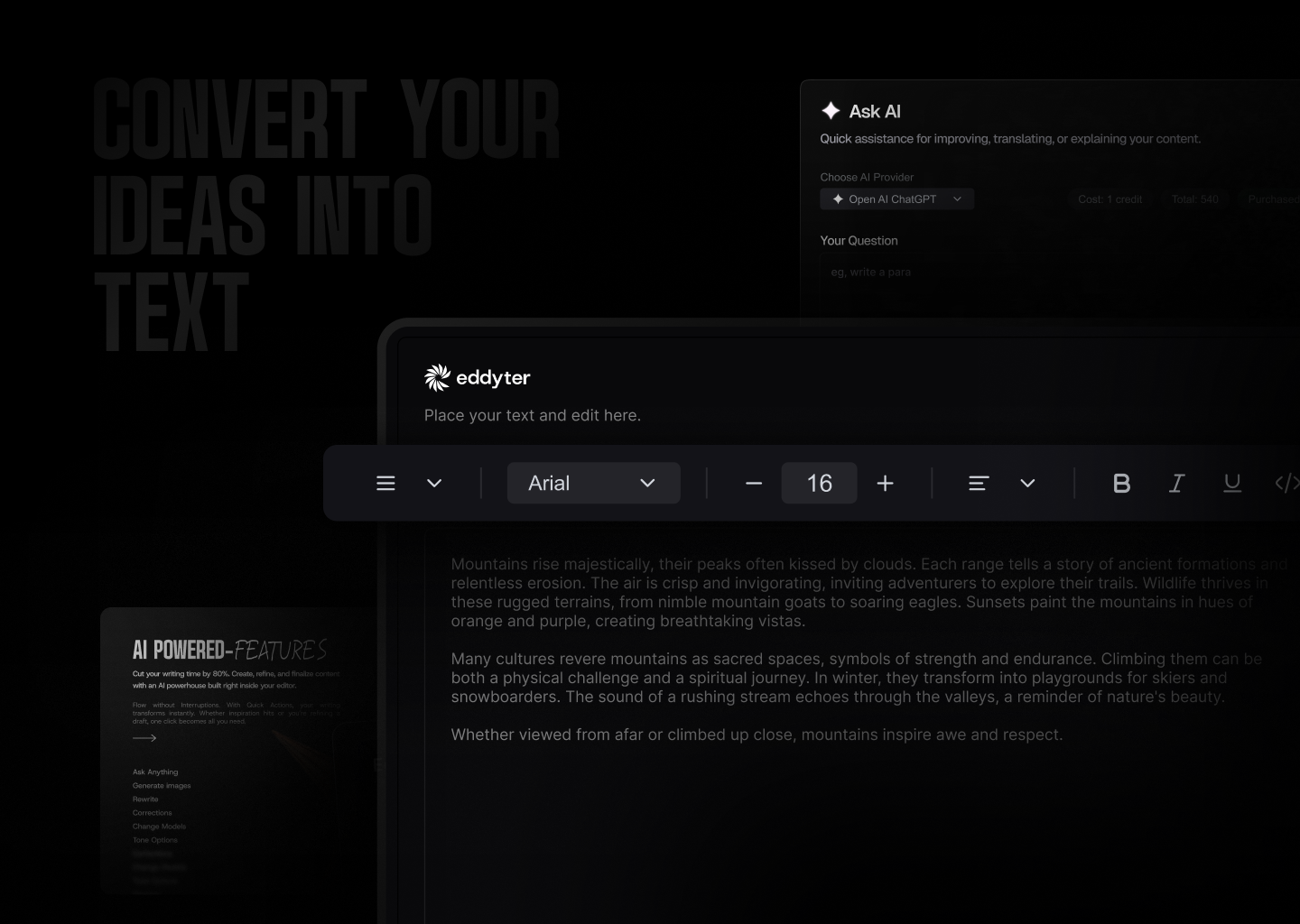
Plug and Play AI Rich Text Editor for any website, blog, CRM, ERP, or web app — built on Lexical with dark mode support and API key authentication. No React knowledge required.
This is the framework-agnostic SDK for the Eddyter editor. It wraps the official React package eddyter and exposes a single init() function so you can mount the editor into any HTML element from plain JavaScript, Vue, Svelte, Angular, Laravel/Blade, WordPress, or any other stack.
Resources
- Docs — Full API reference and integration guides
- What is Eddyter? Why Developers Are Switching to This AI Editor (2026) — YouTube
- Integrate Eddyter in 30 Minutes Using AI Tools Cursor, Claude, Lovable — YouTube
Installation
npm install richtext-core-sdk
# or
yarn add richtext-core-sdk
# or
pnpm add richtext-core-sdk
Or include it directly via a CDN as a classic script:
<script src="https://unpkg.com/richtext-core-sdk/dist/editor.iife.js"></script>Compatibility
| Requirement | Version | |-------------|---------| | Node.js | 16+ | | Browsers | Evergreen (Chrome, Edge, Firefox, Safari) | | Frameworks | Any — React, Vue, Svelte, Angular, vanilla JS, server-rendered HTML |
Internally the SDK ships React + ReactDOM bundled with the editor, so your host app does not need to install or configure React.
Quick Start
1. Import styles
import 'richtext-core-sdk/style.css';Important: The stylesheet is required for tables, toolbars, and all editor components to render correctly. When the SDK is loaded as a classic script (
editor.iife.js), the stylesheet is injected automatically by the IIFE bootstrap.
2. Get your API key
- Create an account at eddyter.com
- Navigate to License Keys in your dashboard
- Copy your API key
3. Add the editor
<div id="editor"></div>import { init } from 'richtext-core-sdk';
import 'richtext-core-sdk/style.css';
const apiKey = 'YOUR_API_KEY';
const currentUser = {
id: 'user-123',
name: 'John Doe',
email: '[email protected]',
avatar: 'https://example.com/avatar.jpg', // optional
};
const instance = init({
container: '#editor',
apiKey,
user: currentUser,
initialContent: '<p>Start writing...</p>',
mentionUserList: ['Alice', 'Bob', 'Charlie'],
onChange: (html) => console.log('Content:', html),
onReady: () => console.log('Editor ready!'),
onAuthSuccess: () => console.log('Auth succeeded'),
onAuthError: (error) => console.error('Auth failed:', error),
});When loaded via <script>, the same API is available on window.Eddyter:
<div id="editor"></div>

<script src="https://unpkg.com/richtext-core-sdk/dist/editor.iife.js"></script>
<script>
  const instance = Eddyter.init({
    container: '#editor',
    apiKey: 'YOUR_API_KEY',
    onChange: (html) => console.log(html),
  });
</script>
Features
Text & Formatting
- Bold, italic, underline, strikethrough, subscript, superscript
- Text color and background highlight with color picker
- 20+ font families with adjustable font sizes
- Text alignment (left, center, right, justify)
- Line height and letter spacing controls
Lists & Structure
- Bullet lists, numbered lists (decimal, alpha, roman)
- Interactive checklists with strikethrough
- Headings (H1-H6), blockquotes
- Horizontal rules
Tables
- Insert/delete rows and columns, merge cells
- Drag-to-resize columns and rows
- Header row styling
- Row striping with custom colors
- Right-click context menu for table actions
Media
- Image upload with drag-drop and 8-point resize handles
- Video embed with drag-drop and paste support
- File attachments (downloadable files)
- Link insertion with floating editor
- Automatic link preview on hover
- Rich embeds for external content (YouTube, etc.)
AI Features (Premium)
- AI Chat assistant for content help
- Smart autocomplete (AI-powered text suggestions)
- Real-time grammar check and corrections
- Text enhancement (improve, shorten, expand)
- Tone adjustment (formal, casual, professional)
- AI image generation from text prompts
Advanced
- Slash commands (
/for quick formatting) - @Mentions with customizable user list
- Inline comments with bubble UI and sidebar
- Note panels (info, warning, error, success)
- Code blocks with syntax highlighting
- Interactive charts
- Digital signature capture
- Voice input / transcription
- Export to PDF
- HTML view toggle
- Drag-and-drop block reordering
- Markdown shortcuts
Dark Mode
The editor automatically detects your app's theme:
- Checks for
darkclass on<html>or<body> - Falls back to
prefers-color-scheme: darksystem preference - Or set explicitly via the
darkModeoption, and toggle it at runtime without remounting:
instance.update({ darkMode: true });Preview Mode
Display saved editor content in read-only mode with interactive features:
init({
  container: '#preview',
  apiKey: 'YOUR_API_KEY',
  mode: 'preview',
  initialContent: savedHtml,
  onPreviewClick: () => switchToEditMode(),
  containerClass: 'my-preview-styles',
});
API Reference
init(options) → EddyterInstance
Mounts the editor into a DOM container and returns a small instance handle. Calling init() twice on the same container returns the existing instance instead of remounting.
EddyterInitOptions
| Option | Type | Required | Description |
|--------|------|----------|-------------|
| container | string \| HTMLElement | Yes | CSS selector or DOM element to mount into |
| apiKey | string | Yes | Your Eddyter license key |
| user | EddyterCurrentUser | No | Current user for comments / mentions. Defaults to { id: 'anonymous', name: 'Anonymous' } |
| initialContent | string | No | Initial HTML rendered in the editor |
| mode | 'edit' \| 'preview' | No | Editor mode (default: 'edit') |
| darkMode | boolean | No | true/false. Omit to auto-detect host's .dark class |
| customVerifyKey | (key: string) => Promise<EddyterApiResponse> | No | Use your own backend to validate the API key |
| mentionUserList | string[] | No | Names that appear in @mention suggestions |
| defaultFontFamilies | string[] | No | Font family names for the font selector |
| class | string | No | CSS class applied to the outermost editor wrapper |
| containerClass | string | No | CSS class applied to the preview container (only used when mode: 'preview') |
| contentClass | string | No | CSS class applied to the editable content area |
| floatingToolbarClass | string | No | CSS class applied to the floating toolbar and its portal container |
| style | React.CSSProperties | No | Inline style object applied to the wrapper |
| toolbar | EddyterToolbarConfig | No | Toolbar behavior (default: { mode: 'sticky', offset: 20, zIndex: 1000 }) |
| editor | EddyterEditorOptions | No | Editor container options (maxHeight) |
| enableReactNativeBridge | boolean | No | Force-enable RN WebView bridge messaging (auto-detected in a WebView context) |
| onChange | (html: string) => void | No | Editor content changes (debounced) |
| onReady | () => void | No | Editor finished mounting and authenticated |
| onAuthSuccess | () => void | No | API key validated successfully |
| onAuthError | (error: string) => void | No | API key validation failed |
| onFocus | () => void | No | Editor gained focus (React Native bridge) |
| onBlur | () => void | No | Editor lost focus (React Native bridge) |
| onHeightChange | (height: number) => void | No | Editor content height changes (React Native bridge) |
| onPreviewClick | () => void | No | User clicks anywhere inside the preview (e.g. to open edit mode) |
Supporting types
interface EddyterCurrentUser {
  id: string;
  name: string;
  email?: string;
  avatar?: string;
}

interface EddyterApiResponse {
  success: boolean;
  message: string;
  data?: unknown;
}

interface EddyterToolbarConfig {
  mode?: 'sticky' | 'static';
  offset?: number;
  zIndex?: number;
}

interface EddyterEditorOptions {
  maxHeight?: string | number;
}
EddyterInstance
interface EddyterInstance {
  destroy(): void;
  update(partial: EddyterUpdatableOptions): void;
}
instance.update(partial)
Updates the editor without remounting. Useful for theme toggles, toolbar mode changes, and class swaps.
Supported fields:
mode, darkMode, class, containerClass, contentClass,
floatingToolbarClass, style, toolbar, editor,
defaultFontFamilies, mentionUserList, enableReactNativeBridge
instance.update({ darkMode: true });
instance.update({ toolbar: { mode: 'static' }, editor: { maxHeight: 480 } });
apiKey,container,user,initialContent, andcustomVerifyKeyrequire a freshinit()— they drive the auth/provider lifecycle and should not be hot-swapped.
instance.destroy()
Unmounts the editor and clears the singleton stored on the container element. Call this when removing the editor from the DOM (modal close, SPA route change, etc.).
instance.destroy();Toolbar Configuration
Use the toolbar option to control sticky/static toolbar behavior:
init({
  container: '#editor',
  apiKey: 'your-api-key',
  toolbar: { mode: 'sticky', offset: 64, zIndex: 1200 },
});
Modes:
mode: 'sticky'-> toolbar detaches/sticks while scrolling and appliesoffset+zIndexmode: 'static'-> toolbar stays attached and ignoresoffset+zIndexeven if provided
Defaults:
const defaultToolbar = {
  mode: 'sticky',
  offset: 20,
  zIndex: 1000,
};
In static mode, if you want only the editor content area to scroll, pass a maxHeight using editor:
init({
  container: '#editor',
  apiKey: 'your-api-key',
  toolbar: { mode: 'static' },
  editor: { maxHeight: 600 },
});
If maxHeight is not provided, the full page/container scrolls normally with the toolbar.
Examples
Basic Editor
import { init } from 'richtext-core-sdk';
import 'richtext-core-sdk/style.css';

init({
  container: '#editor',
  apiKey: 'your-api-key',
  onReady: () => console.log('Ready!'),
});
Editor with State Management
Since the SDK is framework-agnostic, you wire state via the onChange callback:
import { init } from 'richtext-core-sdk';
import 'richtext-core-sdk/style.css';

let content = '<p>Start writing...</p>';

const instance = init({
  container: '#editor',
  apiKey: 'your-api-key',
  initialContent: content,
  onChange: (html) => {
    content = html;
  },
});

document.getElementById('save').addEventListener('click', async () => {
  await fetch('/api/save', {
    method: 'POST',
    headers: { 'Content-Type': 'application/json' },
    body: JSON.stringify({ content }),
  });
});
Editor with Comments & Mentions
init({
  container: '#editor',
  apiKey: 'your-api-key',
  user: {
    id: currentUser.id,
    name: currentUser.name,
    email: currentUser.email,
    avatar: currentUser.avatarUrl,
  },
  mentionUserList: ['Alice', 'Bob', 'Charlie'],
});
Custom API Key Verification
init({
  container: '#editor',
  apiKey: 'your-api-key',
  customVerifyKey: async (apiKey) => {
    try {
      const response = await fetch('/api/verify-key', {
        method: 'POST',
        headers: { 'Content-Type': 'application/json' },
        body: JSON.stringify({ apiKey }),
      });
      const data = await response.json();
      return { success: data.valid, message: data.message || 'Verified' };
    } catch {
      return { success: false, message: 'Verification failed' };
    }
  },
});
Theme Toggle Without Remount
const instance = init({
  container: '#editor',
  apiKey: 'your-api-key',
});

let isDark = false;
document.getElementById('theme-toggle')?.addEventListener('click', () => {
  isDark = !isDark;
  instance.update({ darkMode: isDark });
});
Static Toolbar with Scrollable Content
init({
  container: '#editor',
  apiKey: 'your-api-key',
  toolbar: { mode: 'static' },
  editor: { maxHeight: '420px' },
});
Multiple Editors on One Page
Each container gets its own instance. Call init() once per container and destroy() when removing it.
const a = init({ container: '#editor-a', apiKey: 'your-api-key' });
const b = init({ container: '#editor-b', apiKey: 'your-api-key' });

a.destroy();
b.destroy();
Link Preview
The editor includes automatic link preview on hover. It works automatically inside the editor after authentication and inside the preview when mode: 'preview' is set with a valid apiKey.
Framework Integration
The SDK ships official thin wrappers for popular frameworks. If you prefer a more idiomatic API, use the framework package — internally each one calls init() from this SDK.
- Vue —
richtext-core-vue - Svelte —
richtext-core-svelte - Angular —
richtext-core-angular - React — use the original
eddyterpackage directly
For server-rendered apps (Laravel/Blade, Django, Rails, WordPress, etc.) load the IIFE bundle via <script> and call Eddyter.init(...) from a small inline script.
React Native Integration
Use Eddyter in React Native via WebView by loading a deployed version of the editor. The bridge messaging is automatically enabled when running inside a WebView, or you can force it on via the enableReactNativeBridge option on the host page.
npm install react-native-webviewimport React, { useRef, useState, useCallback } from 'react';
import { View, ActivityIndicator } from 'react-native';
import { WebView, WebViewMessageEvent } from 'react-native-webview';
interface RichTextEditorProps {
editorBaseUrl: string;
apiKey: string;
initialContent?: string;
theme?: 'light' | 'dark';
style?: object;
onChange?: (content: string) => void;
onReady?: () => void;
onAuthSuccess?: () => void;
onAuthError?: (error: string) => void;
}
export const RichTextEditor: React.FC<RichTextEditorProps> = ({
editorBaseUrl,
apiKey,
initialContent,
theme = 'light',
style,
onChange,
onReady,
onAuthSuccess,
onAuthError,
}) => {
const webViewRef = useRef<WebView>(null);
const [isLoading, setIsLoading] = useState(true);
const buildEditorUrl = () => {
const baseUrl = editorBaseUrl.replace(/\/$/, '');
const params = new URLSearchParams();
if (apiKey) params.append('apiKey', apiKey);
if (theme) params.append('theme', theme);
return `${baseUrl}?${params.toString()}`;
};
const handleMessage = useCallback((event: WebViewMessageEvent) => {
try {
const message = JSON.parse(event.nativeEvent.data);
switch (message.type) {
case 'EDITOR_READY':
setIsLoading(false);
onReady?.();
if (initialContent && webViewRef.current) {
webViewRef.current.postMessage(
JSON.stringify({ type: 'SET_CONTENT', payload: { content: initialContent } })
);
}
break;
case 'CONTENT_CHANGE':
onChange?.(message.payload?.content || '');
break;
case 'AUTH_SUCCESS':
onAuthSuccess?.();
break;
case 'AUTH_ERROR':
onAuthError?.(message.payload?.error);
break;
}
} catch (e) {
console.warn('[RichTextEditor] Failed to parse message:', e);
}
}, [onChange, onReady, onAuthSuccess, onAuthError, initialContent]);
return (
<View style={[{ flex: 1 }, style]}>
<WebView
ref={webViewRef}
source={{ uri: buildEditorUrl() }}
style={{ flex: 1 }}
onMessage={handleMessage}
javaScriptEnabled={true}
domStorageEnabled={true}
keyboardDisplayRequiresUserAction={false}
/>
{isLoading && (
<View style={{ position: 'absolute', top: 0, left: 0, right: 0, bottom: 0, justifyContent: 'center', alignItems: 'center' }}>
<ActivityIndicator size="large" />
</View>
)}
</View>
);
};Message Protocol
| Message Type | Direction | Description |
|---|---|---|
| EDITOR_READY | Editor → RN | Editor has finished loading |
| CONTENT_CHANGE | Editor → RN | Content was modified ({ content: string }) |
| AUTH_SUCCESS | Editor → RN | Authentication succeeded |
| AUTH_ERROR | Editor → RN | Authentication failed ({ error: string }) |
| SET_CONTENT | RN → Editor | Set editor content ({ content: string }) |
Exports
// Entrypoint
import { init } from 'richtext-core-sdk';

// Types
import type {
  EddyterInitOptions,
  EddyterInstance,
  EddyterUpdatableOptions,
  EddyterCurrentUser,
  EddyterToolbarConfig,
  EddyterEditorOptions,
  EddyterApiResponse,
} from 'richtext-core-sdk';

// Styles (one-time import at app entry)
import 'richtext-core-sdk/style.css';
When loaded as a classic script the SDK is available on window.Eddyter:
window.Eddyter.init({ /* options */ });Troubleshooting
| Symptom | Fix |
|---------|-----|
| Editor renders but toolbars look broken | The stylesheet is missing. Import richtext-core-sdk/style.css in the entry that builds production. |
| Invalid container thrown | The selector did not resolve, or you passed something that isn't an HTMLElement. |
| Theme does not switch | Use instance.update({ darkMode }); do not remount. |
| API key errors | Confirm the key in your env vars and check the network tab for the verification request. |
| Editor mounts twice in dev (StrictMode-like behavior) | init() is idempotent per container — it returns the existing instance if one exists. |
Migration
If you are upgrading from an earlier release, some legacy options were removed because they targeted React props that never existed:
| Old option | New option | Status |
|------------|------------|--------|
| previewClass | containerClass | Removed — old value was a no-op |
| editorClass | contentClass | Removed — old value was a no-op |
| previewClassName | containerClass | Removed (never wired up) |
| editorClassName | contentClass | Removed (never wired up) |
| — | floatingToolbarClass | New — style the floating toolbar / portal |
- init({ container: '#editor', apiKey, previewClass: 'p', editorClass: 'c' });
+ init({ container: '#editor', apiKey, containerClass: 'p', contentClass: 'c' });
License
Eddyter is proprietary software.
- Free for evaluation and non-commercial use
- Commercial use requires a paid license
- SaaS, redistribution, and competing products are prohibited without permission
For commercial licensing, visit eddyter.com