
richtext-core-vue
v1.5.0
Published
[](https://www.npmjs.com/package/richtext-core-vue) [](https://www.npmjs.com/package/richtext-core-vue) [

Readme
richtext-core-vue



Plug and Play AI Rich Text Editor for Vue 3 — built on Lexical with dark mode support, v-model, and API key authentication.
This is the official Vue wrapper for the Eddyter editor. It exposes the editor as an idiomatic Vue 3 single-file component (<EddyterEditor />) with full v-model support, while internally calling richtext-core-sdk under the hood.
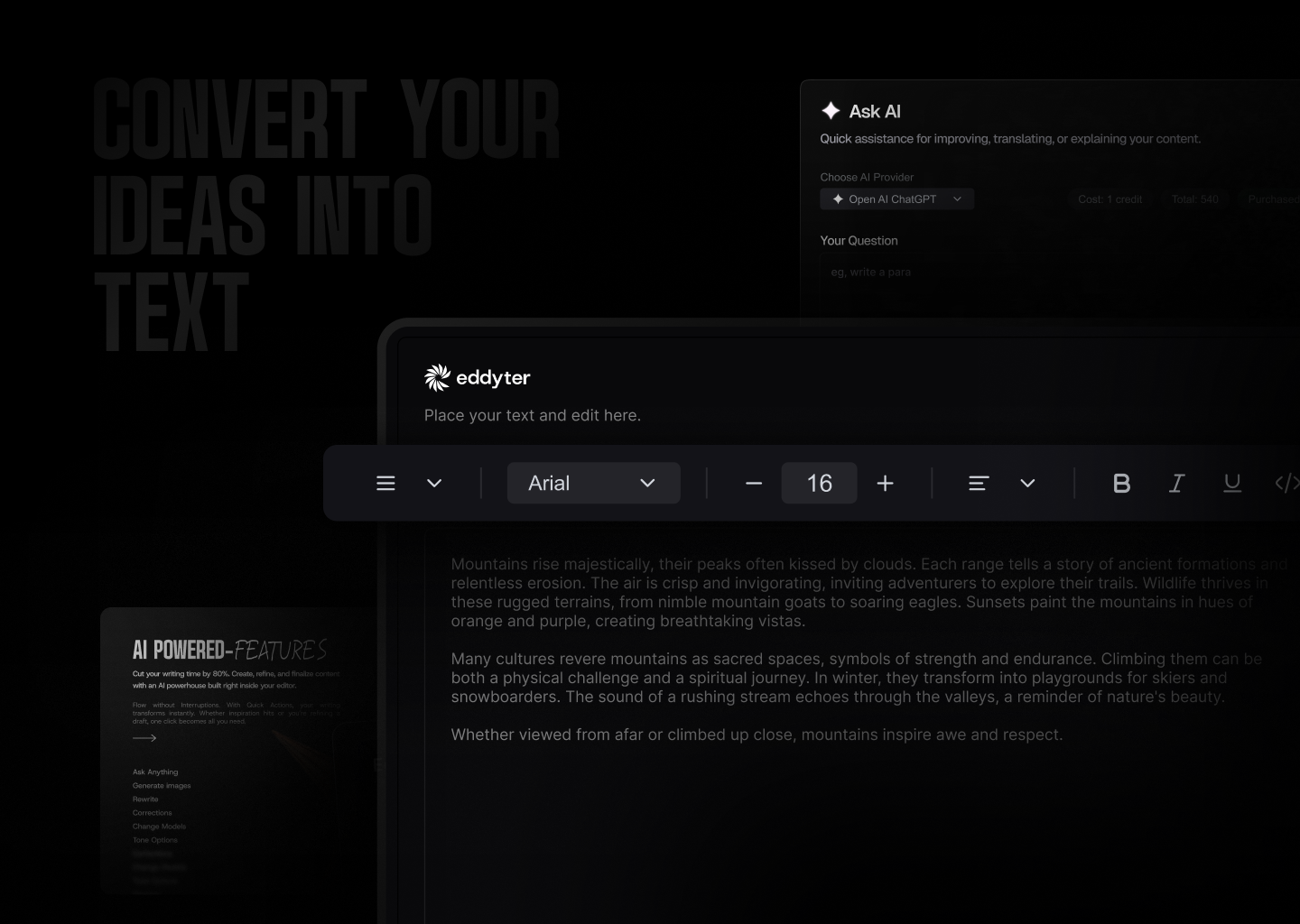
Resources
- Docs — Full API reference and integration guides
- What is Eddyter? Why Developers Are Switching to This AI Editor (2026) — YouTube
- Integrate Eddyter in 30 Minutes Using AI Tools Cursor, Claude, Lovable — YouTube
Installation
npm install richtext-core-vue
# or
yarn add richtext-core-vue
# or
pnpm add richtext-core-vue
Compatibility
| Requirement | Version | |-------------|---------| | Vue | 3.x | | Node.js | 16+ | | Browsers | Evergreen (Chrome, Edge, Firefox, Safari) |
The wrapper depends on
richtext-core-sdk, which bundles React + ReactDOM internally. Your Vue app does not need to install or configure React.
Quick Start
1. Get your API key
- Create an account at eddyter.com
- Navigate to License Keys in your dashboard
- Copy your API key
2. Use the component
<script setup lang="ts">
import { ref } from 'vue';
import { EddyterEditor } from 'richtext-core-vue';

const apiKey = import.meta.env.VITE_EDITOR_API_KEY as string;
const html = ref('<p>Start writing...</p>');

const currentUser = {
  id: 'user-123',
  name: 'John Doe',
  email: '[email protected]',
  avatar: 'https://example.com/avatar.jpg', // optional
};
</script>

<template>
  <EddyterEditor
    v-model="html"
    :api-key="apiKey"
    :user="currentUser"
    :mention-user-list="['Alice', 'Bob', 'Charlie']"
    @ready="console.log('Editor ready!')"
    @auth-error="(err) => console.error('Auth failed:', err)"
  />
</template>
Global registration (optional)
The package ships a default plugin that registers <EddyterEditor> globally:
// main.ts
import { createApp } from 'vue';
import EddyterPlugin from 'richtext-core-vue';
import App from './App.vue';

createApp(App).use(EddyterPlugin).mount('#app');
Styles are imported automatically by the wrapper — you don't need to import
richtext-core-sdk/style.cssmanually.
Features
Text & Formatting
- Bold, italic, underline, strikethrough, subscript, superscript
- Text color and background highlight with color picker
- 20+ font families with adjustable font sizes
- Text alignment (left, center, right, justify)
- Line height and letter spacing controls
Lists & Structure
- Bullet lists, numbered lists (decimal, alpha, roman)
- Interactive checklists with strikethrough
- Headings (H1-H6), blockquotes
- Horizontal rules
Tables
- Insert/delete rows and columns, merge cells
- Drag-to-resize columns and rows
- Header row styling, row striping
- Right-click context menu for table actions
Media
- Image upload with drag-drop and 8-point resize handles
- Video embed with drag-drop and paste support
- File attachments (downloadable files)
- Link insertion with floating editor
- Automatic link preview on hover
- Rich embeds for external content (YouTube, etc.)
AI Features (Premium)
- AI Chat assistant for content help
- Smart autocomplete (AI-powered text suggestions)
- Real-time grammar check and corrections
- Text enhancement (improve, shorten, expand)
- Tone adjustment (formal, casual, professional)
- AI image generation from text prompts
Advanced
- Slash commands (
/for quick formatting) - @Mentions with customizable user list
- Inline comments with bubble UI and sidebar
- Note panels (info, warning, error, success)
- Code blocks with syntax highlighting
- Interactive charts
- Digital signature capture
- Voice input / transcription
- Export to PDF
- HTML view toggle
- Drag-and-drop block reordering
- Markdown shortcuts
Dark Mode
The editor automatically detects your app's theme:
- Checks for
darkclass on<html>or<body> - Falls back to
prefers-color-scheme: darksystem preference - Or pass
:dark-mode="true"/:dark-mode="false"explicitly — changes apply at runtime without remounting.
<EddyterEditor v-model="html" :api-key="apiKey" :dark-mode="isDark" />Preview Mode
Display saved editor content in read-only mode with interactive features:
<EddyterEditor
  v-model="savedHtml"
  :api-key="apiKey"
  mode="preview"
  container-class="my-preview-styles"
  @preview-click="switchToEditMode"
/>
API Reference
<EddyterEditor>
The main editor component. Supports v-model for two-way HTML binding.
Props
| Prop | Type | Required | Description |
|------|------|----------|-------------|
| apiKey | string | Yes | Your Eddyter license key |
| modelValue | string | No | HTML content (use v-model for two-way binding) |
| user | EddyterCurrentUser | No | Current user for comments / mentions. Defaults to anonymous |
| mode | 'edit' \| 'preview' | No | Editor mode (default: 'edit') |
| darkMode | boolean | No | true/false. Omit to auto-detect host's .dark class |
| customVerifyKey | (key: string) => Promise<EddyterApiResponse> | No | Use your own backend to validate the API key |
| mentionUserList | string[] | No | Names that appear in @mention suggestions |
| defaultFontFamilies | string[] | No | Font family names for the font selector |
| class | string | No | CSS class applied to the outermost editor wrapper |
| containerClass | string | No | CSS class applied to the preview container (only used when mode: 'preview') |
| contentClass | string | No | CSS class applied to the editable content area |
| floatingToolbarClass | string | No | CSS class applied to the floating toolbar and its portal container |
| style | Record<string, string \| number> | No | Inline style object applied to the wrapper |
| toolbar | EddyterToolbarConfig | No | Toolbar behavior (default: { mode: 'sticky', offset: 20, zIndex: 1000 }) |
| editor | EddyterEditorOptions | No | Editor container options (maxHeight) |
| enableReactNativeBridge | boolean | No | Force-enable RN WebView bridge messaging |
Events
| Event | Payload | Fires when |
|-------|---------|------------|
| update:modelValue | (html: string) | Editor content changes (debounced) — drives v-model |
| ready | () | Editor finished mounting and authenticated |
| auth-success | () | API key validated successfully |
| auth-error | (error: string) | API key validation failed |
| focus | () | Editor gained focus (React Native bridge) |
| blur | () | Editor lost focus (React Native bridge) |
| height-change | (height: number) | Editor content height changes (React Native bridge) |
| preview-click | () | User clicks anywhere inside the preview (e.g. to open edit mode) |
Exposed Methods (via template ref)
interface ExposedApi {
  /** Returns the underlying SDK instance (or null before mount) */
  getInstance(): EddyterInstance | null;
}
<script setup lang="ts">
import { ref, onMounted } from 'vue';
import { EddyterEditor } from 'richtext-core-vue';
const editor = ref<InstanceType<typeof EddyterEditor> | null>(null);
onMounted(() => {
const sdk = editor.value?.getInstance();
sdk?.update({ darkMode: true });
});
</script>
<template>
<EddyterEditor ref="editor" :api-key="apiKey" v-model="html" />
</template>Supporting Types
import type {
  EddyterInstance,
  EddyterCurrentUser,
  EddyterToolbarConfig,
  EddyterEditorOptions,
  EddyterApiResponse,
} from 'richtext-core-sdk';

interface EddyterCurrentUser {
  id: string;
  name: string;
  email?: string;
  avatar?: string;
}

interface EddyterApiResponse {
  success: boolean;
  message: string;
  data?: unknown;
}

interface EddyterToolbarConfig {
  mode?: 'sticky' | 'static';
  offset?: number;
  zIndex?: number;
}

interface EddyterEditorOptions {
  maxHeight?: string | number;
}
Toolbar Configuration
<EddyterEditor
  v-model="html"
  :api-key="apiKey"
  :toolbar="{ mode: 'sticky', offset: 64, zIndex: 1200 }"
/>
Modes:
mode: 'sticky'-> toolbar detaches/sticks while scrolling and appliesoffset+zIndexmode: 'static'-> toolbar stays attached and ignoresoffset+zIndexeven if provided
Defaults: { mode: 'sticky', offset: 20, zIndex: 1000 }.
In static mode, if you want only the editor content area to scroll, pass a maxHeight using editor:
<EddyterEditor
  v-model="html"
  :api-key="apiKey"
  :toolbar="{ mode: 'static' }"
  :editor="{ maxHeight: 600 }"
/>
Examples
Basic Editor
<script setup lang="ts">
import { ref } from 'vue';
import { EddyterEditor } from 'richtext-core-vue';

const html = ref('');
const apiKey = 'your-api-key';
</script>

<template>
  <EddyterEditor v-model="html" :api-key="apiKey" @ready="() => console.log('Ready!')" />
</template>
Editor with State Management & Save
<script setup lang="ts">
import { ref } from 'vue';
import { EddyterEditor } from 'richtext-core-vue';

const html = ref('<p>Start writing...</p>');
const apiKey = 'your-api-key';

async function handleSave() {
  await fetch('/api/save', {
    method: 'POST',
    headers: { 'Content-Type': 'application/json' },
    body: JSON.stringify({ content: html.value }),
  });
}
</script>

<template>
  <div>
    <EddyterEditor v-model="html" :api-key="apiKey" />
    <button @click="handleSave">Save</button>
  </div>
</template>
Comments & Mentions
<script setup lang="ts">
import { EddyterEditor } from 'richtext-core-vue';

const apiKey = 'your-api-key';
const currentUser = {
  id: 'u-1',
  name: 'Jane Doe',
  email: '[email protected]',
};
</script>

<template>
  <EddyterEditor
    :api-key="apiKey"
    :user="currentUser"
    :mention-user-list="['Alice', 'Bob', 'Charlie']"
  />
</template>
Custom API Key Verification
<script setup lang="ts">
import { EddyterEditor } from 'richtext-core-vue';

async function customVerifyKey(apiKey: string) {
  try {
    const res = await fetch('/api/verify-key', {
      method: 'POST',
      headers: { 'Content-Type': 'application/json' },
      body: JSON.stringify({ apiKey }),
    });
    const data = await res.json();
    return { success: data.valid, message: data.message || 'Verified' };
  } catch {
    return { success: false, message: 'Verification failed' };
  }
}
</script>

<template>
  <EddyterEditor :api-key="'your-api-key'" :custom-verify-key="customVerifyKey" />
</template>
Theme Toggle Without Remount
<script setup lang="ts">
import { ref } from 'vue';
import { EddyterEditor } from 'richtext-core-vue';

const isDark = ref(false);
const apiKey = 'your-api-key';
</script>

<template>
  <button @click="isDark = !isDark">Toggle theme</button>
  <EddyterEditor :api-key="apiKey" :dark-mode="isDark" />
</template>
Static Toolbar with Scrollable Content
<EddyterEditor
  :api-key="apiKey"
  :toolbar="{ mode: 'static' }"
  :editor="{ maxHeight: '420px' }"
/>
Migration
If you are upgrading from an earlier release, two legacy props were removed because they targeted SDK options that never reached the underlying editor:
| Old prop | New prop | Status |
|----------|----------|--------|
| preview-class | container-class | Removed — old value was a no-op |
| editor-class | content-class | Removed — old value was a no-op |
| — | floating-toolbar-class | New — style the floating toolbar / portal |
- <EddyterEditor :api-key="apiKey" preview-class="p" editor-class="c" />
+ <EddyterEditor :api-key="apiKey" container-class="p" content-class="c" />
Troubleshooting
| Symptom | Fix |
|---------|-----|
| Editor renders but toolbars look broken | Make sure your bundler isn't tree-shaking richtext-core-sdk/style.css. The wrapper imports it automatically. |
| Theme does not switch | Bind :dark-mode="isDark" — it updates the editor without remounting. |
| API key errors | Confirm the key in your env vars and check the network tab for the verification request. |
| v-model does not update parent | Make sure you're using v-model (or :model-value + @update:model-value). |
License
Eddyter is proprietary software.
- Free for evaluation and non-commercial use
- Commercial use requires a paid license
- SaaS, redistribution, and competing products are prohibited without permission
For commercial licensing, visit eddyter.com