
ripencli
v1.4.9
Published
Interactive dependency updater for npm, pnpm, yarn, and bun

Maintainers
 yusifaliyevpros
Readme
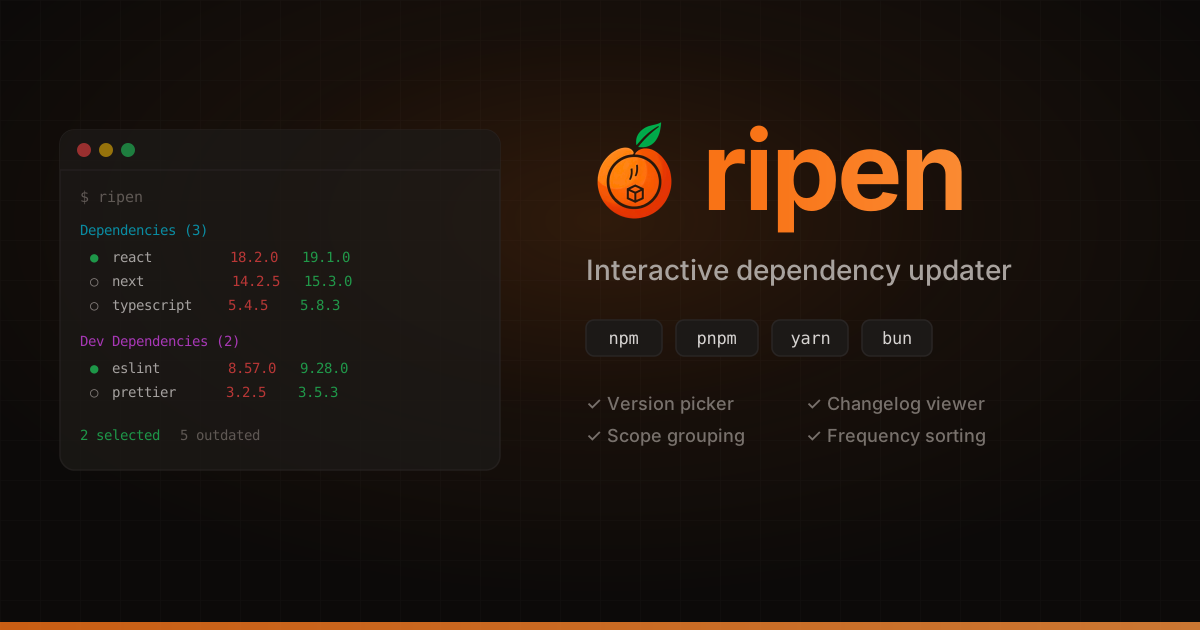
Security-first interactive dependency updater for npm, pnpm, yarn, and bun


Features
- Security first — ripen never executes commands. Everything goes to your clipboard; you review and run it yourself
- Interactive TUI — navigate packages with arrow keys, select with space
- Publish age — shows how long ago the latest version was published (yellow if < 1 day, useful for spotting freshly published packages before trusting them)
- Version picker — choose any specific version from the npm registry, not just latest
- Changelog viewer — see GitHub release notes before you update
- npm, pnpm, yarn & bun — auto-detects your package manager
- Global packages — check global installs across all* package managers
- Show all packages —
ripen --alllists every dependency, not just outdated ones (great for checking changelogs or downgrading) - Self-update — notifies you when a new version of ripen is available
- Major bump warnings — highlights potentially breaking updates
- Scope grouping — optionally group scoped packages (e.g.
@heroui/*) together - Frequency sorting — packages you update often can be surfaced to the top
Install
npm install -g ripencli@latest
# or
pnpm add -g ripencli@latest
# or
yarn global add ripencli@latest
# or
bun add -g ripencli@latest
Usage
# Check current project
ripen

# Check global packages (scans npm, pnpm, and yarn)
ripen -g

# Show all packages, not just outdated ones
ripen --all

# Show all global packages, not just outdated ones
ripen -g -a

# Help
ripen --help
Controls
| Key | Action |
| ----------- | ------------------------------ |
| ↑ ↓ | Navigate packages |
| PgUp PgDn | Scroll a full page |
| Tab | Jump between groups |
| ← → | Collapse / expand scope groups |
| space | Toggle select |
| v | Pick specific version |
| c | View changelog / release notes |
| enter | Copy update command & exit |
| s | Open settings |
| esc | Cancel / go back |
How it works
- Reads your
package.jsonand checks each dependency against the npm registry directly - Detects your package manager from the lock file (
bun.lock,pnpm-lock.yaml,package-lock.json, oryarn.lock) - Shows outdated packages in a colorful interactive list (use
--allto show every package, including up-to-date ones) - Press
von any package to pick a specific version from the npm registry - Press
cto see GitHub release notes between your current and target version - Select the ones you want and press
enter— ripen copies the exact update command to your clipboard and exits
Settings
Press s to open the settings screen. Settings are persisted at ~/.config/ripen/config.json.
| Setting | Default | Description |
| -------------------------- | ------- | ---------------------------------------------------------------------------------------------------- |
| Sort by update frequency | Off | Packages you update often appear at the top |
| Separate dev dependencies | On | Show dependencies and devDependencies in separate groups |
| Enable scope grouping | Off | Group scoped packages under their scope prefix |
| Show grouped scopes on top | Off | Grouped scopes appear before ungrouped packages |
| Grouped scopes | — | List of scopes to group (e.g. @heroui, @radix-ui) |
| SFW Firewall | Off | Prepend sfw before every generated command (requires sfw) |
When using ripen -g, all available package managers (npm, pnpm, yarn) (except bun) are checked in parallel so you see every global package in one place. Bun is not included in global checking because it doesn't provide a JSON output for its outdated command.
License
LGPL-2.1-or-later © Yusif Aliyev