
rjsf-builder
v0.0.2
Published
React Component for visually configuring a JSON Schema-based form

Maintainers
 suvarnakale
Readme
React JSON Schema Form Builder
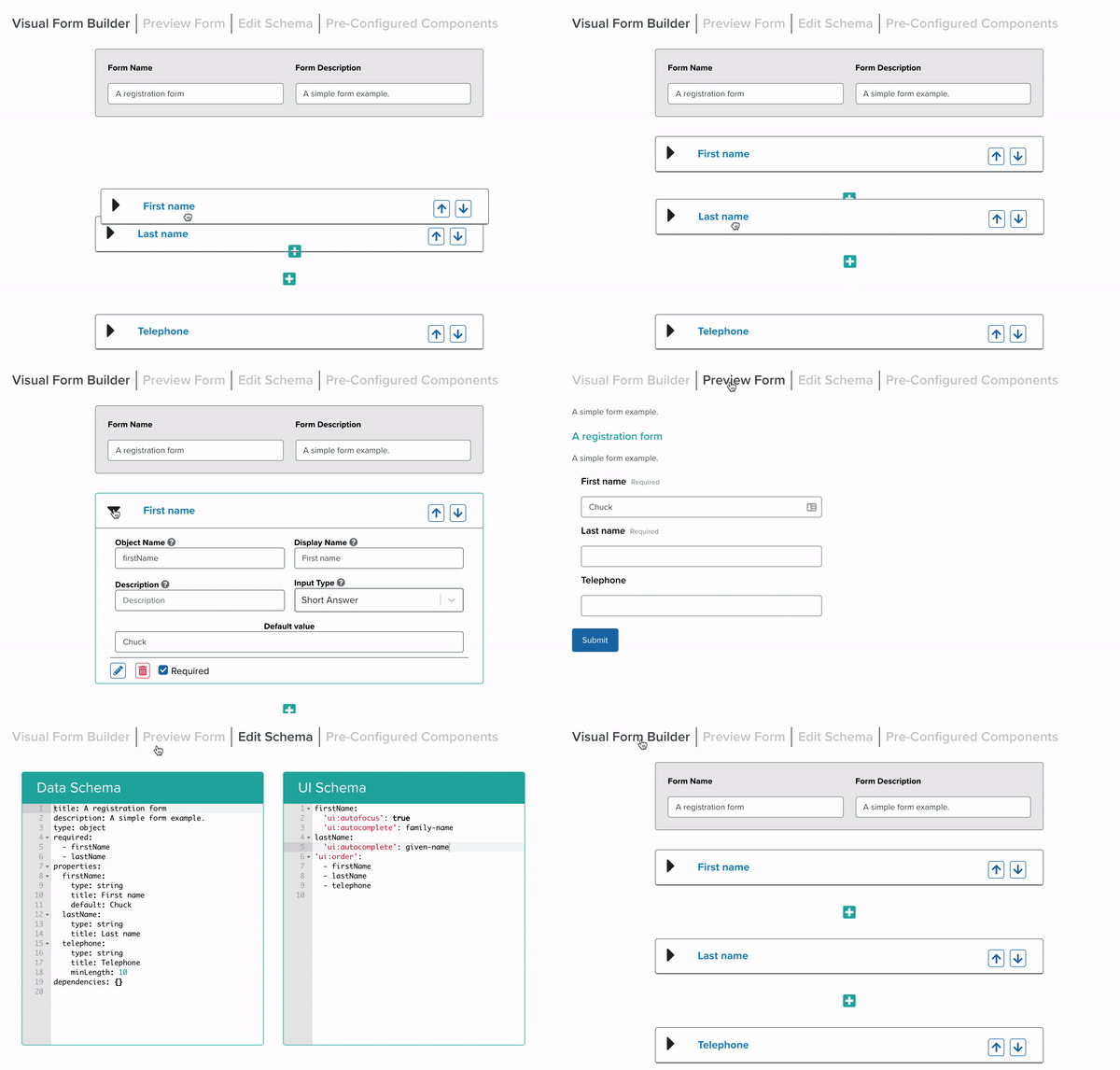
Enhanced React JSON Schema Form Builder
This is an enhanced version of the React JSON Schema Form Builder, built on top of @ginkgo-bioworks/react-json-schema-form-builder with additional powerful features and improvements.
The FormBuilder component allows users to visually configure JSON Schema encoded forms through an intuitive drag-and-drop interface. Perfect for building applications that enable users to create and distribute their own surveys, forms, and data collection tools.
✨ New Features & Enhancements
This enhanced version includes all the original functionality plus these exciting new features:
- 🔄 Field Save Functionality: Save form field configurations
- 📝 Rich Description Editor: Advanced text editor for field descriptions with formatting support
- 💡 Description Tooltips: Hover tooltips that display field descriptions for better user experience
- 🏷️ Auto-naming: Automatic generation of section object names and element object names by camel-casing display names
- ⚡ Enhanced UX: Improved user interface and workflow optimizations
Key Features
- Visual Form Building: Drag, drop, and edit form elements with ease
- JSON Schema Compliance: Generate valid JSON Schema forms
- Customizable Components: Incorporate custom form elements and inputs
- Real-time Preview: Live code representation of your form as you build
- Extensible Architecture: Easy to extend with novel form elements
Quickstart
npm i --save rjsf-builderImport the enhanced form builder as a React component in your Node project:
Usage
import React, { Component } from 'react';

import {FormBuilder} from 'rjsf-builder';

class Example extends Component {
  constructor(props) {
    super(props);
    this.state = {
      schema: '',
      uischema: ''
    };
  }
  render() {
    return (
      <FormBuilder
        schema={this.state.schema}
        uischema={this.state.uischema}
        onChange={(newSchema: string, newUiSchema: string) => {
          this.setState({
            schema: newSchema,
            uischema: newUiSchema
          })
        }}
        onSave={(fieldData: any, newSchema: string, newUiSchema: string) => {
          this.setState({
            schema: newSchema,
            uischema: newUiSchema
          })
        }}
      />
    );
  }
}
Enhanced Features in Detail
🔄 Field Save Functionality
Save your configured form fields across different forms, improving productivity and consistency.
📝 Rich Description Editor
Create detailed, formatted descriptions for your form fields using an advanced text editor with rich formatting capabilities.
💡 Description Tooltips
Improve user experience with helpful tooltips that display field descriptions when users hover over form elements.
🏷️ Smart Auto-naming
Automatically generate clean, consistent object names for sections and elements by converting display names to camelCase format.
Built On
This enhanced version is built on top of the excellent @ginkgo-bioworks/react-json-schema-form-builder and extends its functionality with additional features and improvements.
Contributing
Contributions are welcome! Please feel free to submit issues and enhancement requests.
License
Licensed Apache 2.0. Built upon @ginkgo-bioworks/react-json-schema-form-builder - Copyright 2020-2023 Ginkgo Bioworks, Inc.