
rn-network-inspector
v1.0.18
Published
Network inspector for React Native and Expo

Maintainers
 green_hat124
Readme
🚀 RN Network Inspector
Real-time network monitoring for React Native and Expo. Seamlessly debug requests in a stunning Chrome DevTools-style dashboard.
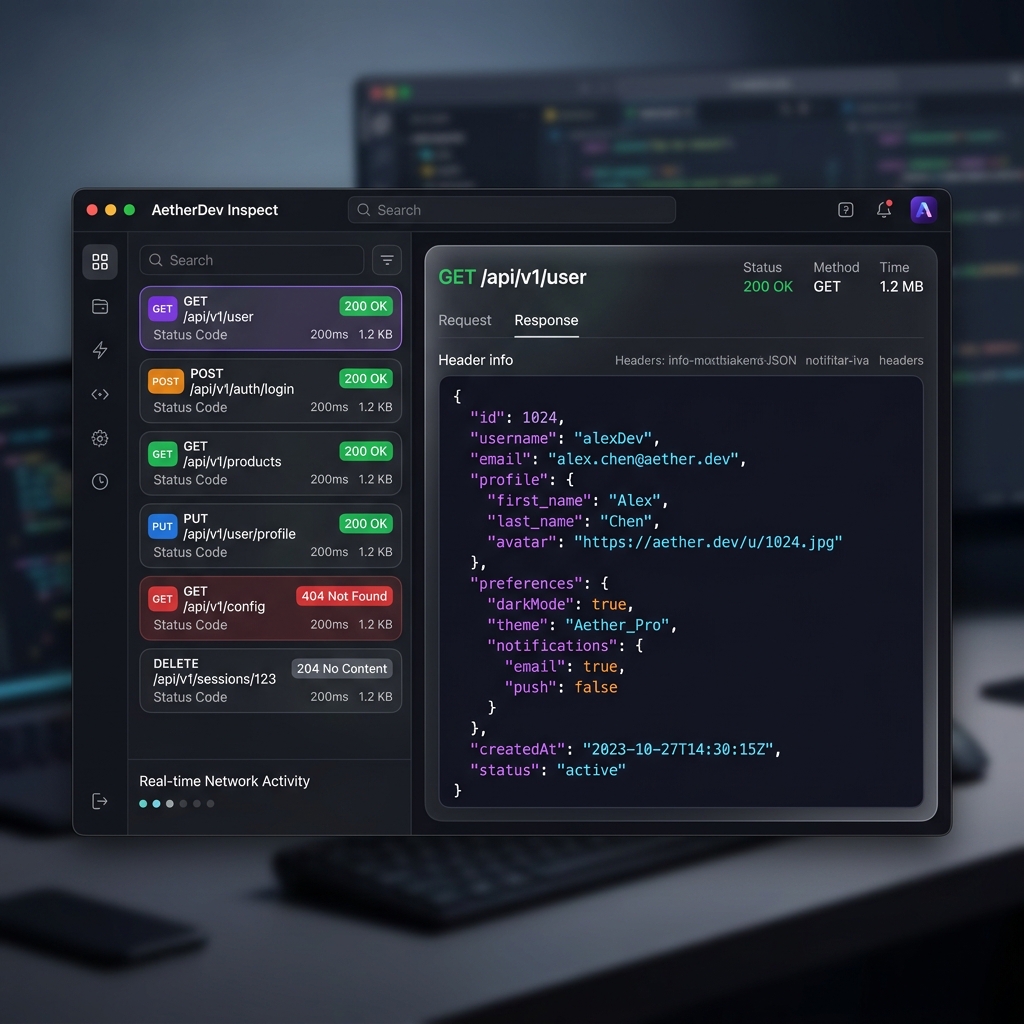
✨ Features
- ✨ Plug & Play: One-line setup to start intercepting.
- 🌐 Universal: Automatically intercepts Axios, Fetch, Apollo, and any library using
XMLHttpRequest. - 🖥️ Chrome DevTools UI: Inspect headers, payloads, previews, and response timing in a familiar, premium interface.
- ⚡ Zero Overhead: Lightweight, live-relay architecture with no server-side storage.
- 📱 Universal Support: Works with standard React Native (JS Engine), Expo, and all major emulators/physical devices.
📦 Installation
npm install rn-network-inspector🚀 Usage
1. Initialize the Inspector
Import and call startNetworkInspector as early as possible in your App.tsx or main entry point (before any API calls are made):
import { startNetworkInspector } from "rn-network-inspector";

// Start the inspector! 🚀
startNetworkInspector({
  serverUrl: "http://[IP_ADDRESS]:4000", // Replace with your computer's local IP address and a port number eg: http://192.168.x.x:4000
});
🛠️ Configuration
You can pass options to startNetworkInspector to customize the behavior:
| Option | Type | Description |
| :--- | :--- | :--- |
| enabled | boolean | Set to __DEV__ to ensure the inspector only runs in development. |
| serverUrl | string | Manually specify the bridge server address (e.g., your computer's local IP). |
startNetworkInspector({
  serverUrl: "http://[IP_ADDRESS]:4000", // Replace with your computer's local IP address and a port number eg: http://192.168.x.x:4000
  enabled: __DEV__, // Recommended: Only enable in development mode
});
2. Launch Dashboard 🖥️
Run the following command from your terminal to open the live browser dashboard:
npx rn-network-inspectorThis will automatically find your IP, start the bridge server, and open your browser to the local dashboard. Note: Ensure your dashboard is open when you make requests to see them live!
📄 License
MIT © Vishal Vijayan