
rnassist
v1.0.7
Published
AI-powered debugger and performance analyzer for React Native projects
Downloads
31


Readme
rnassist
AI-powered debugger and performance analyzer for React Native projects.
Run it inside any React Native project to get real-time analysis of your code, dependencies, runtime errors, network calls, and known bugs — all in one terminal report.
How It Works
rnassist scan
      ↓
Reads all .ts .tsx .js .jsx files
      ↓
Checks dependencies against known RN bug database
      ↓
Connects to your running app via Metro WebSocket
Collects: runtime errors, console logs, network calls
      ↓
Sends everything to Gemini AI
      ↓
Prints a specific, actionable report in your terminal
Requirements
- Node.js 18+
- A React Native or Expo project
- Metro bundler running (
npx expo startornpx react-native start) - Gemini API key (
GEMINI_API_KEY)
Installation
npm install -g rnassistSetup
You need a free Gemini API key to use rnassist:
- Get your API key: https://aistudio.google.com/app/apikey
- Set it as an environment variable:
export GEMINI_API_KEY="your-api-key-here"To make it permanent, add it to your shell profile:
# For Zsh (macOS default)
echo 'export GEMINI_API_KEY="your-key"' >> ~/.zshrc
source ~/.zshrc

# For Bash
echo 'export GEMINI_API_KEY="your-key"' >> ~/.bashrc
source ~/.bashrc
Usage
Navigate to your React Native project root, then run:
Scan
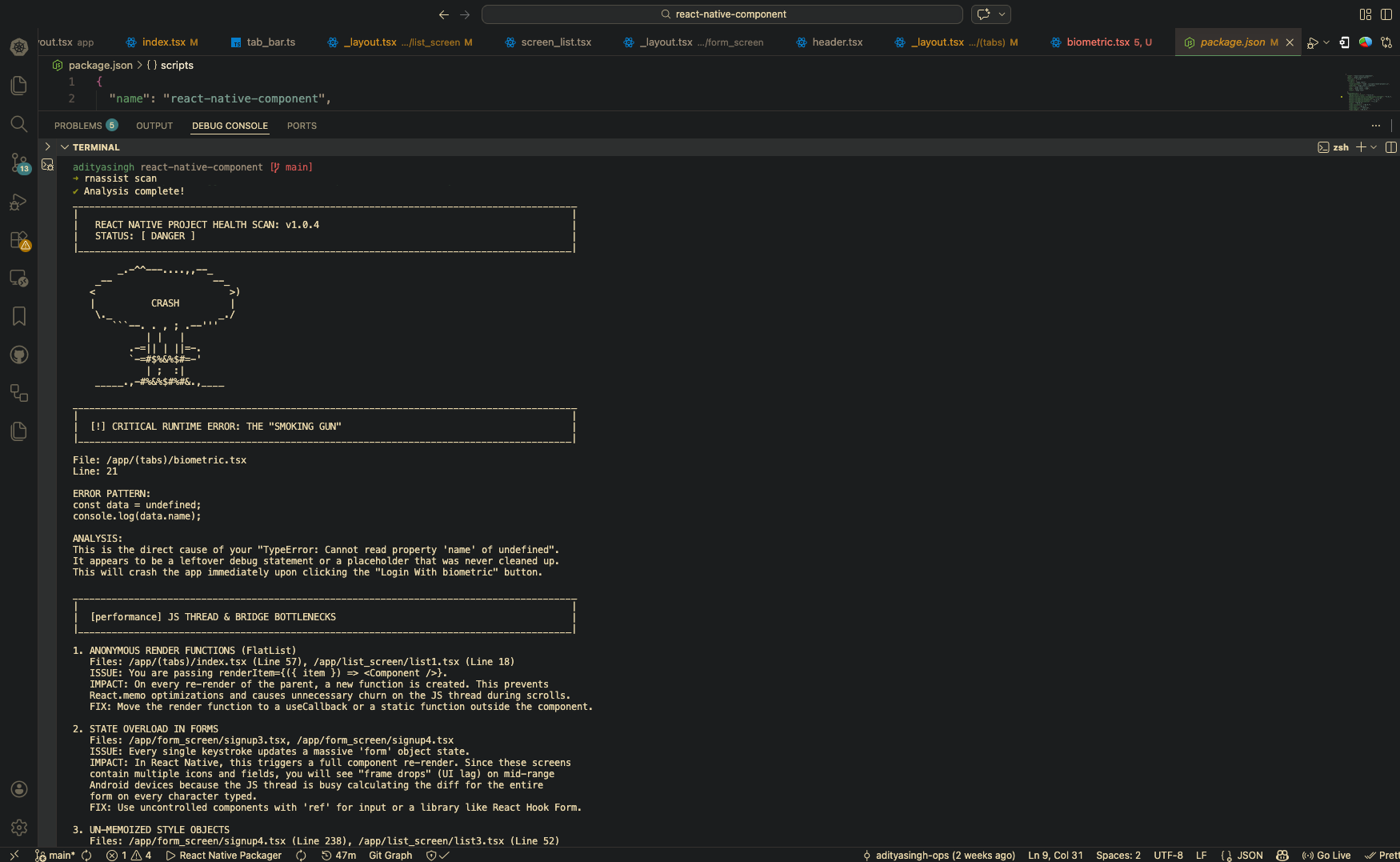
rnassist scanWatches your running app. Trigger some actions in the simulator or device, then press Ctrl+C to analyze. You will get a full report covering:
- Runtime crashes and errors
- Performance bottlenecks (JS thread, re-renders, memory leaks)
- Bad patterns and anti-patterns
- Known bugs matched to your exact dependency versions
- Network calls made during the session
Ask (focused question)
rnassist ask "Why is startup slow on Android?"Same runtime capture flow as scan, but the AI response is focused on your exact question.
Update Bug Database
rnassist update-bugsFetches the latest React Native changelog from GitHub and updates the local bug database. Run this periodically to stay up to date with known fixes.
Tests
npm testExample Output
===========================================================================================
[!] CRITICAL CRASH
===========================================================================================
FILE: /app/(tabs)/biometric.tsx
LINE: 22

  21 |  const data = undefined;
  22 |  console.log(data.name);  <--- CRASH HERE

FIX: Use optional chaining: console.log(data?.name)

===========================================================================================
[!] PERFORMANCE — JS THREAD BOTTLENECK
===========================================================================================
FILE: /Hooks/useProduct.tsx

  fetchProduct is recreated on every render.
  Wrap in useCallback to stabilize the reference.
What It Analyzes
- All
.ts,.tsx,.js,.jsxfiles in your project (skipsnode_modules,android,ios,build) package.jsondependencies matched against a database of known RN bugs- Live runtime data from your running app via Chrome DevTools Protocol
- React Native core bug fixes from the official changelog
License
ISC