
robogpt-nodes
v1.0.13
Published
RoboGPT Node based workflow editor


Readme
robogpt-nodes
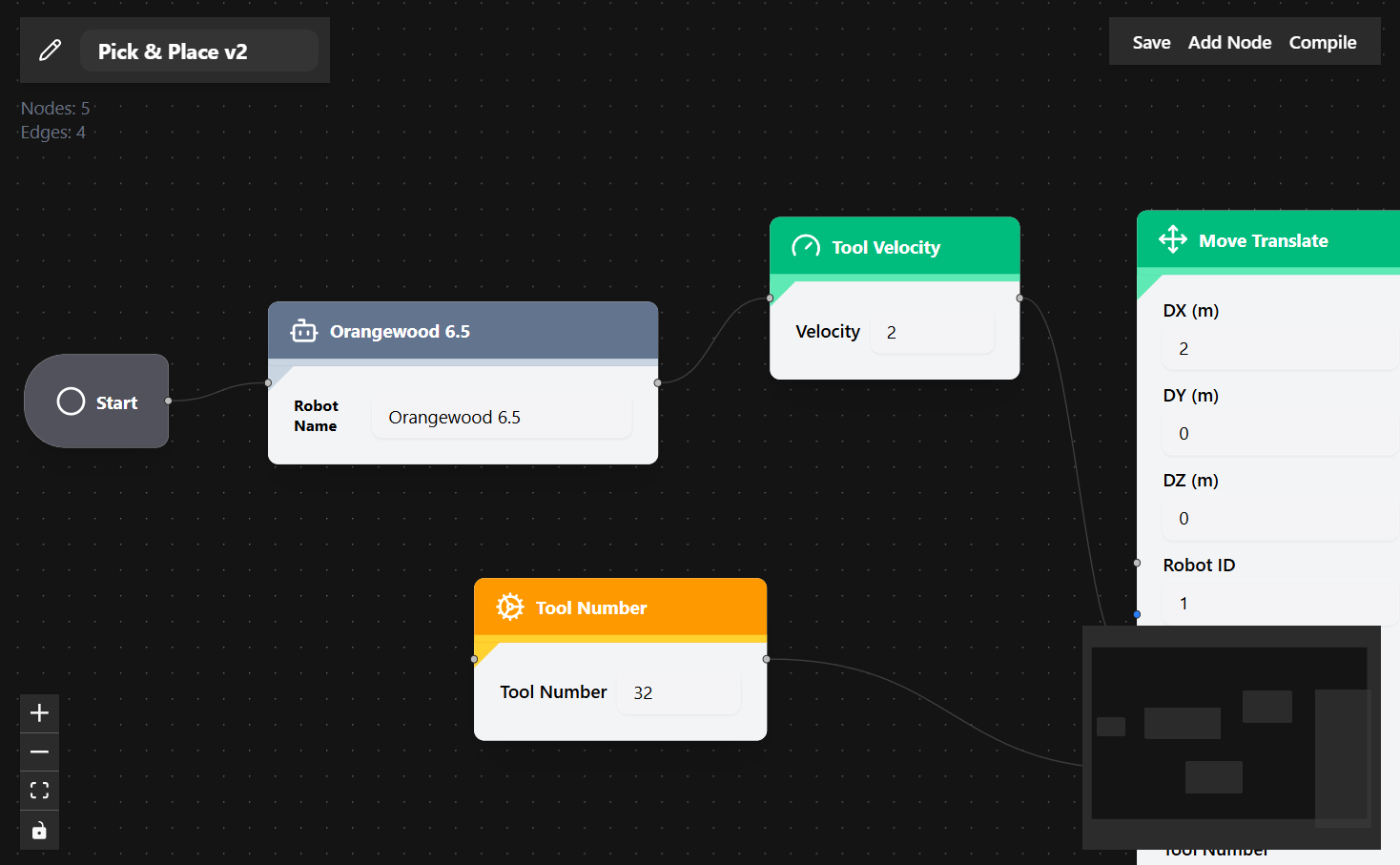
robogpt-nodes is a framework‑agnostic React component library that provides a node‑based editor for building robot workflows.
With robogpt-nodes, you can drag and drop nodes to visually create programs that your robot can execute — a simpler way to program robots using RoboGPT.
Installation
npm install robogpt-nodes
# or
yarn add robogpt-nodes
# or
pnpm add robogpt-nodes
Usage
"use client";

import { NodeEditor } from "robogpt-nodes";
import "robogpt-nodes/dist/index.css";

export default function Page() {
  return <NodeEditor />;
}
Features
- Drag & Drop Node Editor – visually connect nodes to build workflows
- Robot Programming Made Simple – create programs without writing code
- Framework‑agnostic – works in Next.js, Vite, CRA, Remix, etc.
- Customizable – built with Radix UI, Zustand, and Tailwind utilities
Requirements
- React
>=18 - React DOM
>=18 - TailwindCSS (if you want to extend/customize styles)
- A Next.js API route for publishing workflows (see below)
Workflow Publishing API (Next.js)
The NodeEditor component is designed to publish the compiled workflow to your backend.
By default, it expects a Next.js API route at /api/publish.
Example: /app/api/publish/route.ts
import Pusher from "pusher";
import { NextRequest } from "next/server";

const pusher = new Pusher({
  appId: process.env.PUSHER_APP_ID || "dummy-app-id",
  key: process.env.PUSHER_KEY || "dummy-key",
  secret: process.env.PUSHER_SECRET || "dummy-secret",
  cluster: process.env.PUSHER_CLUSTER || "mt1",
  useTLS: true,
});

export async function POST(req: NextRequest) {
  try {
    const { channel, event, payload } = await req.json();

    if (!channel || !event) {
      return new Response(
        JSON.stringify({ error: "channel and event are required" }),
        {
          status: 400,
          headers: { "Content-Type": "application/json" },
        }
      );
    }

    await pusher.trigger(channel, event, payload ?? {});

    return new Response(JSON.stringify({ ok: true }), {
      status: 200,
      headers: { "Content-Type": "application/json" },
    });
  } catch (err) {
    return new Response(
      JSON.stringify({ ok: false, error: "Failed to publish" }),
      {
        status: 500,
        headers: { "Content-Type": "application/json" },
      }
    );
  }
}
When a user creates or updates a workflow in the editor:
- The component compiles the workflow into JSON.
- It then sends this JSON to
/api/publishusing aPOSTrequest. - The request includes a
channel, aneventname, and the compiled workflow as thepayload. - Your API route is responsible for receiving this data and broadcasting it (for example, using Pusher) so that robots or other clients can react to the workflow in real time.
This means that in order to use the editor effectively, you need to implement a /api/publish endpoint in your Next.js app that can handle these requests and forward them to your real‑time infrastructure.
Development
If you want to contribute:
git clone https://github.com/your-org/robogpt-nodes.git
cd robogpt-nodes
npm install
npm run build
License
MIT © 2025 RoboGPT