
rocket-preset-code-tabs
v0.2.10
Published
Code tabs for Rocket


Readme
rocket-preset-code-tabs
Add tab elements for code blocks
Configuration
Add the preset to your rocket.config.js, and configure it with a collections object. collections is a record of collection names to tab types. For example, if you want code tabs which switch between install commands for npm, yarn, and pnpm, add the following:
import { codeTabs } from 'rocket-preset-code-tabs';

export default {
  presets: [
    codeTabs({
      collections: {
        packageManagers: {
          npm: { label: 'NPM', iconHref: '/_merged_assets/brand-logos/npm.svg' },
          yarn: { label: 'Yarn', iconHref: '/_merged_assets/brand-logos/yarn.svg' },
          pnpm: { label: 'PNPM', iconHref: '/_merged_assets/brand-logos/pnpm.svg' },
        },
      }
    })
  ]
}
Usage
Now, to add a tab switcher to a page, write code blocks with the tab ${id} directive, and wrap the set of tabs in a <code-tabs collection="package-managers" default-tab="npm"> element. You can indent the code blocks by one two spaces, but no more.
<code-tabs collection="package-managers" default-tab="npm">

  ```bash tab npm
  npm i -S rocket-preset-code-tabs
  ```

  ```bash tab yarn
  yarn add rocket-preset-code-tabs
  ```

  ```bash tab pnpm
  pnpm add rocket-preset-code-tabs
  ```

</code-tabs>
Ad-Hoc Tabs
If you omit the collection attribute, you can create an ad-hoc tab group by passing the tab name as the first argument to the tab directive
<code-tabs default-tab="my-element.js">

  ```js tab my-element.js
  class MyElement extends HTMLElement {
    static is = 'my-element';
  }

  customElements.define(MyElement.is, MyElement);
  ```

  ```json tab custom-elements.json
  {
    "schemaVersion": "1.0.0",
    "readme": "",
    "modules": [
      {
        "kind": "javascript-module",
        "path": "my-element.js",
        "declarations": [
          {
            "kind": "class",
            "description": "",
            "name": "MyElement",
            "tagName": "my-element",
            "members": [
              {
                "kind": "field",
                "name": "is",
                "default": "'my-element'",
                "static": true
              }
            ],
            "superclass": {
              "name": "HTMLElement"
            }
          }
        ]
      }
    ]
  }

  ```

</code-tabs>
Results
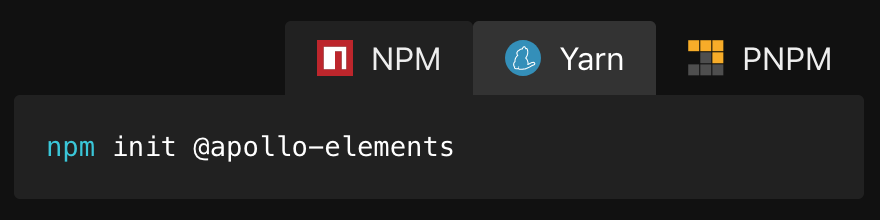
With JavaScript enabled, users will be able to pick their preferred 'flavour', which persists across page loads via local storage.
<noscript>
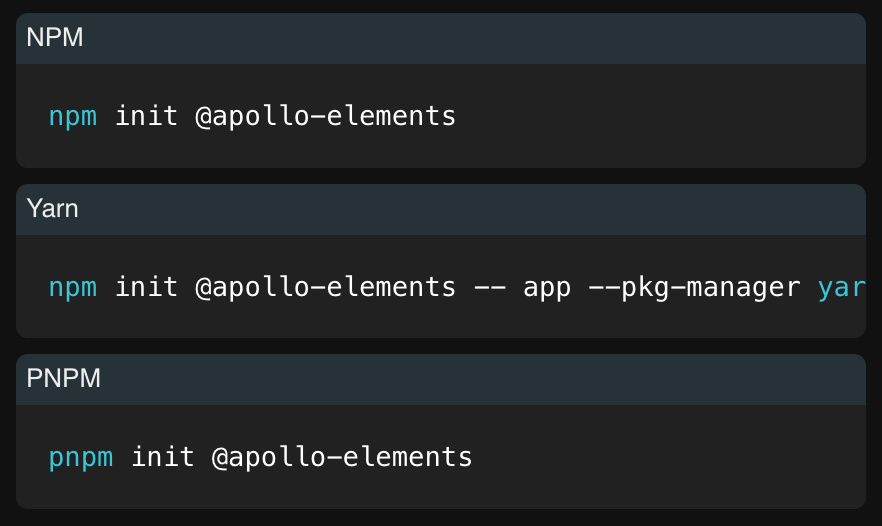
Content is king! Users with JavaScript disabled get a gracefully degraded experience
Styling
Enjoy consistent site-wide theming by setting --markdown-syntax-background-color and --markdown-table-row-odd-background-color