
rolljs
v0.1.2
Published
A simple library to track scroll movements.


Readme
roll.js
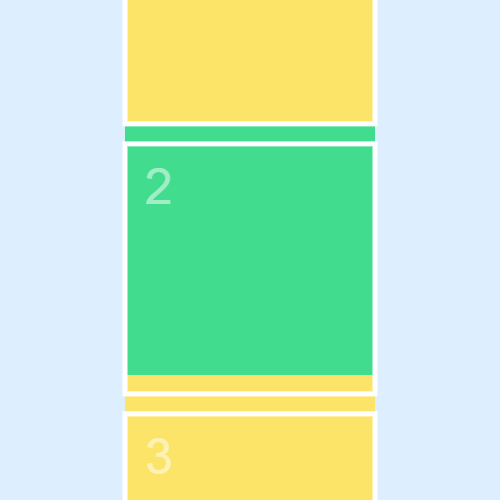
A little js library (~8kb, no dependencies) to help you keep track of position, scrolling, and pagination. Nothing too fancy, but since I couldn't find a suitable library for these purposes, I made one for a friend and myself and you too! Ping me @williamngan if you have questions or comments.
Demo
Here's a DOM scrolling demo (with some weird iPhone paintings :satisfied:)
Here's a Canvas demo
Basic Usage
Simply create a new instance, specifying the viewport size (500px in this example).
var roll = new Roll( 500 );
Next, add a couple of steps to the roll instance. You may use the static helper Roll.chunk( stepSize, padding ) to create a step object.
roll.addStep( Roll.chunk(500, 20) ); // Add a step of 500px with 20px padding
roll.addStep( Roll.chunk(700, 20) );  // Add a step of 700px with 20px padding
When the pane is moved, usually via the function roll.move( position ),
the roll instance will emit a roll event and possibly a step event.
You can listen to these events in the usual manner. (see EventEmitter docs ). For example,
roll.on( "roll", function(step, currProgress, currPosition, totalProgress) {
    // implement your logic here
})

roll.on( "step", function(curr, last) {
    // implement your logic here
})
DOM Usage
A common usage is to keep track of scrolling in a DOM element, and then do pagination or animation based on scroll position.
There are a couple of static helpers to simplify this task. First, create a roll instance using Roll.DOM( viewportID, scrollpaneID, stepsID, stepClass, padding). For example,
var roll = Roll.DOM("#viewport", "#pane", "#steps", ".step", 100 );The html structure for a scrolling slideshow may look like this. Also see a sample css that corresponds to that html.
<div id="roll">
	<div id="steps">
		<div id="s0" class="step">Hello</div>
		<div id="s1" class="step">World</div>
		<div id="s2" class="step">How's it going</div>
	</div>
	<div id="viewport">
		<div id="pane"></div>
	</div>
</div>
Then this will keep track of vertical scrolling in the #viewport DOM element. You can then listen for the roll and step events as shown in Basic Usage, and implement your own logic.
One more thing: Roll.stepHandler(...) is a helper to go through a slideshow with step event. It will add css classes to the .step elements based on which step is in view.
roll.on( "step", Roll.stepHandler( roll, views, "prev", "next", "curr", true ) );In the above snippet, roll is the roll instance, views is an array of the .step DOM elements, and "prev", "next" "curr" are css class names to assign to previous, next, and current step elements.
A good way to get started is to take a look at the demos above, and then check out the source code in demo folder.
Compiling
This library is written in javascript ES6 and compiled with Babel. If you want to change the source code and rebuild, simply npm install to get the dev dependencies,
and then run gulp to watch and build.