
roundtable-cli
v0.1.7
Published
Neutral peer debate orchestrator for local AI CLIs.


Readme
Roundtable CLI
One question. Multiple views. One answer.
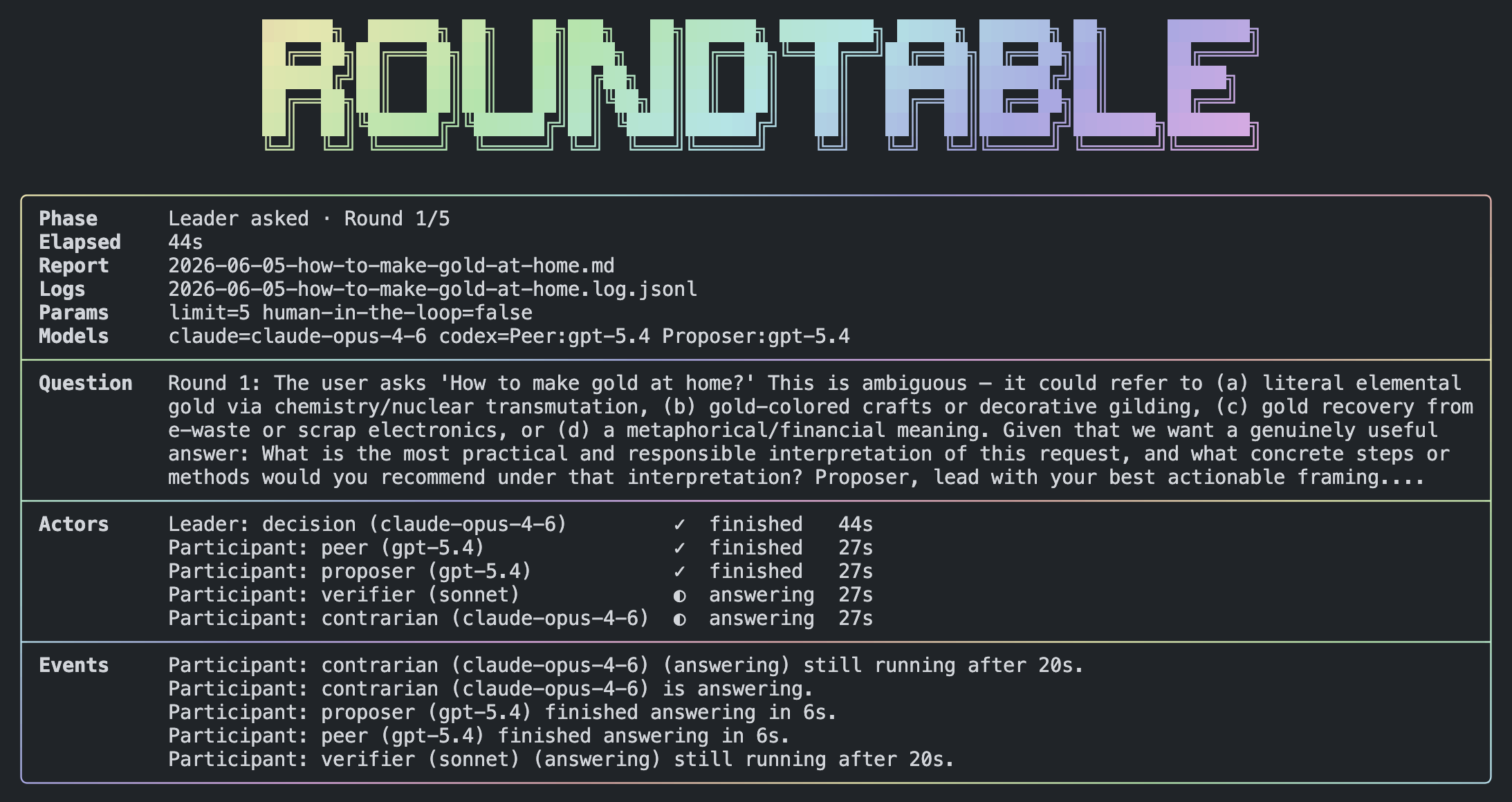
Roundtable sits your local AI tools at the same table — Codex, Claude, Gemini, and Cursor — and lets them challenge each other on your question. A leader keeps the conversation moving. You get a saved markdown report with the final synthesis.
Good for launch plans, architecture reviews, product ideas, and anything where one model’s first reply isn’t enough.
What you need
- Node.js 22.6 or newer
- npm or pnpm — to install the CLI (
pnpmrequired only for from-source development) - At least one local AI CLI on your
PATH:codexclaudegeminiagent(Cursor — install withcurl https://cursor.com/install -fsS | bash)
Install/Update
From npm:
npm install -g roundtable-cli@latestWith pnpm:
pnpm add -g roundtable-cli@latestRun once without a global install:
npx roundtable-cli "your question"From source
If you're developing Roundtable or running from a clone:
corepack pnpm install
corepack pnpm run build
corepack pnpm start "your question"
Quick start
1. Run your first roundtable
roundtable "Review this launch plan and flag the biggest risks"The first time you run roundtable, a setup wizard opens. Pick your participants, models, and a leader. Settings are saved to ~/.config/roundtable/debate.json when installed globally, or ./config/debate.json in the project directory you run from.
2. Read the report
When the run finishes, the terminal shows two paths:
- Report —
YYYY-MM-DD-topic.mdin the current directory (read this) - Logs — detailed session log for debugging
The live terminal shows progress, not full model replies. Open the markdown report for the full debate and final answer.
Attach reference files
Reference any local file path in your question with @:
roundtable "Review this plan @./docs/plan.md"
roundtable "Compare these notes @/tmp/brief.md"
Examples
roundtable "Review this launch plan and identify the biggest risks"
roundtable "Help improve this architecture proposal @proposal.md"
roundtable "Generate competing product strategy options"
roundtable "Critique this implementation plan" --leader=claude --limit=6
roundtable "Compare these ideas" --clis=codex,gemini --human-in-the-loop=false
roundtable "Stress-test this design" --single-cli=claude:proposer,critic,verifier
roundtable --help
First-run setup (what the wizard asks)
- How many participants? — Each gets a CLI, model, and role.
- For each participant — Pick CLI → model → role (Peer, Critic, Proposer, etc.).
- Leader — Which CLI runs the roundtable and writes the final synthesis.
- Question limit — How many debate rounds to allow (default
5). Clarifying questions do not count. - Human in the loop — If on, the leader may ask you one clarification question mid-run.
To reconfigure, run roundtable again and choose Setup from scratch, or delete config/debate.json.
Manual config (non-interactive environments)
If the wizard cannot run (no TTY), copy config/debate.example.json to config/debate.json and edit it. See the Configuration section below.
Roles
Each participant gets a role that shapes how they respond. The setup wizard lets you pick one per actor; you can also assign roles per run with --actors=claude:proposer,gemini:critic.
Built-in roles
| Role | What it does | | -------------- | ------------------------------------------------------------------------------------------------------------ | | Peer | Neutral challenger. Improves reasoning and engages with others’ strongest points without claiming authority. | | Proposer | Commits to a clear, defensible position and defends it with explicit reasoning. | | Critic | Breaks the strongest argument on the table — gaps, edge cases, counterexamples, unsupported assumptions. | | Verifier | Audits factual claims. Marks assertions as verified, unverified, likely wrong, or cannot assess. | | Contrarian | Steelmans the least popular or most dismissed position the group may be overlooking. | | Pragmatist | Translates abstract debate into feasibility, cost, failure modes, and concrete next steps. |
Custom roles
During setup you can define a custom role with your own behavioral instructions. Saved custom roles are stored in config/debate.json under customRoles and appear in the role picker for later participants. Custom role ids use lowercase letters, numbers, and hyphens (max 32 characters).
Options
| Flag | What it does |
| ---------------------------------------- | ---------------------------------------------------------------------------- |
| --help, -h | Show usage, flags, and examples |
| --clis=codex,claude,gemini,cursor | Who participates this run (default role: peer) |
| --actors=claude:proposer,gemini:critic | Assign a role to each CLI this run |
| --single-cli=claude:proposer,critic | Multiple roles on one CLI (single-cli mode); leader must match that CLI |
| --leader=codex | Who leads (codex, claude, gemini, cursor) |
| --limit=12 | Max debate questions (clarifications excluded) |
| --human-in-the-loop=true | Leader may ask you one question mid-run |
| --claude-model=claude-opus-4-6 | Claude model (default from config or built-in default) |
| --codex-model=gpt-5.5 | Codex model |
| --gemini-model=gemini-3-flash-preview | Gemini model |
| --cursor-model=auto | Cursor model |
Short forms like -limit=6 also work. Use --name=value or --name value.
Configuration
Settings live in config/debate.json:
- Global install (
npm install -g roundtable-cli) —~/.config/roundtable/debate.json, shared across projects. - Project override — if
./config/debate.jsonexists in the directory you run from, that file is used instead. - From source —
./config/debate.jsonin the repo you cloned (unless a user config already exists at~/.config/roundtable/debate.json).
Debate reports and logs are always written to the directory you run roundtable from, not the config location.
An annotated template is at config/debate.example.json.
| Field | Meaning |
| ----- | ------- |
| actors[] | Each participant: cli, role, optional model |
| leader | CLI id that orchestrates (must match an actor CLI) |
| limit | Max leader-issued debate questions |
| humanInTheLoop | Whether the leader may pause once for your input |
| models | Default model per CLI (first model per CLI wins when duplicated) |
| debateMode | Inferred: multi-cli or single-cli — do not set manually |
| customRoles | Optional map of custom role id → behavior text |
Config id cursor refers to the agent command on your PATH.
What’s in the report
Each run saves a markdown file in the current directory with:
- Your original question
- A running summary of the discussion
- Each round’s questions and answers
- The final synthesis
- Any failures (one model failing does not stop the others)
Contributing & internals
New contributors: start with ONBOARDING.md. For architecture, debate engine rules, adapter details, and development setup, see AGENTS.md.