
ruler-decorators
v1.1.1
Published
TypeScript decorators library for property access control and validation

Maintainers
 cinast
Readme
❌WARNING 警告 ❌
一旦使用这个库
你的类型检查将会失效
尤其在处理句柄中,你甚至可以欺骗 ts 返回一个与原来完全不同的类型
这意味着你将回到 JS
如果你要用这个库,建议手动加类型注释,
并且在二级句柄链的 开始和最后一个 二级句柄 处,加一个类型检查关口
因为这个库大部分是建立在 getter 和 setter 上的,一旦定义这两个东西,就必须另外加属性
然而这个库除了预定义 gtr/str 对,并不会额外定义新的属性(你见过 Object.defineOwnProperty 能定义#字头私有属性么)
属性实体是储存在外部weakMap储存的
目前作者正在尝试类型追踪和限制
~~试了好多次甚至不如他自己推断好~~
有意大佬请 救————————
回到 JS 是一种什么样的感觉?
另外不要使用property-proxy,没用,而且还难写
十分难和 accessors 系列的$setter与$getter 兼容
以至于还要你自己重写规则
完善程度见thisVer
这几天我大概是不会再碰了
坐牢坐吐了
我还要享受剩下的假期
前情提要
😈 恶魔选项 😈
//tsconfig.json
"experimentalDecorators": true,
"ts":"^5.2"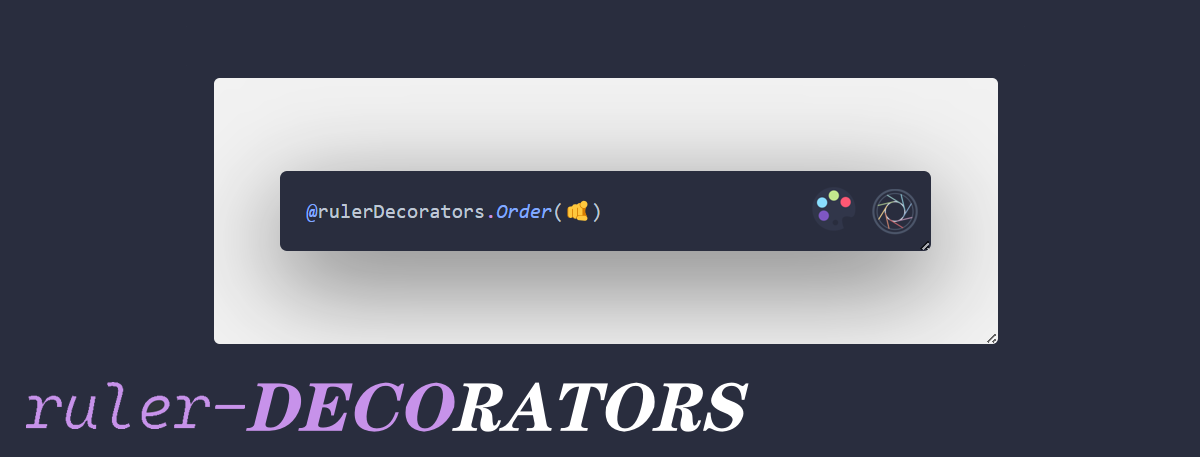
装饰器神教 ruler-DECORATORS.~~ts~~ js(实验性阶段)
📦 安装
npm install ruler-decorators 1.0.0.1st上一个“稳定”版本是
ruler-decorators test-5
🛠️ 主要 API
核心装饰器
$$init: 万恶之源$setter: 创建并注册 setter 句柄的装饰器$getter: 创建并注册 getter 句柄的装饰器$debugger: 调试装饰器(装饰器形态的断点)
实用工具
$conditionalWrite: 条件写入$conditionalRead: 条件读取watchSet: 值变化监听
预设规则
alwaysPositive: 只接受正数alwaysNegative: 只接受负数minimum: 最小值限制maximum: 最大值限制- ~~
onlyTheClassCanRead~~: 类访问控制 - ~~
onlyTheClassCanWrite~~: 类写入控制 - ~~
onlyTheClassAndSubCanRead~~: 类访问控制 - ~~
onlyTheClassAndSubCanWrite~~: 类写入控制

使用指导
🧪 更多示例
// 调试示例
class DebugClass {
    @$debugger(true, "Debugging property")
    value = 42;
}

// 数学约束
class MathDemo {
    @rulerDecorators.alwaysPositive
    count: number = 1;
}

// 访问控制
class SecureData {
    @rulerDecorators.onlyTheClassCanWrite(SecureData)
    secret: string = "confidential";
}
⚠️ 注意事项
⚠️仅娱乐⚠️ ,不要用于生产环境中
setterHandlers、getterHandlers目前是什么东西都有权更改,关于他的管理权我还没做好ℹ️ 必须启用
experimentalDecoratorsℹ️ 需要 TypeScript 5.2+
ℹ️ rd 库并不成熟,还要多次重写
⚠️ 一旦使用
$$init,这个属性/方法/类 不得再置新的 gtr/setr
会直接破坏这个库的运行ℹ️ ~~详见已知问题文档~~
ℹ️ 由于更新频繁,文档跟不上,而且有些是吞金鲸帮我写的 以代码为准
ℹ️ 谨慎魔改
src/type.handles.ts,当心报错 40+ℹ️ 目前只详细研究了属性装饰器,其他的还没有开发好,只有预留框架
之后要从属性描述符转到代理 proxy,详情请看 已知问题
也有可能两个并存
总之底层还要重构
🤔 为什么选择这个库?
看不惯 get/set 极其麻烦的写法 必须一句话解决
class name {
    #v: string = "";
    public set v(v: string) {
        this.#v = v;
    }
    public get v(): string {
        return this.#v;
    }
}
对比
class cls {
    #v: string = "";
    public set v(v: string) {
        if ((thisArg, key, v: string) => badWords.includes(v)) return;
        this.#v = v;
    }
    public get v(): string {
        return this.#v;
    }
}
class cls { @rulerDecorators.stringExcludes(badWords) v: string = ""; }柔性类型限制
class UserForm {
    @setter((p, v) => (p ? v : Number(v)))
    @inputTypeis("NaN")
    age: number = 0;
}

// 使用
const form = new UserForm();
form.age = "25"; // 自动转换为数字25
过分实用
class Product {
    @$debugger(true, "Debugging property")

    // 自动保持2位小数,并确保非负数
    @$setter(
        (v) => Math.max(0, parseFloat(v.toFixed(2))) // 处理负数和小数位
    )
    @rulerDecorator.minium(0)
    price: number = 0;

    // 折扣率自动限制在0-1之间
    @range(0, 1)
    discount: number = 0;

    // 自动计算折后价格(只读)
    @$getter(() => this.price * (1 - this.discount))
    finalPrice: number;
}
~~快速上手~~ 基操
1. 先上帝后乞丐
import { rulerDecorators } from "ruler-decorators";

// 不然你连哪里发生错误了都不知道
rulerDecorators.__Setting.godMod();
// 但是记得生产环境一定要关掉
2. 基本属性验证
import { $$init, rulerDecorators } from "ruler-decorators";

class Example {
    @$$init()
    @rulerDecorators.minimum(0)
    positiveNumber = 5;

    @$$init()
    @rulerDecorators.stringExcludes(["badword"])
    text = "hello";

    @$$init()
    @rulerDecorators.range(1, 100)
    percentage = 50;
}

const example = new Example();
example.positiveNumber = -10; // 自动修正为 0
example.text = "badword content"; // 自动过滤为 " content"
example.percentage = 150; // 自动修正为 100
3. 条件读写
import { $$init, $conditionalWrite, $conditionalRead } from "ruler-decorators";

class Example {
    @$$init()
    @$conditionalWrite("Warn", [
        (v) => value % 2 === 0, // 只允许偶数
    ])
    evenNumber = 2;

    @$$init()
    @$conditionalRead("Warn", [
        (v) => value > 100, // 只允许读取大于100的值
    ])
    largeNumber = 50;
}

const example = new Example();
example.evenNumber = 3; // 警告,保持原值
console.log(example.largeNumber); // 警告,返回 100
4. 类代理模式
import { $$init, $ClassProxy, rulerDecorators } from "ruler-decorators";

@$ClassProxy()
class Example {
    @$$init()
    @rulerDecorators.minimum(0)
    value = -5;

    constructor() {
        this.value = -10; // 自动修正为 0
    }
}

const example = new Example();
example.value = -15; // 自动修正为 0
5. 函数参数处理
import { $$init, $paramChecker } from "ruler-decorators";

class Example {
    @$$init()
    @$paramChecker((p, args) => {
        // 将所有参数转换为正数
        const processedArgs = prevResult.output.map((arg) => (typeof arg === "number" ? Math.abs(arg) : arg));
        return { approached: true, output: processedArgs };
    })
    processNumbers(...numbers: number[]) {
        return numbers.map((n) => n * 2);
    }
}

const example = new Example();
const result = example.processNumbers(1, -2, 3); // 参数自动转换为 [1, 2, 3]
// result: [2, 4, 6]
6. 值记录器
import { $$init, valueRecorder } from "ruler-decorators";

class Example {
    @$$init()
    @valueRecorder.$recordThis()
    value = 0;
}

const example = new Example();
example.value = 1;
example.value = 2;
example.value = 3;

valueRecorder.undo(example, "value"); // 回退到 2
valueRecorder.redo(example, "value"); // 重做到 3
~~高级~~ 简单用法
自定义规则
import { $$init, $setter, $conditionalWrite } from "ruler-decorators";

// 简单自定义规则
export const doubleValue = $setter((p) => {
    return p * 2;
});

// 条件自定义规则
export const positiveOnly = $setter((v) => (v > 0 ? 1 : 2));

class Example {
    @$$init()
    @doubleValue
    @positiveOnly
    value = 1;
}

const example = new Example();
example.value = 5; // 10 (5 * 2)
example.value = -3; // 1 (修正为正值)
模式选择
import { $$init } from "ruler-decorators";

class Example {
    // 显式指定模式
    @$$init("accessor")
    accessorValue = 1;

    @$$init("property-proxy")
    proxyValue = 2;

    @$$init("function-param-accessor")
    method() {
        // 方法实现
    }

    // 自动(属性访问器模式)
    @$$init()
    test = true;
}
配置选项
import { __Setting } from "ruler-decorators";

// 禁用 Proxy 使用
// 在降级环境中自动关闭
__Setting["Optimize.$$init.disableUsingProxy"] = true;

// 设置默认模式
__Setting["Optimize.$$init.defaultMod"] = "accessor";

// 设置属性数量阈值
// 超过之后自动选择类代理模式
__Setting["Optimize.$$init.autoUseProxyWhenRuledKeysMoreThan"] = 5;

// 启用详细日志
// @see debugLogger()
__Setting["debugLogger.logInnerDetails"] = true;
电子榨菜
画饼时间
src\api.test.ts测试用的接口- 写点规则
[
,
]
did that doc and the project
And maybe one day you would be in the [ ]
脚注:
图片图片加载不出来可以访问cinast.imgsStore
~~实在实在不行你直接 git clone~~