
salesforce-erd-generator
v1.0.1
Published
Generate interactive Entity Relationship Diagrams and comprehensive metadata documentation for Salesforce objects

Maintainers
 mohanchinnappan
Readme
📊 Salesforce ERD Generator
A powerful command-line tool that generates interactive Entity Relationship Diagrams (ERD) and comprehensive metadata documentation for Salesforce objects.



✨ Features
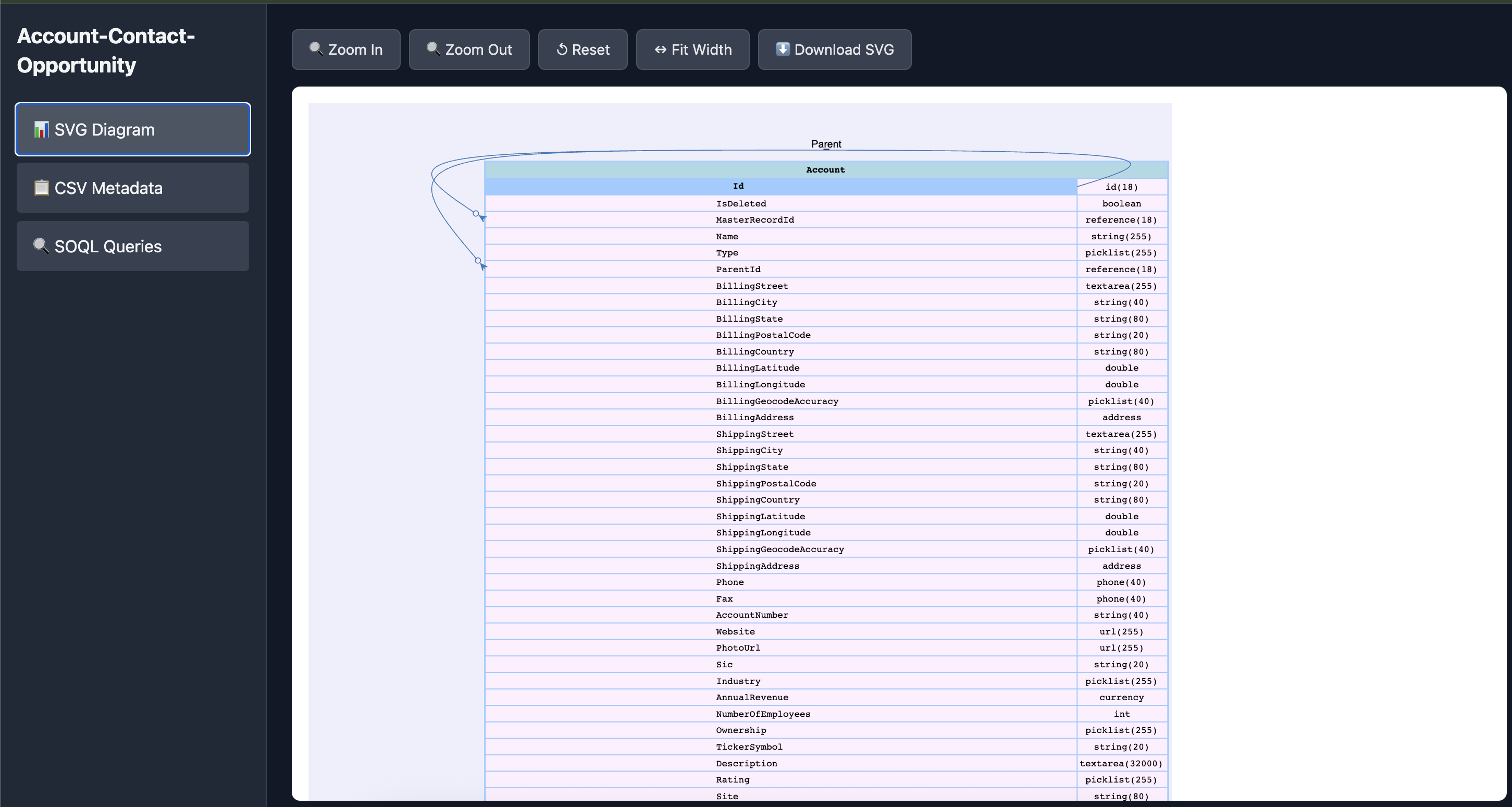
- 🎨 Visual ERD Diagrams - Generate beautiful SVG entity relationship diagrams
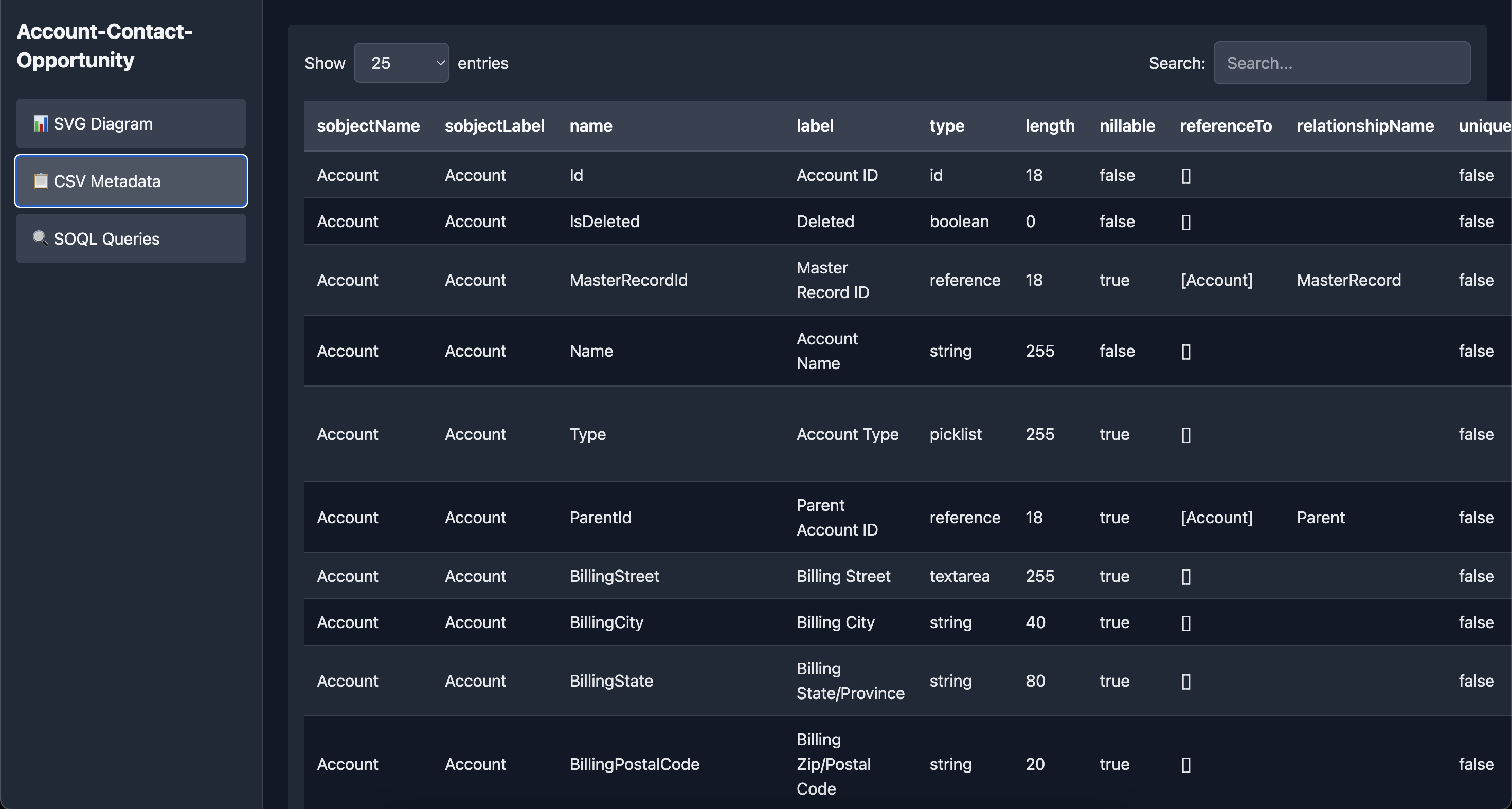
- 📋 CSV Metadata Export - Complete field-level documentation in CSV format
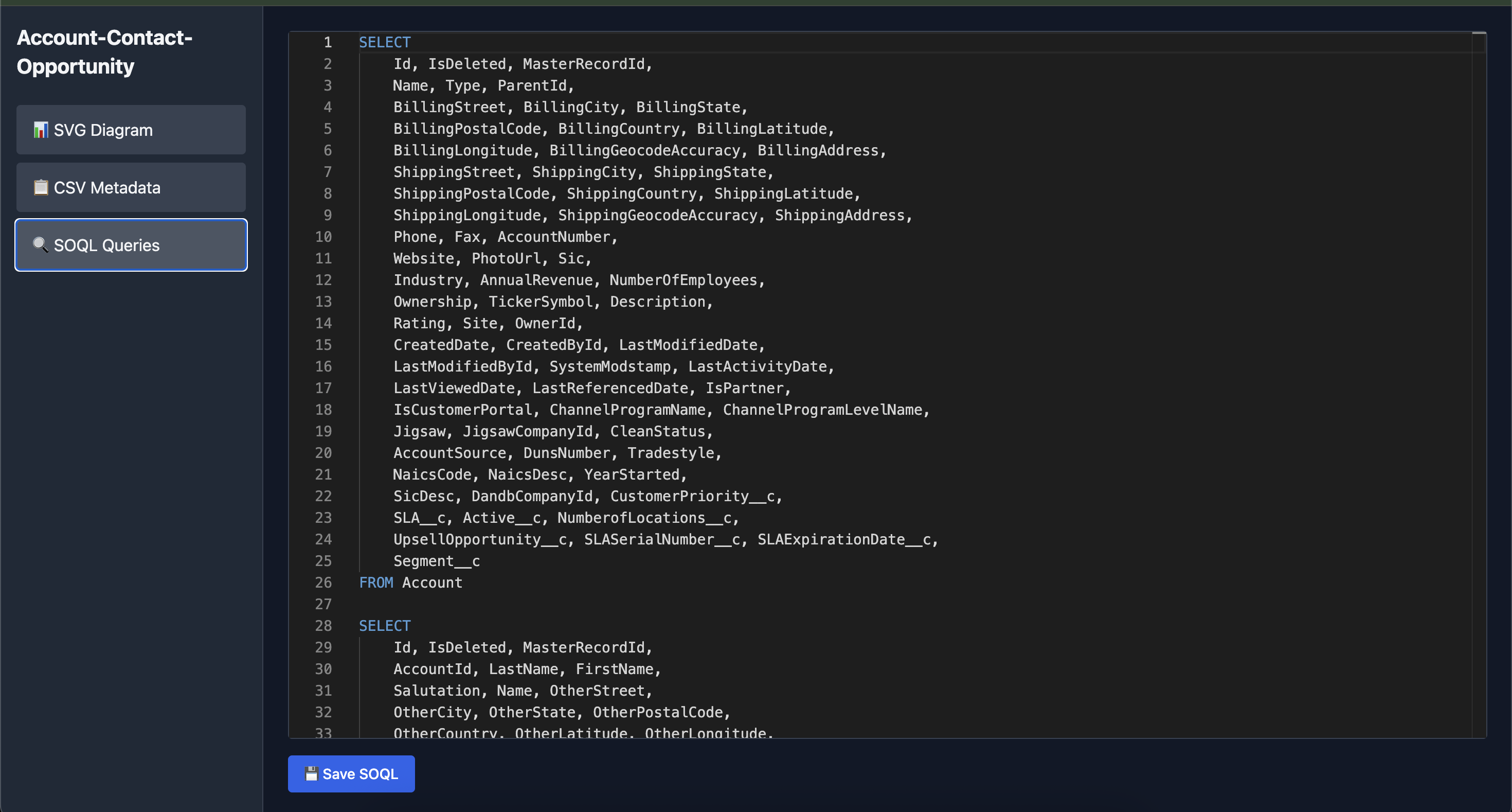
- 🔍 SOQL Query Generation - Auto-generated, formatted SOQL queries for each object
- 🌐 Interactive Dashboard - Dark-themed HTML dashboard with:
- Zoomable SVG viewer with pan controls
- Searchable and sortable metadata table
- Syntax-highlighted SOQL editor
- Responsive design for all screen sizes
- 🚀 Auto-open in Browser - Dashboard opens automatically after generation
Screenshots
📦 Installation
Global Installation (Recommended)
npm install -g salesforce-erd-generatorPrerequisites
- Node.js >= 14.0.0
- Salesforce CLI (
sf) withmohancplugin installed- install mohanc plugin:
sf plugins install sfdx-mohanc-plugins
- Valid Salesforce org credentials configured
🚀 Quick Start
Basic Usage
sf-erd -o [email protected] -s Account,Contact,OpportunityThis will generate:
Account-Contact-Opportunity.svg- Combined ERD diagramAccount-Contact-Opportunity.csv- All metadata in CSV formatAccount-Contact-Opportunity.soql- SOQL queries for all objectsAccount-Contact-Opportunity.html- Interactive dashboard (auto-opens)
Using Alias
sf-erd -o myDevOrg -s Account,ContactSingle Object
sf-erd -o username -s Account📖 Command-Line Options
| Option | Alias | Description | Required |
|--------|-------|-------------|----------|
| -o <username> | --org | Salesforce org username or alias | ✅ Yes |
| -s <objects> | --sobjects | Comma-separated list of Salesforce objects | ✅ Yes |
📂 Output Files
1. SVG Diagram (*.svg)
- Visual representation of object schemas
- Shows relationships between objects
- Includes all fields with data types
- Can be opened in any browser or SVG viewer
2. CSV Metadata (*.csv)
- Complete field metadata for all objects
- Includes: field name, type, length, nullable, references, etc.
- Import into Excel, Google Sheets, or any CSV tool
3. SOQL Queries (*.soql)
- Pre-formatted SELECT statements for each object
- Fields organized 3 per line for readability
- Ready to copy-paste into Developer Console or Workbench
4. Interactive Dashboard (*.html)
- SVG Tab:
- Zoom in/out controls
- Fit to width
- Pan and scroll
- Download SVG button
- CSV Tab:
- Search across all fields
- Sort by any column
- Pagination (10/25/50/100 entries)
- Responsive table
- SOQL Tab:
- Syntax-highlighted editor
- Edit and save queries
- Dark theme for comfortable viewing
🎨 Dashboard Features
SVG Viewer
🔍 Zoom In/Out | ↺ Reset | ↔ Fit Width | ⬇ DownloadMetadata Table
- Search: Real-time filtering across all columns
- Sort: Click any column header to sort
- Pagination: Navigate through large datasets
- Responsive: Adapts to screen size
SOQL Editor
- Monaco Editor (VS Code engine)
- SQL syntax highlighting
- Dark theme
- Save edited queries
💡 Usage Examples
Example 1: Standard Objects
sf-erd -o production -s Account,Contact,Lead,OpportunityExample 2: Custom Objects
sf-erd -o sandbox -s CustomObject__c,AnotherCustom__cExample 3: Mixed Objects
sf-erd -o myorg -s Account,Contact,CustomProduct__c,Invoice__cExample 4: Large Schema
sf-erd -o enterprise -s Account,Contact,Lead,Opportunity,Case,Campaign,Product2,PricebookEntry🛠️ Technical Details
Dependencies
- Salesforce CLI - For org access and metadata retrieval
- mohanc plugin - For metadata describe functionality
Generated Files Structure
.
├── <objects>.svg          # SVG diagram
├── <objects>.csv          # Metadata CSV
├── <objects>.soql         # SOQL queries
└── <objects>.html         # Interactive dashboard
SOQL Format
Queries are formatted for maximum readability:
SELECT
    Id, Name, Type,
    BillingStreet, BillingCity, BillingState,
    Phone, Fax, Website
FROM Account
🎯 Use Cases
- Documentation: Generate comprehensive schema documentation
- Training: Visual aids for team onboarding
- Analysis: Understand object relationships and dependencies
- Development: Reference for building integrations
- Migration: Plan data migration strategies
- Auditing: Review field configurations and settings
🐛 Troubleshooting
"sf CLI not found"
# Install Salesforce CLI
npm install -g @salesforce/cli
"mohanc plugin not found"
# Install mohanc plugin
sf plugins install sfdx-mohanc-plugins
"Org not authenticated"
# Authenticate to your org
sf org login web -a myorg
📝 License
This project is licensed under the MIT License - see the LICENSE file for details.
🙏 Acknowledgments
- Built on top of Salesforce CLI
- Uses mohanc plugin (sf plugins install sfdx-mohanc-plugins)
- Monaco Editor for SOQL syntax highlighting
🗺️ Roadmap
- [ ] Export to PNG/PDF
- [ ] Compare schemas between orgs
- [ ] Support for platform events and big objects
- [ ] Field usage analytics
- [ ] Dependency graph visualization
- [ ] Custom color themes
- [ ] Multi-language support
Made with ❤️ for the Salesforce Community
⭐ Star this repo if you find it useful!