
salesforce-metadata-central
v1.0.1
Published
Salesforce Metadata Explorer with Visual Interface - Browse, visualize, and generate SOQL queries for your Salesforce org metadata
Downloads
12

Maintainers
 mohanchinnappan
Readme
Salesforce Metadata Central
A powerful CLI tool with a beautiful web interface for exploring and visualizing Salesforce metadata.
Features
- 🔍 Explore Metadata: Browse all Salesforce objects in your org
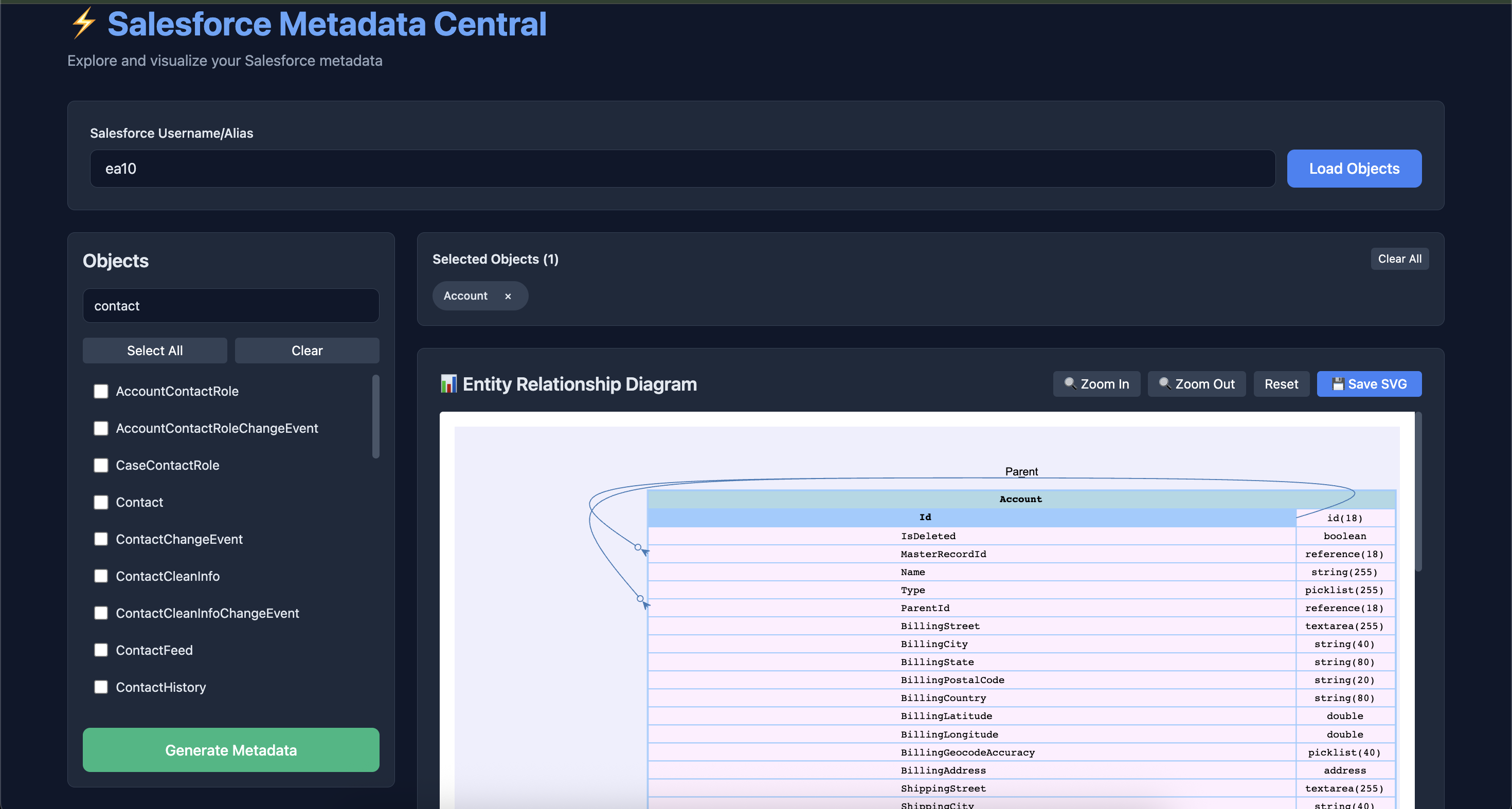
- 📊 ERD Visualization: Generate Entity Relationship Diagrams with zoom controls
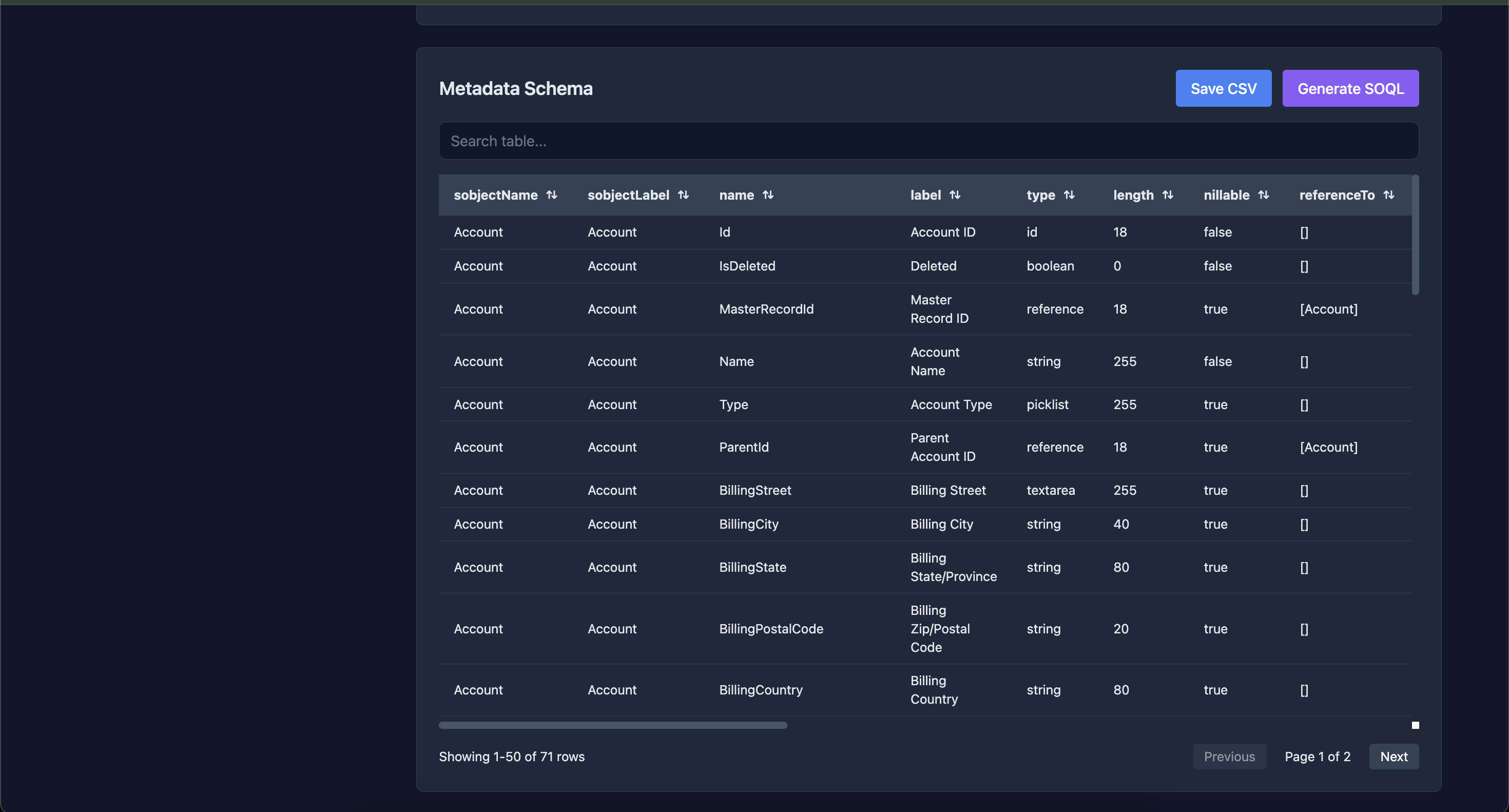
- 📋 Schema Export: Export metadata schema to CSV
- 🎨 Dark Theme UI: Modern, responsive dark-themed interface
- 🔎 Search & Filter: Real-time search for objects with persistent selections
- 💊 Selection Pills: Visual pill-based interface for selected objects with easy removal
- 📈 Interactive Tables: Sort, paginate, search, and export data
- 🔍 SVG Zoom Controls: Zoom in/out and reset ERD diagrams
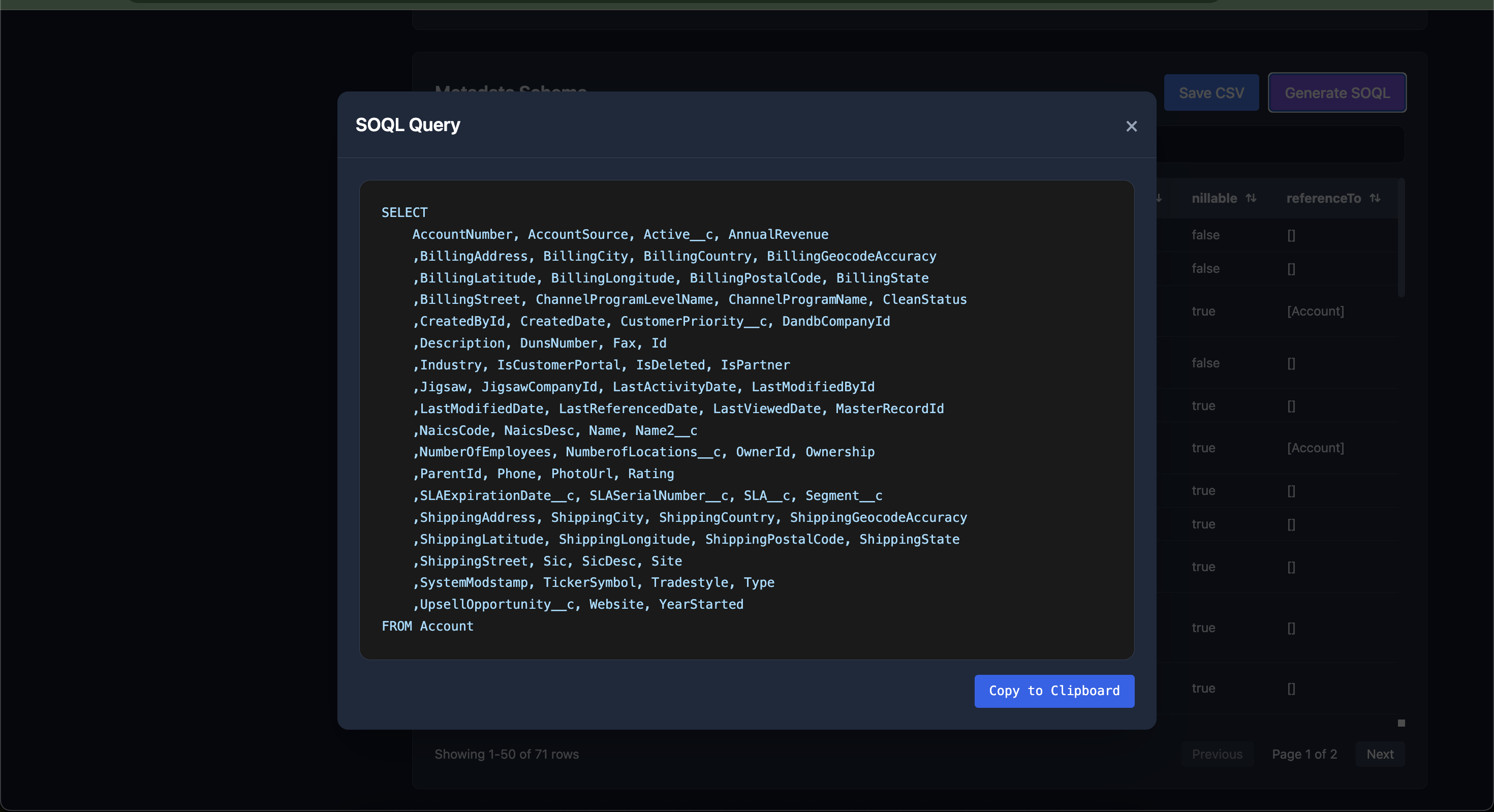
- ⚡ SOQL Generator: Automatically generate SELECT queries for single objects
- 📥 One-Click Copy: Copy generated SOQL to clipboard with visual feedback
- 🔄 Persistent State: Selections maintain across searches and filters
Screenshots
Prerequisites
- Node.js (v14 or higher)
- Salesforce CLI (
sf) sf mohancplugin installed
Installation
npm install -g salesforce-metadata-central
Usage
Start the Web Interface
sf-metadata-central startUsing the Web Interface
- Enter Username: Enter your Salesforce username or alias
- Load Objects: Click "Load Objects" to fetch all sobjects
- Select Objects: Use checkboxes to select objects (multi-select supported)
- Search for objects while maintaining selections
- View selected objects in the pill box
- Click × on any pill to remove that object
- Use "Select All" or "Clear" buttons for bulk operations
- Generate Metadata: Click "Generate Metadata" to create ERD and schema
- View Results:
- ERD Section: View, zoom (in/out/reset), and save SVG diagrams
- Schema Table: Search, sort, paginate, and export CSV data
- Generate SOQL (when 1 object selected):
- Click "Generate SOQL" button
- View formatted SOQL query in modal
- Copy to clipboard with one click
Key Features Explained
Smart Object Selection
- Persistent Selections: Your selections remain intact when searching or filtering
- Visual Pills: Selected objects appear as removable pills at the top
- Global State Management: Selections are tracked independently of the DOM
- Easy Removal: Click the × button on any pill to unselect that object
SOQL Query Generator
- Automatically generates properly formatted SELECT queries
- Lists all fields alphabetically
- Formats output with 4 fields per line
- One-click copy to clipboard with visual confirmation
- Only available when exactly 1 object is selected
Search & Filter
- Real-time object search in the left pane
- Table search across all columns
- Selections persist across all search operations
- Clear visual feedback for active searches
API Endpoints
GET /api/sobjects/:username
Get list of all sobjects from Salesforce org.
Response:
{
  "success": true,
  "sobjects": ["Account", "Contact", "Lead", ...]
}
POST /api/describe
Generate ERD and schema CSV for selected objects.
Request:
{
  "username": "[email protected]",
  "sobjects": ["Account", "Contact"]
}
Response:
{
  "success": true,
  "svg": "<svg>...</svg>",
  "csv": "sobjectName,sobjectLabel,...",
  "svgFilename": "erd_1234567890.svg",
  "csvFilename": "schema_1234567890.csv"
}
Technical Highlights
State Management
- Global
selectedObjectsSet maintains selection state - Decoupled from DOM for reliability
- Survives filter operations and re-renders
- Single source of truth for all operations
User Experience
- Visual feedback for all actions (copy, save, selection)
- Smooth animations for pills and transitions
- Responsive design for all screen sizes
- Dark theme optimized for long sessions
Code Architecture
The frontend uses:
- Global state for selections (
selectedObjectsSet) - Event-driven updates via
requestAnimationFrame - Pure render functions that safely re-render without side effects
- Separation of concerns between state, DOM, and API
Troubleshooting
Command Not Found
Ensure Salesforce CLI and the mohanc plugin are installed:
sf pluginsPort Already in Use
Use a different port:
node bin/cli.js start --port 8080Browser Compatibility
- Chrome 90+
- Firefox 88+
- Safari 14+
- Edge 90+
Requires modern browser with support for:
- ES6+ JavaScript
- Clipboard API
- CSS Grid & Flexbox
License
MIT (c) Mohan Chinnappan
Roadmap
- [ ] Export ERD to PNG/PDF
- [ ] Save/Load selection presets
- [ ] Bulk SOQL generation for multiple objects
- [ ] Field-level relationship visualization
- [ ] Dark/Light theme toggle
- [ ] Keyboard shortcuts
- [ ] Object metadata comparison