
sandhill-road
v1.1.2
Published
A narrative-driven startup simulation game where you guide a founder from garage to exit

Maintainers
 bomatson22
Readme
Sandhill Road


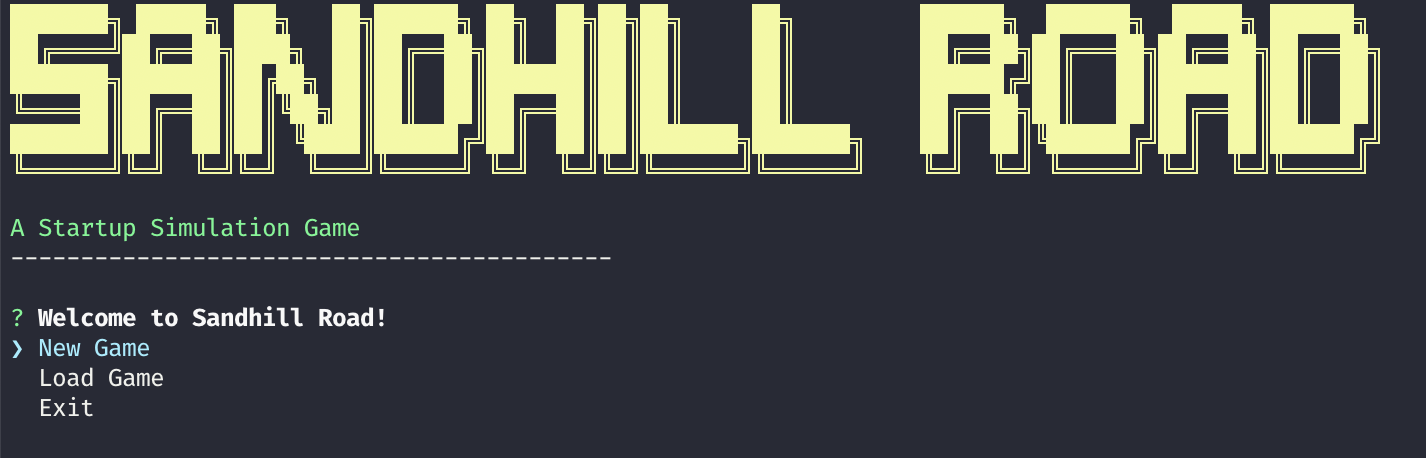
A narrative-driven startup simulation game where you guide a founder from garage to exit, making high-stakes decisions across a branching storyline.
Description
Sandhill Road is a text-based survival strategy game inspired by Oregon Trail, but set in the high-stakes world of startups. You'll manage resources, make critical decisions, and try to navigate the challenges of startup life. Each decision you make simulates one in-game week, affecting your startup's momentum, resources, and progress.
Features
- Text-based adventure with ASCII graphics
- Resource management (burn rate, morale, stamina, etc.)
- Branching narrative with different outcomes
- Stat-based decision outcomes
- Multiple game stages: Garage, Demo Day, Fundraising, PMF, Scaling, Crisis, Exit
- Save/load game progress
- 20+ unique narrative events
Installation
Global Installation (Recommended)
npm install -g sandhill-roadThen run the game from anywhere:
sandhill-roadLocal Installation
git clone https://github.com/yourusername/sandhill-road.git
cd sandhill-road
npm install
npm start
How to Play
- Choose your founder's name and company name
- Start with a certain amount of personal cash
- Make strategic decisions that affect your company's success
- Manage your resources wisely
- Try to reach a successful exit
Game Stages
- Garage - Working from your garage to build an MVP
- Demo Day - Presenting your startup at a demo day
- Fundraising - Meeting with investors to raise your seed round
- PMF - Iterating on your product to find product-market fit
- Scaling - Growing your product and team
- Crisis - Facing a major challenge that threatens your company
- Exit - Exploring exit opportunities for your startup
Adding New Events
The game is designed to be easily extensible. To add new events:
- Fork the repository
- Open
src/data/events.json - Add a new event object following this structure:
{
  "id": "E0XX",
  "title": "Event Title",
  "description": "Event description text",
  "choices": [
    {
      "id": "C001",
      "text": "Choice text",
      "result": {
        "founderStats.morale": -1,
        "companyStats.productProgress": 5
      },
      "resultText": "The outcome of your choice"
    }
  ],
  "stage": "Garage",
  "weight": 1
}- Submit a pull request
See CONTRIBUTING.md for more details.
Development
Build the project
npm run buildRunning in development mode
npm run devRelease Process
We follow semantic versioning (SemVer) for releases. Here's the complete workflow for publishing new versions:
Automated Release (Recommended)
For most releases, use npm's built-in version commands:
# For bug fixes (1.0.1 → 1.0.2)
npm version patch
git push origin main --tags
npm publish

# For new features (1.0.1 → 1.1.0)
npm version minor
git push origin main --tags
npm publish

# For breaking changes (1.0.1 → 2.0.0)
npm version major
git push origin main --tags
npm publish
Manual Release Process
If you need more control over the release:
# 1. Update version in package.json manually
# 2. Commit the version change
git add package.json
git commit -m "v1.0.2: Description of changes"

# 3. Create and push git tag
git tag v1.0.2
git push origin main --tags

# 4. Build and publish to npm
npm run build
npm publish
Important Notes
- Always include assets: The
package.jsonfiles array includes theassetsfolder to ensure screenshots and images are included in npm packages - Test before publishing: Run
npm run buildand test locally before publishing - Follow commit conventions: Use descriptive commit messages for version bumps
- Check npm package: After publishing, verify the package includes all necessary files
Release Checklist
- [ ] Update version in
package.json - [ ] Update
CHANGELOG.mdif applicable - [ ] Commit version changes
- [ ] Create git tag
- [ ] Push to GitHub with tags
- [ ] Build the project (
npm run build) - [ ] Publish to npm (
npm publish) - [ ] Verify the published package contains all files
Contributing
Contributions are welcome! Please read CONTRIBUTING.md for details on the process for submitting pull requests.
Versioning
We use SemVer for versioning. For the versions available, see the tags on this repository.
Authors
- Your Name - Initial work - yourusername
See also the list of contributors who participated in this project.
License
This project is licensed under the MIT License - see the LICENSE file for details.
Acknowledgments
- Inspired by Oregon Trail and the incredible adventures of Nick Julian and Bobby
- Built with Node.js, TypeScript, and Inquirer