
sc-research
v1.1.2
Published
Headless Social Media Research Data Provider for AI Agents
Downloads
97


Readme
🤔 What is it?
social-media-research-skill is a social media & public opinion analysis skill for AI agents. It pulls live discussions from real people on Reddit and X (Twitter) and turns them into structured, evidence-backed insights — with real quotes, real sentiment, and up-to-date data. No hallucinated summaries. No stale training data. Just what people are actually saying right now.
Works with Claude Code, Cursor, Windsurf, and other AI coding assistants.
Use it for:
- 🛒 Product research — real user opinions before you buy
- 📈 Market trends — discover what's gaining traction early
- 🏢 Brand monitoring — track public reaction to launches and events
- ⚔️ Competitive analysis — understand real arguments on every side
- 🔍 Community research — find what people are talking about right now
- ✅ Decision making — crowd-sourced verdicts backed by real experiences
✨ Features
⚡ Quick Answer — Fast, direct answers
Ask any question and get a straight answer pulled from real social media discussions. No deep analysis, just a quick summary of what people are saying.
"Quick answer: Best $20 iems?"
Based on recent Reddit and X discussions, the most recommended IEMs under $20 are:
- Moondrop Chu II — praised for balanced tuning and build quality at the price
- 7Hz Salnotes Zero — wide soundstage, often called "best value in audio"
- CCA CRA+ — bass-heavy V-shape, popular with casual listeners
Sources: r/headphones, r/iems, X discussions from the past 7 days
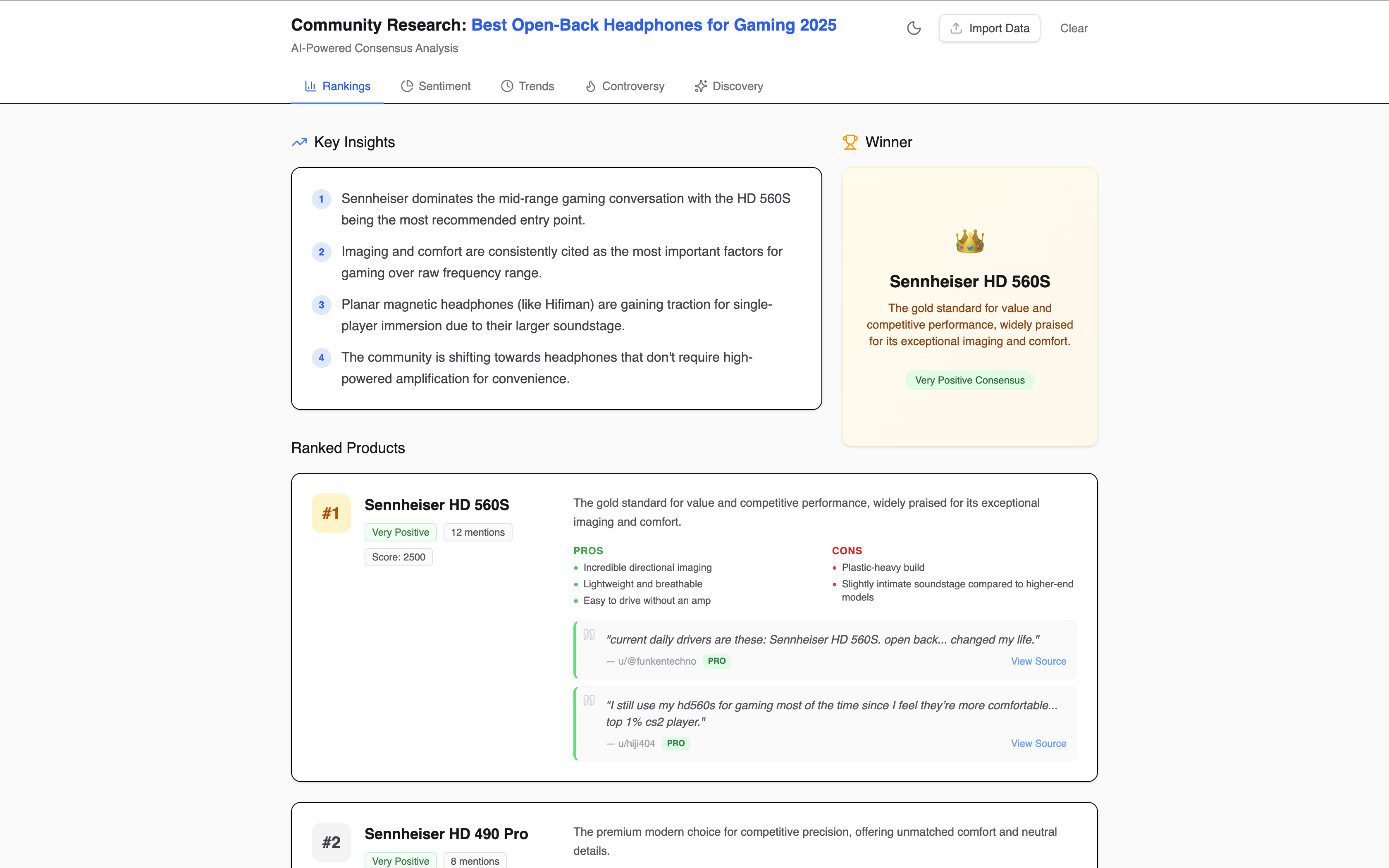
🏆 Ranking — Community-driven rankings
Find out what people actually recommend. Get ranked lists based on real community consensus, not SEO-optimized listicles.
"What are the best open-back headphones for gaming in 2025?"
💬 Sentiment — Public opinion at a glance
Understand how people feel about any product, brand, or topic. See the breakdown — positive, negative, mixed — backed by direct quotes.
"How do people feel about the Sony WH-1000XM6? Is the feedback positive?"

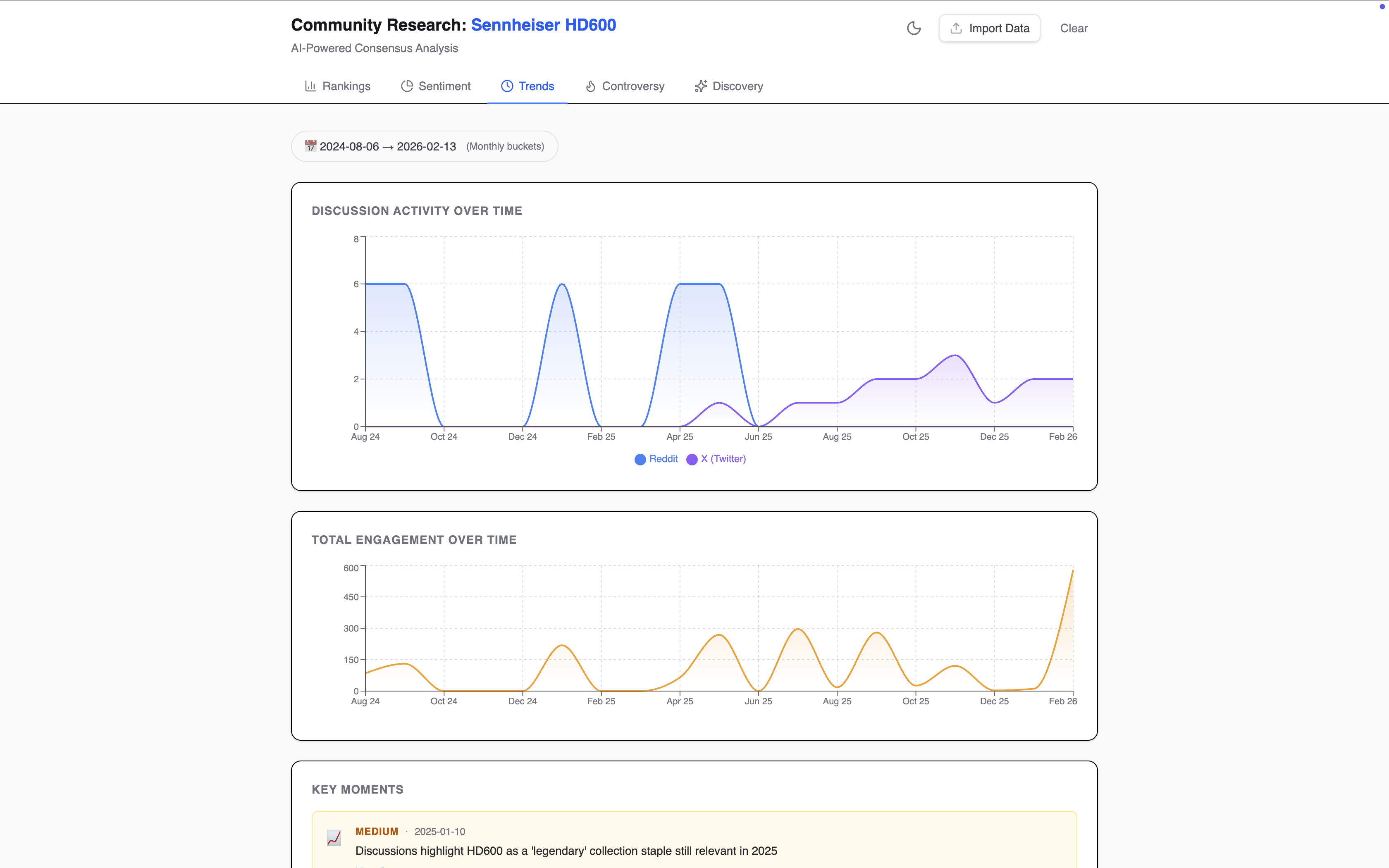
📈 Trends — Track how opinions shift over time
See when something started trending, whether it's gaining or losing momentum, and how public opinion evolves.
"When did the Sennheiser HD600 start trending again? Show me the timeline of its popularity."
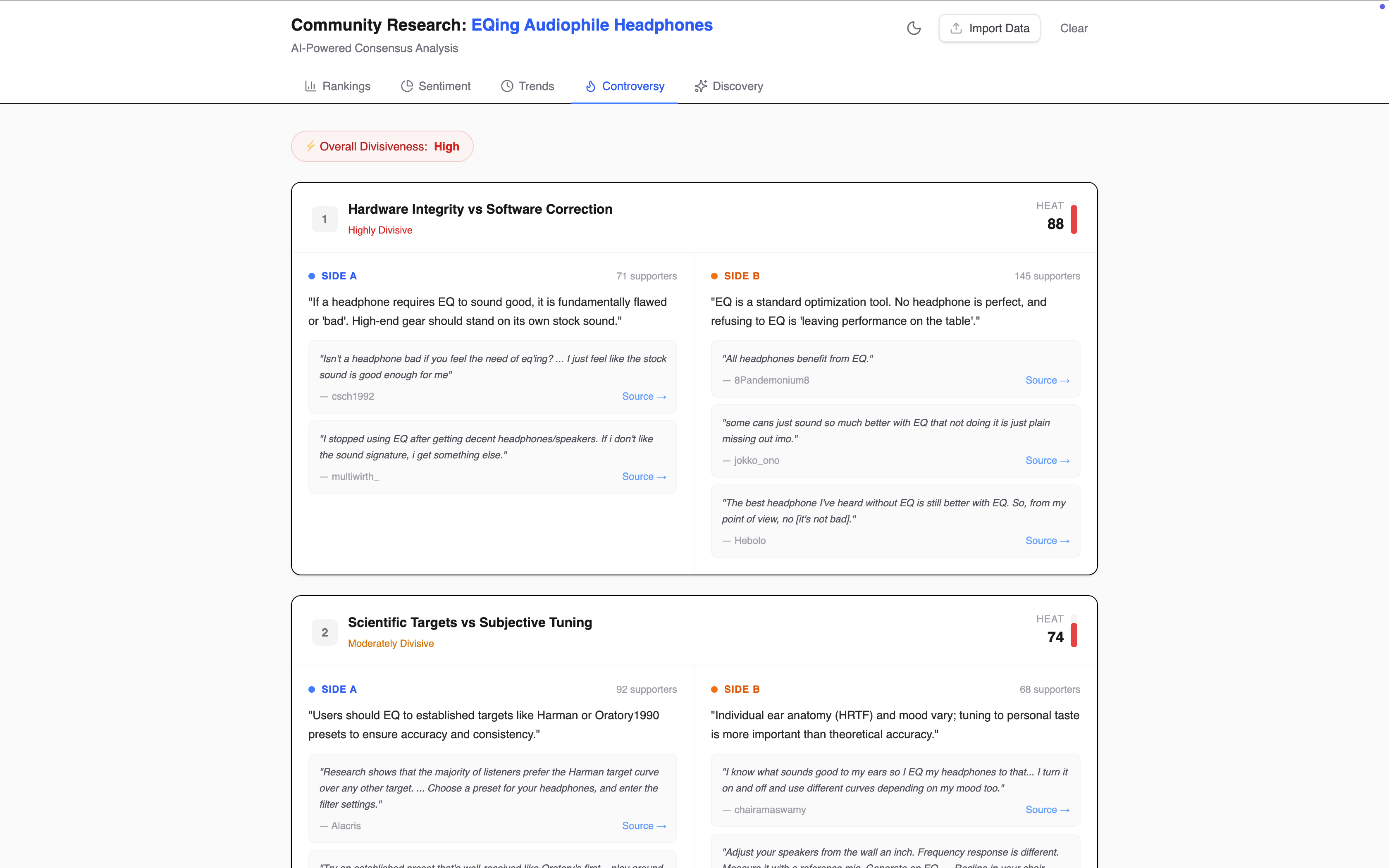
⚔️ Controversy — Map both sides of any debate
Understand polarizing topics by seeing every argument laid out with real evidence from both sides.
"What is the debate about EQing audiophile headphones? Is there a lot of disagreement?"
🔥 Discovery — Surface emerging topics early
Spot what's gaining traction in niche communities before it goes mainstream.
"What is trending in the world this week? Show me viral topics."

Why social-media-research-skill?
- Real data — Pulls live discussions from Reddit and X, not cached or training data
- Real opinions — Every insight is backed by actual quotes from real people
- Up to date — Analyzes today's conversations, not last year's
- Structured output — Results come as typed JSON + interactive dashboards, ready for your agent to use
- Works with your AI assistant — Installs as a skill for Claude, Cursor, Windsurf, and more
🚀 Quick Start
1. Install
Install the CLI globally via npm:
npm install -g sc-researchRequires Node.js >= 20.
2. Configure API keys
Create a .sc-research file in your project root:
OPENAI_API_KEY=sk-...    # Required for Reddit data
XAI_API_KEY=xai-...      # Required for X (Twitter) data
You need at least one key. The tool will gracefully skip any pipeline whose key is missing.
3. Set up your AI assistant
Run the init command to install social-media-research-skill into your AI assistant's workspace:
# For Claude Code
sc-research init --ai claude

# For Cursor
sc-research init --ai cursor

# For Windsurf
sc-research init --ai windsurf

# For Antigravity
sc-research init --ai antigravity

# Or set up multiple at once
sc-research init --ai claude,cursor

# Or all supported platforms
sc-research init --ai all
Supported platforms: claude · cursor · windsurf · antigravity · all
4. Start asking questions
That's it — you're ready. Just ask your AI assistant questions in natural language, like you normally would:
- "What do people think about the Sony WH-1000XM6?"
- "What's trending in the gaming community this week?"
- "Is it worth upgrading to the new MacBook Air M4?"
- "What are the best budget IEMs under $50?"
Your AI assistant will automatically use social-media-research-skill to fetch live discussions from Reddit and X, analyze them, and give you a structured answer backed by real data.
5. Visualize results
For deeper analysis, your agent generates structured JSON files. You can view them in an interactive dashboard:
sc-research visualizeThis opens a local dashboard in your browser with charts, sentiment breakdowns, ranked lists, trend timelines, and direct quotes from real discussions.
Using the CLI directly
You can also use the CLI directly without going through your AI assistant:
# Quick research
sc-research research "best budget IEMs under $50"

# Deep dive — pulls more data for a thorough analysis
sc-research research:deep "best budget IEMs under $50"
📊 Analysis Types
| Type | Output | Description |
|---|---|---|
| Rank | classified_rank.json | Community-driven rankings with social evidence |
| Sentiment | classified_sentiment.json | Public opinion breakdown by mood and source |
| Trend | classified_trend.json | Momentum and popularity shifts over time |
| Controversy | classified_controversy.json | Polarized debates mapped with opposing arguments |
| Discovery | classified_discovery.json | Emerging topics surfaced from niche communities |
🔧 CLI Reference
| Command | Description |
|---|---|
| sc-research research "<topic>" | Fetch social data on a topic |
| sc-research research:deep "<topic>" | Deep fetch for comprehensive analysis |
| sc-research visualize | Launch interactive dashboard |
| sc-research init --ai <targets> | Install agent skills for your AI assistant |
Flags:
--source—reddit,x, orboth(default)--from/--to— Date range filter (YYYY-MM-DD)--mode—research(default) ordiscovery
🛠️ Development
bun run research "topic"    # Fetch data
bun run visualize           # Launch dashboard
bun test                    # Run tests
bun run build               # Build for distribution
🤝 Contributing
Contributions are highly welcome! Here are some areas where you can help:
- New analysis templates — Create new ways to analyze social data (e.g., comparison, timeline, geographic breakdown)
- Data handling — Improve how raw data is fetched, cleaned, and processed from Reddit and X
- New data sources — Add support for other platforms beyond Reddit and X
- Dashboard visualizations — Build new chart types or improve existing ones
- Bug fixes & improvements — Always appreciated
Feel free to open an issue or submit a pull request.
Acknowledgements
Inspired by last30days-skill
📄 License
MIT © 2026