
scrollbar-gui-react
v0.1.0
Published
A custom scrollbar React component

Maintainers
 kenanmusali
Readme
Scrollbar Gui
A minimalist, modern, and lightweight React component for implementing custom scrollbars with a sleek and clean design. Perfect for projects that prioritize simplicity and elegance and create no gaps and spaces
View
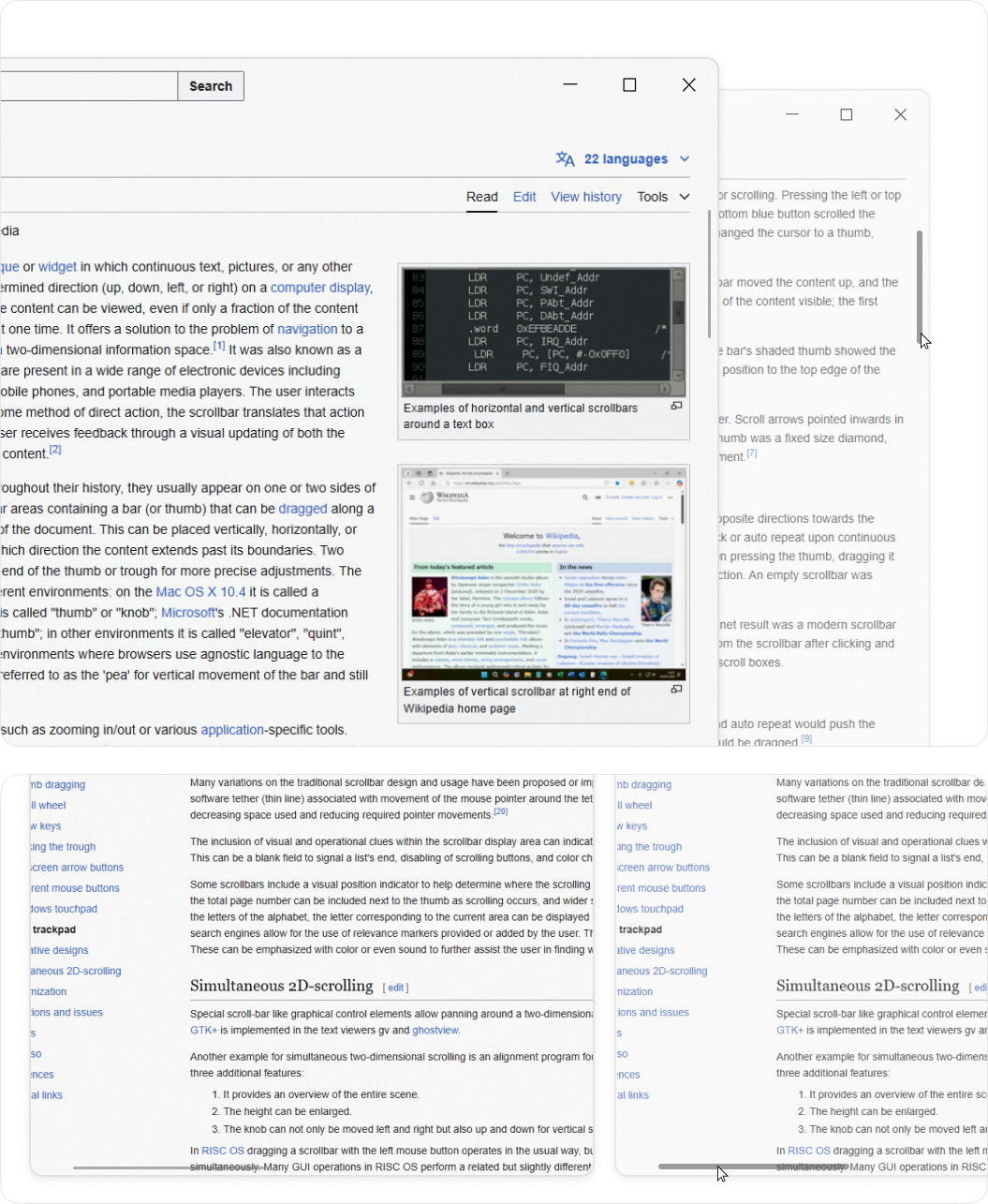
Features
- Minimalist and modern scrollbar design
- Clean UI without creating unwanted gaps or spaces
- Auto-hide UI functionality for the scrollbar when not in use
- Supports both X and Y axis scrollbars
- Lightweight and easy to implement
- Seamless integration with React applications
- Customizable to fit different design needs and preferences
Usage
Below is a simple example of how to implement the ScrollbarGui component into your React app.
Basic Example
Install the package via npm:
npm install scrollbar-gui-reactImport and Use the Component in your React application:
import React from 'react';
import { ScrollbarGUI } from 'scrollbar-gui-react/dist/ScrollBar'  // Import the ScrollbarGui component

const App = () => {
  return (
    <div style={{ width: '100%', height: '100dvh' }}>
      <ScrollbarGUI>
        <div style={{ height: '100%' }}>
          {/* Your content goes here */}
        </div>
      </ScrollbarGUI>
    </div>
  );
};

export default App;
Custom CSS Styling
You can customize the styles of the scrollbar by modifying the scrollbar-gui-react component. Here’s an example of custom styling:
/* Custom CSS */
.thumb-y,
.thumb-x {
    background-color: rgba(192, 192, 192, 0.6);
}

.thumb-y.dragging,
.thumb-x.dragging {
    background-color: #c0c0c0;
}

.thumb-y.hover,
.thumb-x.hover {
    background-color: #c0c0c0;
}
Advaced CSS Styling
/* Custom Spacing */
.thumb-x{
    margin-bottom: 5px;
}

.thumb-y {
    margin-right: 5px;
}

/* Custom Height */
/* Scroll Area */
.scrollbar-x {
      height: 12px;
}
.scrollbar-y {
     width: 12px;
}

/* Scroll Unactive */
.thumb-x{
     height: 2px;
}

.thumb-y {
      width: 2px;
}

/* Scroll Active */
.scrollbar-y:hover .thumb-y,
.scrollbar-y.dragging .thumb-y,
.thumb-y:hover,
.thumb-y.dragging {
  width: 6px  ;

}

.scrollbar-x:hover .thumb-x,
.scrollbar-x.dragging .thumb-x,
.thumb-x:hover,
.thumb-x.dragging {
  height: 6px ;
}

/* Auto Hide Scrollbar */
.scroll-container:hover .scrollbar-y,
.scroll-container:hover .scrollbar-x {
  opacity: 1;

}

.scrollbar-y,
 .scrollbar-x{
  /* opacity: 0; */

  /* Adding opacity 0 auto hides scrollbar when cusror not over scroll area */
}