
sdftosvg
v0.0.4
Published
Render SDF files to SVGs


Readme
SDF to SVG

This is a javascript package for rendering SDF chemical structure files as SVGs.
sdftosvg is built with PubChem SDF files in mind, because PubChem includes extra helpful annotations in their structure files.
Examples
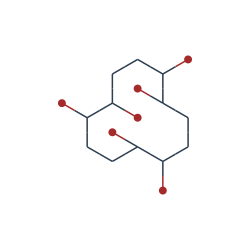
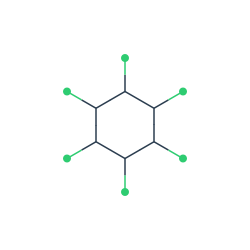

Command Line Usage
$ sdftosvg ./input.sdf ./output.svgCommand Line Arguments
  Usage: convert [options] <input> <output>

  Options:

    -h, --help                     output usage information
    -V, --version                  output the version number
    -w, --width <n>                Output width
    -h, --height <n>               Output height
    -b, --background <background>  Background color
NPM Package Usage
var renderer = require('sdftosvg');

// Convert SDF as string to SVG
var fs = require('fs');
var sdf = fs.readFileSync('./pcb-138.sdf');
renderer.renderSdfToSvg(sdf, {}, function(svg) {
  console.log(svg);
});

// Convert SDF file to SVG file
renderer.renderSdfToSvgFile('./pcb-138.sdf', './pcb-138.svg');
Methods
renderSdfToSvg(sdf, options, callback)
Renders an SDF string to an SVG string.
sdf: string containing SDF file contentsoptions: options object, defined belowcallback: function called after rendering that is given output SVG as a string
renderSdfToSvgFile(inputFile, outputFile, options)
Renders an SDF file to an SVG file.
inputFile: path to input SDF fileoutputFile: path to save output SVG fileoptions: options object, defined below
Options
The options object can contain the following keys:
width: output width, in pixelsheight: output height, in pixelsatomRadius: radius of atom circlesbondStrokeWidth: stroke width of bond linesbackgroundColor: background colorcolors: object mapping chemical abbreviations to colors. By default, sdftosvg uses the JMol color scheme. For example, to override:{ "C": "red", "O": "blue", "H": "green" }
Todo
A number of features remain to be added:
- Allow specifying custom color scheme on the command line.
- Allow further customization of output