
search-expand
v1.0.44
Published
an all purpose input multiselect with chips - includes search on the tooltip


Readme
Search Expand
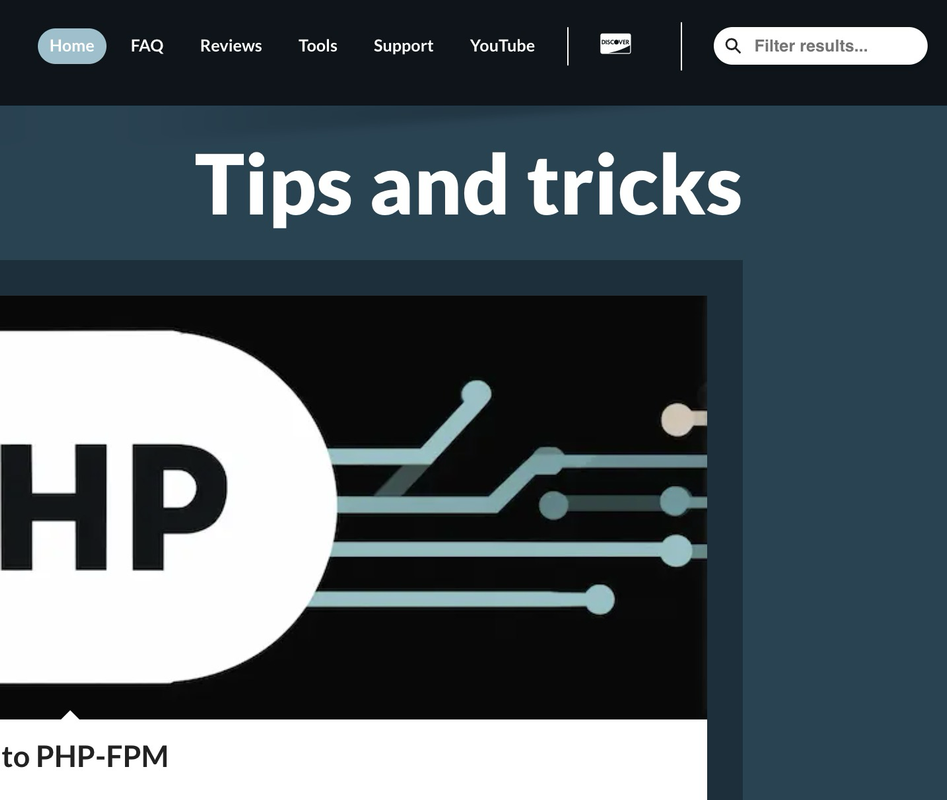
Compact, animated search input that expands on focus/hover. Ships as a Web Component and a class-based API, with dynamic skin loading and CSS variables for flexible theming.
- Package:
search-expand - Builds: ESM/CJS via
dist/index.js, UMD viadist-webpack/search-expand.js - Homepage:
https://digitalzoomstudio.net
Features
- Two usage modes: programmatic API or
<dzs-search-expand>web component - Skins:
default,flat,default-dark,flat-darkwith dynamic loading - CSS variables for quick theming
- TypeScript types included
form:
expanded:
Installation
npm install search-expandQuick start
1) Programmatic (TypeScript/JavaScript)
import { initSearchExpand } from 'search-expand';

const host = document.getElementById('search-host') as HTMLElement;
const instance = initSearchExpand(host, {
  viewSkin: 'default',
  inputPlaceholderText: 'Filter results...',
  persistentOptions: [
    { htmlContent: 'Apple', value: 'apple', currentStatus: 'unchecked' },
    { htmlContent: 'Orange', value: 'orange', currentStatus: 'checked' },
  ],
  onSubmitSearch: (q) => console.log('Submit:', q),
});

// Note: include base CSS in your page
// <link rel="stylesheet" href="/dist-webpack/dzs-search-expand.css" />
2) Web Component
<!-- Include UMD or initialize web components in your app code -->
<dzs-search-expand
  data-skin="default"
  data-persistentOptions='[
    {"htmlContent":"Apple","value":"apple","currentStatus":"unchecked"},
    {"htmlContent":"Orange","value":"orange","currentStatus":"checked"}
  ]'>
</dzs-search-expand>

<script>
  // Optional: change skin dynamically
  // const el = document.querySelector('dzs-search-expand');
  // el.setSkin('flat-dark');
</script>
Initialize custom element (only once per page) if you import modules directly:
import { initWebComponents, configureSkinLoading } from 'search-expand';
configureSkinLoading({ basePath: '/dist/style/skins/' });
initWebComponents();
3) UMD (Browser)
<script src="dist-webpack/search-expand.js"></script>
<script>
  // Optional: configure skin path
  SearchExpand.configureSkinLoading({ basePath: '/dist/style/skins/' });

  const host = document.getElementById('search-host');
  const instance = SearchExpand.initSearchExpand(host, { viewSkin: 'default' });
  // instance.setSkin('flat');

  // Or use the web component
  SearchExpand.initWebComponents();
</script>
Options
Type: SearchExpandOptions
placeholderNoItemsFound?: string – Text when filtering yields no resultsinputPlaceholderText?: string – Placeholder for the inputmiddlewareFilterResults?: any – Hook to post-process filtered resultsviewSkin?: string – One ofdefault | flat | default-dark | flat-darkviewIsWrapping?: boolean – Control layout wrappingpersistentOptions?:ChipSelectorItem[]– Seed optionsonUpdateFunction?:(items: ChipSelectorItem[]) => any– Called on updatesonSubmitSearch?:(query: string) => void | Promise<void>– Called on icon click or Enter
Types are exported from search-expand: SearchExpandOptions, ChipSelectorItem, currentStatusType.
Skins and styling
Available skins
default,flat,default-dark,flat-dark
Skin CSS files live under dist/style/skins/. If you use skins, call configureSkinLoading({ basePath: '/dist/style/skins/' }) so the runtime can lazy-load the CSS.
CSS variables
Tweak visuals via CSS custom properties:
:root {
  --search-expand-icon-size: 24px;
  --search-expand-wrapper-padding: 8px;
  --search-expand-input-font-size: 14px;
  --search-expand-color-icon: #fff;
  --search-expand-color-icon-hover: #dadada;
  --search-expand-color-wrapper-bg: #222;
  --search-expand-color-wrapper-bg-hover: var(--search-expand-color-wrapper-bg);
  --search-expand-color-text: #fff;
  --search-expand-expand-w: 180px;
}
See FLEXIBLE_STYLING.md for more strategies.
Development
# install deps
npm install

# dev build (watch)
npm run dev

# run tests
npm test

# production build (webpack + types + rollup)
npm run build
Useful demo pages:
src/demo.htmlsrc/usage-examples.htmlsrc/dynamic-skin-example.html
License
MIT OR Apache-2.0. See LICENSE.txt.
Links
- Repo:
https://github.com/raduzoom/search-expand - Issues:
https://github.com/raduzoom/search-expand/issues