
search-form-config
v1.2.1
Published
搜索条件自动添加


Readme
SearchFormConfig
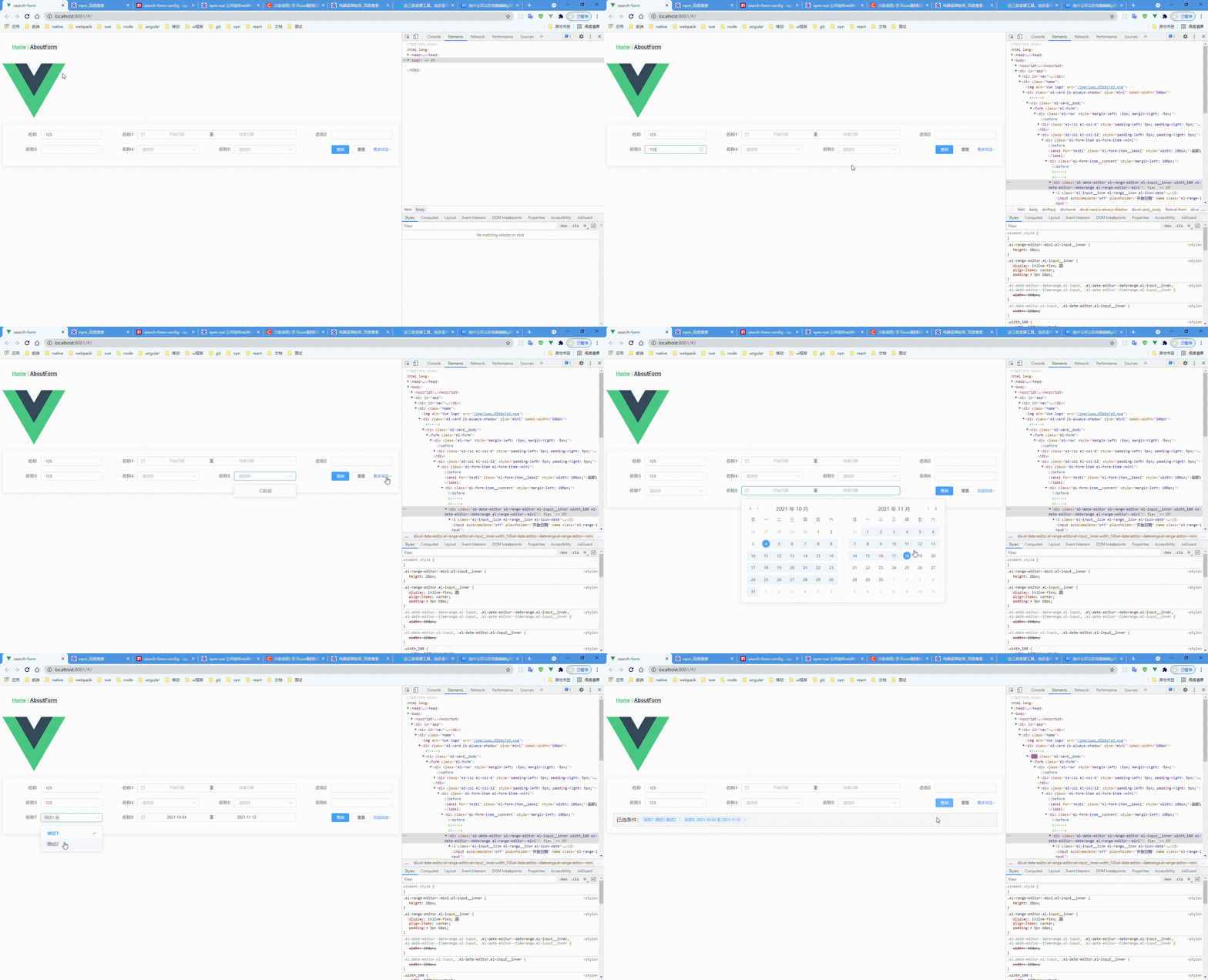
1.为了解决后台管理系统搜索条件过多,一屏内表格展示内容过少问题封装了这个动态配置搜索表单内容
安装
npm i search-form-config使用
在vue main.js
import searchFormConfig from 'search-form-config'
Vue.use(searchFormConfig)
<search-form-config
:form-item-list="formItemList" // 表单属性配置
:row="2" // 显示几行
size="mini"
label-width="100px"
@getSearchFormData="getSearchFormData" // 表单数据回调
/>
配置
[
        {
          type: 'input',
          turnLabel: true, // form的label 可以切换的
          model: 'model1',
          label: '销售单号',
          placeholder: '1231',
          initialValue: '',
          dropdownType: 'test',
          attrs: {
            options: [
              {
                model: 'model1',
                label: '销售单号',
                placeholder: '1231',
                initialValue: ''
              },
              {
                model: 'model2',
                label: '来源单据号',
                placeholder: '1231333',
                initialValue: ''
              }
            ]
          }
        },
        {
          type: 'input', // 正常的input
          label: '名称', // label名称
          model: 'test', // 对应的字段名称
          initialValue: '123' // 初始值
        },
        {
          type: 'date', // 日期格式
          label: '名称1',
          model: 'test1',
          initialValue: [], // 为范围时,初始值要为[] 知识单个的时,初始值需为 ''
          turnKey: true, // 为范围时需要转换开始和结束时间的字段吗
          change: this.dateChange, // 选中时回调
          attrs: {
            type: 'daterange', // 具体日期选择器格式
            format: 'yyyy-MM-dd', // 展示格式
            valueFormat: 'timestamp', // 数据格式
            begin: 'beginDate1', // 转换的开始时间字段
            end: 'endDate1', // 转换的结束时间字段
            startPlaceholder: '开始日期',
            endPlaceholder: '结束日期',
            rangeSeparator: '至'
          },
          span: 12
        },
        {
          type: 'date',
          label: '日期',
          model: 'datessss',
          initialValue: '',
          attrs: {
            type: 'date',
            format: 'yyyy-MM-dd',
            valueFormat: 'timestamp'
          },
          span: 6
        },
        {
          type: 'select', // 选择框
          label: '名称4',
          model: 'test4',
          initialValue: [], // 初始值为[] 是多选,初始值为'' 是单选
          change: this.selectChange, // 选中时回调
          options: [
            {
              label: '测试1测试1测试1测试1测试1测试1',
              value: 'q123'
            },
            {
              label: '测试2',
              value: 'q'
            }
          ],
          span: 6
        },
        {
            type: 'range', // 范围选择
            label: '名称6',
            model: 'minModel', // 最小值
            maxModel: 'maxModel', // 最大值
            initialValue: '', // 最小值的初始值
            maxInitialValue: '', // 最大值的初始值
            separator: '至',
            placeholder: '请输入',
            maxPlaceholder: '请输入',
            span: 6
        },
        {
          type: 'select',
          label: '名称7',
          model: 'test7',
          initialValue: '',
          options: [
            {
              label: '测试1测试1测试1测试1测试1测试1',
              value: 'q123'
            },
            {
              label: '测试2',
              value: 'q'
            }
          ],
          span: 6
        },
        {
          type: 'date',
          label: '名称8',
          model: 'test8',
          initialValue: [],
          attrs: {
            type: 'daterange',
            format: 'yyyy-MM-dd',
            valueFormat: 'timestamp',
            begin: 'beginDate',
            end: 'endDate',
            startPlaceholder: '开始日期',
            endPlaceholder: '结束日期',
            rangeSeparator: '至'
          },
          span: 12
        }
      ]