
select-plugin
v1.0.12
Published
A generator for select tag in html.一个三级联动生成器小插件。

Maintainers
 microzz
Readme
select-plugin
介绍
一个三级联动的生成器插件,默认生成中国地区🇨🇳的三级联动数据,也可以自定义数据。
安装
输入 npm install select-plugin .
最好先初始化一下package.json文件,输入 npm init -y,然后再执行安装npm install select-plugin
使用
默认数据
引入js文件。
在html文件中插入<script src="./node_modules/select-plugin/dist/select-plugin-all.js"></script>,
然后<script>new Select()</script>
默认就可以生成中国地区的三级联动数据啦😄
自定义数据
如果你只使用自定义的数据,建议只引入不包含地区数据的js文件,
即<script src="./node_modules/select-plugin/dist/select-plugin.js"></script>,
这样文件大小可以减少很多,毕竟大中国地区数据太庞大了😇但是务必传递传递相关参数!new Select('.container', data, id, text);
参数依次是插入父容器位置(默认是body,参数是CSS3选择器的形式,如'#id' , ' .className'),数据,在DOM元素的id,显示的文本
示例
<!DOCTYPE html>
<html lang="en">
<head>
  <meta charset="UTF-8">
  <meta name="viewport" content="width=device-width, initial-scale=1.0">
  <meta http-equiv="X-UA-Compatible" content="ie=edge">
  <title>三级联动生成器插件</title>
</head>
<body>
  <div class="container"></div>

  <script src="./node_modules/select-plugin/dist/select-plugin-all.js"></script>
  <script>
  // 不传任何参数,默认生成中国地区三级联动
    new Select();

  // 自定义数据
    var data = {
                One: ['a1', 'a2', 'a3'],
                Two: [
                  ['a11', 'a12', 'a13'],
                  ['a21', 'a22'],
                  ['a31', 'a32']
                ],
                Three:  [
                  [['a111', 'a112'], ['a121', 'a122'], ['a131', 'a132']],
                  [['a211', 'a212'], ['a221', 'a222']],
                  [['a311'], ['a312']]
                ]
              };
    var id = ['one', 'two', 'three'];
    var text = ['选项1', '选项2', '选项3'];
    // 参数依次是插入父容器位置,数据,DOM的id,显示的文本
    new Select('.container', data, id, text);
  </script>
</body>
</html>
效果预览
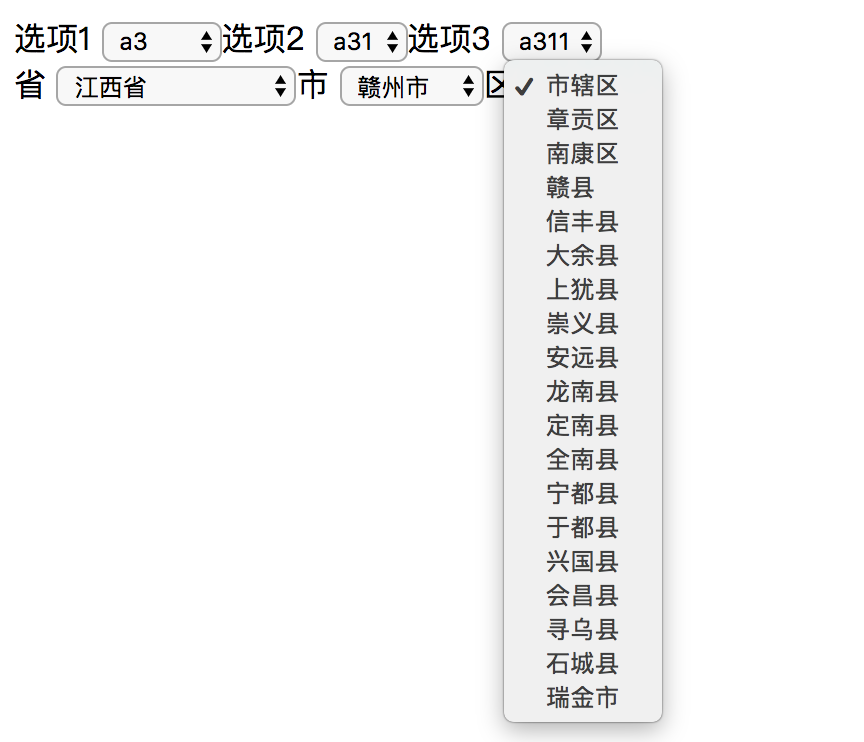
在线预览
About
GitHub: https://github.com/microzz 个人网站:https://microzz.com/