
selner
v1.1.0
Published
Run a javascript command for the selected text provided in the "sel" variable
Downloads
17


Readme
Selner
Selection + Runner
Perform a javascript string transform directly in your vscode's selection.
Now with multi selection support
Browser Support
Features
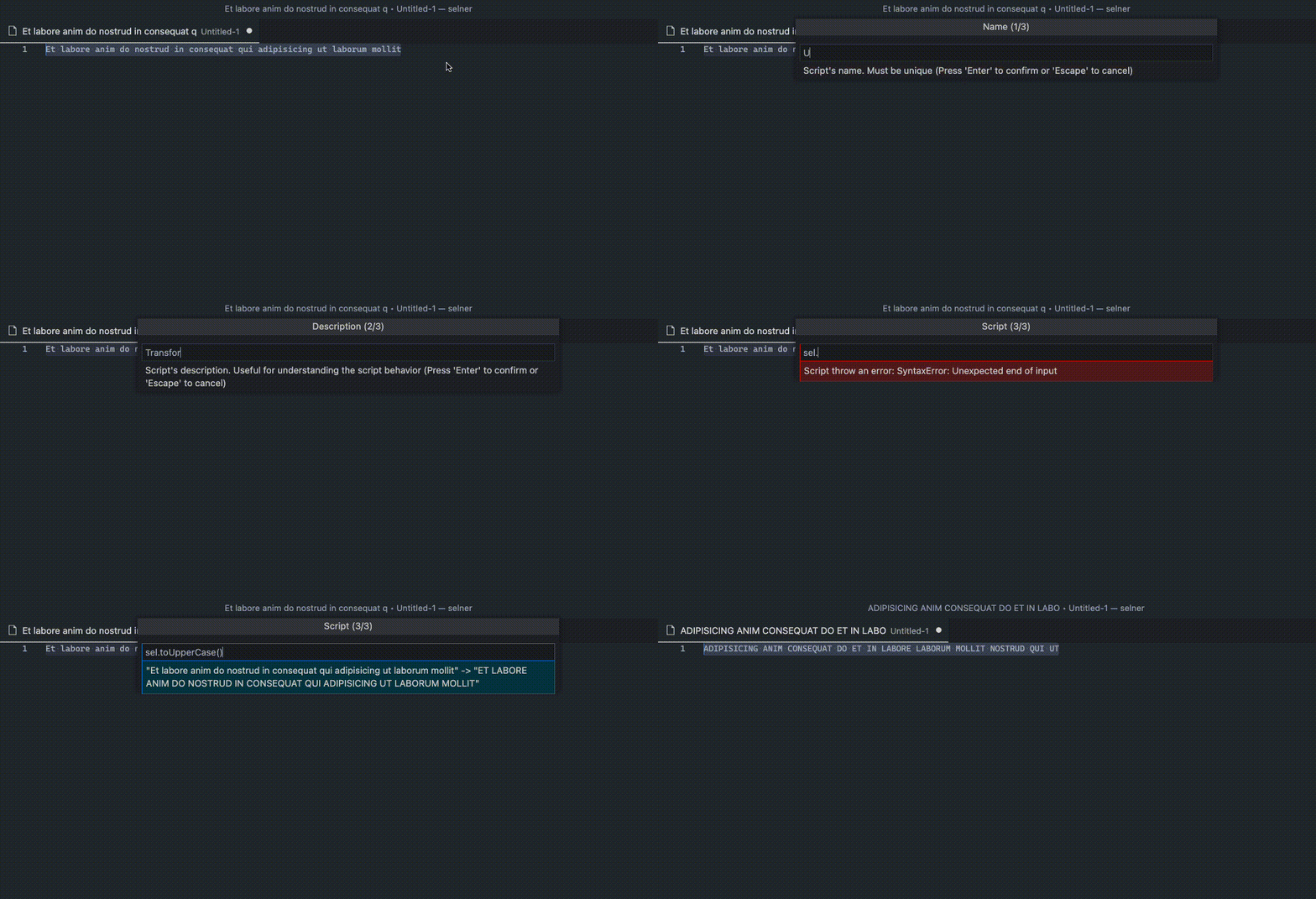
Run a javascript transform script in the selected text
Select any text in your editor and run Selner command (⌘ + P -> Selner or Ctrl + P -> Selner).
Save the script
And use it as many time as you like without writing the script again. Also add a name and a description to quickly see what to expect.
Delete a script
If you don't need it anymore, or you want to replace it.
Run a single script
Without saving it. And just do it.
Usage
Select any text in your editor and run Selner command (⌘ + P -> Selner or Ctrl + P -> Selner).
The selected text will be trated as string no mather the language you are using.
Inside the script input access the selected text with sel variable. You will get a realtime preview of your script
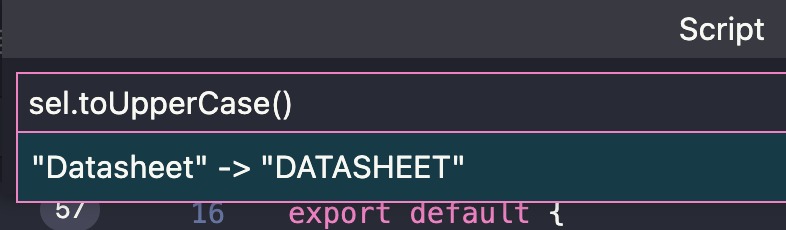
Script will be evaluated with the selected and the result will replace the original selection. Imagine it like a function and you're writting the statement just after the return keyword.