
senangwebs-aframe-editor
v1.7.0
Published
A fork of A-Frame Inspector designed to be use as visual editor used in SenangWebs.

Maintainers
 a-hakim
Readme
SenangWebs A-Frame Editor / Webverse Editor
A powerful visual inspector for A-Frame scenes, forked and adapted for seamless integration with the SenangWebs ecosystem. This tool provides a DOM-like interface to inspect and modify your 3D scenes on the fly, dramatically speeding up development and debugging workflows.
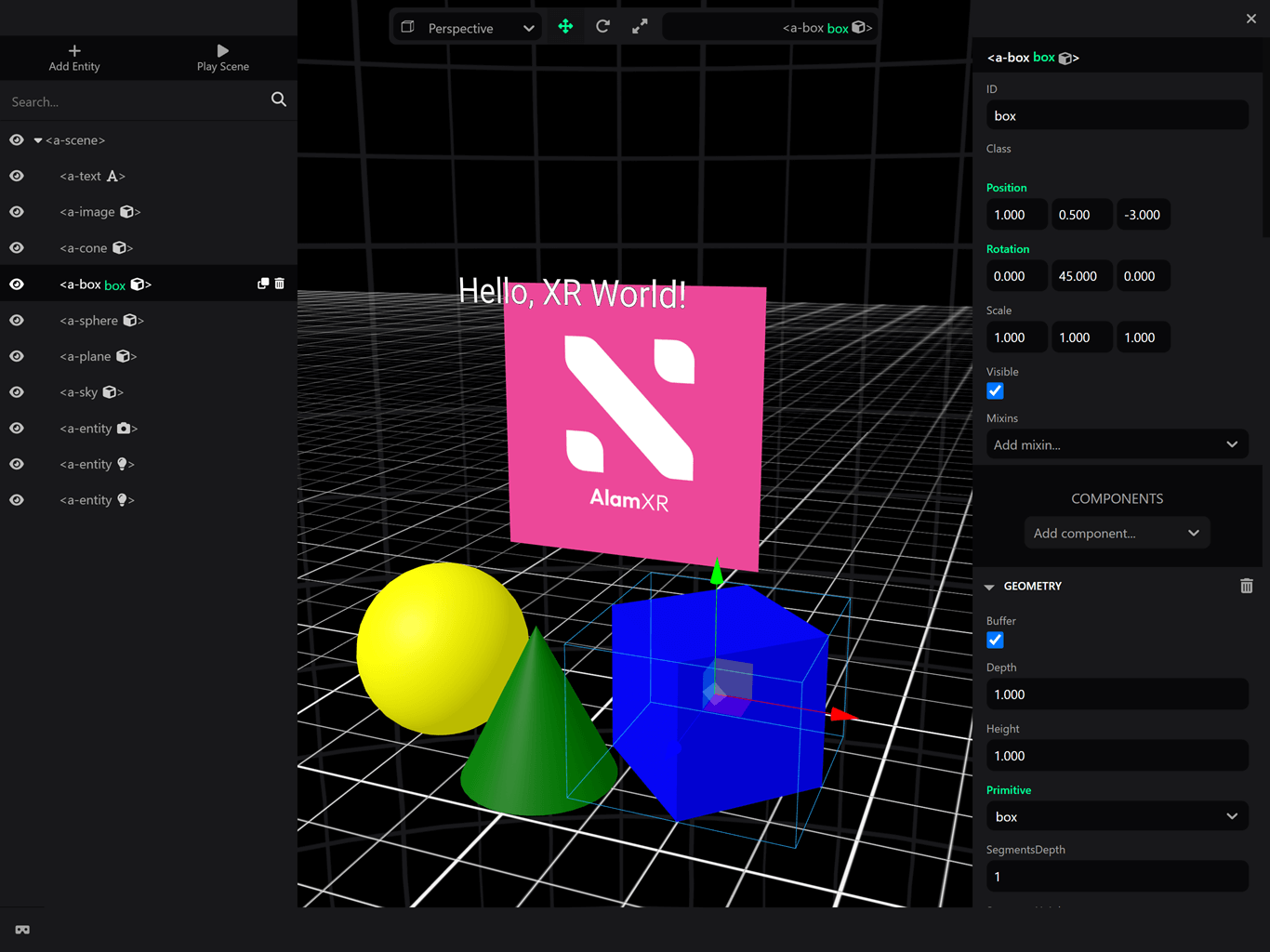
Using the Editor
To use the master branch of the editor:
<a-scene
  inspector="url: https://unpkg.com/senangwebs-aframe-editor@latest/dist/sw-webverse.min.js"
>
</a-scene>
Acknowledgement & Credit
This project is a fork of the incredible A-Frame Inspector by the A-Frame team. We extend our sincere appreciation to the original authors and contributors for creating such a foundational and robust tool for the WebXR community. Our goal is to build upon their excellent work to tailor it for specific use cases within SenangWebs.
A-Frame Inspector
A visual inspector tool for A-Frame scenes. Just hit
<ctrl> + <alt> + i on any A-Frame scene to open up the Inspector.
Also check out:
- A-Frame Watcher - Companion server to sync changes to HTML files.
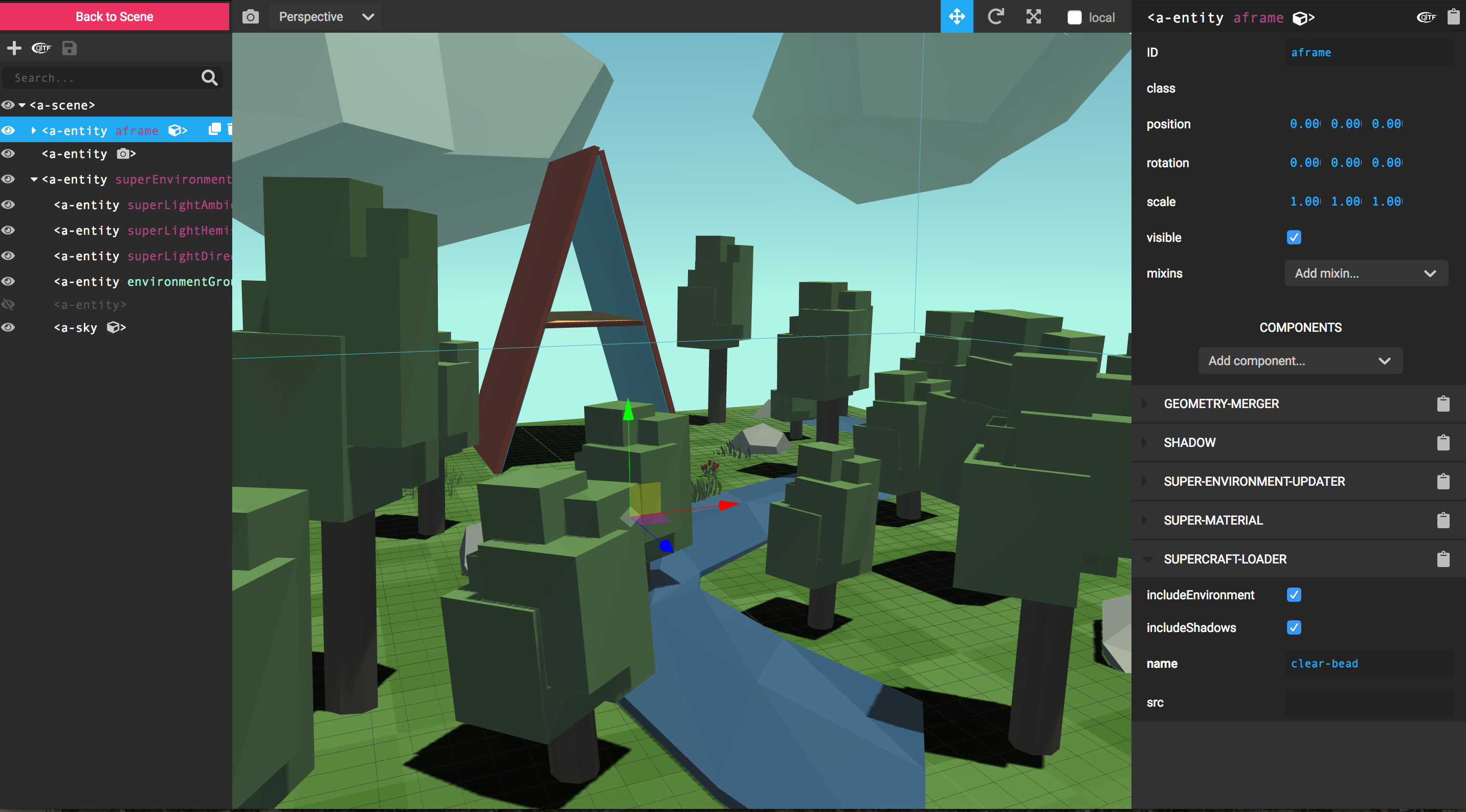
Using the Inspector
Keyboard Shortcut
A-Frame comes with a keyboard shortcut to inject the inspector. Just open
up any A-Frame scene (running at least A-Frame v0.3.0) and press <ctrl> + <alt> + i to inject the inspector, just like you would use a DOM inspector:
Specifying Inspector Build
This is done with the inspector component. By default, this is set on the
scene already. If we want, we can specify a specific build of the Inspector to
inject by passing a URL. For debugging:
<a-scene inspector="url: http://localhost:3333/dist/aframe-inspector.js">
  <!-- Scene... -->
</a-scene>
To use the master branch of the Inspector:
<a-scene
  inspector="url: https://cdn.jsdelivr.net/gh/aframevr/aframe-inspector@master/dist/aframe-inspector.min.js"
>
</a-scene>
Local Development
git clone [email protected]:aframevr/aframe-inspector.git
cd aframe-inspector
npm install
npm start
Then navigate to http://localhost:3333/examples/
Self-hosting the sample-assets directory
The textures modal is using https://aframe.io/sample-assets/dist/images.json to get the available textures. The GitHub repository for those assets is https://github.com/aframevr/sample-assets
If you want to self-host this directory, do the following:
cd examples
git clone [email protected]:aframevr/sample-assets.git
edit index.html and define before any script tag this global variable:
<script>
  window.AFRAME_SAMPLE_ASSETS_ROOT = './sample-assets/';
</script>