
senangwebs-roll
v1.0.2
Published
A lightweight, responsive roll library for creating mobile-like media rolls (Instagram Reels/YouTube Shorts style)

Maintainers
 a-hakim
Readme
SenangWebs Roll (SWR)
A lightweight, responsive roll library for creating mobile-like media rolls similar to Instagram Reels or YouTube Shorts.

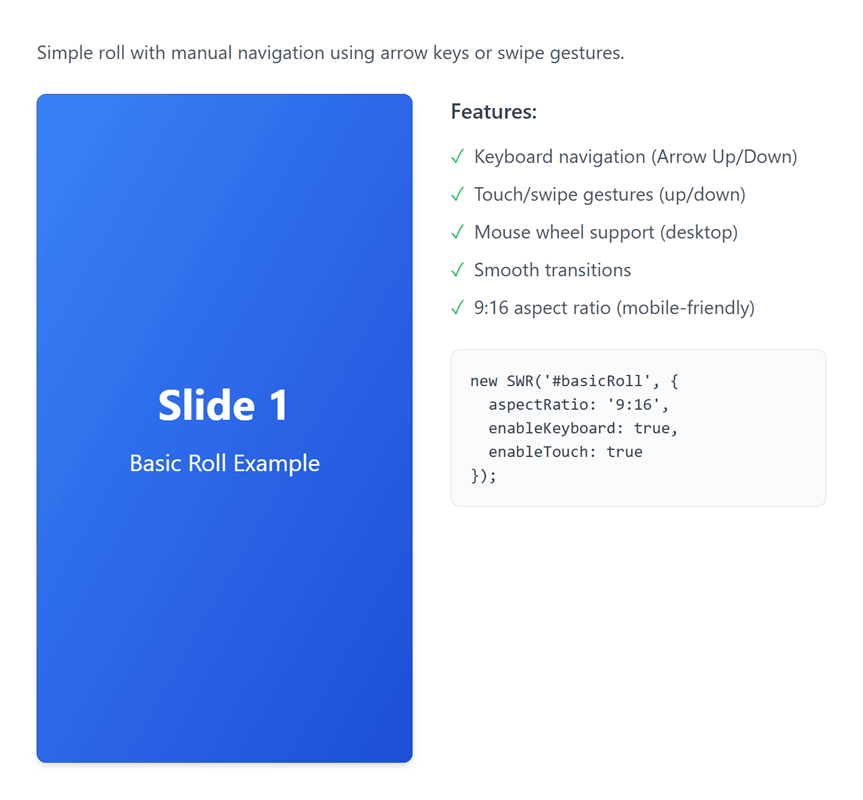
Features
- Multiple Media Types: Support for images, videos, and custom HTML content
- Two Initialization Methods: HTML data attributes or JavaScript API
- Touch & Keyboard Navigation: Swipe gestures and arrow key support
- Seamless Infinite Scrolling: Natural wrap-around animation when looping (like Instagram Reels)
- Smart Autoplay: Automatically enables looping for continuous playback
- Mouse Drag & Wheel Support: Full desktop navigation with mouse drag and wheel scrolling
- Customizable: Flexible configuration for aspect ratios, autoplay, looping, and more
- Lightweight & Responsive: Optimized for both mobile and desktop devices
- No Dependencies: Pure vanilla JavaScript, no external libraries required
- Event System: Custom events for complete control over roll behavior
- Accessible: Keyboard navigation and accessibility-friendly markup
Quick Start
Installation
Install from npm:
npm install senangwebs-rollThe package includes TypeScript declarations for its configuration, item types, and public methods.
Or include the compiled CSS and JS files directly in your HTML:
<link rel="stylesheet" href="https://unpkg.com/senangwebs-roll@latest/dist/swr.min.css">
<script src="https://unpkg.com/senangwebs-roll@latest/dist/swr.min.js"></script>
For a TypeScript or bundled JavaScript project:
import SWR = require('senangwebs-roll');
import 'senangwebs-roll/dist/swr.css';

const roll = new SWR('#myRoll', {
    loop: true,
    items: [
        { type: 'image', src: 'image.jpg', alt: 'Demo image' }
    ]
});
Method 1: JavaScript API (Recommended)
<link rel="stylesheet" href="https://unpkg.com/senangwebs-roll@latest/dist/swr.min.css">

<div id="myRoll"></div>

<script src="https://unpkg.com/senangwebs-roll@latest/dist/swr.min.js"></script>
<script>
const roll = new SWR('#myRoll', {
    aspectRatio: '9:16',
    loop: true,
    autoplay: true,
    autoplayInterval: 5000,
    items: [
        {
            type: 'video',
            src: 'video.mp4',
            muted: true,
            playsinline: true
        },
        {
            type: 'image',
            src: 'image.jpg',
            alt: 'Demo Image'
        },
        {
            type: 'html',
            content: '<div style="height: 100%; display: flex; align-items: center; justify-content: center; background: linear-gradient(135deg, #667eea 0%, #764ba2 100%); color: white;"><h1>Custom Slide</h1></div>'
        }
    ]
});
</script>
Method 2: HTML Data Attributes
<link rel="stylesheet" href="https://unpkg.com/senangwebs-roll@latest/dist/swr.min.css">
<!-- Automatically initializes on page load - no JavaScript required! -->
<div data-swr
     data-swr-aspect-ratio="9:16"
     data-swr-loop="true"
     data-swr-autoplay="true"
     data-swr-autoplay-interval="5000">
    <div data-swr-item>
        <video autoplay muted playsinline loop>
            <source src="video.mp4" type="video/mp4">
        </video>
    </div>
    <div data-swr-item>
        <img src="image.jpg" alt="Image">
    </div>
    <div data-swr-item>
        <div style="height: 100%; display: flex; align-items: center; justify-content: center; background: linear-gradient(135deg, #667eea 0%, #764ba2 100%); color: white;">
            <h1>Custom Content</h1>
        </div>
    </div>
</div>
<script src="https://unpkg.com/senangwebs-roll@latest/dist/swr.min.js"></script>
Configuration Options
| Option | Type | Default | Description |
|--------|------|---------|-------------|
| aspectRatio | string | '9:16' | Aspect ratio of the roll (e.g., '9:16', '16:9', '1:1') |
| loop | boolean | false | Enable infinite looping through items (auto-enabled when autoplay is true) |
| autoplay | boolean | false | Start autoplay automatically on load (automatically enables loop if not explicitly set) |
| autoplayInterval | number | 5000 | Time between autoplay slides (milliseconds) |
| enableKeyboard | boolean | true | Enable arrow key navigation |
| enableTouch | boolean | true | Enable swipe gesture navigation |
| enableWheel | boolean | true | Enable mouse wheel navigation |
| enableMouseDrag | boolean | true | Enable mouse drag navigation |
| enableAutoplayPauseOnInteraction | boolean | true | Pause autoplay on user interaction |
| autoplayResumeDelay | number | 3000 | Delay before resuming autoplay (milliseconds) |
| transitionDuration | number | 350 | Animation duration for slides (milliseconds) |
| swipeThreshold | number | 50 | Minimum swipe distance to trigger navigation (pixels) |
Data Attribute Configuration
Use HTML data attributes for configuration:
<div data-swr
  data-swr-aspect-ratio="9:16"
  data-swr-loop="true"
  data-swr-autoplay="true"
  data-swr-autoplay-interval="4000"
  data-swr-keyboard="true"
  data-swr-touch="true"
  data-swr-transition="300"
  data-swr-swipe-threshold="40">
API Reference
Methods
Navigation
next()- Navigate to next itemprev()- Navigate to previous itemgoTo(index)- Jump to specific item index
Item Management
addItem(item, index)- Add new item to the roll (optionally at specific index)removeItem(index)- Remove item at indexgetCurrentIndex()- Get current active item indexgetTotalItems()- Get total number of items
Playback Control
play()- Start autoplaypause()- Pause autoplayisPlaying()- Check if autoplay is active
Event System
on(event, callback)- Subscribe to eventoff(event, callback)- Unsubscribe from eventgetConfig()- Get current configuration
Lifecycle
destroy()- Destroy instance and clean up resources
Events
initialized- Emitted when roll is initializednavigationChanged- Emitted when active item changesslideStarted- Emitted when slide animation startsslideCompleted- Emitted when slide animation completesautoplayStart- Emitted when autoplay startsautoplayPause- Emitted when autoplay pausesautoplayTick- Emitted on each autoplay interval tickautoplayPausedTemporarily- Emitted when autoplay pauses temporarilyswipeDetected- Emitted when swipe is detectedtapDetected- Emitted when tap is detected (toggles autoplay)keyboardEvent- Emitted on keyboard interactionwheelDetected- Emitted when mouse wheel is useddragDetected- Emitted when mouse drag is detectedbeforeRender- Emitted before item rendersafterRender- Emitted after item rendersitemAdded- Emitted when item is addeditemRemoved- Emitted when item is removeditemUpdated- Emitted when item is updateditemsCleared- Emitted when all items are cleareddestroy- Emitted when instance is destroyed
Item Object Structure
Video Item
{
    type: 'video',
    src: 'path/to/video.mp4',
    mimeType: 'video/mp4',
    autoplay: true,
    muted: true,
    playsinline: true,
    loop: false
}
Image Item
{
    type: 'image',
    src: 'path/to/image.jpg',
    alt: 'Image description',
    title: 'Image title'
}
HTML Item
{
    type: 'html',
    content: '<div>HTML content</div>'
}
Seamless Infinite Scrolling
SWR features intelligent wrap-around animation that creates a natural, continuous scrolling experience similar to Instagram Reels:
- Natural Direction: When swiping up on the last item, it smoothly continues upward to the first item (not jarring downward jump)
- Intuitive Flow: When swiping down on the first item, it smoothly continues downward to the last item
- Automatic Loop: When
autoplay: trueis set,loopis automatically enabled for continuous playback - Seamless Transitions: Uses optimized CSS transforms for smooth, GPU-accelerated animations
How It Works
// Autoplay automatically enables loop for seamless continuous playback
const roll = new SWR('#roll', {
    autoplay: true,  // loop is automatically set to true
    autoplayInterval: 3000
});

// Or manually enable loop for seamless infinite scrolling
const roll2 = new SWR('#roll2', {
    loop: true  // Enables seamless wrap-around navigation
});
Examples
Example 1: Basic Setup with Autoplay
const roll = new SWR('#roll', {
    autoplay: true,  // Loop is auto-enabled
    autoplayInterval: 3000
});
Example 2: Manual Loop Control
// Disable automatic loop enabling (if you want autoplay to stop at the end)
const roll = new SWR('#roll', {
    autoplay: true,
    loop: false,  // Explicitly set to false to override auto-enabling
    autoplayInterval: 3000
});
Example 3: Event Handling
const roll = new SWR('#roll');

// Listen to item changes
roll.on('navigationChanged', (data) => {
    console.log(`Now showing item ${data.newIndex + 1} of ${data.totalItems}`);
});

// Listen to slide completion
roll.on('slideCompleted', (data) => {
    console.log('Slide animation completed');
});

// Control autoplay
roll.on('autoplayStart', () => {
    console.log('Autoplay started');
});

// Listen to user interactions
roll.on('swipeDetected', (data) => {
    console.log('Swipe direction:', data.direction);
});

roll.on('tapDetected', () => {
    console.log('Tap detected - autoplay toggled');
});
Example 4: Dynamic Content Management
const roll = new SWR('#roll');

// Add items dynamically
roll.addItem({
    type: 'image',
    src: 'new-image.jpg',
    alt: 'New Image'
});

// Add at specific position
roll.addItem({
    type: 'video',
    src: 'video.mp4',
    muted: true
}, 1);

// Remove items
roll.removeItem(0);

// Navigate programmatically
roll.next();  // Go to next item
roll.prev();  // Go to previous item
roll.goTo(2); // Jump to specific item

// Check current state
console.log(`Total items: ${roll.getTotalItems()}`);
console.log(`Current index: ${roll.getCurrentIndex()}`);
console.log(`Is playing: ${roll.isPlaying()}`);
Example 5: Full-Featured Setup
const roll = new SWR('#roll', {
    aspectRatio: '9:16',
    autoplay: true,
    autoplayInterval: 4000,
    transitionDuration: 500,
    enableKeyboard: true,
    enableTouch: true,
    enableWheel: true,
    enableMouseDrag: true,
    enableAutoplayPauseOnInteraction: true,
    autoplayResumeDelay: 2000,
    swipeThreshold: 50,
    items: [
        { type: 'video', src: 'video1.mp4', muted: true },
        { type: 'image', src: 'image1.jpg', alt: 'Image' },
        { type: 'html', content: '<div class="custom-slide">Content</div>' }
    ]
});

// Listen to all events
roll.on('initialized', () => console.log('Ready!'));
roll.on('slideCompleted', (data) => console.log('Slide:', data.index));
roll.on('autoplayStart', () => console.log('Playing'));
roll.on('autoplayPause', () => console.log('Paused'));
Example 6: Custom Styling
/* Override default aspect ratio */
.my-roll .swr-viewport {
    aspect-ratio: 16 / 9;
}

/* Customize item styling */
.my-roll [data-swr-item] {
    border-radius: 8px;
}

/* Custom transition */
.my-roll .swr-container {
    transition-timing-function: cubic-bezier(0.25, 0.1, 0.25, 1);
}
Navigation Controls
Keyboard
- Arrow Down / Arrow Right - Next item
- Arrow Up / Arrow Left - Previous item
- Space - Toggle autoplay
Touch/Mouse
- Swipe Up / Drag Up - Next item
- Swipe Down / Drag Down - Previous item
- Tap/Click - Toggle autoplay
- Mouse Wheel Up - Previous item
- Mouse Wheel Down - Next item
Responsive Behavior
The roll automatically adapts to different screen sizes:
- Mobile (< 768px) - Aspect ratio 9:16, optimized for portrait viewing
- Desktop (≥ 768px) - Aspect ratio 16:9, optimized for landscape viewing
Customize aspect ratios via configuration.
Important Behaviors
Autoplay and Loop
- When
autoplay: trueis set,loopis automatically enabled (unless explicitly set tofalse) - This ensures continuous playback without stopping at the last item
- To disable auto-looping, explicitly set
loop: falsein your configuration
Seamless Wrap Animation
- When
loop: true, navigating from the last item to the first (or vice versa) uses a seamless animation - The animation direction matches the user's gesture for an intuitive experience
- Swipe up on last item → continues upward to first item
- Swipe down on first item → continues downward to last item
Interaction Pausing
- When
enableAutoplayPauseOnInteraction: true, user interactions (swipe, tap, keyboard, wheel, drag) temporarily pause autoplay - Autoplay resumes after
autoplayResumeDelaymilliseconds - Tap/click on the roll toggles autoplay on/off
Accessibility
- Keyboard navigation support (arrow keys)
- Semantic HTML markup
- Focus management
- High contrast support
- Reduced motion support (via
prefers-reduced-motion)
Browser Support
- Chrome/Edge (latest)
- Firefox (latest)
- Safari (latest)
- Mobile browsers (iOS Safari, Chrome Mobile)
License
MIT License
Contributing
Contributions are welcome! Please feel free to submit issues and pull requests.