
senangwebs-story
v1.0.8
Published
Lightweight, dependency-free JavaScript library for creating interactive, visual novel-style story experiences.

Maintainers
 a-hakim
Readme
SenangWebs Story (SWS)
A lightweight, dependency-free JavaScript library for creating interactive, visual novel-style story experiences with typewriter effects and character dialogue management.

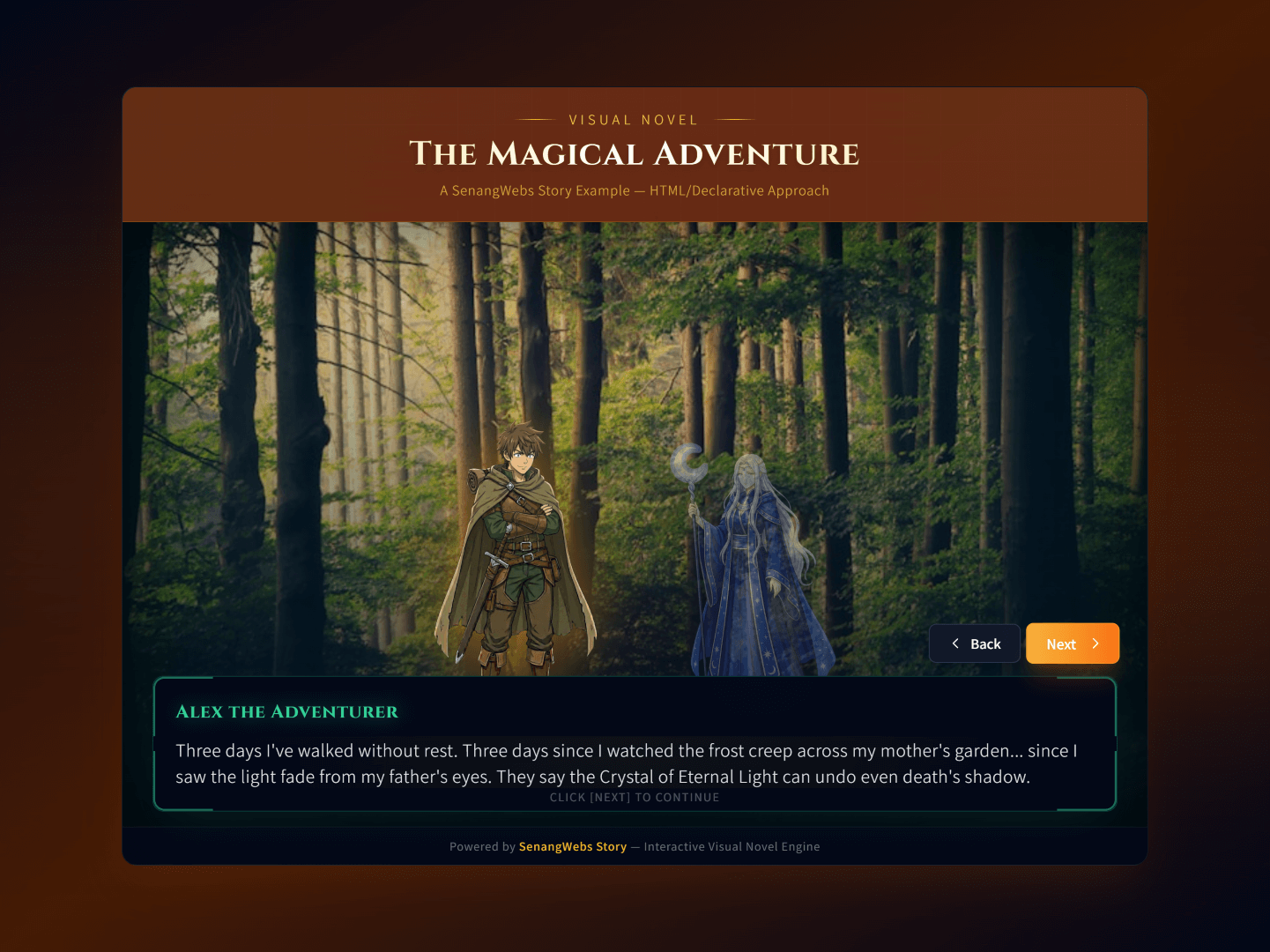
DEMO - https://dev.use.senangwebs.com/make/senangwebs-story-demo
Features
- Zero Dependencies: Pure JavaScript with no external libraries required.
- Dual Initialization: Build stories declaratively with simple
data-*attributes in your HTML, or programmatically using a clean JSON structure. - Safe by Default: Dialogue is rendered as plain text and callbacks are real functions or registered named actions — story data never executes arbitrary JavaScript, so stories can safely come from a CMS or remote JSON.
- Unlimited Scenes & Dialogues: Create stories with any number of scenes and dialogues - no artificial limits.
- Scene & Dialogue Management: Manages a sequence of scenes and dialogues, tracking the story's state automatically.
- Dynamic Visuals:
- Change background images with each new scene.
- Display and highlight character images ("subjects").
- Automatically toggles an
activeclass on the current speaker.
- Typewriter Effect: Dialogue text is rendered with a classic character-by-character animation with customizable speed (set
0to show text instantly). Emoji and combining characters animate as complete units. - Smart Navigation: Built-in "next" and "back" navigation with intelligent dialog completion - clicking "next" while text is typing completes the current dialog instead of skipping.
- Scoped Keyboard Navigation: Each focusable story responds independently to arrow keys and Space without hijacking controls elsewhere on the page.
- Customizable Dialog Speed: Set typing animation speed using
data-sws-dialog-speedattribute (HTML) ordialogSpeedproperty (JSON). - Event Callbacks: Run custom JavaScript functions at the start of any scene or dialogue for enhanced interactivity.
- Accessible: Stories expose an accessible region name and announce each completed line through a polite live region;
prefers-reduced-motiondisables the typewriter animation. - Instance Registry: Retrieve, reuse, and destroy story instances — including automatically initialized ones — via
SWS.getInstance()andSWS.destroy(). - Automatic UI Generation: When using JSON, the library creates the complete HTML structure for the story.
- Flexible Integration: Works with your existing HTML structure and is easy to style with CSS.
Limitations
- Single Story Instance: Each page can have multiple story containers, but each operates independently.
- Sequential Navigation: Stories follow a linear progression; no branching or choice-based storylines.
- Plain Text Dialogue: Dialogue text is treated as plain text. HTML markup inside dialogue is displayed literally and never parsed.
Quick Start
Include the files: (Assuming a
dist/directory)<link rel="stylesheet" href="dist/sws.css"> <script src="dist/sws.min.js"></script>Create a minimal story:
<div data-sws data-sws-dialog-speed="30" style="height: 480px;">
    <!-- Scene 1 -->
    <div data-sws-scene-1>
        <div data-sws-background>
            <img src="path/to/background1.jpg" alt="Background">
        </div>
        <div data-sws-subjects>
            <img src="path/to/character1.png" data-sws-subject-id="char1" data-sws-subject-name="Hero">
        </div>
        <div data-sws-dialog-box>
            <h4 data-sws-active-subject-name></h4>
            <div data-sws-dialog-1 data-sws-subject="char1">
                <p>Hello, welcome to the story!</p>
            </div>
        </div>
    </div>

    <!-- Navigation -->
    <div data-sws-actions>
        <button type="button" data-sws-button="back">Back</button>
        <button type="button" data-sws-button="next">Next</button>
    </div>
</div>
The library automatically initializes on page load and brings your story to life.
Container sizing: all visible story components are absolutely positioned, so the story container needs a size. SWS applies a responsive
aspect-ratio: 16/9default with a 320px minimum height; override it with an explicitheight(ormin-height) when your layout needs a specific size.
Installation & Build
Using CDN (Quickest Start)
For the fastest setup, include SWS directly from a CDN (pin the version so future releases cannot silently change your integration):
<!DOCTYPE html>
<html>
<head>
    <title>My Story</title>
    <!-- SWS CSS from CDN -->
    <link rel="stylesheet" href="https://cdn.jsdelivr.net/npm/[email protected]/dist/sws.css">
</head>
<body>
    <!-- Your Story HTML here -->

    <!-- SWS JavaScript from CDN -->
    <script src="https://cdn.jsdelivr.net/npm/[email protected]/dist/sws.min.js"></script>
</body>
</html>
Development Setup
# Clone and install dependencies
git clone https://github.com/a-hakim/senangwebs-story.git
cd senangwebs-story
npm install

# Development build with watch mode
npm run dev

# Production build (minified)
npm run build

# Run the test suite
npm test
npm run buildgenerates the production artifacts:dist/sws.min.jsanddist/sws.css.npm run build:allregenerates both artifacts: the development bundle (dist/sws.js) and the production bundle (dist/sws.min.js,dist/sws.css). Always run it before committing or publishing so the checked-in artifacts match the source.npm run releaseruns the tests and regenerates all artifacts.
Direct Usage
Include the built files in your HTML:
<!DOCTYPE html>
<html>
<head>
    <link rel="stylesheet" href="path/to/dist/sws.css">
</head>
<body>
    <!-- Your story HTML here -->
    <script src="path/to/dist/sws.min.js"></script>
</body>
</html>
Note: dist/sws.min.js is the production entry point. dist/sws.js is the unminified development bundle for debugging.
Trust Model & Security
SWS is designed so story data can come from any source — a CMS, remote JSON, or another party — without giving that source code execution in your page:
- Dialogue is plain text. Dialogue strings are rendered with
textContent; markup such as<img onerror=...>is displayed literally, never parsed or executed. - Callbacks are functions, not code strings. The programmatic API accepts real functions. Declarative (HTML) and JSON stories reference callbacks by action name, resolved against a registry you control (see Callbacks). Story data on its own can never run arbitrary JavaScript.
If you author stories yourself and fully trust the content, this model costs nothing; if you don't, it is the boundary that keeps your page safe.
Story Configuration (HTML)
Configure your story using data-* attributes.
| Attribute | Description |
| -------------------------------- | -------------------------------------------------------------------------------------------------- |
| data-sws | Required. Marks the root container for a story. |
| data-sws-id | An optional unique identifier for the story instance (also used as the accessible name). |
| data-sws-aria-label | An accessible name for the story region, overriding data-sws-id. |
| data-sws-auto | Set to "false" to opt this story out of automatic initialization. |
| data-sws-dialog-speed | Sets the typewriter animation speed in milliseconds (default: 50). Lower values = faster typing. 0 shows text instantly. |
| data-sws-scene-[n] | Defines a scene, where[n] is a 1-based index (e.g., data-sws-scene-1). Numbering must be unique. |
| data-sws-scene-start | The name of a registered action to run when the scene begins. |
| data-sws-background | A container within a scene for the background<img>. |
| data-sws-subjects | A container within a scene for all character<img> elements. |
| data-sws-subject-id | A unique ID for a character<img> tag. |
| data-sws-subject-name | The display name for a character, shown above the dialogue. |
| data-sws-dialog-box | The container within a scene that holds the dialogue text. |
| data-sws-active-subject-name | An element (e.g.,<h4>) to display the current speaker's name. |
| data-sws-dialog-[n] | Defines a single piece of dialogue within a scene (must contain a <p>). Numbering must be unique. |
| data-sws-subject | Links a dialogue to a character via theirdata-sws-subject-id. |
| data-sws-dialog-start | The name of a registered action to run when the dialogue begins. |
| data-sws-actions | The container for navigation controls. |
| data-sws-button | Defines a button's function. Values:back or next. Story buttons get type="button" automatically so they never submit a surrounding form. |
Core Components Explained
Scenes & Dialogues
A story is a collection of scenes. Each scene has its own background, set of characters, and a sequence of dialogues. The library progresses linearly from dialogue to dialogue, and from scene to scene.
Subjects (Characters)
Subjects are the characters in your story. You define them with an <img> tag and give them a data-sws-subject-id. To make a character speak, you link their id to a dialogue using the data-sws-subject attribute. The library will automatically apply an active class to the current speaker.
Typewriter Effect
To create an immersive experience, all dialogue text is animated with a character-by-character "typewriter" effect. The animation speed can be customized:
- HTML Approach: Use
data-sws-dialog-speed="30"on the story container (speed in milliseconds per character) - JSON Approach: Set
"dialogSpeed": 30in the story configuration object - Default Speed: 50ms per character if no speed is specified
- Instant Text: Set the speed to
0to skip the animation entirely. It is also skipped automatically when the user hasprefers-reduced-motionenabled.
Smart Navigation: Clicking "next" while the typewriter animation is running instantly completes the current dialog text before proceeding. "Back" completes the current text and immediately navigates one step backward in the same call.
Dialog Speed Customization
The typewriter animation speed can be customized to match your story's pacing needs:
HTML/Declarative Approach
<!-- Fast dialog speed (20ms per character) -->
<div data-sws data-sws-dialog-speed="20">
    <!-- Your story content -->
</div>

<!-- Slow dialog speed (100ms per character) -->
<div data-sws data-sws-dialog-speed="100">
    <!-- Your story content -->
</div>

<!-- Instant text (no animation) -->
<div data-sws data-sws-dialog-speed="0">
    <!-- Your story content -->
</div>

<!-- Default speed (50ms per character) - no attribute needed -->
<div data-sws>
    <!-- Your story content -->
</div>
JSON/Programmatic Approach
const fastStory = {
    "id": "fast_story",
    "dialogSpeed": 20, // Fast: 20ms per character
    "scenes": [/* ... */]
};

const slowStory = {
    "id": "slow_story",
    "dialogSpeed": 100, // Slow: 100ms per character
    "scenes": [/* ... */]
};

// Create instances with different speeds
new SWS(container1, fastStory);
new SWS(container2, slowStory);
Speed Guidelines
- Instant: 0 - No animation; ideal for accessibility and long content
- Very Fast: 10-20ms - Good for action sequences or when users want to read quickly
- Normal: 30-50ms - Balanced speed for most stories (default: 50ms)
- Slow: 60-100ms - Dramatic effect, good for emphasizing important dialogue
- Very Slow: 100ms+ - Special dramatic moments
Note: Lower values mean faster typing. The value represents milliseconds between each character appearing.
Callbacks
Callbacks run at the start of every scene (sceneStart) and dialogue (dialogStart). The scene callback runs the first time a scene is displayed and on every revisit; it always runs before the scene's first dialogue callback. Callbacks receive the SWS instance as their only argument and are invoked with the instance as this.
Callback errors are caught and logged; they never break story navigation.
Programmatic stories: use functions
const storyData = {
  "id": "my_story",
  "scenes": [
    {
      "sceneStart": (story) => console.log('Chapter 1 begins!', story.currentSceneIndex),
      "background": "path/to/background1.jpg",
      "subjects": [
        { "id": "hero", "name": "Hero", "src": "path/to/hero.png" }
      ],
      "dialogs": [
        { "subjectId": "hero", "text": "This story was created entirely from a JavaScript object." }
      ]
    }
  ]
};
Declarative and remote stories: use action names
Because story data must never contain executable code, HTML attributes and remote JSON reference callbacks by name. Resolve those names through options.actions (per story) or the global SWS.actions registry:
<div data-sws>
    <div data-sws-scene-1 data-sws-scene-start="chapterOne">
        <!-- ... -->
    </div>
</div>
<script src="dist/sws.min.js"></script>
<script>
    SWS.actions.chapterOne = (story) => {
        console.log('Chapter one begins!');
        playMusic('theme.mp3'); // your own function
    };
</script>
// JSON stories can use names too (e.g. when the JSON comes from a server):
const actions = { playIntro: () => playSound('intro.mp3') };
const story = new SWS(container, { id: 's', actions, scenes: [/* ... */] });The instance registry (options.actions) is checked first, then the global SWS.actions. Unknown action names log a descriptive error and are skipped.
JavaScript API
Programmatic Initialization
Besides using HTML attributes, you can initialize a story with a JavaScript object. This is ideal for dynamically loading story content.
// Get the container element
const storyContainer = document.getElementById('my-story');

// Define the story using a JSON structure
const storyData = {
  "id": "my_json_story",
  "dialogSpeed": 25, // Custom dialog speed: 25ms per character
  "actions": { /* optional per-story action registry */ },
  "scenes": [
    {
      "sceneStart": (story) => console.log('Chapter 1 Begins!'),
      "background": "path/to/background1.jpg",
      "subjects": [
        { "id": "hero", "name": "Hero", "src": "path/to/hero.png" }
      ],
      "dialogs": [
        { "subjectId": "hero", "text": "This story was created entirely from a JavaScript object." },
        { "text": "This line is narrative text, with no active speaker." }
      ]
    },
    {
      "background": "path/to/background2.jpg",
      "subjects": [
        { "id": "hero", "name": "Hero", "src": "path/to/hero.png" },
        { "id": "villain", "name": "Villain", "src": "path/to/villain.png" }
      ],
      "dialogs": [
        { "subjectId": "villain", "dialogStart": "villainAppears", "text": "You've finally arrived!" },
        { "subjectId": "hero", "text": "It's over, Villain!" }
      ]
    }
  ]
};

// Create a new SWS instance
const myStory = new SWS(storyContainer, storyData);
Configuration is validated before anything is rendered: an invalid or empty configuration throws a descriptive TypeError and leaves the container untouched. scenes must be a non-empty array; every scene needs a dialogs array (use [] for a scene without dialogue). Scenes without dialogue are skipped by navigation and show only their background and subjects.
Public Methods
You can control the story flow programmatically.
// Assuming 'myStory' is an SWS instance
myStory.next(); // Moves to the next dialogue/scene
myStory.back(); // Moves to the previous dialogue/scene
myStory.destroy(); // Cleans up event listeners and resources (call before removing story)
Navigating a destroyed story is a no-op and logs a warning. Re-initializing a container destroys its previous instance automatically, so a story can never end up with two competing controllers.
Instance Registry
Stories initialized automatically (declarative [data-sws] containers) are registered on the class, so you can always retrieve them:
// Get the instance mounted on an element
const story = SWS.getInstance(element);

// Destroy whatever story is mounted on an element (returns true if one existed)
SWS.destroy(element);

// Manually scan for new declarative stories, e.g. after inserting content:
const created = SWS.init(document); // or SWS.init(someContainer)
SWS.init() skips elements that already have an instance and elements with data-sws-auto="false". A failure in one story is isolated and logged, so the remaining stories still initialize. To disable automatic initialization entirely, define window.SWS_AUTO_INIT = false before the library loads and call SWS.init() yourself when ready.
Keyboard Navigation
The library supports keyboard navigation when the story is focused. Tab to the story, click its non-interactive content, or focus one of its controls to activate that instance:
| Key | Action |
|-----|--------|
| → Arrow Right | Next dialogue/scene |
| Space | Next dialogue/scene |
| ← Arrow Left | Previous dialogue/scene |
Keyboard events are scoped to the focused story, so multiple stories on one page do not advance together. Inputs, textareas, selects, and editable content inside a story retain their native keyboard behavior. Space on a focused button also uses the button's native click behavior.
SWS adds tabindex="0" when the story container does not already define a tab order. To exclude a story from sequential keyboard navigation while keeping programmatic focus available, set tabindex="-1" yourself.
Cleanup
When dynamically loading stories or removing a story from the DOM, always destroy the story to prevent memory leaks:
// Before loading a new story or removing the container
if (currentStory) {
    currentStory.destroy();
    currentStory = null;
}

// Or destroy by element, without holding a reference:
SWS.destroy(document.getElementById('my-story'));
destroy() completes any in-progress text so the markup stays canonical for remounting, removes all listeners from the exact elements they were attached to, and removes the instance from the registry.
Accessibility
- Stories expose
role="region"and an accessible name fromdata-sws-aria-label,data-sws-id, or a default label. - Each completed dialogue line is announced once through a visually hidden, polite live region — the character-by-character animation is not announced.
prefers-reduced-motiondisables the typewriter and character transitions;dialogSpeed: 0provides the same behavior manually.- Long dialogue scrolls inside the dialog box instead of being clipped.
Styling & Customization
Key CSS Selectors & Classes
| Selector/Class | Description |
| ---------------------------------- | ------------------------------------------------------- |
| [data-sws] | The main story container. |
| [data-sws-scene-n] | An individual scene container. |
| [data-sws-background] img | The background image. |
| [data-sws-subjects] img | A character image. |
| .active | Applied to the currently speaking character's<img>. |
| [data-sws-dialog-box] | The black box containing the dialogue text. |
| [data-sws-active-subject-name] | The element holding the speaker's name. |
| [data-sws-actions] button | The navigation buttons. |
Custom Styling Example
/* Make the active character pop */
[data-sws-subjects] img {
    transition: transform 0.3s ease, opacity 0.3s ease;
    opacity: 0.6;
}

[data-sws-subjects] img.active {
    opacity: 1;
    transform: scale(1.05) translateY(-10px);
}

/* Customize the dialog box */
[data-sws-dialog-box] {
    background: rgba(50, 20, 80, 0.8); /* A dark purple */
    border-top: 4px solid #9f7aea;
}

/* Style the speaker's name */
[data-sws-active-subject-name] {
    color: #fbd38d; /* A nice gold color */
    font-style: italic;
}
Examples
Check the examples/ directory for complete implementations:
examples/index.html- A full story built using HTMLdata-*attributes with Tailwind CSS styling and custom dialog speed.examples/json.html- Stories initialized from JavaScript objects with custom styling and dialog speed demonstration.
Browser Support
Works in all evergreen browsers. The published baseline (see browserslist in package.json) is:
- Chrome / Edge 80+
- Firefox 78+ (including Firefox ESR)
- Safari 13.1+
The build transpiles the source with @babel/preset-env against that baseline, so the shipped bundles match these claims.
Technical Notes
- File Structure: The production entry is
dist/sws.min.js;dist/sws.jsis the development bundle anddist/sws.cssholds the core styles. - CSS Framework Compatibility: Works with frameworks like Tailwind CSS (see examples).
- Performance: The typewriter renders grapheme clusters without rebuilding accumulated strings, keeping long lines smooth.
- Memory Management: All event targets are retained by the instance and fully detached by
destroy(); stories are tracked in a registry so automatic and manual lifecycles never leak.
Troubleshooting
Common Issues
- Story not initializing: Ensure the
data-swsattribute is present on the root container, and thatdata-sws-auto="false"is not set. For content inserted after page load, callSWS.init(container). - Story collapses or clips: Give the story container a height (SWS defaults to a 16:9 aspect ratio; override it with
heightormin-heightfor your layout). - Callbacks not running: String callbacks must be registered action names (via
SWS.actionsoroptions.actions). Arbitrary JavaScript in callback strings is intentionally not evaluated. - Scenes not switching: Check that scene numbering follows the pattern
data-sws-scene-1,data-sws-scene-2, etc., and that numbers are unique. - Dialogs not appearing: Verify dialog elements have the correct
data-sws-dialog-[n]attributes and contain a<p>tag. - Characters not highlighting: Ensure
data-sws-subject-idmatches thedata-sws-subjectvalue in dialogs. - Dialog speed not working: Check that
data-sws-dialog-speedcontains a valid non-negative number, ordialogSpeedin JSON config is a number (0means instant). - Buttons submitting a form: Story buttons get
type="button"automatically; if you author custom controls, addtype="button"to them. - Console errors: Check browser developer tools for specific error messages and missing elements.
License
MIT License
Contributing
Contributions are welcome! Please ensure any changes maintain the library's lightweight, dependency-free nature, keep npm test passing, and run npm run build:all so the distribution artifacts match the source.