
senangwebs-xperience
v1.0.2
Published
A lightweight JavaScript library for creating grid-based interactive experiences on the web

Maintainers
 a-hakim
Readme
SenangWebs Xperience (SWX)
A lightweight JavaScript library for creating grid-based interactive experiences on the web. Perfect for building simple games, interactive tutorials, and grid-based applications.

Features
- Dual API - Use HTML data attributes OR JavaScript API
- Simple & Intuitive - Easy to learn and use
- Lightweight - Minimal dependencies, small bundle size
- Flexible - Customizable grid sizes and styling
- Auto-initialization - Automatic setup from HTML markup
- Interactive Objects - Static, dynamic, sprite, and interactive game objects
- Layered Object Support - Multiple objects can occupy the same cell (e.g. floor sprite + pushable box)
- Built-in Controls - WASD + Arrow keys + Spacebar support (focus-scoped, no global hijacking)
- Mobile/Touch Support - Swipe gesture detection with scroll-lock on the grid container
- Event System - Subscribe to game events including walk-over triggers (
player:step) - Multi-Instance Safe - Multiple grids on one page with independent input handling
- Pause/Resume - Freeze and unfreeze input for cutscenes and dialog overlays
- Instance Registry - Retrieve any instance via
SWX.getInstance(container) - Safe Repositioning - Move any managed object with
setPosition()while keeping collision tracking synchronized
Installation
Option 1: CDN
<script src="https://unpkg.com/senangwebs-xperience@latest/dist/swx.min.js"></script>
<link rel="stylesheet" href="https://unpkg.com/senangwebs-xperience@latest/dist/swx.min.css" />
Option 2: Build from Source
npm install
npm run build
Quick Start
HTML API (Declarative)
Create an interactive grid using just HTML data attributes:
<div data-swx data-swc-cols="15" data-swc-rows="10" data-swc-unit="32px">
<!-- Player -->
<div data-swx-player data-swc-position="5 5" data-swc-size="1 1">
<div data-swx-player-idle>🧍</div>
<div data-swx-player-left>🚶</div>
<div data-swx-player-right>🚶➡️</div>
<div data-swx-player-up>🔼</div>
<div data-swx-player-down>🔽</div>
</div>
<!-- Static wall -->
<div data-swx-static data-swc-position="1 1" data-swc-size="1 10">🧱</div>
<!-- Dynamic box (pushable) -->
<div data-swx-dynamic data-swc-position="3 3" data-swc-size="1 1">📦</div>
<!-- Decorative sprite (non-blocking) -->
<div data-swx-sprite data-swc-position="7 5" data-swc-size="1 1">🌿</div>
<!-- Interactive door -->
<div data-swx-interact="openDoor" data-swc-position="8 8" data-swc-size="1 1">🚪</div>
</div>
<script src="swx.min.js"></script>
<script>
function openDoor() {
alert('You opened the door!');
}
</script>JavaScript API (Programmatic)
const swx = new SWX({
cols: 15,
rows: 10,
unit: '32px',
});
swx.init();
// Add player
swx.addPlayer({
position: { x: 5, y: 5 },
size: { width: 1, height: 1 },
sprites: {
idle: '🧍',
left: '🚶',
right: '🚶➡️',
up: '🔼',
down: '🔽',
},
});
// Add static object (wall)
swx.addStaticObject({
position: { x: 1, y: 1 },
size: { width: 1, height: 10 },
content: '🧱',
});
// Add dynamic object (pushable box)
swx.addDynamicObject({
position: { x: 3, y: 3 },
size: { width: 1, height: 1 },
content: '📦',
});
// Add decorative sprite (non-blocking, walk-through)
swx.addSpriteObject({
position: { x: 7, y: 5 },
size: { width: 1, height: 1 },
content: '🌿',
});
// Add interactive object (door)
swx.addInteractiveObject({
position: { x: 8, y: 8 },
size: { width: 1, height: 1 },
content: '🚪',
onInteract: () => {
alert('You opened the door!');
},
});Event System
SWX includes a built-in event dispatcher. Subscribe to game events without modifying internal methods.
// Player moved successfully
swx.on('player:move', ({ direction, position, pushed }) => {
    console.log(`Moved ${direction} → (${position.x}, ${position.y})`);
    moveCount++;
});

// Player blocked by a wall or object
swx.on('player:blocked', ({ direction, collider }) => {
    console.log(`Blocked going ${direction}`, collider);
});

// Player pushed a dynamic object
swx.on('player:push', ({ direction, object, position }) => {
    console.log('Pushed box to', object.position);
});

// Player interacted (spacebar) with an adjacent or standing-on object
swx.on('player:interact', ({ object }) => {
    console.log('Interacted with', object);
});

// Player stepped onto a cell containing other objects (walk-over triggers)
swx.on('player:step', ({ direction, position, objects }) => {
    console.log('Stepped on', objects.length, 'objects at', position);
    // Use for collectibles, traps, floor switches, etc.
});

// An object was removed from the grid
swx.on('object:remove', ({ object }) => {
    console.log('Removed', object.type, 'at', object.position);
});

// Remove a specific listener
const onMove = ({ position }) => updateHUD(position);
swx.on('player:move', onMove);
swx.off('player:move', onMove);
HTML API Interactive Events
Interactive objects declared in HTML can use named global functions or the event system:
<!-- Global function (classic) -->
<div data-swx-interact="openDoor" data-swc-position="8 8">🚪</div>

<!-- Event-system id (no global function needed) -->
<div data-swx-interact="door:open" data-swc-position="8 8">🚪</div>
swx.on('interact:door:open', ({ object }) => {
alert('Door opened!');
swx.removeObject(object);
});Controls
Keyboard
- W or ↑ - Move up
- S or ↓ - Move down
- A or ← - Move left
- D or → - Move right
- Space - Interact with adjacent or standing-on objects
Note: Keyboard input is scoped to the grid container (via
tabindex). Click the grid to focus it before using keyboard controls. Input is automatically suppressed when the user is focused on a form element (<input>,<textarea>,<select>,<button>). Key repeat is blocked — one move per keypress.
Touch / Mobile
Swipe gestures on the grid container are automatically detected and translated into directional moves. Native page scrolling is prevented during swipes over the grid. No additional setup required.
API Reference
Constructor
const swx = new SWX(options);Options:
| Option | Type | Default | Description |
|---|---|---|---|
| container | HTMLElement | auto-created <div> | Container element for the grid |
| cols | number | 10 | Number of columns |
| rows | number | 10 | Number of rows |
| unit | string | '32px' | Size of each grid cell |
Methods
swx.init()
Initialize the grid system. Called automatically when using the HTML API or when first adding an object.
swx.addPlayer(config) → Player
Add a player to the grid. Replaces any existing player (old player is fully cleaned up from grid tracking).
{
position: { x: 5, y: 5 },
size: { width: 1, height: 1 },
sprites: {
idle: '🧍',
left: '🚶',
right: '🚶➡️',
up: '🔼',
down: '🔽'
}
}swx.addStaticObject(config) → StaticObject
Add an immovable, blocking object (walls, barriers).
{ position: { x: 1, y: 1 }, size: { width: 1, height: 1 }, content: '🧱' }swx.addDynamicObject(config) → DynamicObject
Add a pushable object (boxes, crates). Player can push it one cell in the direction of movement.
{ position: { x: 3, y: 3 }, size: { width: 1, height: 1 }, content: '📦' }swx.addInteractiveObject(config) → InteractiveObject
Add an object that triggers a callback when the player presses Space while adjacent to it or standing on it (if collisionEnabled: false).
{
    position: { x: 8, y: 8 },
    size: { width: 1, height: 1 },
    content: '🚪',
    collisionEnabled: true,   // optional, default: true
    onInteract: (object) => { /* your logic */ }
}
swx.addSpriteObject(config) → SpriteObject
Add a purely decorative, non-blocking object. Player and other objects can move through it freely. Sprite objects can coexist in the same cell as collidable objects (layered rendering).
{ position: { x: 7, y: 5 }, size: { width: 1, height: 1 }, content: '🌿' }swx.removeObject(object)
Remove an object from the grid and clean up its DOM element. Emits object:remove. If the removed object is the player, the player reference is also cleared.
swx.getObjectsByType(type)
Get all managed objects of a specific type. type is one of 'static', 'dynamic', 'interactive', 'sprite', 'player'.
object.setPosition(x, y)
Move any object returned by an add* method. When the object belongs to a grid, SWX updates both its visual position and collision occupancy.
const box = swx.addDynamicObject({
    position: { x: 3, y: 3 },
    content: '📦',
});

box.setPosition(6, 4);
setPosition() is an explicit repositioning API and does not perform collision or bounds checks.
swx.on(event, callback) → swx
Subscribe to a game event. Chainable.
swx.off(event, callback) → swx
Unsubscribe a specific listener. Must pass the same function reference used in on().
swx.emit(event, data)
Emit a custom event. Useful for extending or composing game logic.
swx.destroy()
Fully clean up the SWX instance: removes keyboard/touch listeners, destroys all objects, clears the grid, empties event listeners, and removes the instance from the static registry.
SWX.getInstance(container) (Static)
Retrieve an existing SWX instance by its container element. Returns null if no instance exists.
const container = document.querySelector('[data-swx]');
const swx = SWX.getInstance(container);
swx.on('player:move', ({ position }) => { /* ... */ });
SWX.autoInit() (Static)
Automatically initialize all [data-swx] elements in the document. Called automatically on DOMContentLoaded. Skips already-initialized containers.
Input Control
swx.keyboardHandler.pause()
Temporarily disable all keyboard and touch input. Useful for cutscenes, dialog overlays, or level transitions.
swx.keyboardHandler.resume()
Re-enable keyboard and touch input after a pause.
// Pause during dialog
swx.keyboardHandler.pause();
showDialog('You found a treasure!');

// Resume when dialog closes
dialogCloseButton.addEventListener('click', () => {
    swx.keyboardHandler.resume();
});
HTML Data Attributes
Container
| Attribute | Description |
|---|---|
| data-swx | Mark element as SWX container |
| data-swc-cols="15" | Number of columns |
| data-swc-rows="10" | Number of rows |
| data-swc-unit="32px" | Cell size |
Objects
| Attribute | Type | Description |
|---|---|---|
| data-swx-player | Player | Player object |
| data-swx-static | Static | Immovable blocking object |
| data-swx-dynamic | Dynamic | Pushable object |
| data-swx-sprite | Sprite | Decorative non-blocking overlay |
| data-swx-interact="fnName" | Interactive | Triggers window.fnName() on interact |
| data-swx-interact="some:id" | Interactive | Emits interact:some:id event if no matching global function |
Position & Size
| Attribute | Description |
|---|---|
| data-swc-position="x y" | Grid position, e.g. "5 5" |
| data-swc-size="w h" | Object size in cells, e.g. "2 1" |
Player Sprites
| Attribute | Description |
|---|---|
| data-swx-player-idle | Idle sprite |
| data-swx-player-left | Left movement sprite |
| data-swx-player-right | Right movement sprite |
| data-swx-player-up | Up movement sprite |
| data-swx-player-down | Down movement sprite |
Styling
SWX includes minimal base styles. Customise freely:
/* Grid container */
[data-swx] {
    background: #e5e7eb;
    border-radius: 8px;
}

/* Player */
.swx-player {
    font-size: 2em;
}

/* Static objects */
.swx-static {
    background: rgba(0, 0, 0, 0.1);
}

/* Dynamic (pushable) objects */
.swx-dynamic {
    cursor: grab;
}

/* Interactive objects */
.swx-interactive {
    animation: pulse 1s infinite;
}

/* Sprite (decorative) objects */
.swx-sprite {
    pointer-events: none;
    opacity: 0.8;
}
Object Types
Static Objects
- Cannot be moved by the player
- Block player movement
- Examples: walls, barriers, obstacles
Dynamic Objects
- Can be pushed by the player one cell at a time
- Block movement unless successfully pushed
- Cannot be pushed into walls or grid boundaries
- Examples: boxes, crates, boulders
Interactive Objects
- Trigger callbacks when interacted with (Spacebar while adjacent)
collisionEnabledcan be set tofalseto allow player to walk over them- Examples: doors, switches, NPCs, items, floor buttons
Sprite Objects
- Purely decorative — do not block movement or interaction
- Can occupy the same cell as any other object type (layered)
- Examples: floor tiles, background decorations, grass, water
Examples
Check the examples/ folder:
- html-api.html - Basic example using HTML data attributes
- js-api.html - Same example using JavaScript API
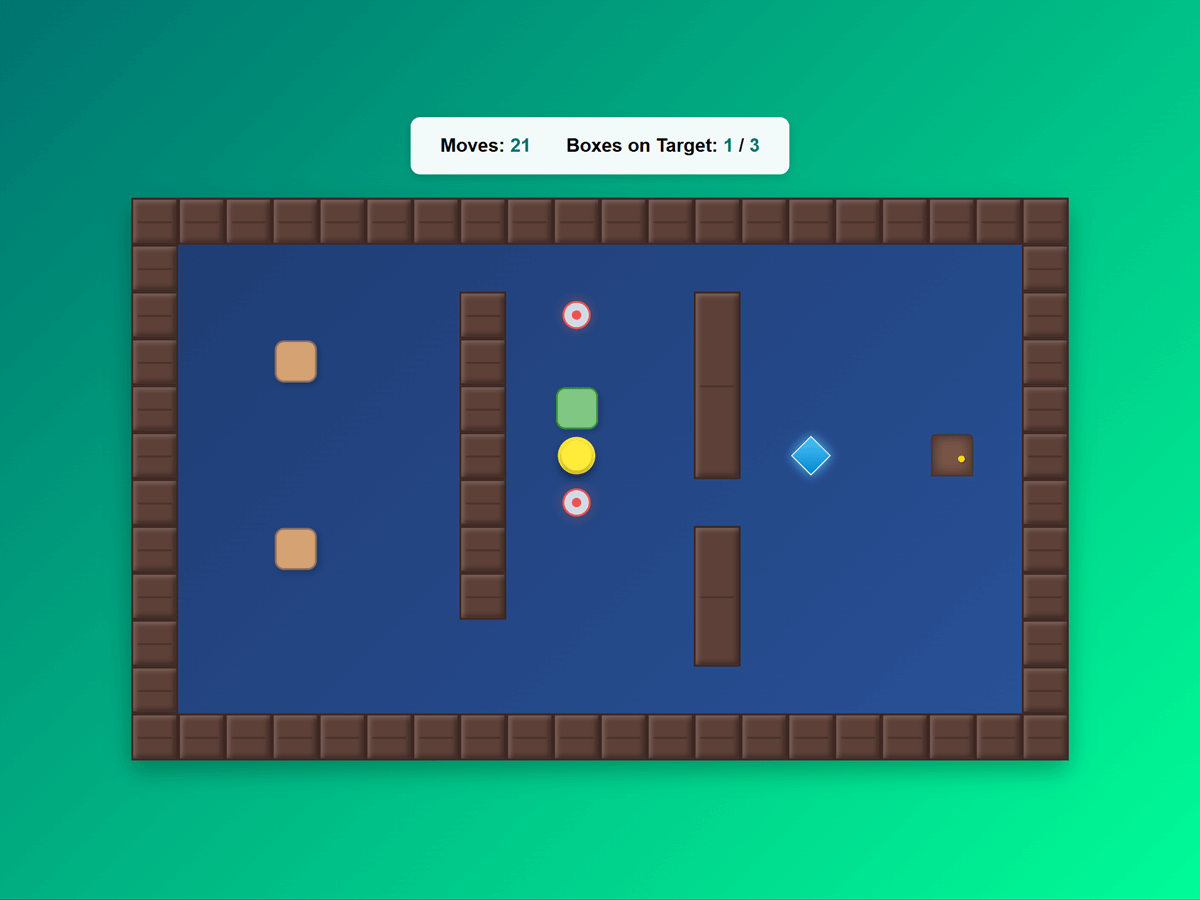
- advanced.html - Sokoban-style puzzle game using the event system
Development
# Install dependencies
npm install

# Development build with watch
npm run watch

# Development build
npm run dev

# Production build
npm run build
Contributing
Contributions are welcome! Please feel free to submit a Pull Request.
License
MIT License - See LICENSE.md for details.