
sf-data-util
v2.0.2
Published
The ultimate Salesforce data comparison tool – compare orgs with load-plan.json or any SOQL query

Maintainers
 mohanchinnappan
Readme
SF Data Util – The Ultimate Salesforce Org Comparison Tool 🚀
Compare Salesforce data between two orgs in seconds — with stunning, interactive HTML reports.
No more manual exports. No more Excel hell. Just run one command and get a beautiful, searchable, filterable, exportable comparison report.
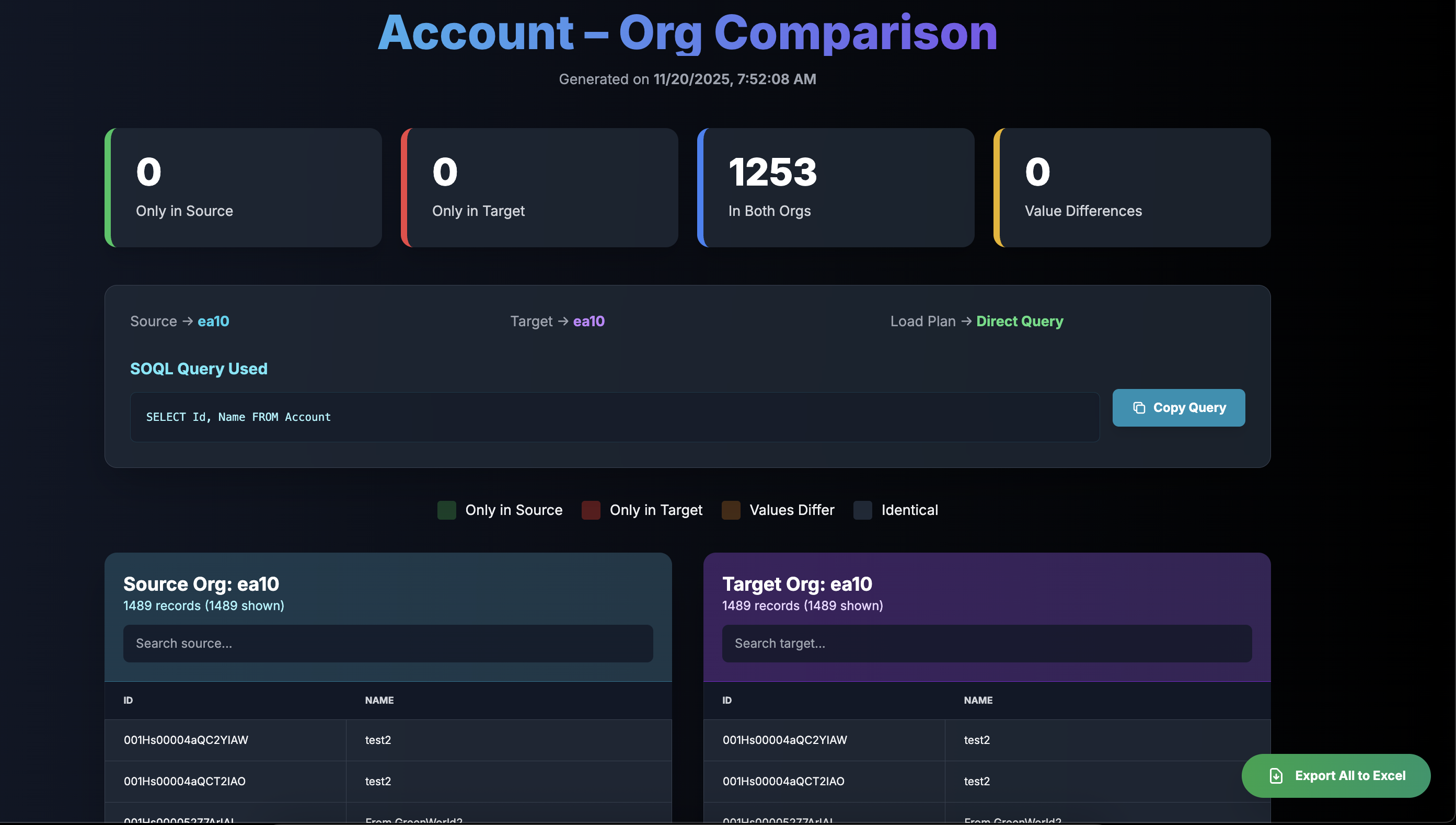
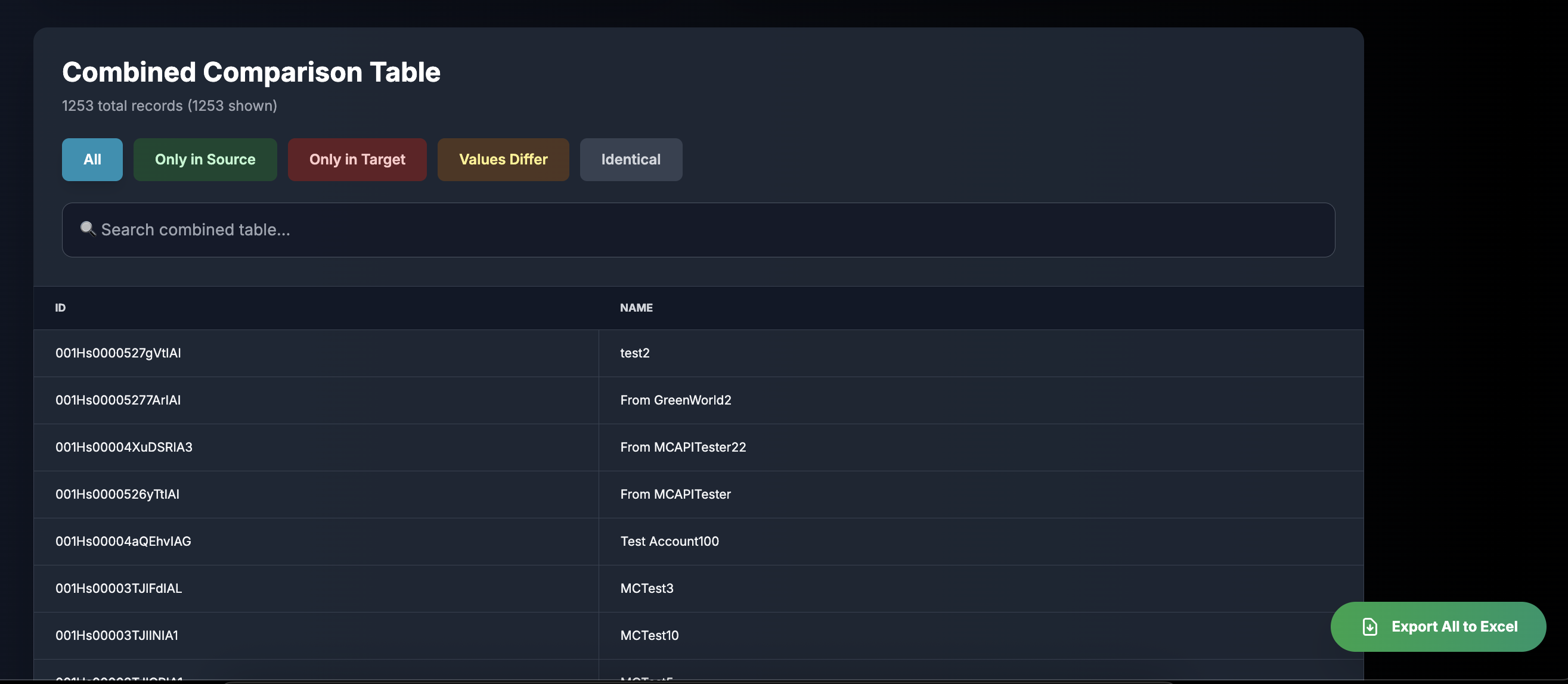
Screnshots
Features
- Two modes: Load-plan based or direct SOQL query
- Smart key detection (StockKeepingUnit, ProductCode, ExternalId, Code, Name, Id)
- Interactive filter buttons (Only in Source / Target / Values Differ / Identical)
- Live search on all tables with row count feedback
- Copy SOQL button with success animation
- Safe Excel export (handles huge text fields)
- Column sorting on all tables
- Zero dependencies beyond Node.js
Installation
npm install -g sf-data-utilUsage
1. Load-Plan Mode (Classic)
sf-data-util compare \
  -s [email protected] \
  -t [email protected] \
  -l ./load-plan.json \
  -o Product2
2. Query Mode (Any SOQL – No Load Plan Needed!)
# Direct query
sf-data-util query \
  -s dev \
  -t prod \
  -q "SELECT StockKeepingUnit, Name, ProductCode FROM Product2 WHERE IsActive = true"

# From file
echo "SELECT Name, Status FROM ProductClassification" > myquery.soql
sf-data-util query -s dev -t uat -f myquery.soql
Output
Generates a file like:
sf-compare-Product2-1737412345678.htmlAutomatically opens in your default browser with:
- KPI dashboard
- Source & Target raw tables
- Combined diff table with color coding
- Interactive filters
- Search + live counts
- One-click Excel export
Requirements
- Node.js 18+
- Salesforce CLI (
sf) logged into both orgs
License
MIT © 2025 Mohan Chinnappan
Made with ❤️ for Salesforce admins, developers, and consultants who are tired of comparing data the hard way.