
sf-datadictionary
v1.0.3
Published
Salesforce Org Data Dictionary Generator — Node.js CLI with Web UI
Downloads
41

Maintainers
 mohanchinnappan
Readme
⚡ SF Data Dictionary
A Node.js CLI that generates a fully interactive Salesforce Org Data Dictionary — fetching all object and field metadata from your org and serving it as a polished, searchable web UI with multiple themes.
How it works
sf mohanc md describeGlobal  →  ObjectList.txt
sf mohanc md describe        →  org-md.csv
                             →  local HTTP server  →  browser
→ org-md.db (optional, with -s)- Calls
sf mohanc md describeGlobalto enumerate all SObjects in your org - Calls
sf mohanc md describeto pull full field metadata for every object - Cleans the CSV (strips repeated header rows emitted per-object by the plugin)
- Serves the result as a live web UI
- Optionally exports everything to a SQLite database with
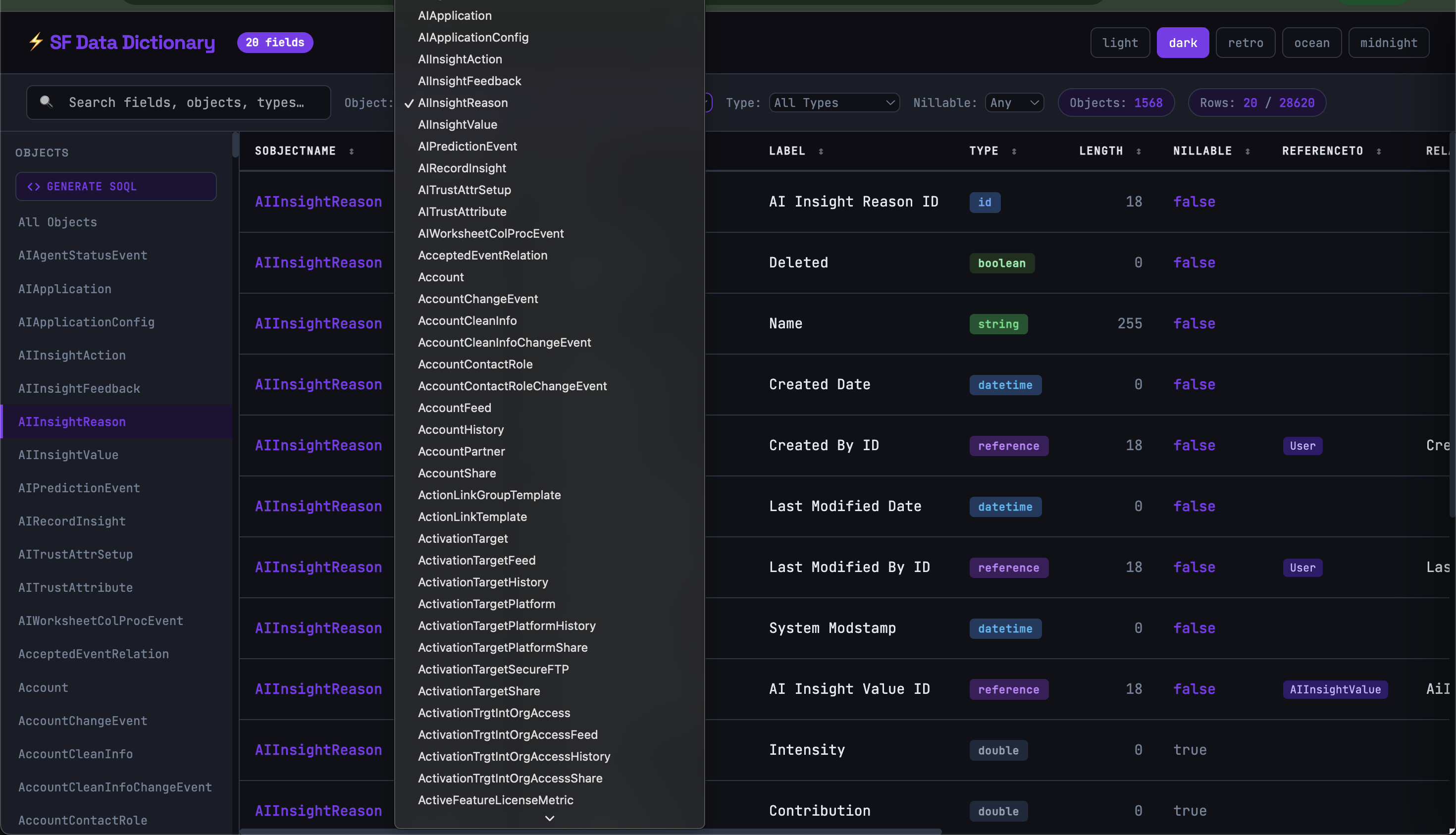
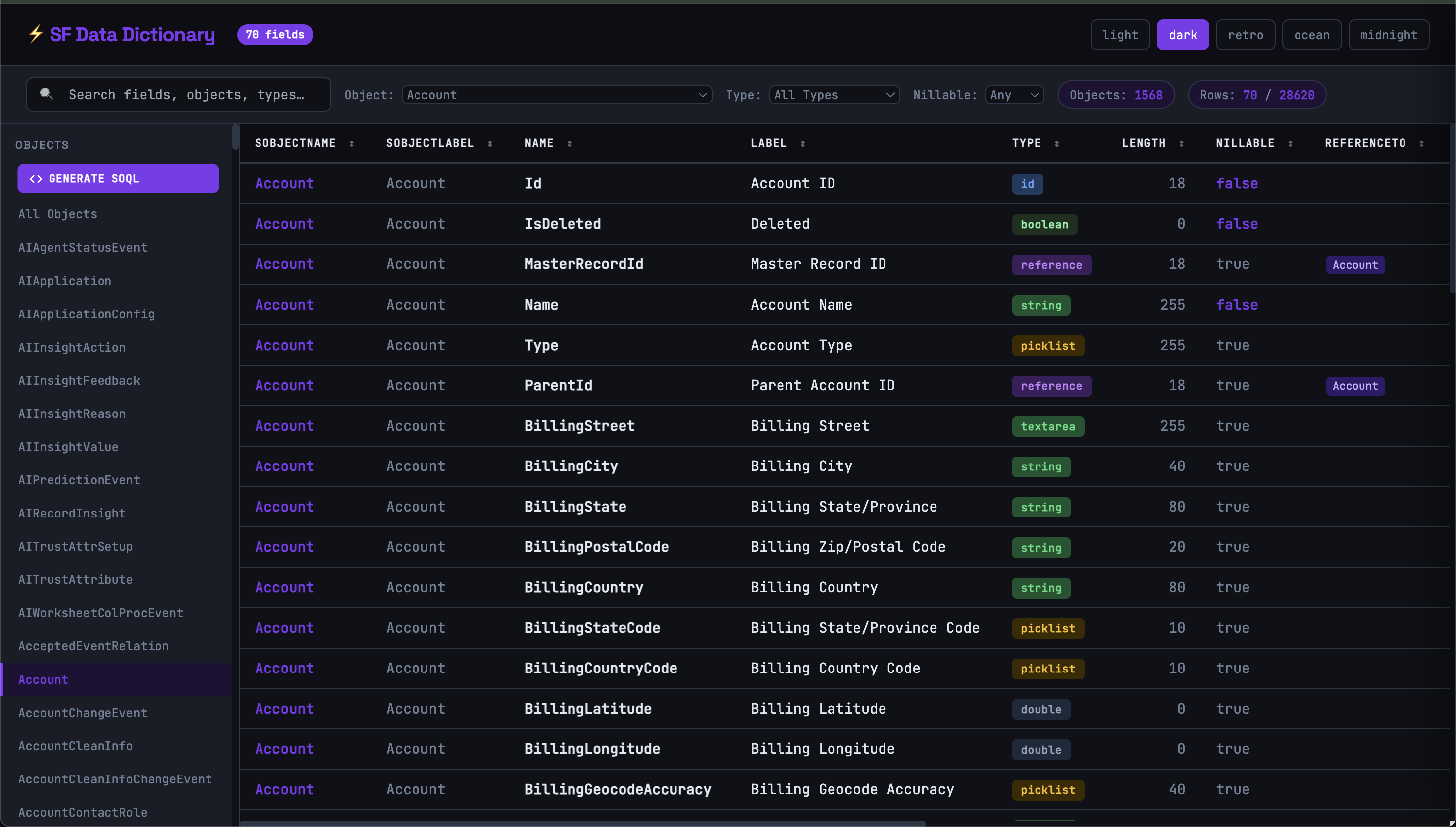
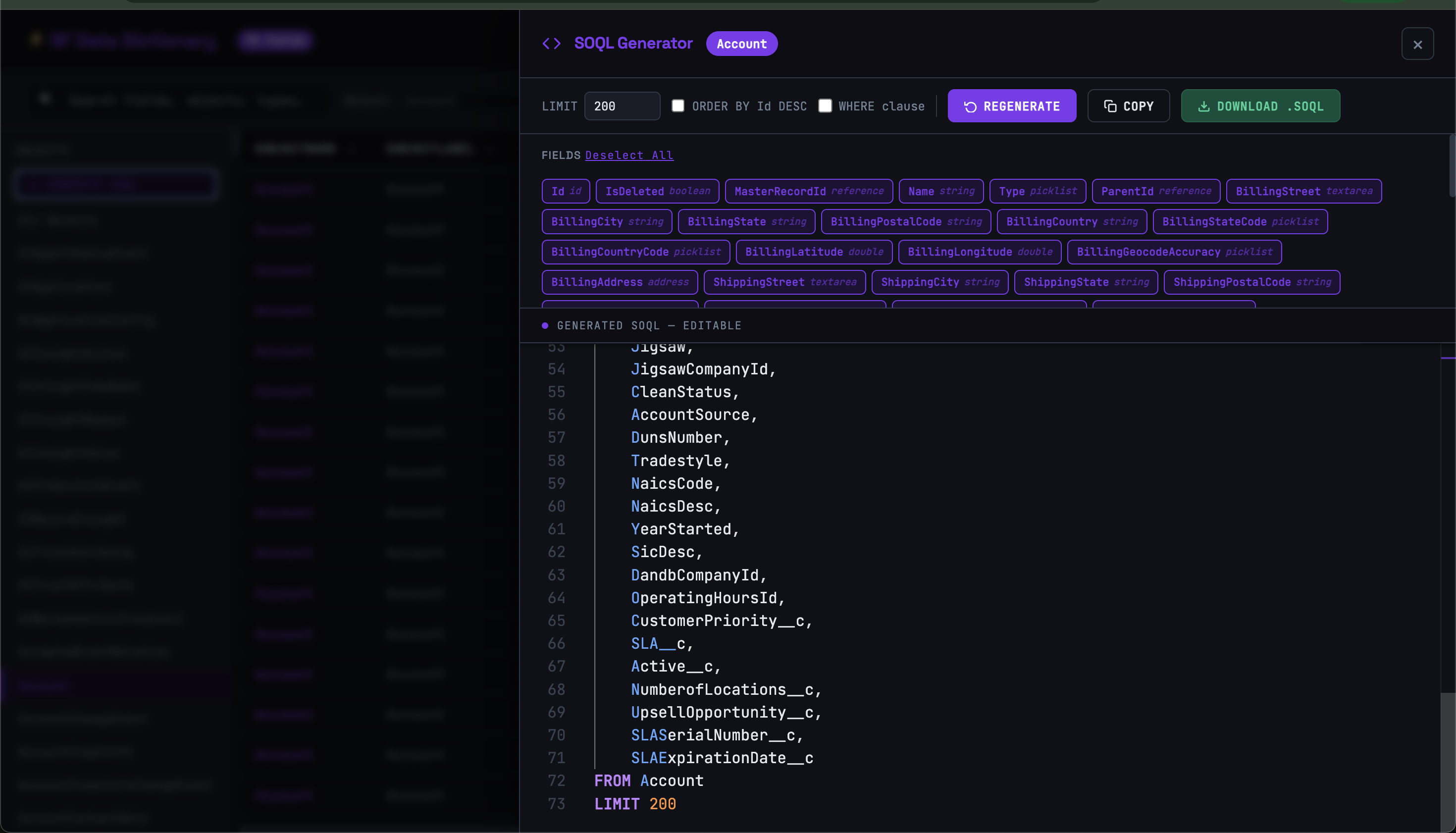
-s - Creates SOQL for the selected SObject
Screnshots
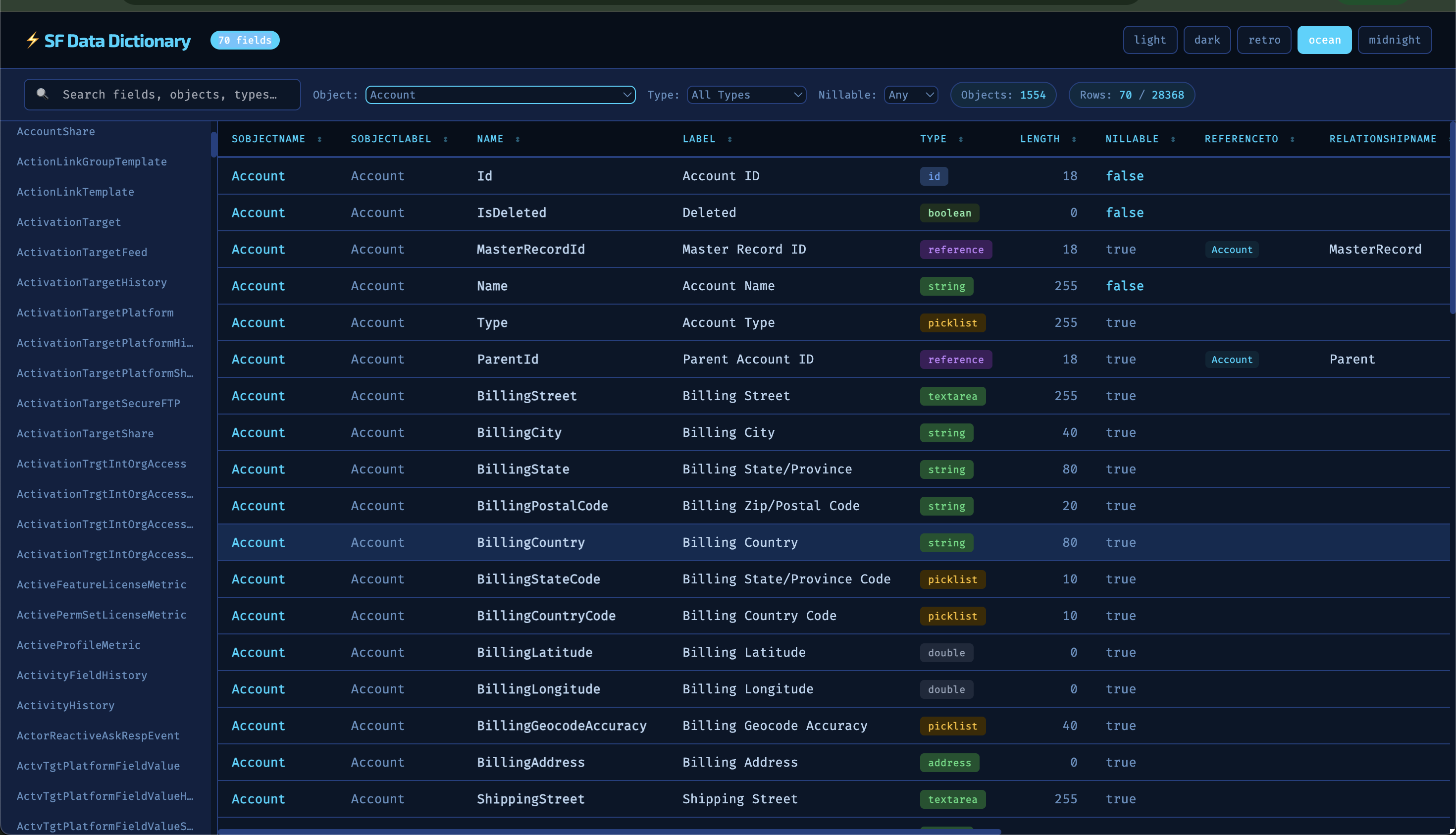
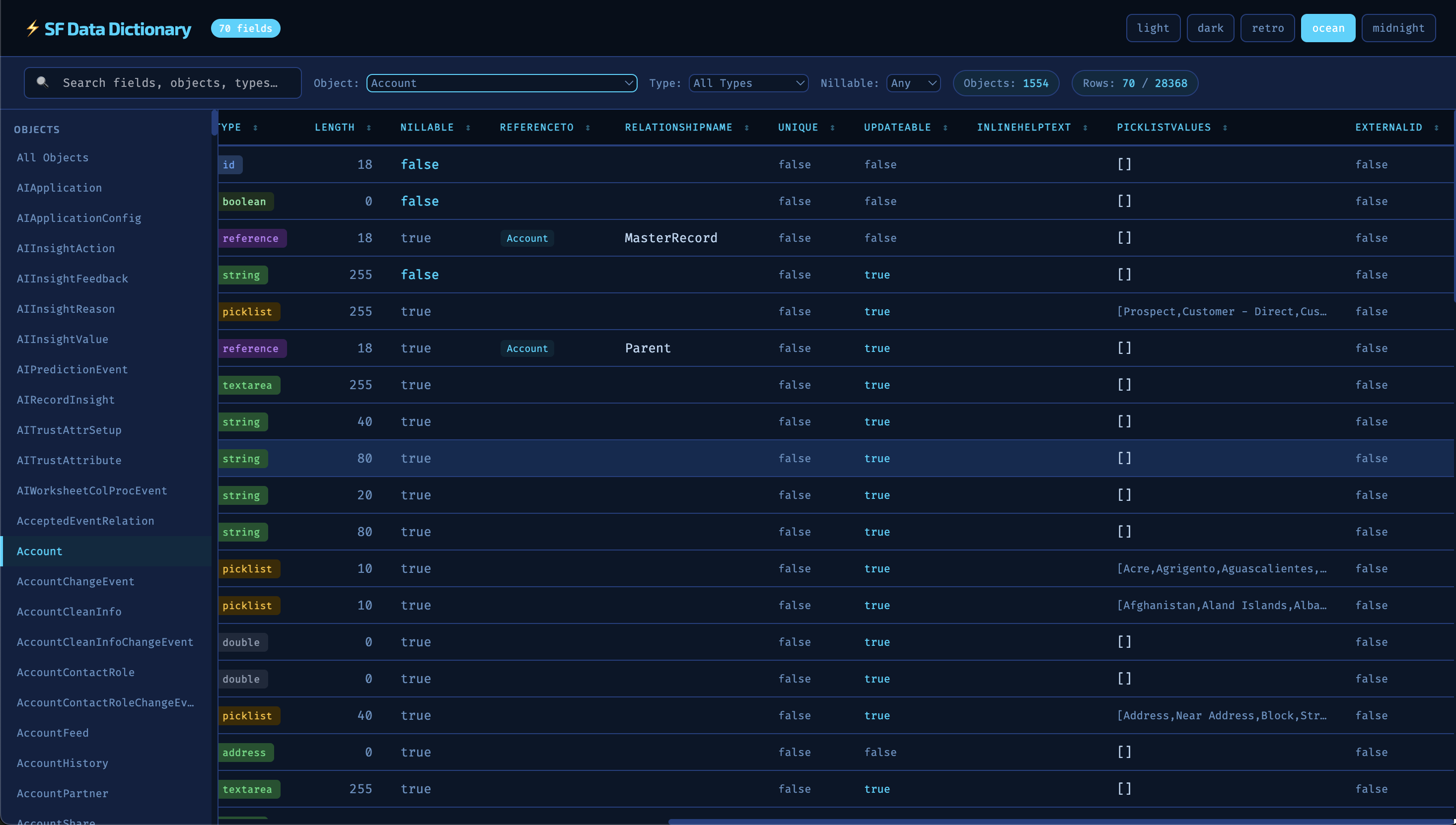
SOQL creation
Prerequisites
| Requirement | Notes |
|---|---|
| Node.js ≥ 18 | Uses native ESM ("type": "module") |
| Salesforce CLI (sf) | npm install -g @salesforce/cli |
| mohanc plugin | sf plugins install sfdx-mohanc-plugins |
| sqlite-explorer cli |npm install -g sqlite-explorer-cli|
Installation
npm install -g sf-datadictionary
Usage
sf-data-dict [username] [options]
If username is omitted, you'll be prompted to enter it.
Options
| Flag | Default | Description |
|---|---|---|
| [username] | (prompted) | Salesforce username or org alias |
| -s, --sqlite | off | Export org-md.csv to org-md.db (SQLite) |
| -t, --theme <n> | dark | UI theme — see Themes below |
| -p, --port <number> | 3000 | Port for the local web server |
| --no-open | — | Skip auto-opening the browser |
| -V, --version | — | Print version |
| -h, --help | — | Show help |
Examples
# Pass username directly
sf-data-dict my-sandbox-alias

# Export to SQLite as well
sf-data-dict [email protected] --sqlite

# Ocean theme on a different port
sf-data-dict my-alias --theme ocean --port 4444

# Retro amber terminal aesthetic + SQLite
sf-data-dict my-alias -t retro -s

# Don't auto-open browser (e.g. in CI or a remote shell)
sf-data-dict my-alias --no-open
Web UI Features
The UI is a single self-contained HTML page served by a lightweight Node HTTP server. All data is embedded directly — no backend calls after the initial page load.
Table
- All columns from the CSV are rendered automatically — the table is fully dynamic and adapts to whatever fields
sf mohanc md describeemits - Columns are sortable (click any header to sort ascending/descending)
- Smart per-column rendering: colour-coded type badges, reference tags, boolean colouring, picklist value truncation with hover tooltip, right-aligned numeric lengths
Filtering
- Full-text search across all columns simultaneously
- Dropdown filter by SObject name
- Dropdown filter by field type (
string,reference,picklist, etc.) - Dropdown filter by nillable (
true/false) - Live row and object counts update as you filter
Object Sidebar
- Scrollable list of every SObject in the dictionary
- Click any object to jump directly to it and filter the table
- Active state highlights the selected object
- "All Objects" resets to the full view
Object Separator Rows
- When viewing all objects, a divider row appears between each SObject group showing the object name and field count (e.g.
◆ Account 62 fields)
Themes
- 5 built-in themes, switchable live in the browser via the top-right buttons
- Each theme has its own font pairing, colour palette, and accent colour
Themes
| Theme | Aesthetic | Fonts |
|---|---|---|
| dark | Deep purple / violet | JetBrains Mono + Space Grotesk |
| light | Clean white / blue | DM Mono + Syne |
| retro | Amber terminal on black | Courier New + Special Elite |
| ocean | Deep sea blues / cyan | Fira Code + Exo 2 |
| midnight | Near-black / emerald | IBM Plex Mono + Plus Jakarta Sans |
Theme can also be switched in the browser without restarting the server — the selection is passed as a ?theme= query parameter and the page reloads.
SQLite Export (-s)
When --sqlite is passed, org-md.csv is also written to org-md.db in the current directory.
What it does:
- Reads the CSV and strips all repeated header rows (the
sf mohanc md describeplugin re-emits the header at the start of each SObject block) - Creates a single table
org_metadatawith oneTEXTcolumn per CSV column - Inserts all data rows in a single transaction
Querying the database afterwards:
# Open with the sqlite-explorer
sqlite-explorer" org-md.db

# Example queries
SELECT DISTINCT sobjectName FROM org_metadata ORDER BY sobjectName;
SELECT name, label, type, length FROM org_metadata WHERE sobjectName = 'Account';
SELECT * FROM org_metadata WHERE type = 'reference';
SELECT * FROM org_metadata WHERE nillable = 'FALSE' AND type != 'id';
Output files:
Output files: All files are written to a dedicated temp folder — never your current working directory: {os.tmpdir()}/sf-datadictionary-{username}/ ├── ObjectList.txt # Raw list of all SObject API names ├── org-md.csv # Full field metadata CSV └── org-md.db # SQLite database (only with -s)
Troubleshooting
sf: command not found
Install the Salesforce CLI: npm install -g @salesforce/cli
sf mohanc commands not found
Install the plugin: sf plugins install sfdx-mohanc-plugins
Org authentication error
Make sure you're authenticated: sf org login web -a my-alias
Port already in use
Use a different port: sf-data-dict my-alias --port 3001