
sf-deploy-viewer
v2.0.0
Published
🚀 Salesforce Deployment Viewer - Visualize deployment results with a modern UI (SOAP API + XML support)

Maintainers
 mohanchinnappan
Readme
🚀 sf-deploy-viewer
A modern CLI + Web UI tool to visualize Salesforce deployment results.
Supports:
- 📄 Local XML files
- ☁️ Live Salesforce deployments via SOAP API
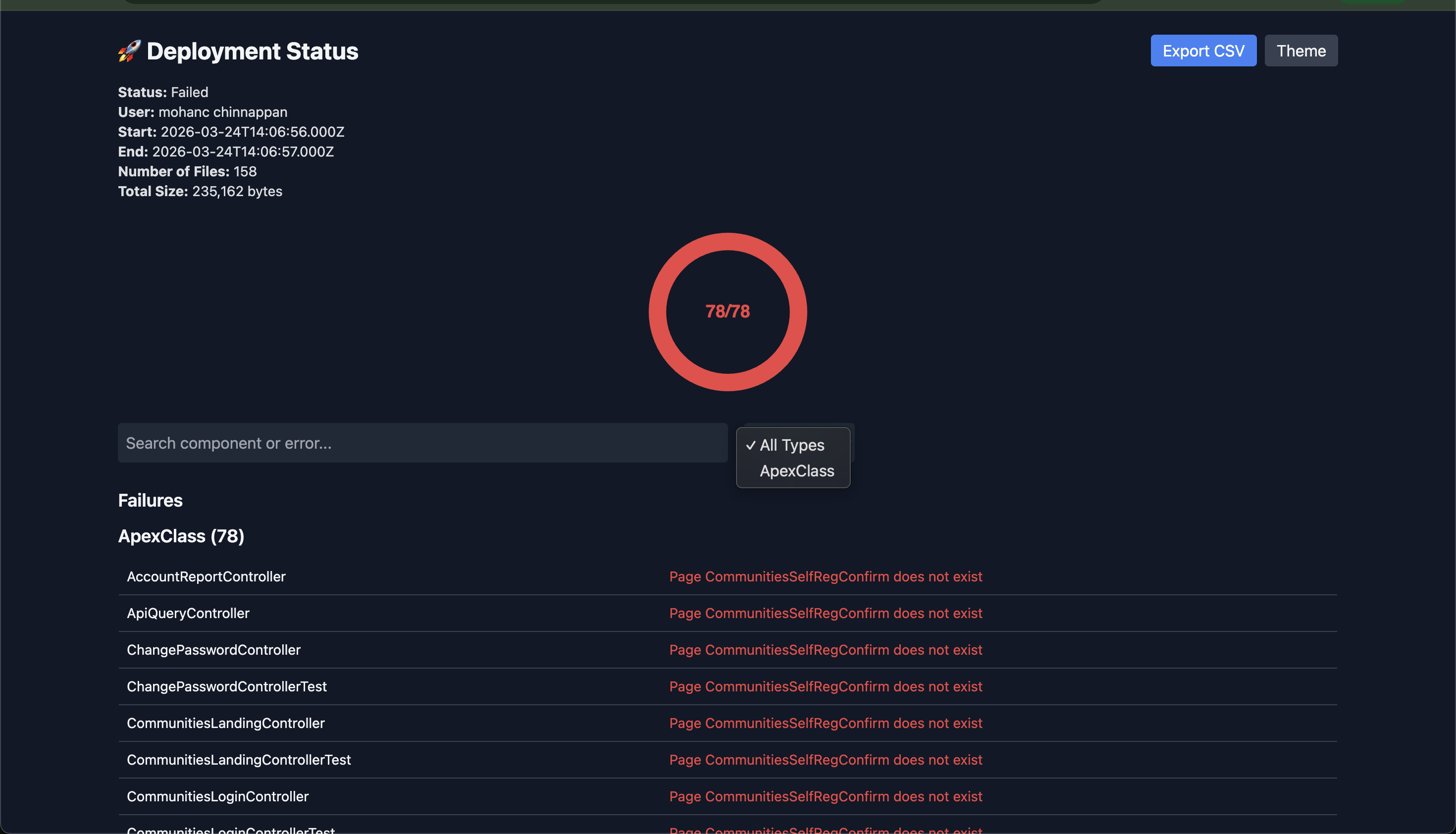
- 📊 Beautiful dashboard with charts, filters, and grouping
✨ Features
- 🔴 Visualize failures with error grouping
- 🟢 Success deployments with component listing
- 🍩 Donut charts (success vs errors)
- 🔍 Search + filtering
- 📦 Group by metadata type
- 📤 Export failures to CSV
- 🌗 Dark / Light mode
- ⚡ Works with Salesforce CLI (
sf)
Screenshot
📦 Installation
npm install -g sf-deploy-viewer🚀 Usage
1️⃣ View Local Deployment XML
sf-deploy-viewer -i deploy.xml2️⃣ Fetch Live Deployment (SOAP API)
sf-deploy-viewer \
  -o [email protected] \
  --asyncProcessId 0AfAq00000gdhg3
3️⃣ Interactive Mode
sf-deploy-viewerPrompts:
Enter Salesforce username:
Enter Async Process Id:
4️⃣ Export to CSV
Export deployment results to CSV instead of opening the web UI:
sf-deploy-viewer -o af102 --asyncProcessId 0Afg800032fVpu --csv /tmp/0Afg800032fVpu.csv
Output columns:
- Type (metadata type)
- Name (component name)
- Status (SUCCESS or FAILED)
- Problem (error message, if any)
- Line (line number, if applicable)
- Column (column number, if applicable)
🔑 Requirements
- Node.js >= 16
- Salesforce CLI (
sf) installed and authenticated
sf org login web📊 UI Features
Deployment Summary
- Status
- User
- Start / End Time
- Number of files
- Total size
Visualization
- Donut chart (success vs errors)
Failures
- Grouped by metadata type
- Line / Column details
- Search + filter
- Export to CSV
Success
- Grouped deployed components
- Filterable + searchable
📤 Export CSV
Download failure data:
Export CSV → UI button🛠 CLI Options
| Option | Description |
| ------------------ | --------------------------- |
| -i, --input | Input XML file |
| -o, --org | Salesforce username |
| --asyncProcessId | Deployment ID |
| --csv | Export to CSV file |
| -p, --port | Server port (default: 3000) |
🧪 Example SOAP Request
<met:checkDeployStatus>
  <met:asyncProcessId>0AfAq00000gdhg3</met:asyncProcessId>
  <met:includeDetails>true</met:includeDetails>
</met:checkDeployStatus>
📄 License
MIT © Mohan Chinnappan