
sf-dkim-tool
v1.0.4
Published
Salesforce DKIM Setup Wizard — CLI + Web UI

Maintainers
 mohanchinnappan
Readme
SF DKIM Tool 📧
Salesforce DKIM Setup Wizard — a Node.js CLI + Express web UI that guides you through every step of setting up DomainKeys Identified Mail (DKIM) for your Salesforce org. Improve email deliverability, prevent spoofing, and pass DMARC checks.
Screenshots
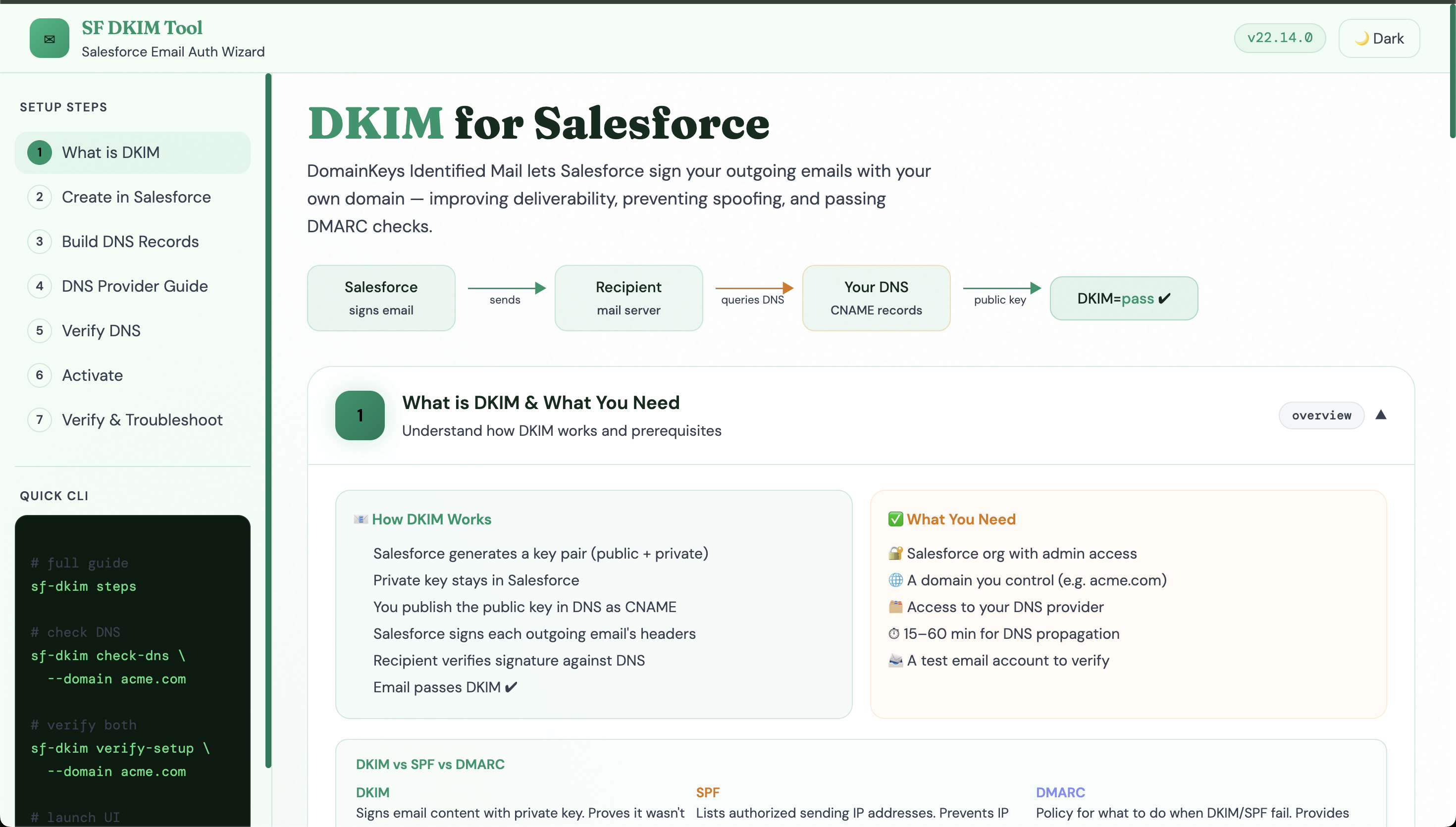
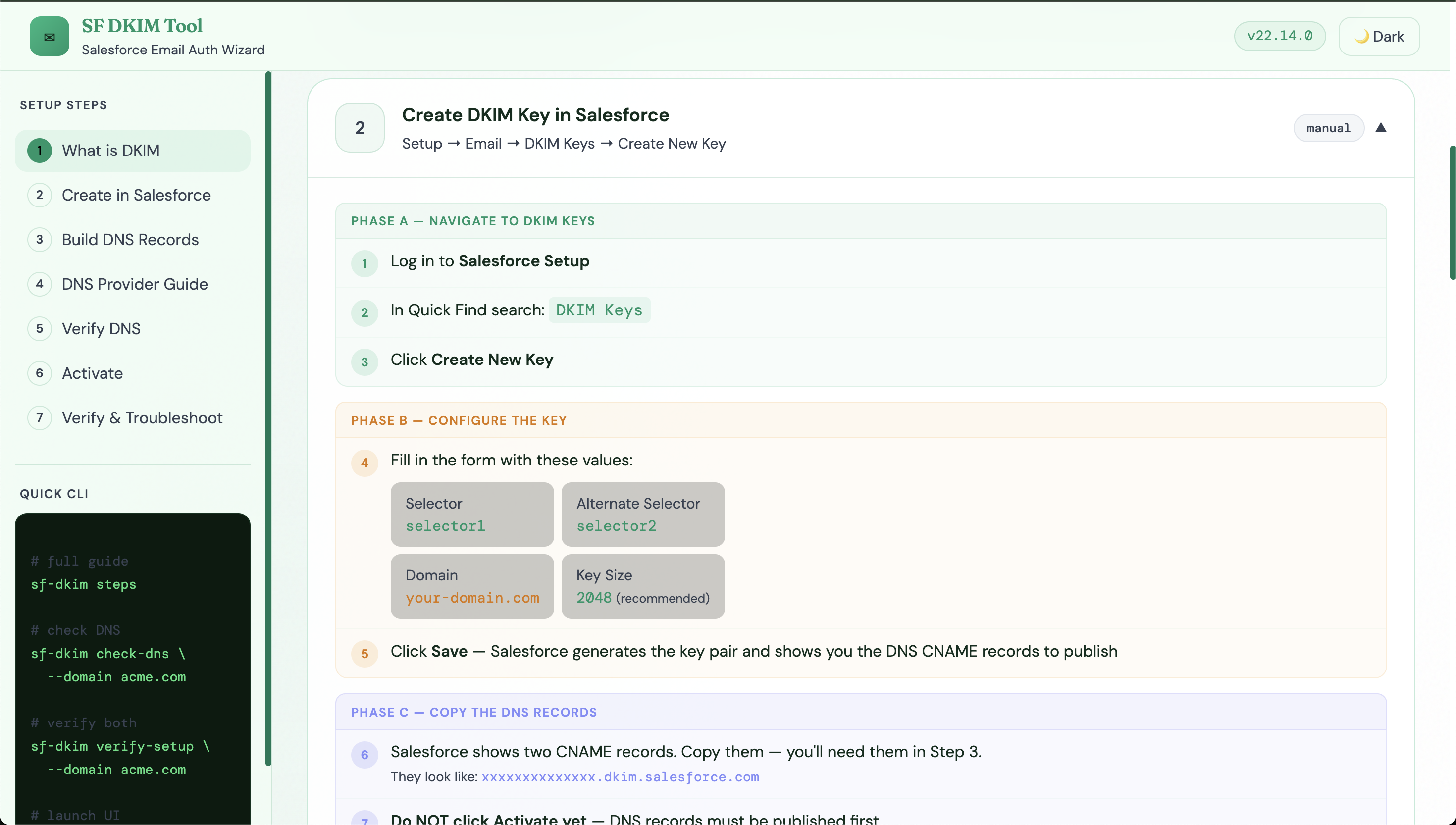
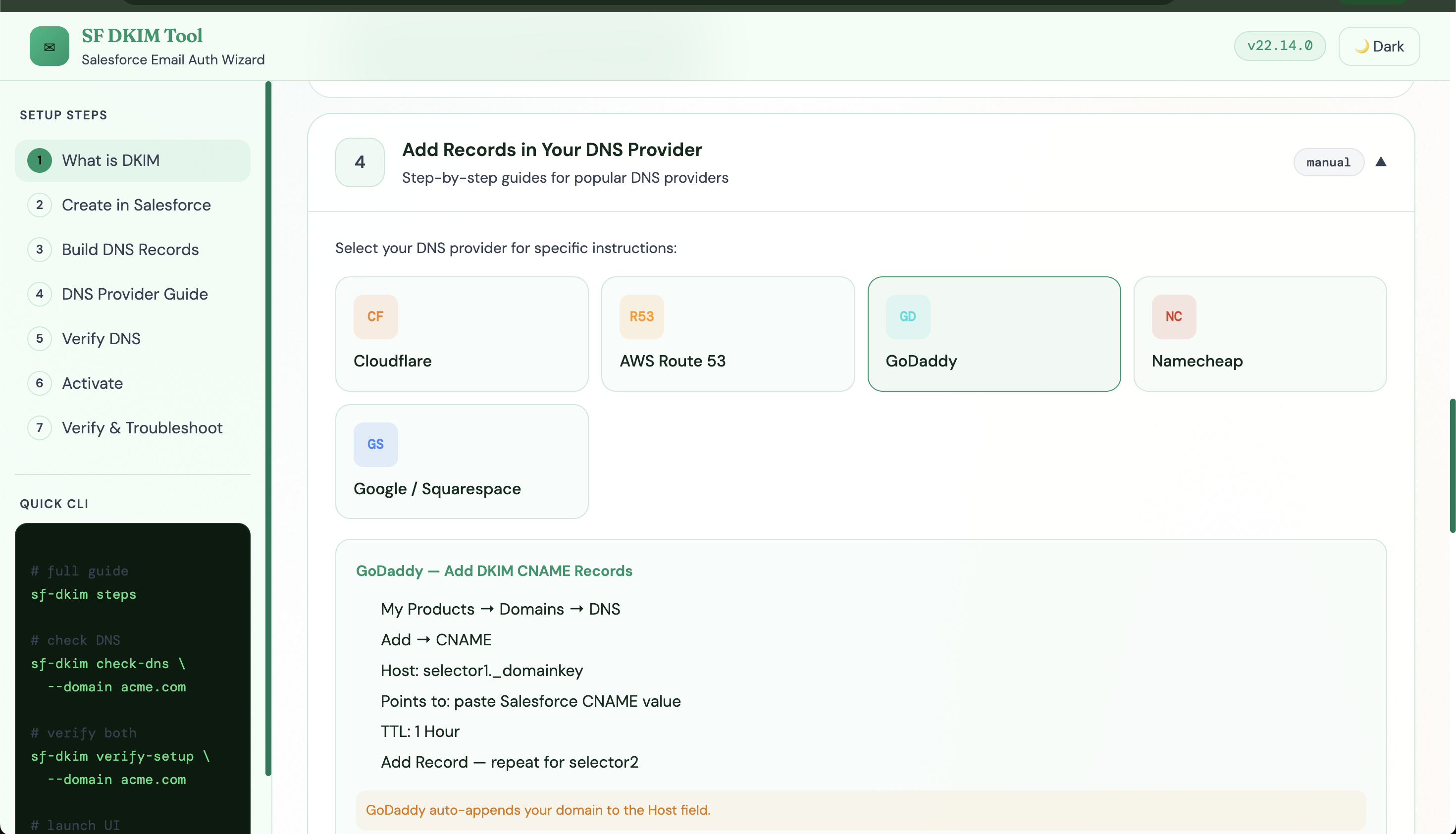
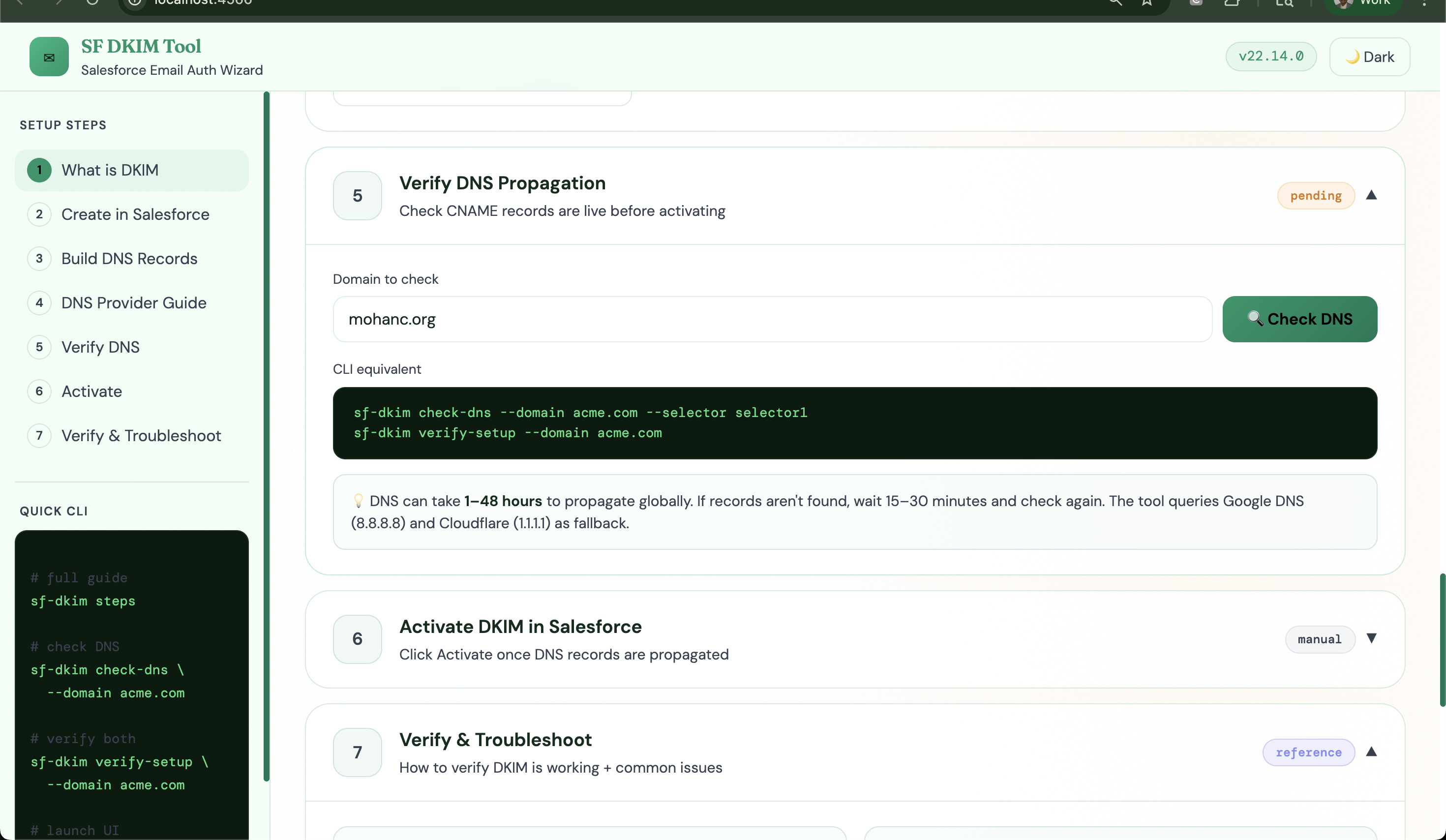
Quick Start
npm install -g sf-dkim-toolUsage
sf-dkim steps          # full terminal guide
sf-dkim ui             # launch web dashboard at http://localhost:4242
CLI Commands
| Command | Description |
|---------|-------------|
| sf-dkim steps | Print complete setup walkthrough |
| sf-dkim check-dns --domain acme.com | Check selector1 CNAME propagation |
| sf-dkim check-dns --domain acme.com --selector selector2 | Check selector2 |
| sf-dkim verify-setup --domain acme.com | Check both selectors at once |
| sf-dkim generate-dns-records --domain acme.com --s1 <val> --s2 <val> | Print DNS records |
| sf-dkim ui --port 4242 | Launch web dashboard |
Setup Overview
- Salesforce Setup → DKIM Keys → Create New Key — Selector:
selector1, Alternate:selector2, Key Size: 2048 - Copy the two CNAME values Salesforce provides
- Add both CNAMEs to your DNS provider
- Wait for DNS propagation (15 min–48 hours)
- Verify with
sf-dkim verify-setup --domain your-domain.com - Click Activate in Salesforce → status → Active
- Send test email → check headers for
dkim=pass
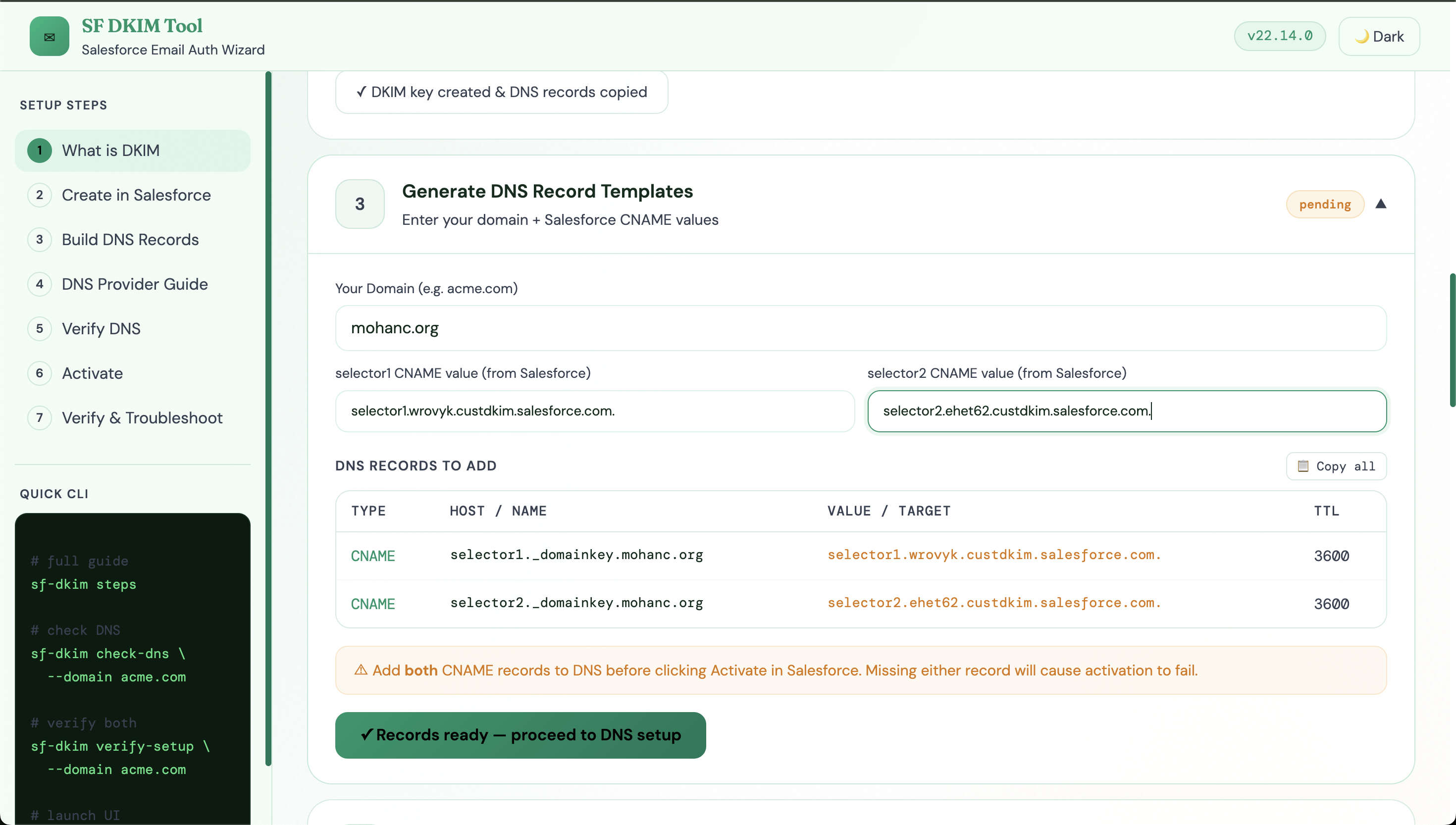
DNS Records Format
Type    Host                                  Value                              TTL
CNAME   selector1._domainkey.your-domain.com  <hash>.dkim.salesforce.com         3600
CNAME   selector2._domainkey.your-domain.com  <hash>.dkim.salesforce.com         3600
Sample
Type	Host	Value	TTL
CNAME	selector1._domainkey.mohanc.org	selector1.wrovyk.custdkim.salesforce.com.	3600
CNAME	selector2._domainkey.mohanc.org	selector2.ehet62.custdkim.salesforce.com.	3600