
sf-limits-viewer
v1.0.5
Published
Beautiful Salesforce Org Limits Viewer with dark theme UI

Maintainers
 mohanchinnappan
Readme
Salesforce Limits Viewer 📊
A beautiful, dark-themed Node.js CLI tool for visualizing Salesforce org limits with an interactive web interface.
Features ✨
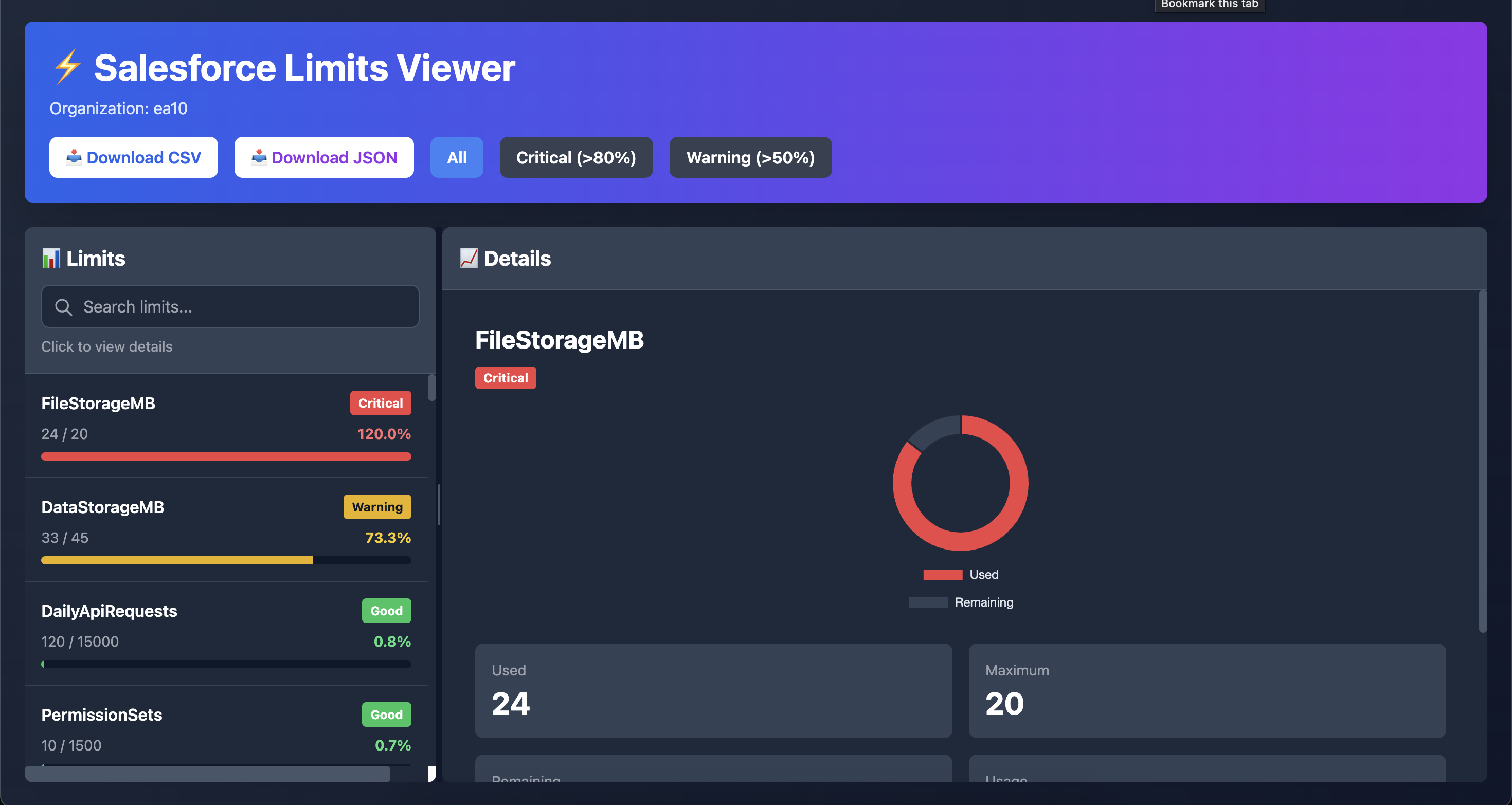
- 🎨 Beautiful Dark Theme UI with Tailwind CSS
- 📊 Interactive Donut Charts using Chart.js
- 🚦 Color-coded Status Indicators (Critical/Warning/Good)
- 📥 Export to CSV or JSON
- 🔍 Filter by Status (All/Critical/Warning)
- ⚡ Real-time Limit Visualization
- 📱 Responsive Design
Screenshots
Prerequisites
- Node.js 14.0.0 or higher
- Salesforce CLI (
sfcommand) installed and configured - Access to a Salesforce org
Installation
npm install -g sf-limits-viewer
Usage
Basic Usage
# Run with org username
# Or if installed globally
sf-limits -o [email protected]
Options
-o, --username <username>- Required: Salesforce org username or alias-p, --port <port>- Port for the web server (default: 3000)-h, --help- Display help information-V, --version- Display version
Examples
# Using a username
sf-limits  -o [email protected]

# Using an alias
sf-limits  -o MyDevOrg

# Custom port
sf-limits  -o MyDevOrg -p 8080

# If installed globally
sf-limits -o MyDevOrg
Interface Features
Left Pane - Limits List
- View all org limits in a scrollable list
- Color-coded progress bars (🟢 Green: Good, 🟡 Yellow: Warning, 🔴 Red: Critical)
- Status badges showing the health of each limit
- Sorted by usage percentage (highest first)
Right Pane - Detailed View
- Interactive donut chart visualization
- Key metrics: Used, Maximum, Remaining, Usage %
- Assessment and recommendations
- Click any limit in the left pane to view details
Filter Options
- All: Show all limits
- Critical (>80%): Show only limits above 80% usage
- Warning (>50%): Show only limits between 50-80% usage
Export Options
- CSV Export: Download limits data as CSV file
- JSON Export: Download limits data as JSON file (includes metadata)
Color Coding
- 🟢 Green (0-49%): Healthy - plenty of capacity available
- 🟡 Yellow (50-79%): Warning - monitor closely
- 🔴 Red (80-100%): Critical - immediate attention needed
Troubleshooting
"Username is required" error
Make sure you provide the -o flag with a valid username or alias:
sf-limits -o YourOrgAlias"Command not found: sf"
Install the Salesforce CLI:
npm install -g @salesforce/cli"Failed to fetch limits"
Ensure you're authenticated to the org:
sf org login web -a YourOrgAliasLicense
MIT (c) Mohan Chinnappan