
sf-log-viewer
v1.0.3
Published
A CLI web app for viewing Salesforce Apex debug logs and Nebula Logger logs in a rich browser UI with Monaco editor, dark/light theme, search, sorting, pagination and CSV export.

Maintainers
 mohanchinnappan
Readme
sf-log-viewer
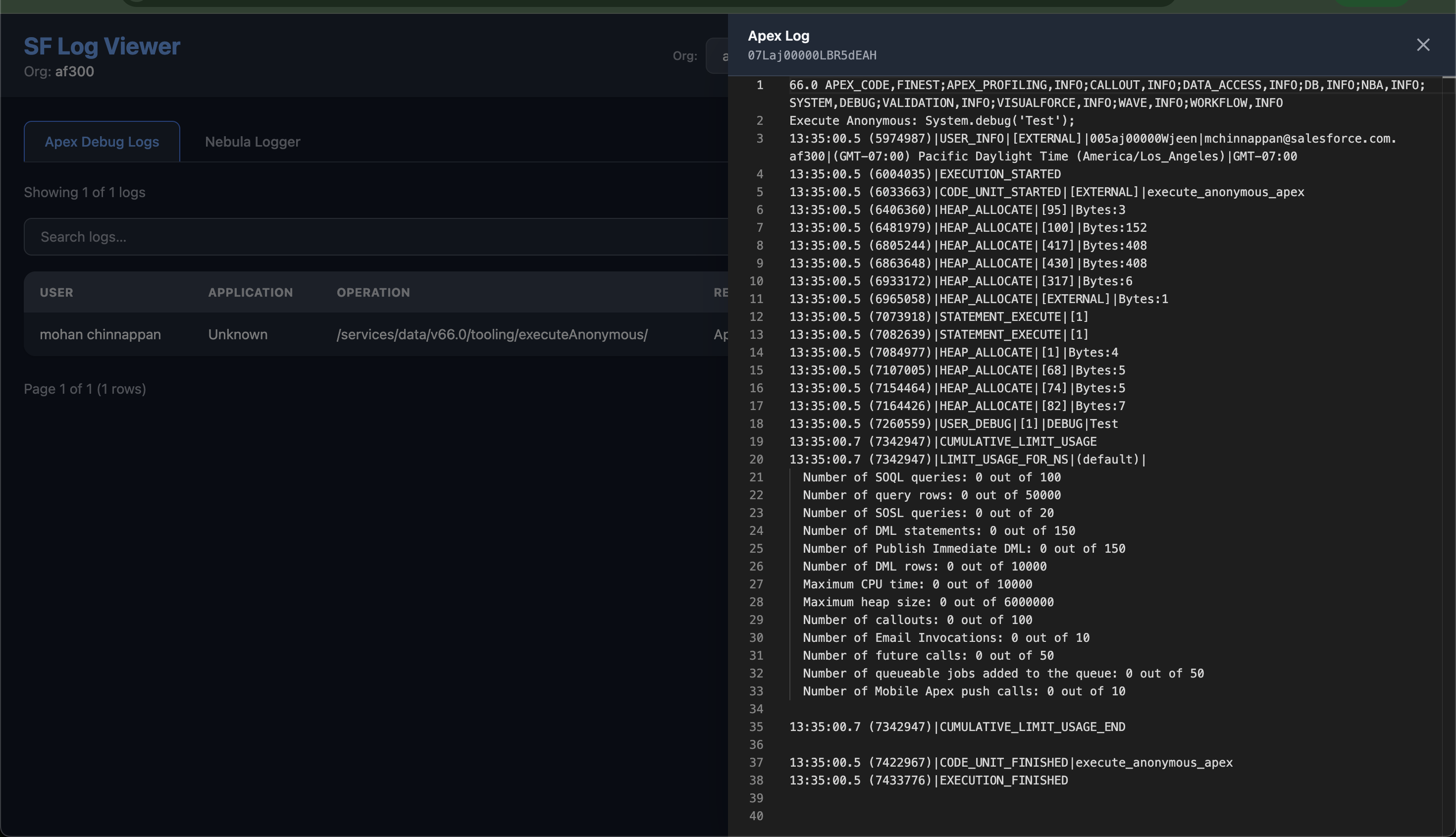
A CLI tool that opens a rich browser UI for viewing Salesforce Apex debug logs and Nebula Logger logs — with a Monaco editor, dark/light theme, live search, sortable columns, pagination, and CSV export.
Prerequisites
- Node.js 18+
- Salesforce CLI (
sf) installed and authenticated - Target org connected via
sf org loginor SFDX auth
For the Nebula Logger tab, the Nebula Logger managed package must be installed in the org.
Installation
From npm
npm install -g sf-log-viewerScreenshots
Usage
sf-log-viewer -o <org-username-or-alias>The server starts and your browser opens automatically at http://localhost:3000.
Options
| Flag | Description | Default |
|------|-------------|---------|
| -o, --org <username> | Salesforce org username or alias (required) | — |
| -p, --port <number> | Port for the web server | 3000 |
| -l, --limit <number> | Max logs to fetch per list | 50 |
| -e, --entries-limit <number> | Max Nebula log entries to fetch per log | 2000 |
Examples
# Basic usage
sf-log-viewer -o qa-org

# Custom port and limits
sf-log-viewer -o my-sandbox -p 8080 -l 100 -e 5000
Config file
You can persist defaults in ~/.sf-log-viewer.json so you don't need to pass flags every time. CLI flags always take precedence over the config file.
{
  "port": 3000,
  "limit": 100,
  "entriesLimit": 5000
}
Features
Apex Debug Logs tab
- Lists logs from
sf force apex log list - Columns: User, Application, Operation, Request, Status, Size (B), Duration (ms), Start Time
- Click View to open the raw log in a Monaco editor slide-in panel
Nebula Logger tab
- Lists
Log__crecords via SOQL - Columns: Log Name, Logged By, Scenario, Status, Entries, Errors, Warnings, Start Time
- Error and warning counts highlighted in red/yellow
- Click View to load all
LogEntry__crecords for that log, formatted as structured text in Monaco
General
| Feature | Details |
|---------|---------|
| Org switcher | Dropdown populated from sf org list — switch orgs without restarting |
| Search | Live full-text filter across all visible columns |
| Sorting | Click any column header; ▲▼ indicator shows current sort |
| Pagination | Configurable rows per page (10 / 25 / 50 / 100) with smart page buttons |
| CSV export | Downloads the current filtered + sorted view |
| Monaco editor | Syntax-aware, read-only, with minimap; ANSI escape codes stripped |
| Dark / Light theme | Toggle persists to localStorage; Monaco theme syncs automatically |
Screenshots
How it works
sf-log-viewer is a single-file Node.js app that:
- Parses CLI flags with Commander
- Starts an Express server serving a self-contained HTML page
- Exposes REST endpoints that shell out to the
sfCLI and return JSON - The browser UI uses Tailwind CSS (CDN) and Monaco Editor (CDN)
API endpoints
| Method | Path | Description |
|--------|------|-------------|
| GET | /api/orgs | List all connected orgs |
| GET | /api/logs?org= | List Apex debug logs |
| GET | /api/logs/:id/content?org= | Fetch raw content of one Apex log |
| GET | /api/nebula/logs?org= | List Nebula Log__c records |
| GET | /api/nebula/logs/:id/entries?org= | Fetch LogEntry__c records for a Nebula log |
License
MIT (c) Mohan Chinnappan