
sf-mcp-cli
v1.0.6
Published
A command-line interface for interacting with Salesforce Model Context Protocol (MCP) to execute SOQL queries, manage orgs, and perform metadata operations.

Maintainers
 mohanchinnappan
Readme
⚡ Salesforce MCP CLI
A modern command-line interface (CLI) for interacting with the Salesforce Model Context Protocol (MCP).
This CLI enables developers to:
- Execute SOQL queries
- Manage Salesforce orgs
- Deploy and retrieve metadata
- Run Apex tests
- Create Lightning Web Components (LWC)
- And more 🚀
It also supports natural language queries powered by Ollama for intuitive command execution.
Usage
sf-mcp --help
Usage: sf-mcp [options] [command]

Salesforce MCP CLI Client

Options:
  -V, --version              output the version number
  --html                     Generate HTML output (default: true) (default: true)
  --json                     Output JSON to console only
  -h, --help                 display help for command

Commands:
  natural [options] <query>  Execute a command using natural language input
  list-tools [options]       List all available MCP tools
  query [options]            Execute a SOQL query
  apex-test [options]        Run Apex tests
  describe [options]         Describe a Salesforce object (uses SOQL to query object metadata)
  list-orgs [options]        List all configured Salesforce orgs
  deploy [options]           Deploy metadata to Salesforce
  retrieve [options]         Retrieve metadata from Salesforce
  create-lwc [options]       Create a Lightning Web Component
  code-analyzer [options]    Run code analyzer on files
  devops-projects [options]  List DevOps Center projects
  assign-permset [options]   Assign permission set to user
  help [command]             display help for command
Screenshots
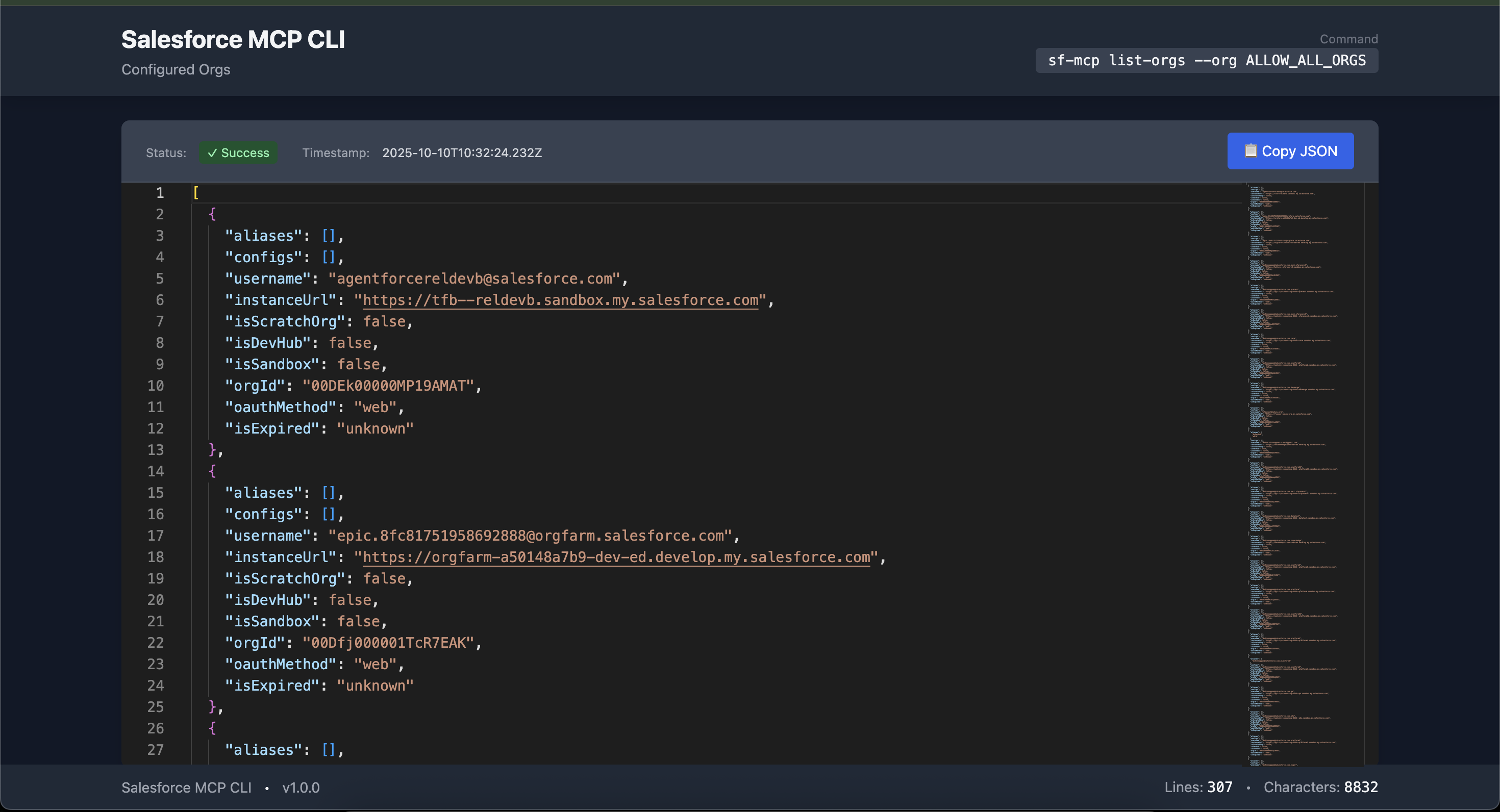
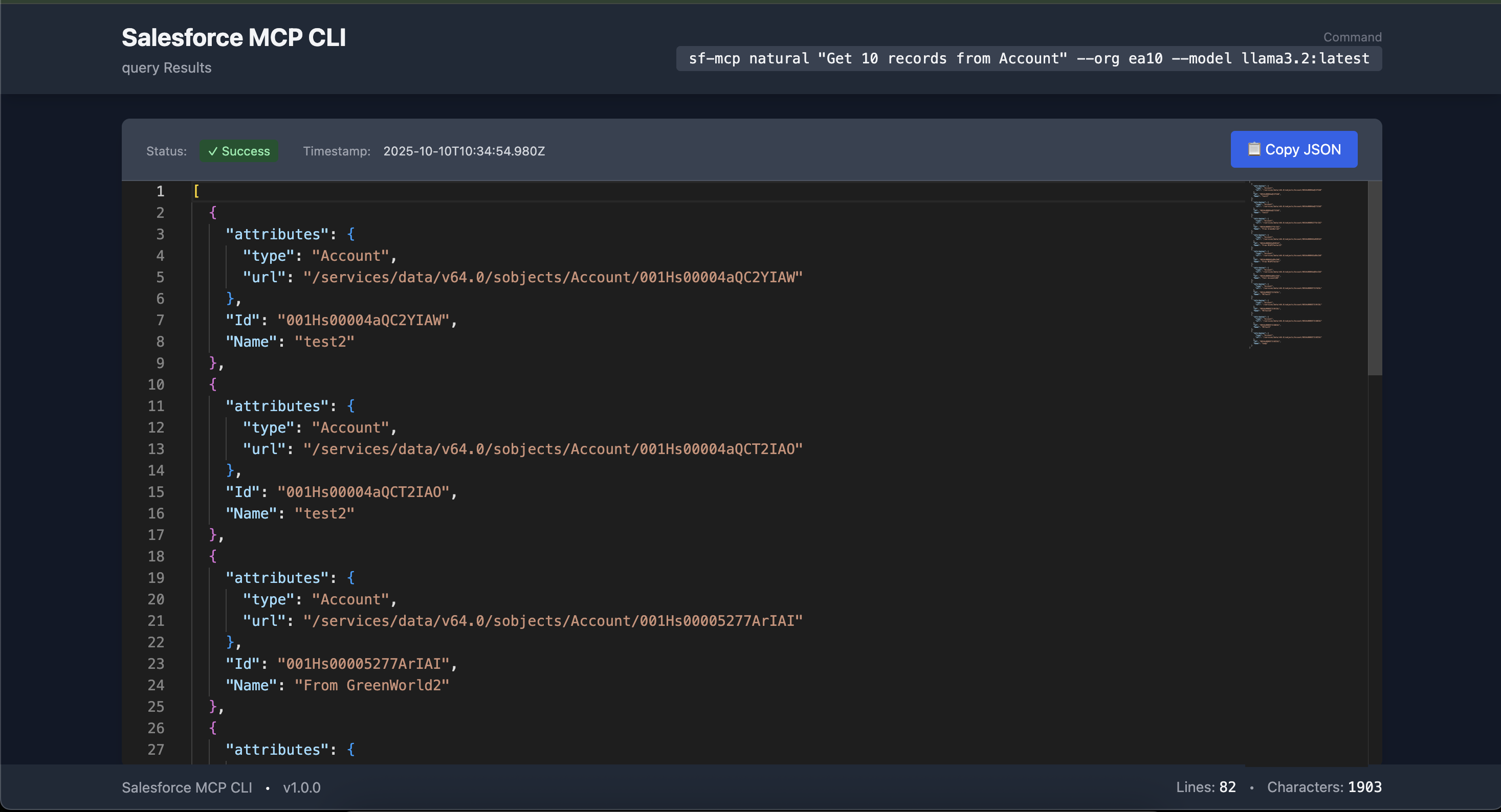
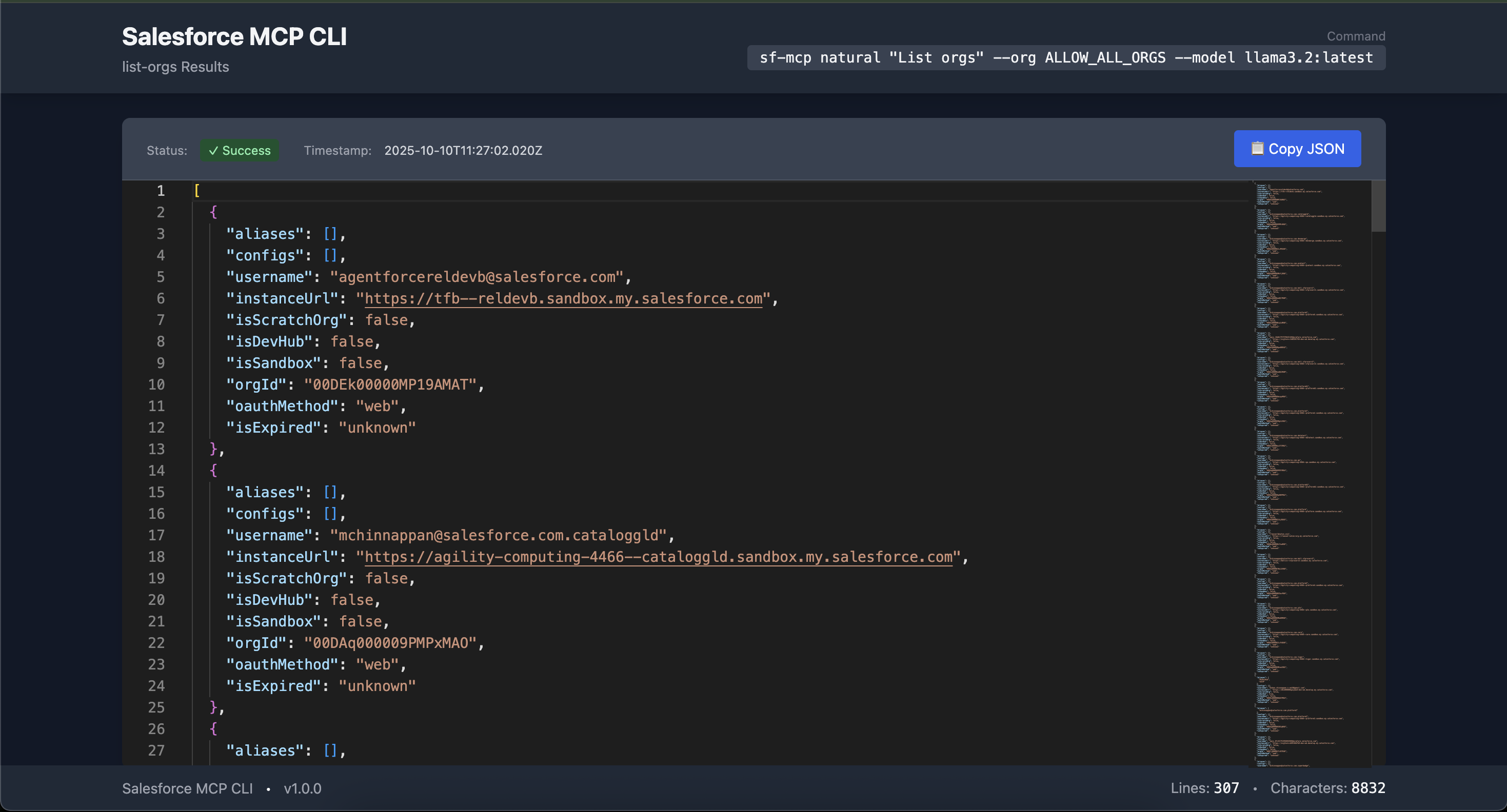
✨ Features
- 🔍 Execute SOQL queries against Salesforce orgs
- 🧩 List configured Salesforce orgs
- 💬 Run natural language queries (e.g., “Get 10 records from Account”)
- 📦 Deploy and retrieve metadata
- 🧪 Run Apex tests and analyze code
- ⚙️ Create Lightning Web Components (LWC)
- 🧭 List DevOps Center projects and assign permission sets
- 🧾 Output results in JSON or dark-themed HTML (Monaco Editor + Tailwind CSS)
🧰 Installation
Install globally via npm:
npm install -g sf-mcp-cli⚙️ Prerequisites
1️⃣ Node.js
Version 18.0.0 or higher
Check your version:
node --version
2️⃣ Salesforce CLI
Must be installed and authenticated
Verify orgs:
sf org listAuthenticate an org:
sf org login web --alias <alias>
3️⃣ Ollama (for Natural Commands)
Install Ollama → Ollama Installation Guide
Pull the model:
ollama pull llama3.2:latestStart the server:
ollama serve
🧩 Salesforce MCP Setup
Ensure the MCP wrapper and Node.js paths are accessible:
Default Node path:
  /Users/<your-username>/.local/share/sf/client/2.108.6-399bc9e/bin/node

Default wrapper path:
  /Users/<your-username>/Library/Application Support/Code/User/globalStorage/salesforce.salesforcedx-einstein-gpt/MCP/a4d-mcp-wrapper.js
⚙️ Configuration
Set optional environment variables:
export SF_NODE_PATH=/path/to/node
export SF_MCP_WRAPPER=/path/to/a4d-mcp-wrapper.js
export OLLAMA_URL=http://localhost:11434
Verify org aliases:
sf org list🚀 Usage
Display all available commands:
sf-mcp --help🧾 Commands
🔹 list-orgs
List configured Salesforce orgs.
sf-mcp list-orgs [--org <alias>] [--json]Options:
--org: Specify org alias (default:ALLOW_ALL_ORGS)--json: Output JSON format
Example:
sf-mcp list-orgs --jsonSample Output:
[
  {
    "username": "[email protected]",
    "instanceUrl": "https://tfb--reldevb.sandbox.my.salesforce.com",
    "orgId": "00DEk00000MP19AMAT"
  }
]
🖥️ Without --json, generates a dark-themed sf-mcp-orgs.html with Monaco Editor.
🔹 query
Run SOQL query.
sf-mcp query --org <alias> --query <soql-query> [--directory <path>] [--json]Example:
sf-mcp query -o ea10 -q "SELECT Id, Name FROM Account LIMIT 10" --jsonOutput:
[
  { "Id": "001Hs00004aQC2YIAW", "Name": "test2" },
  { "Id": "001Hs00004aQCT2IAO", "Name": "test2" }
]
🔹 natural
Execute a natural language query powered by Ollama.
sf-mcp natural "<query>" [--org <alias>] [--model <ollama-model>] [--json]Example:
sf-mcp natural "Get 10 records from Account" -o ea10 --jsonOutput is the same as the query command.
🔹 Other Commands
| Command | Description |
| ----------------- | ------------------------------------- |
| list-tools | List available MCP tools |
| apex-test | Run Apex tests |
| describe | Describe a Salesforce object’s fields |
| deploy | Deploy metadata |
| retrieve | Retrieve metadata |
| create-lwc | Create a Lightning Web Component |
| code-analyzer | Run static code analysis |
| devops-projects | List DevOps Center projects |
| assign-permset | Assign a permission set to a user |
💾 Output Formats
🧱 JSON: Use
--jsonfor console output🌙 HTML: Default mode generates dark-themed HTML files (e.g.,
sf-mcp-orgs.html,sf-mcp-query-results.html)- Styled with Tailwind CSS
- Includes Monaco Editor and copy-to-clipboard support
🧰 Troubleshooting
| Issue | Solution |
| --------------- | ---------------------------------------------------- |
| ENOENT errors | Ensure the --directory path exists |
| Ollama errors | Verify Ollama server is running and model is pulled |
| Org auth issues | Check aliases via sf org list and re-authenticate |
| Path issues | Verify SF_NODE_PATH and SF_MCP_WRAPPER variables |
🧪 Development
Clone and Setup
git clone https://github.com/mchinnappan100/sf-mcp-cli
cd sf-mcp-cli
npm install
Run Locally
npm link
sf-mcp --help
🤝 Contributing
Fork the repository
Create a feature branch
git checkout -b feature/xyzCommit your changes
git commit -m "Add xyz feature"Push and open a pull request
📄 License
MIT License Free to use and modify under open-source terms.
🧑💻 Support
- 🐞 Report issues → GitHub Issues
🙏 Acknowledgments
- Built with Commander.js, Axios, and @modelcontextprotocol/sdk
- Powered by Ollama for natural language processing
- Level Up Your Developer Tools with Salesforce DX MCP | Modernize Your Developer Tools