
sf-metadata-deploy
v1.0.4
Published
Salesforce Metadata Deployment CLI with Visual UI

Maintainers
 mohanchinnappan
Readme
SF Metadata Deploy ⚡
Visual Salesforce Metadata Deployment Tool – A modern, beautiful, and fast way to retrieve, validate, and deploy metadata using
package.xml— with a full-featured web UI and powerful CLI.
Built on top of the Salesforce CLI (sf), this tool combines the reliability of official commands with an intuitive Monaco-powered editor and real-time console.
Git clone from Github / Gitlab / Bitbucket



Features
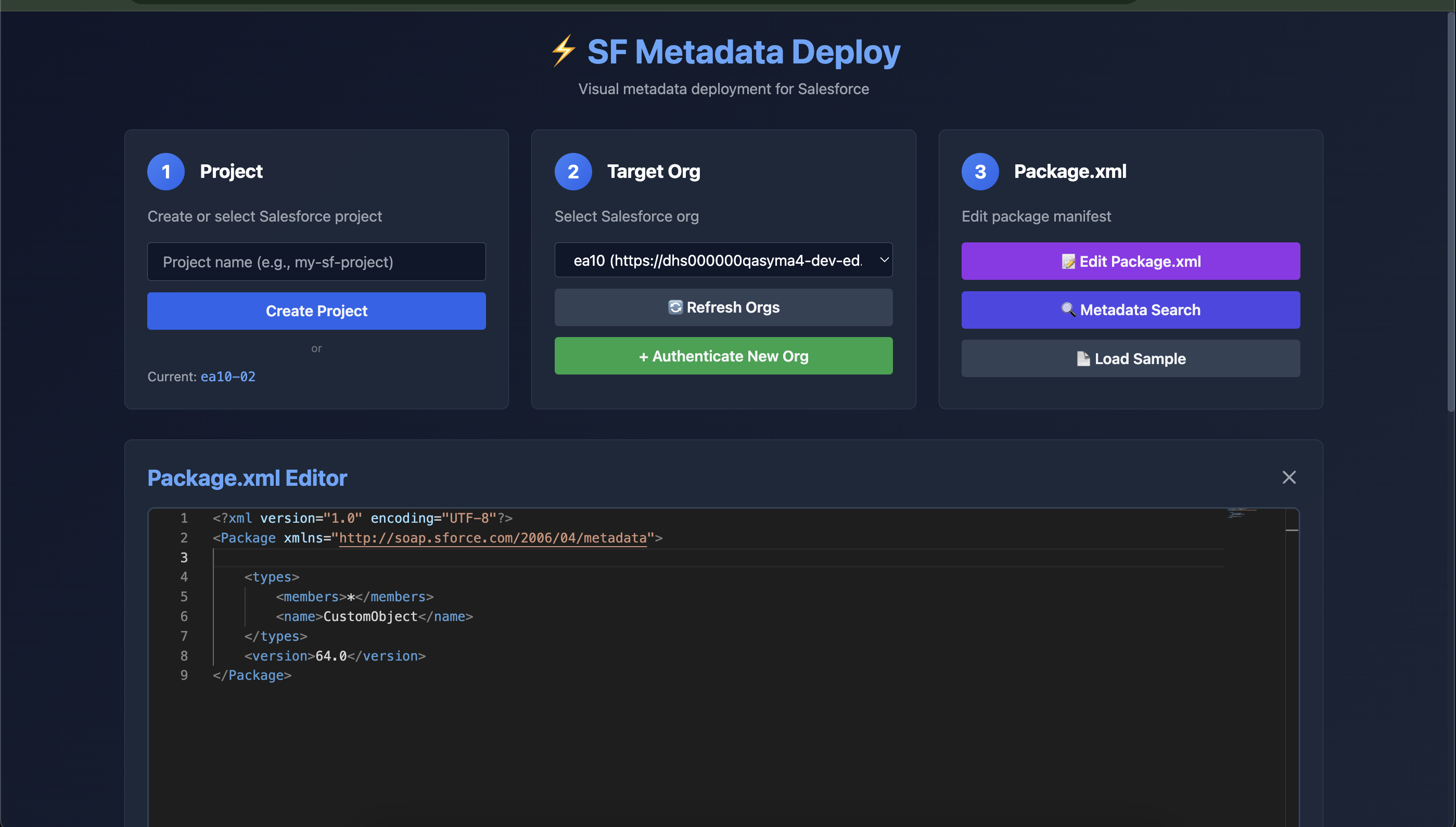
- Visual UI with dark theme, Monaco XML editor (same as VS Code)
- Create and manage Salesforce DX projects
- Authenticate & switch between multiple orgs
- Edit
package.xmlwith syntax highlighting and validation - Retrieve metadata from any org
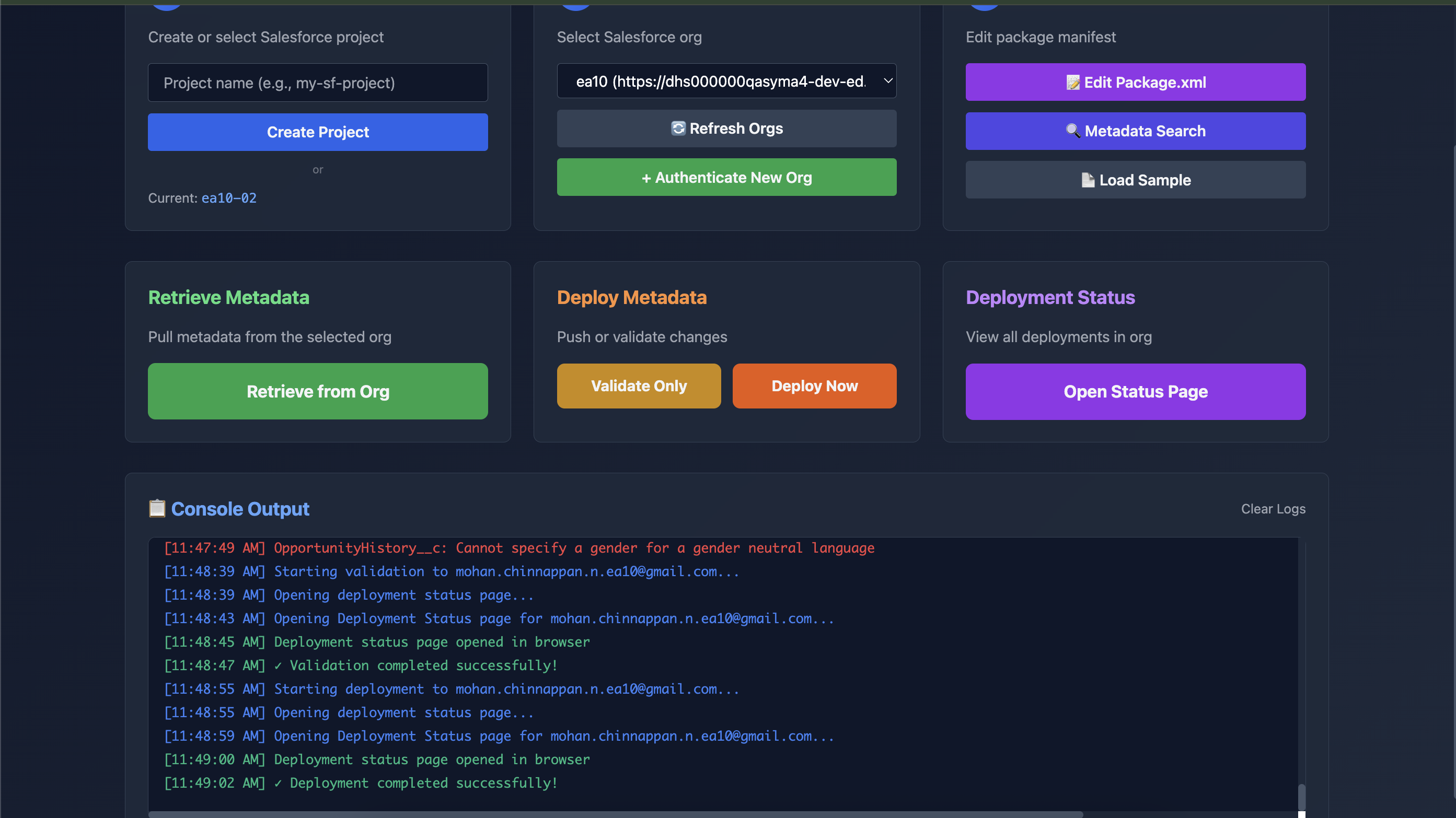
- Deploy or Validate (dry-run) with real-time logs
- One-click access to Deployment Status page in Salesforce
- Full CLI support for scripting and automation
- Zero setup beyond Salesforce CLI
Demo
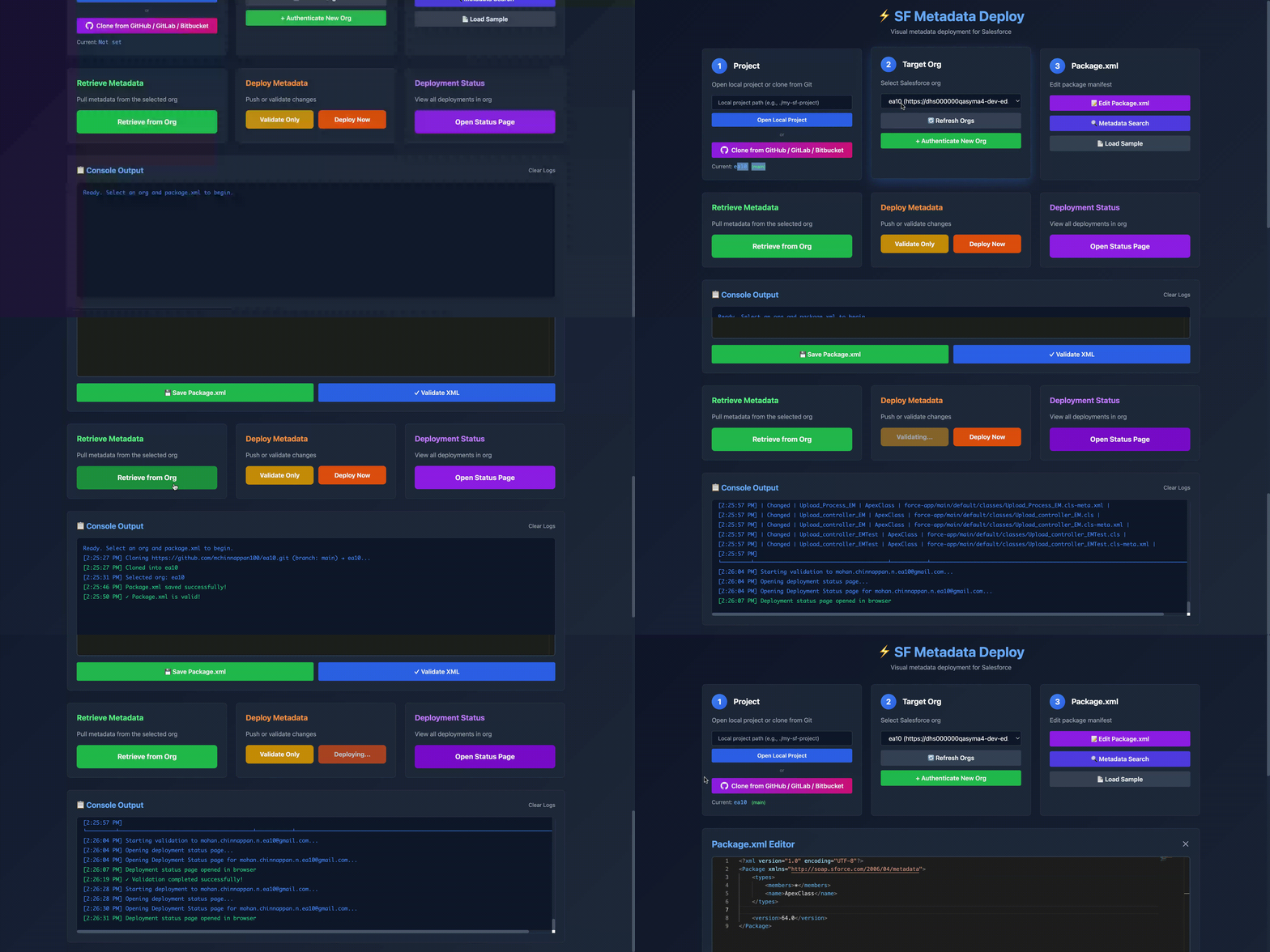
Screenshots
Installation
Prerequisites
- Node.js ≥18
- Salesforce CLI (
sf) installed and logged in
Global Install (Recommended)
npm install -g sf-metadata-deployNow you can use the sfmd command anywhere.
Quick Start
# 1. Launch the visual UI
sfmd ui

# Opens http://localhost:3456 in your default browser
Typical Workflow
- Create a project (or use an existing one)
- Authenticate to your orgs
- Edit your
package.xmlusing the Monaco editor - Retrieve metadata → pulls into
force-appor custom path - Deploy or Validate Only with full error details
- Click Open Status Page to monitor async deployments
CLI Commands
sfmd create my-project        # Create a new SFDX project
sfmd ui                        # Launch web UI (default port 3456)
sfmd ui -p 5000                # Launch on custom port

sfmd retrieve                  # Interactive retrieve using manifest/package.xml
sfmd deploy                    # Interactive deploy/validate
sfmd deploy --dry-run          # Validate only
sfmd orgs                      # List all authenticated orgs
Deploy Examples
# Validate only (dry-run)
sfmd deploy --dry-run

# Full deploy with 30-minute wait
sfmd deploy -w 30

# Deploy to specific org
sfmd deploy -o prod-alias
Error: Port alredy in use
❌ Error: Port 3456 is already in use!

Try one of these solutions:

  1. Use a different port:
     sfmd ui -p 3457

  2. Find and kill the process using port 3456:
     lsof -ti:3456 | xargs kill -9
     # or on Windows:
     netstat -ano | findstr :3456
UI Features
| Feature | Description | |--------------------------------|--------------------------------------------------| | Monaco Editor | Full VS Code-like XML editing with autocomplete | | Real-time Console | Color-coded logs with timestamps | | Org Switcher | Instantly switch between authenticated orgs | | One-click Auth | Opens browser login flow | | Retrieve / Deploy / Validate | Full control with progress feedback | | Open Deployment Status | Direct link to Salesforce Deploy Status page |
Built With
License
This project is licensed under the MIT License (c) Mohan Chinnappan
- See the LICENSE file for details.
Deploy faster. Validate safely. Build confidently.