
sf-perms-lens
v1.2.0
Published
Salesforce Permissions Lens — visual permission inspector for Salesforce users
Downloads
493

Maintainers
 mohanchinnappan
Readme
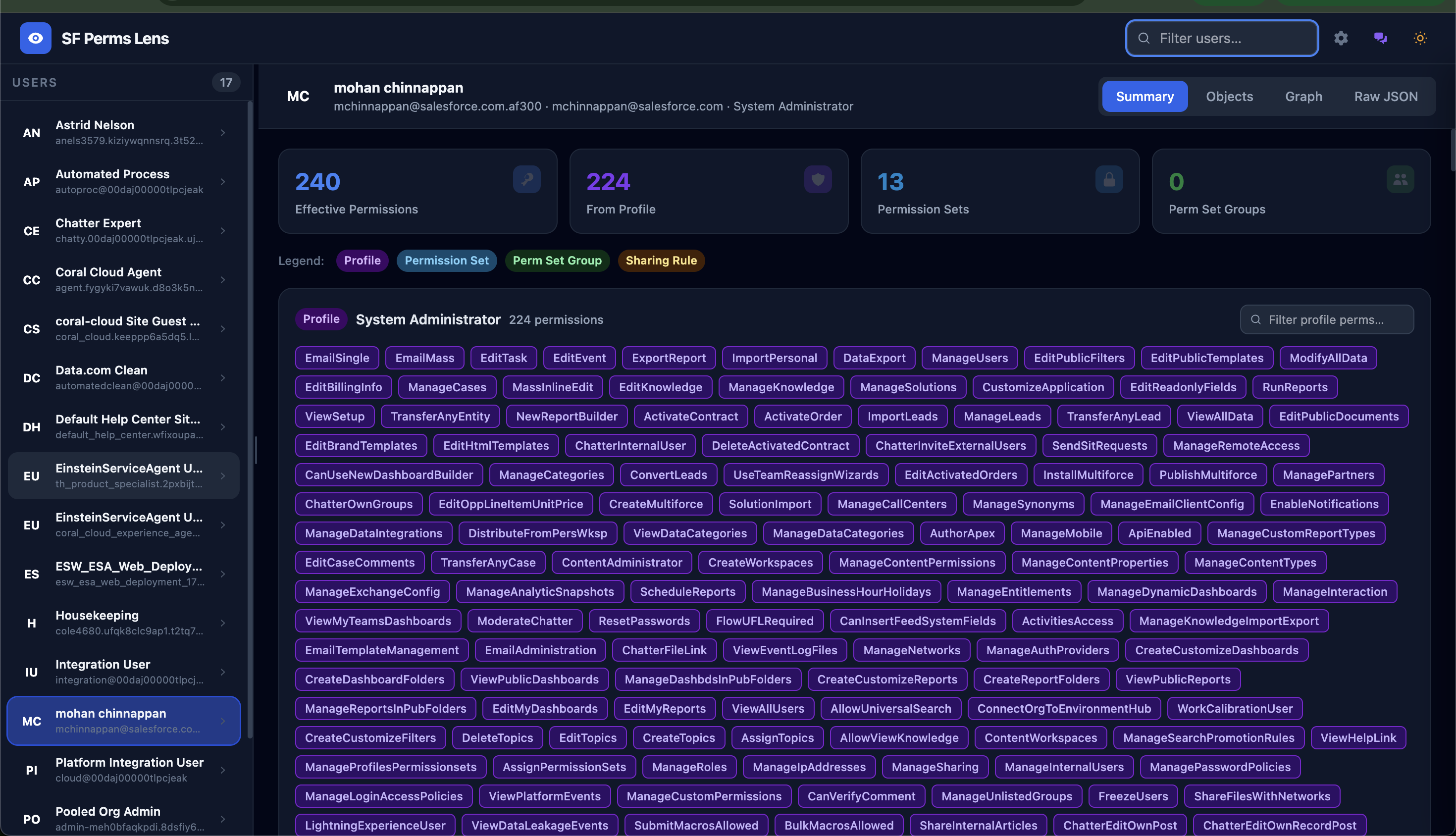
SF Perms Lens
A world-class Node.js CLI + browser UI for inspecting Salesforce user permissions with full source lineage.
Features
| Feature | Details |
|---|---|
| Permission Lineage | See every permission a user has and exactly which Profile, Perm Set, or PSG grants it |
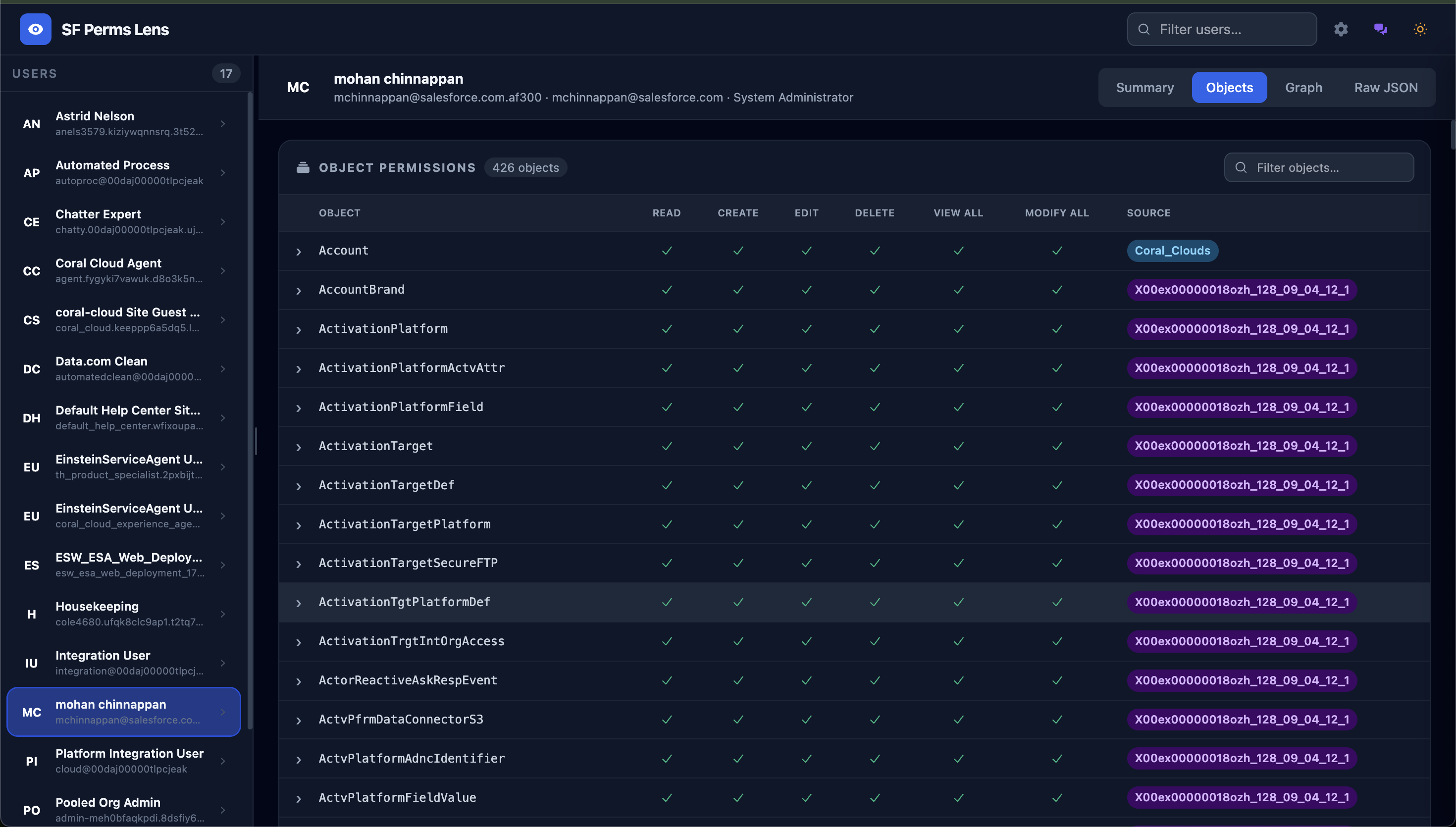
| Object Permissions | Full CRUD/ViewAll/ModifyAll matrix across all assigned objects |
| Field-Level Security | Expand any object row to see field-by-field Read/Write access inline |
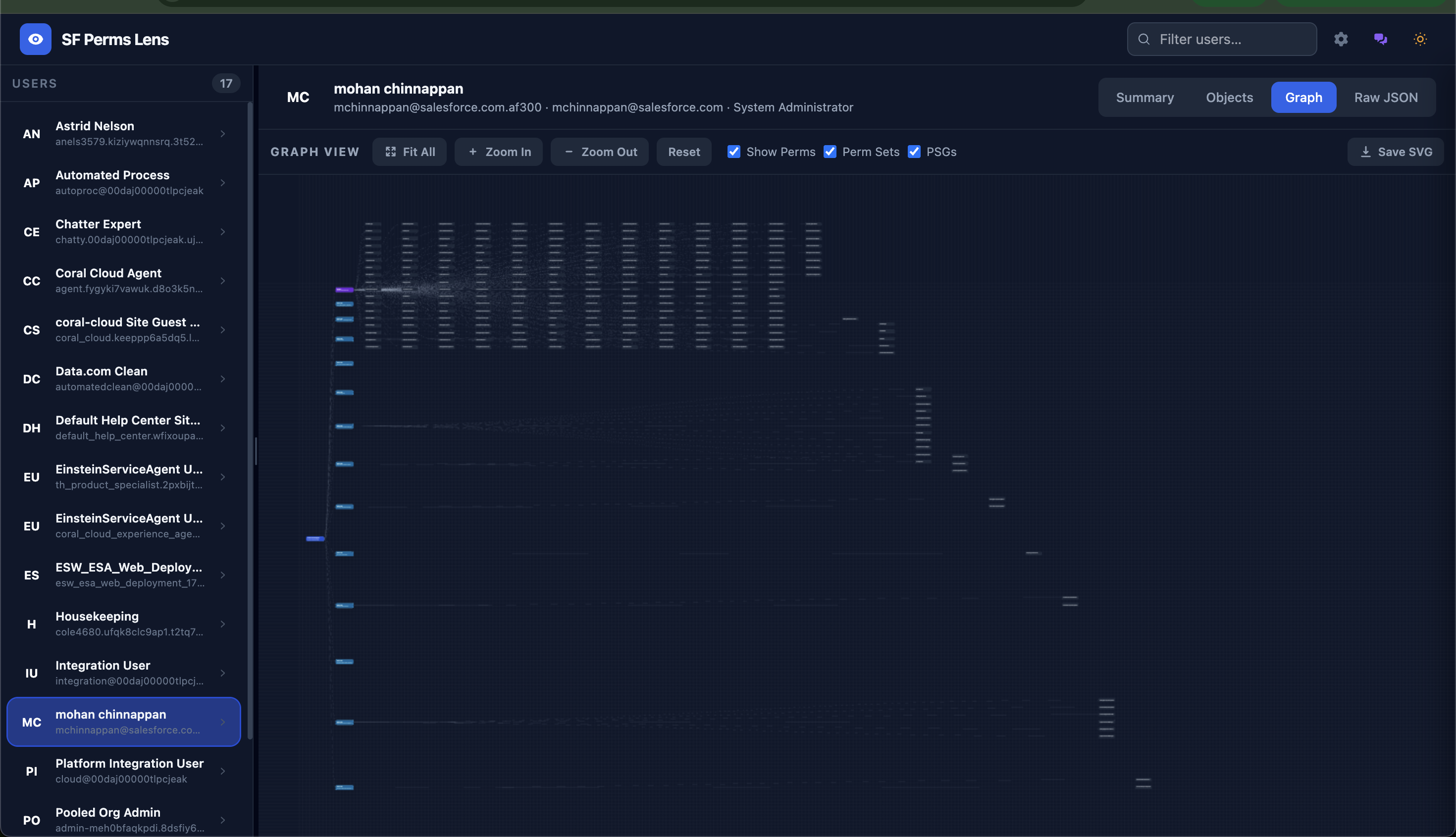
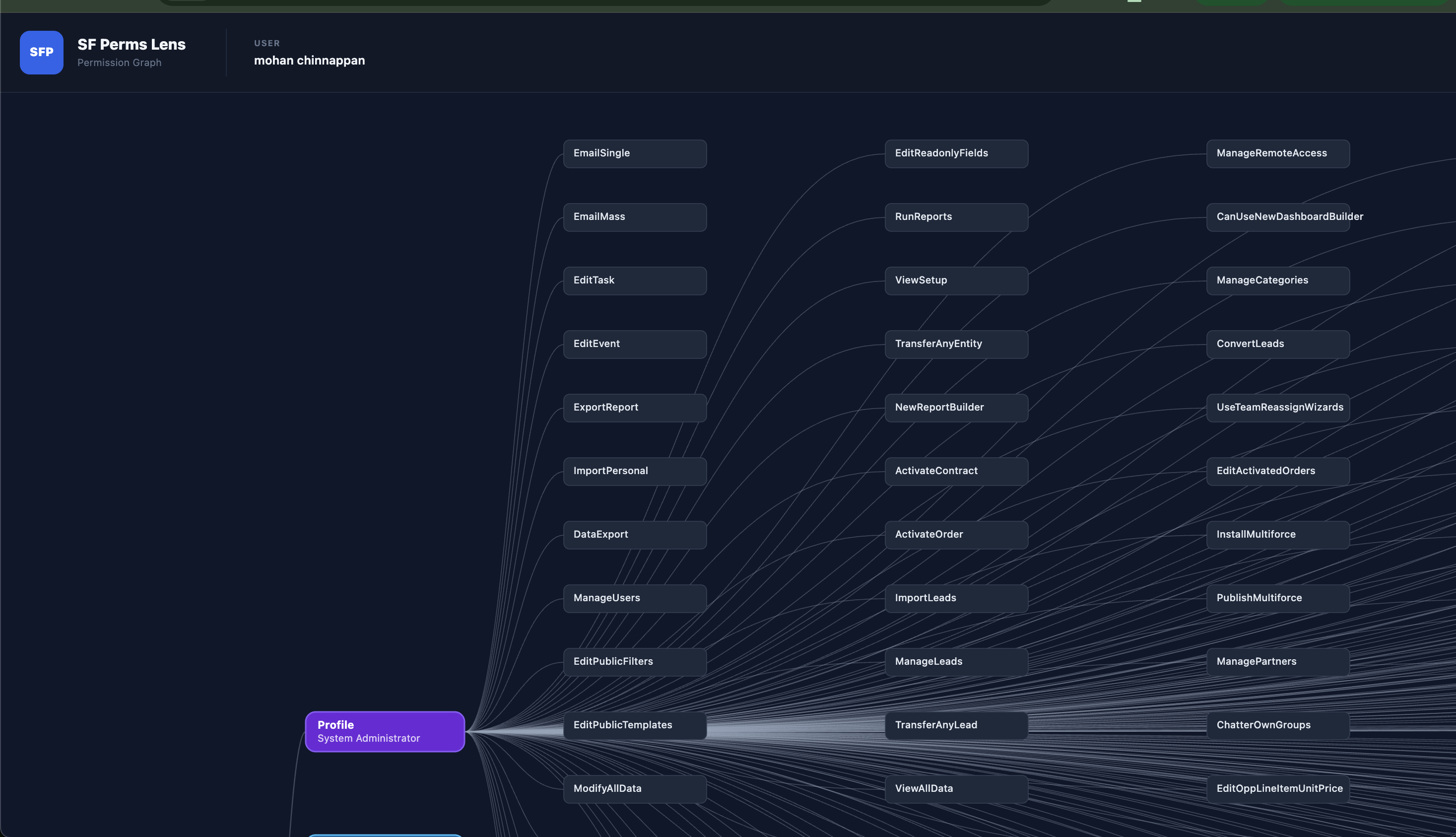
| Graph View | Infinite-canvas force graph: User → Profile/PermSets/PSGs → Permissions. Pan, zoom, save as SVG |
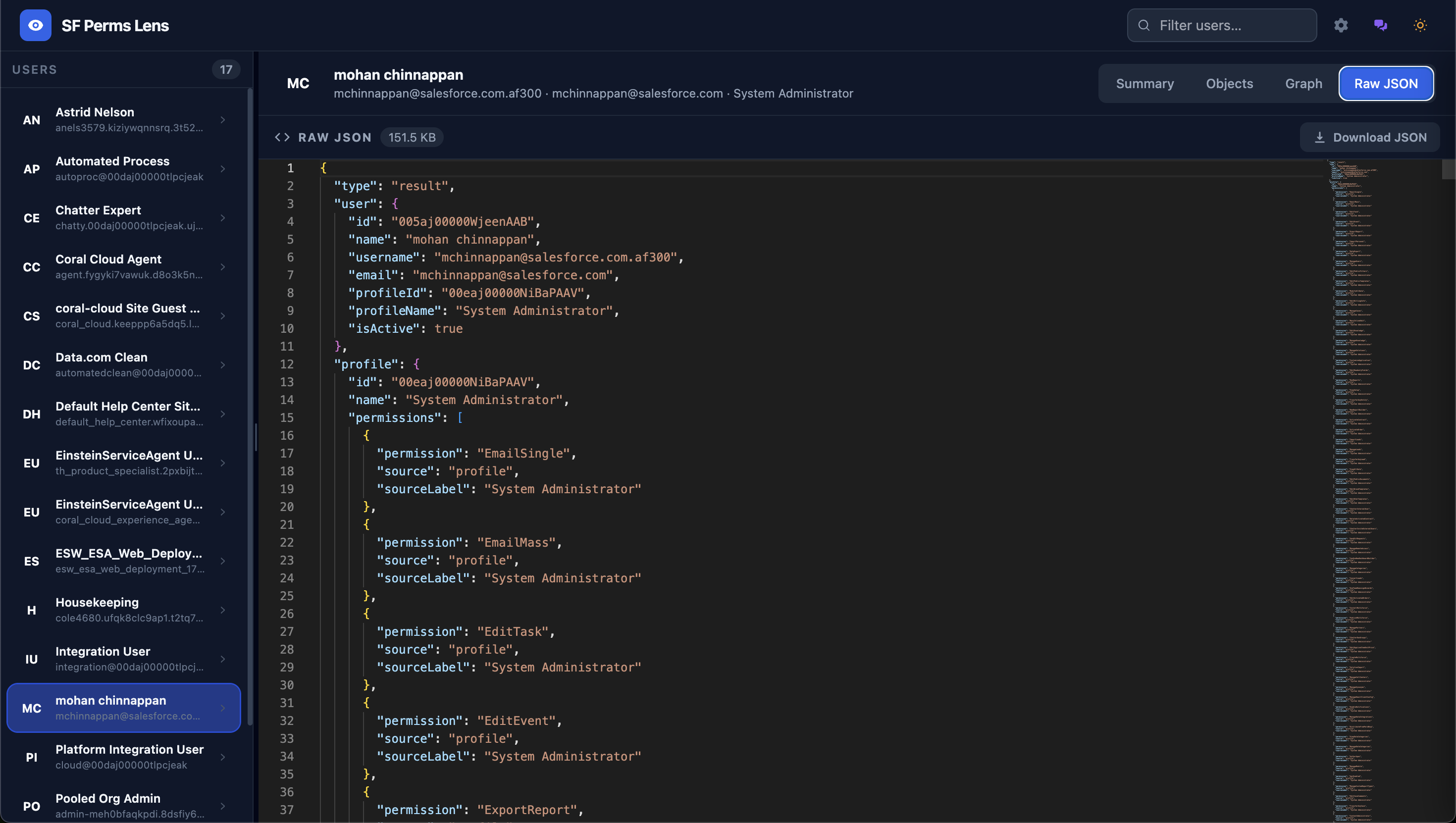
| Raw JSON | Full data in Monaco editor with syntax highlighting, folding, and minimap |
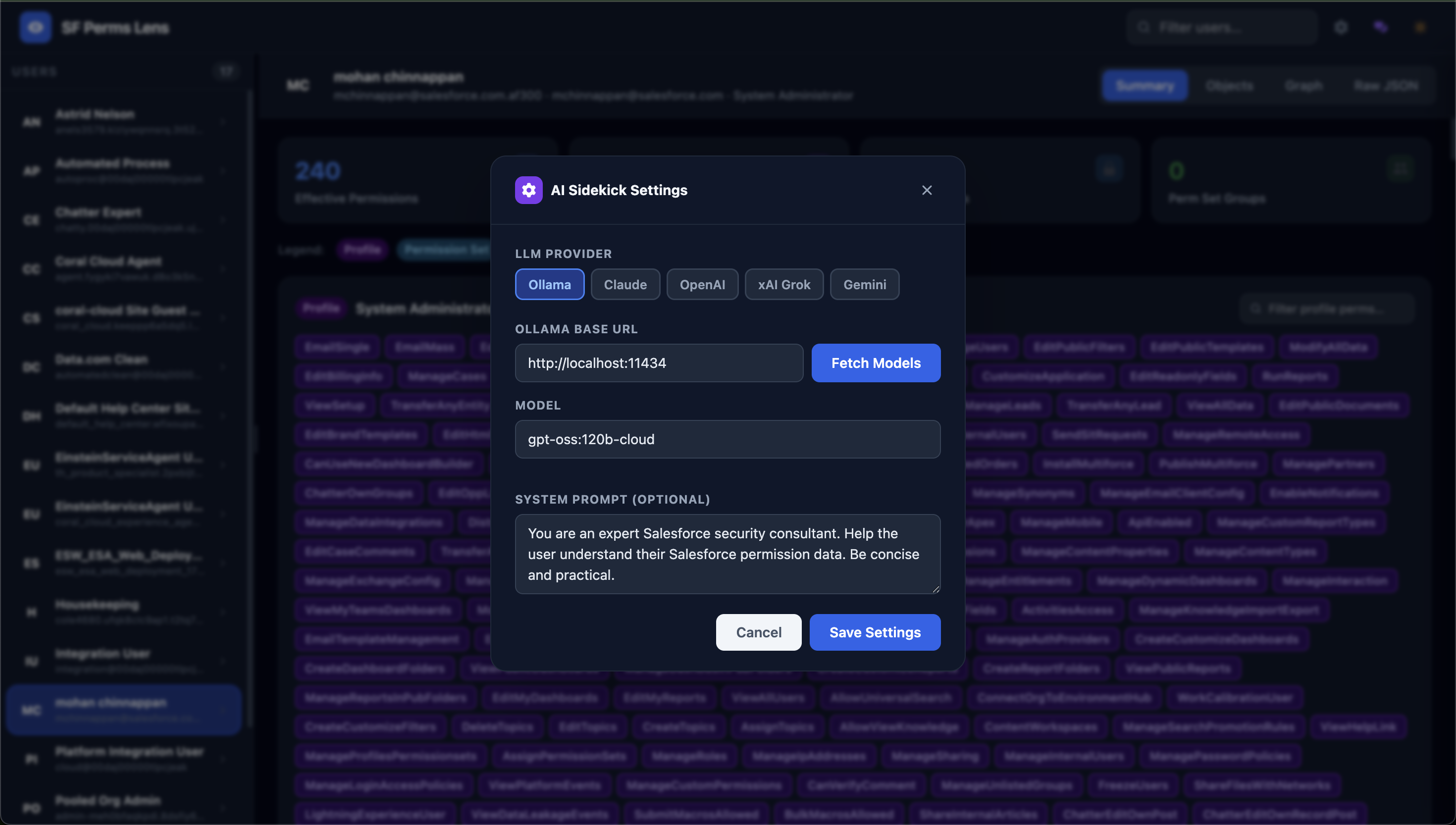
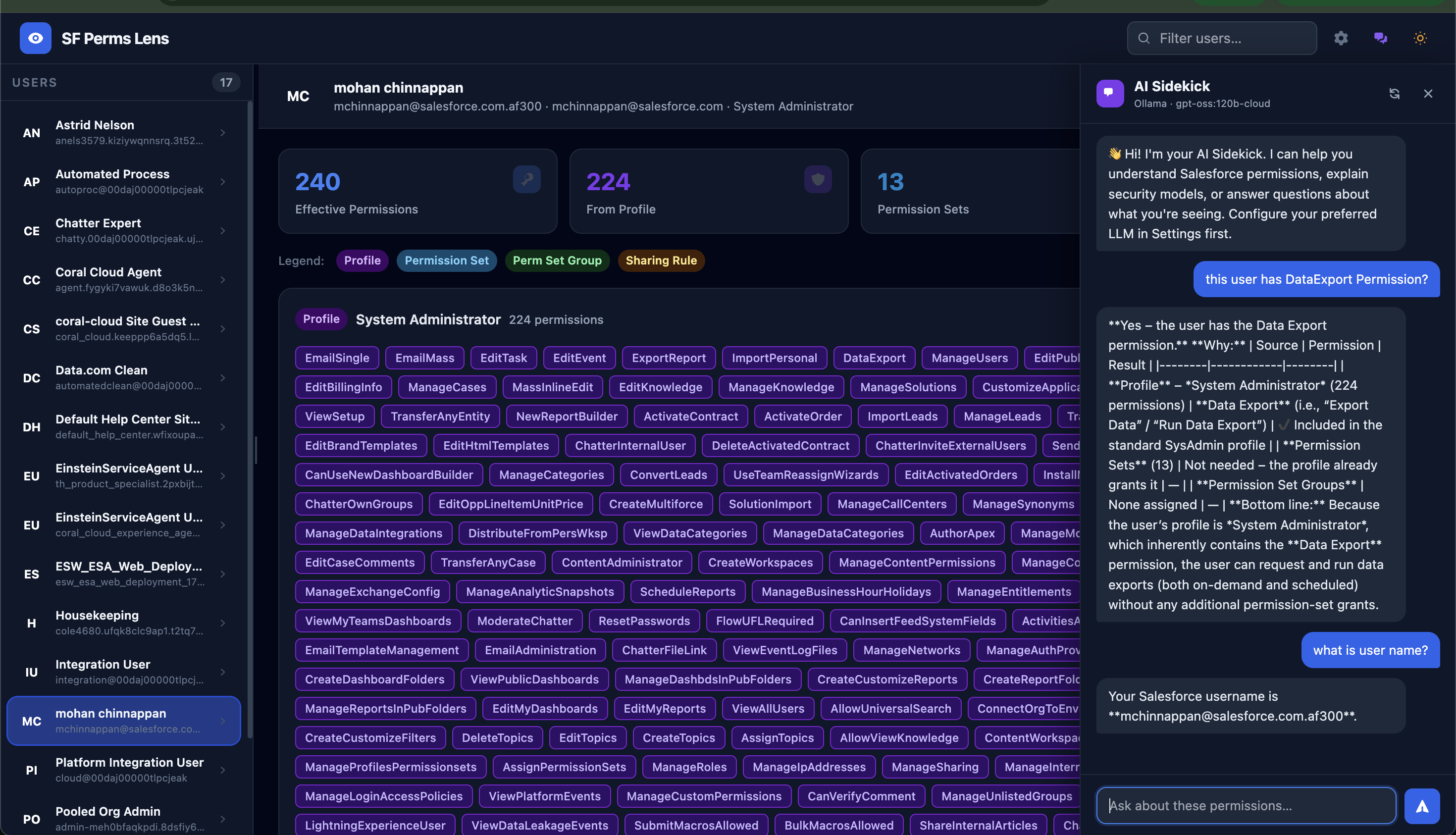
| AI Sidekick | Chat panel powered by Ollama, Claude, OpenAI, xAI, or Gemini to explain permissions |
| Splitter | Drag the pane divider to resize the user list vs content area |
| Dark / Light theme | Persisted to localStorage |
| Download JSON | One-click export of the full permission payload |
| Save SVG | Export the graph as a branded SVG with user/org/profile metadata header |
Requirements
- Node.js ≥ 18
- Salesforce CLI (
sf) authenticated to the target org
Installation
npm install -g sf-perms-lensScreenshots
Usage
# Start — auto-opens browser
sf-perms-lens  -o <org-alias>

# Pre-select a user
sf-perms-lens  -o <org-alias> -u [email protected]

# Custom port, no auto-open
sf-perms-lens  -o <org-alias> -p 8080 --no-open
Options
| Flag | Description | Default |
|---|---|---|
| -o, --org <alias> | Salesforce org username or alias | required |
| -u, --user <email> | Pre-select a user on load | — |
| -p, --port <n> | HTTP port | 3579 |
| --no-open | Don't auto-open the browser | — |
AI Sidekick
Click the chat bubble icon in the top-right to open the AI Sidekick panel. Click the ⚙️ gear icon to configure your LLM:
| Provider | What you need |
|---|---|
| Ollama | Running Ollama instance (default: http://localhost:11434). Click "Fetch Models" to auto-discover available models. |
| Claude | Anthropic API key (sk-ant-…) |
| OpenAI | OpenAI API key (sk-…) |
| xAI Grok | xAI API key (xai-…) |
| Gemini | Google AI API key (AIza…) |
Settings are saved to localStorage and persist across sessions.
How it works
- CLI starts an Express + WebSocket server on the given port
- Browser connects via WebSocket — analysis streams status updates in real time
- sf CLI is invoked server-side for all SOQL queries — no direct API calls from the browser
- Permission fields are discovered dynamically via
sf sobject describeand queried in character-length-bounded batches to stay within Salesforce's HTTP 431 limits - Object/field permissions use the profile's owned PermissionSet ID to avoid illegal multi-level relationship traversal in SOQL
Author
Mohan Chinnappan — Licensed under the MIT License.
Support this work
If this tool has helped you, please consider donating to one of Mohan's suggested charities:
St. Jude Children's Research Hospital — fighting childhood cancer and other life-threatening diseases. Donate to St. Jude
Any charity supporting Developing Countries — organisations providing food, clean water, education, or healthcare to communities in need.
Your generosity makes a real difference. Thank you.