
sf-permset-assignor
v1.0.1
Published
Assign Salesforce permission sets to users from a CSV file
Downloads
276

Maintainers
 mohanchinnappan
Readme
SF PermSet Assignor
Bulk-assign one or more Salesforce Permission Sets to a list of users from a CSV file.
Provides a real-time web UI with live logs, progress tracking, org/permset dropdowns, and multi-permset selection.
Screenshots
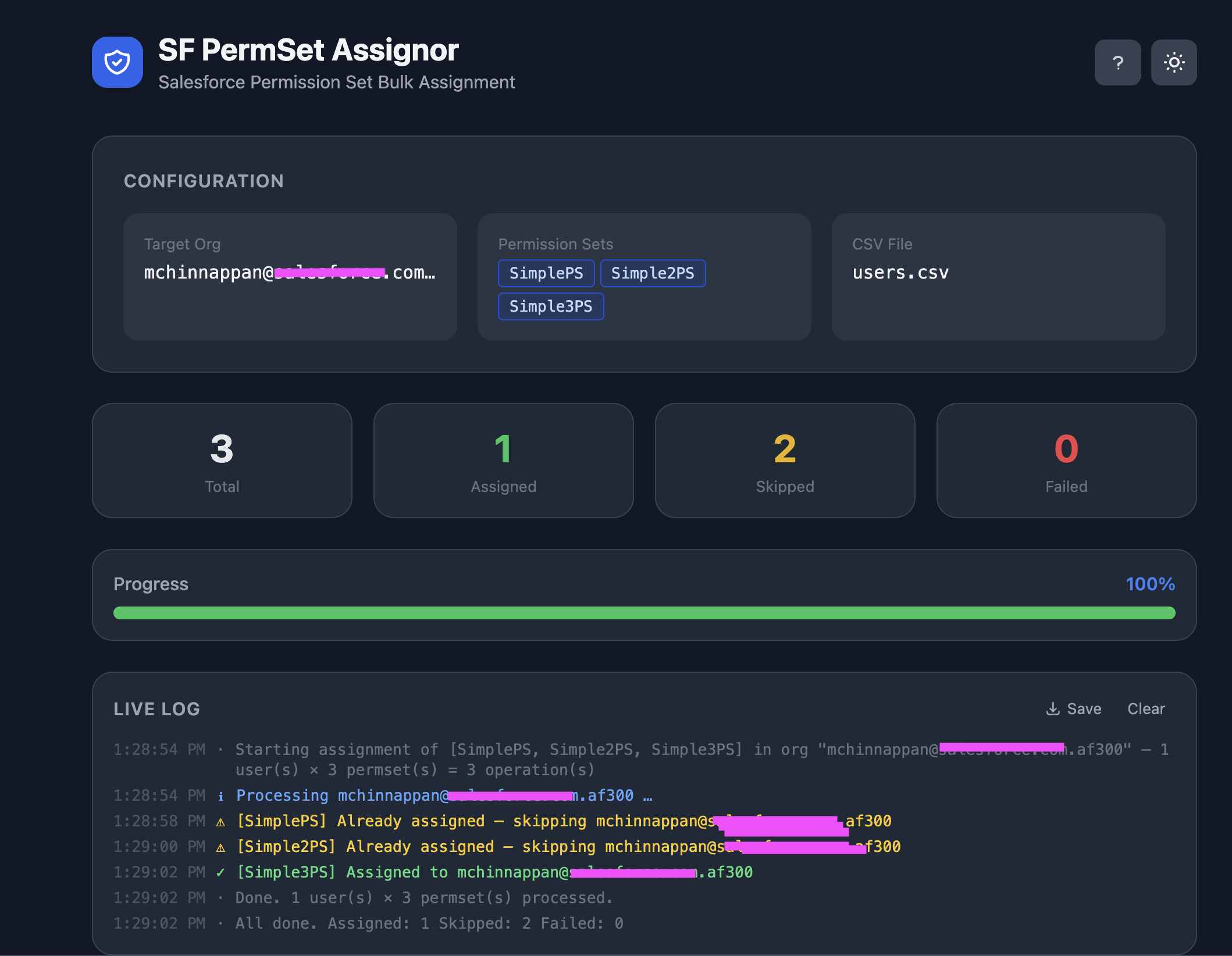
Features
- Searchable org dropdown — lists all orgs authenticated via
sf org login - Searchable permission set multi-select — add multiple permission sets as tags; loads custom permission sets live from the selected org
- CSV drag-and-drop with user preview table
- Real-time live log with colour-coded per-permset entries (
[PermSetName] Assigned to …) - Progress bar and stats (Total / Assigned / Skipped / Failed) — counted per user across all permission sets
- Save log — downloads a timestamped
.txtlog of the run - New Run button to start another assignment without restarting the server
- Splash screen on startup and context help modal (click
?in the header) - Dark / light theme toggle (persists via
localStorage) - Browser opens automatically on startup via
open-resource - Duplicate assignments handled gracefully (counted as Skipped)
Prerequisites
- Node.js v18+
- Salesforce CLI (
sf) — authenticated orgs viasf org login web
Installation
npm install -g sf-permset-assignorUsage
UI-driven (recommended)
assign-permset -p 3131The browser opens automatically. Then:
- Select a Target Org from the dropdown (type to filter by alias or username)
- Add Permission Sets — type to filter, click to add as a tag; repeat for each permset; click
×to remove - Upload a CSV — drag-and-drop or browse; preview table confirms the users
- Click Start Assignment
CLI-driven (fully automated)
assign-permset -o <org-alias> --ps <PermSetAPIName> -f users.csvAll three flags supplied → job starts immediately without UI interaction (single permission set).
Options
| Flag | Description | Default |
|------|-------------|---------|
| -o, --org <alias> | Target org username or alias (pre-selects UI dropdown) | — |
| --ps <name> | Permission set API name (pre-fills UI; single set only for CLI auto-start) | — |
| -f, --file <csv> | CSV file path (auto-starts job when combined with -o + --ps) | — |
| -p, --port <n> | UI server port | 3131 |
CSV Format
The CSV must contain a Username column (case-insensitive). Additional columns are ignored.
Username
[email protected]
[email protected]
[email protected]
Multi-PermSet Behaviour
When multiple permission sets are selected, each user is processed like this:
[PermSetA] Assigned to [email protected]
[PermSetB] Already assigned — skipping [email protected]
[PermSetA] Failed for [email protected]: Permission set not found
The per-user stat (Assigned / Skipped / Failed) is the overall result across all selected permsets:
- Assigned — at least one permset was newly assigned
- Skipped — all permsets were already assigned (or user not found)
- Failed — at least one permset returned an error
Log File Format
Clicking Save in the Live Log downloads a file like permset-log-2025-08-13T12-00-00.txt:
SF PermSet Assignor — Log Export
Org : af300
PS  : PermSetA, PermSetB
File: users.csv
────────────────────────────────────────────────────────────────────────

12:00:01 AM  [SYS  ]  Starting: 3 users to process
12:00:01 AM  [INFO ]  Processing [email protected] …
12:00:03 AM  [OK   ]  [PermSetA] Assigned to [email protected]
12:00:04 AM  [WARN ]  [PermSetB] Already assigned — skipping [email protected]
12:00:04 AM  [INFO ]  Processing [email protected] …
12:00:06 AM  [OK   ]  [PermSetA] Assigned to [email protected]
12:00:07 AM  [OK   ]  [PermSetB] Assigned to [email protected]
12:00:07 AM  [SYS  ]  All done. Assigned: 2  Skipped: 0  Failed: 0
Support This Work
If this tool has helped you, please consider donating to one of Mohan's suggested charities:
St. Jude Children's Research Hospital — fighting childhood cancer and other life-threatening diseases.
Any charity supporting Developing Countries — organisations providing food, clean water, education, or healthcare to communities in need.
Your generosity makes a real difference. Thank you.
License
MIT © Mohan Chinnappan