
sf-reports-dashboards-explorer
v1.0.3
Published
Salesforce Report and Dashboard Explorer CLI

Maintainers
 mohanchinnappan
Readme
Salesforce Report & Dashboard Explorer
A modern CLI tool with a web interface to explore and analyze Salesforce Reports and Dashboards with metadata viewing capabilities.
Features
- 🎨 Dark Theme UI - Beautiful dark-themed interface using Tailwind CSS
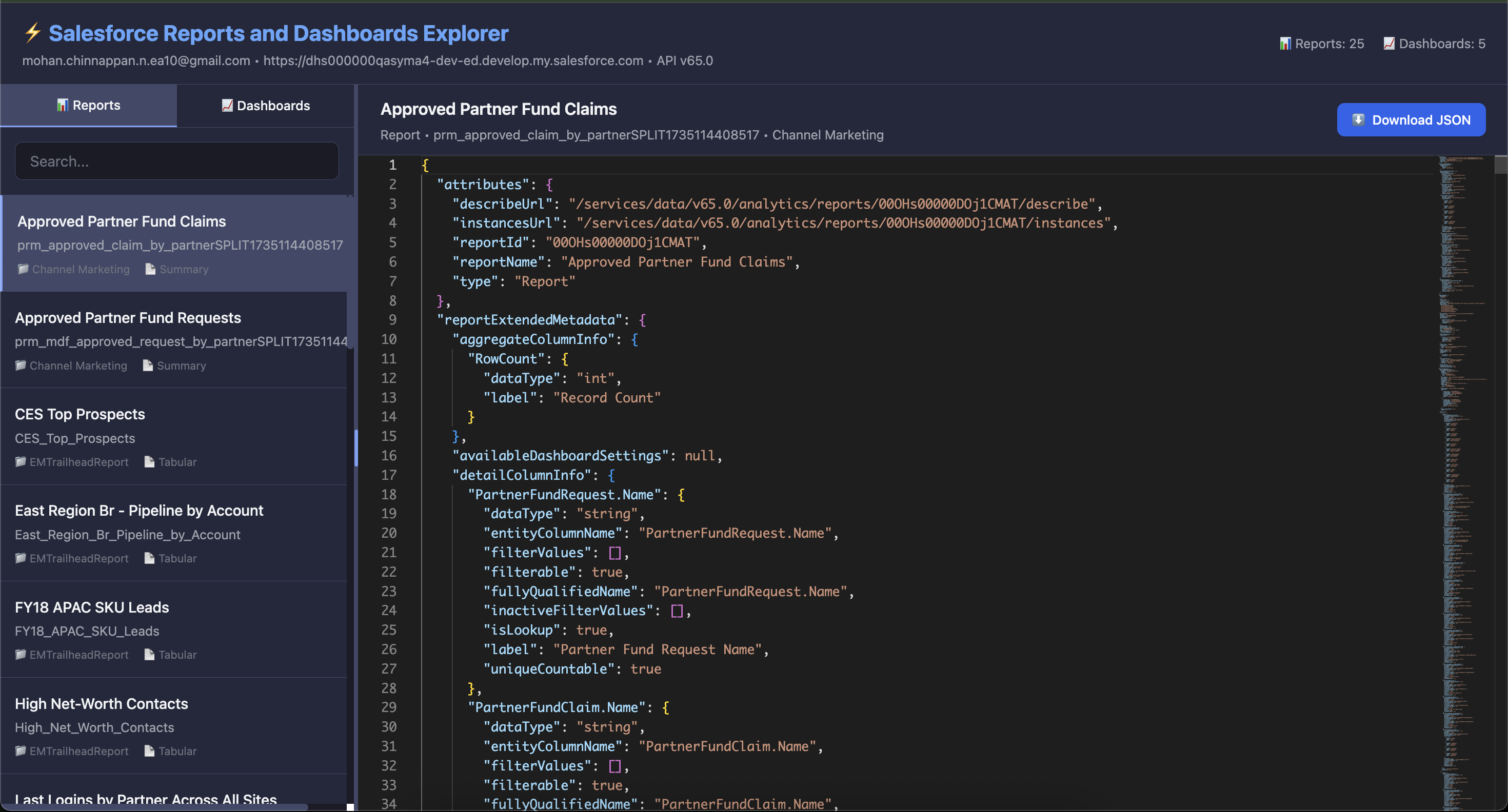
- 📊 Reports Explorer - Browse and view all reports in your org
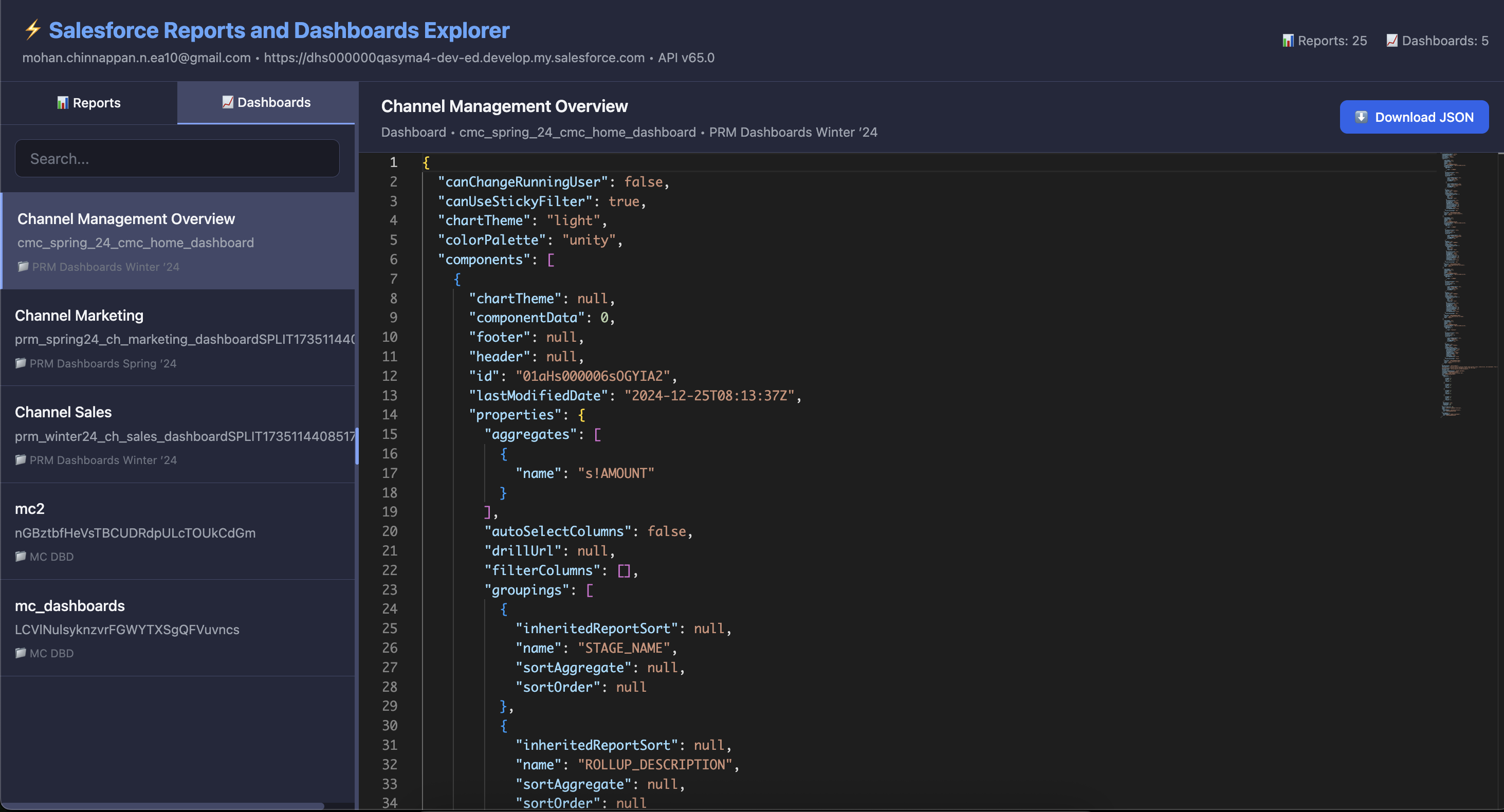
- 📈 Dashboards Explorer - Browse and view all dashboards in your org
- 🔍 Search & Filter - Quickly find reports and dashboards
- 📝 Monaco Editor - View metadata in a professional code editor
- 📥 Download JSON - Export metadata as JSON files
- ↔️ Resizable Panes - Adjustable split view with draggable splitter
- 🚀 Fast & Responsive - Built with Express.js and modern JavaScript
Prerequisites
- Node.js 18+ installed
- Salesforce CLI (sf) installed and configured
- Authenticated Salesforce org
Screenshots
Installation
npm install -g sf-reports-dashboards-explorer
Usage
srde start -o [email protected] -p 8080Command Options
srde start [options]

Options:
  -o, --org <username>   Salesforce org username or alias (default: "username")
  -p, --port <port>      Port number (default: "3000")
  -h, --help             Display help for command
Features Overview
Left Pane - Items List
- Tabs: Switch between Reports and Dashboards
- Search: Filter items by name, developer name, or folder
- List View: Shows item name, developer name, folder, and format
- Click to Select: Click any item to view its metadata
Right Pane - Metadata Viewer
- Monaco Editor: Professional code editor with syntax highlighting
- JSON Formatting: Beautifully formatted metadata
- Download: Export metadata as JSON file
- Header Info: Shows item details (name, type, developer name, folder)
Splitter
- Drag the splitter between panes to adjust the layout
- Minimum widths enforced for usability
API Endpoints Used
The application uses the following Salesforce REST API endpoints:
Reports
- List: SOQL query via
sf data query - Metadata:
/services/data/vXX.0/analytics/reports/{reportId}/describe
Dashboards
- List: SOQL query via
sf data query - Metadata:
/services/data/vXX.0/analytics/dashboards/{dashboardId}/describe
Troubleshooting
Org Not Authenticated
If you get authentication errors:
sf org login web -a myaliasPort Already in Use
If port 3000 is in use, specify a different port:
srde start -o myorg -p 8080Permission Issues
If you can't access reports/dashboards, ensure your user profile has:
- View All Data OR
- View Reports in Public Folders
- Manage Dashboards in Public Folders
License
MIT (c) Mohan Chinnappan
Made with ❤️ for Salesforce developers