
sf-rest-client
v4.0.3
Published
A world-class Postman-like REST client for Salesforce & Generic APIs with SOAP Support, GraphQL and AI assistant for API testing and development

Maintainers
 mohanchinnappan
Readme
SF REST Client v4.0
A world-class Postman-like REST client for Salesforce & Generic APIs & SOAP with AI Side-kick — built with Node.js, Express, and Monaco Editor. Provides curl equivalents. AI Assistant supported.
Table of Contents
- Overview
- Features
- Architecture
- Project Structure
- Prerequisites
- Installation & Usage
- CLI Options
- Salesforce Setup
- API Reference
- Salesforce REST Examples
- Generic REST Examples
- Collections & History
- Keyboard Shortcuts
- Data Storage
- Dependencies
Overview
SF REST Client is a lightweight, self-hosted REST API and SOAP client that runs entirely in your browser and is powered by a local Node.js server. It has first-class support for Salesforce orgs — automatically reading credentials from the sf CLI — alongside a fully featured generic REST client for any HTTP API.
No cloud accounts, no subscriptions, no data leaving your machine.
Features
| Feature | Description |
|---|---|
| 🌩️ Salesforce Tab | Browse all authenticated SF orgs, run REST API calls & SOQL queries |
| 🌐 REST Tab | Generic REST client with Bearer Token and Basic Auth support |
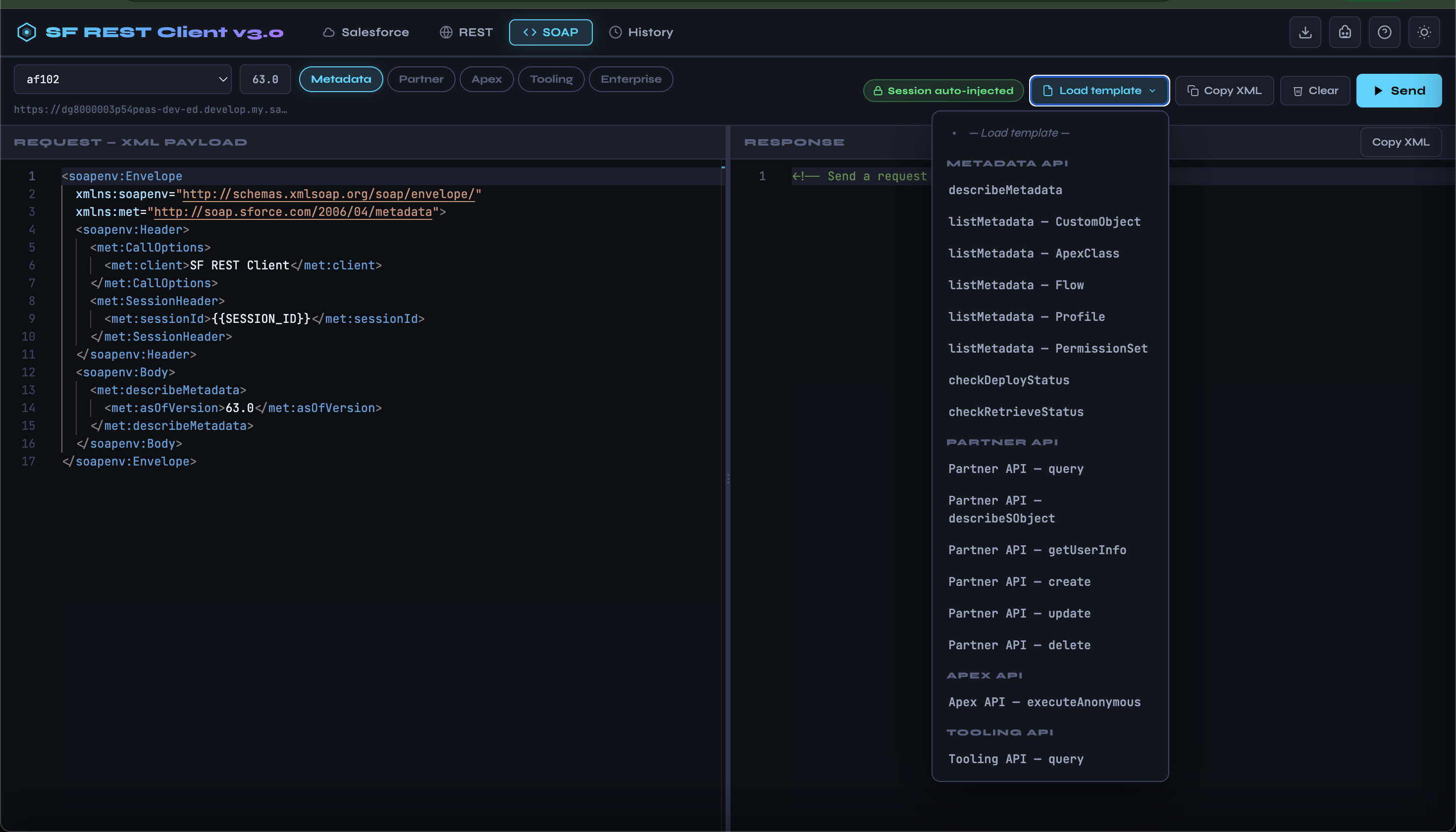
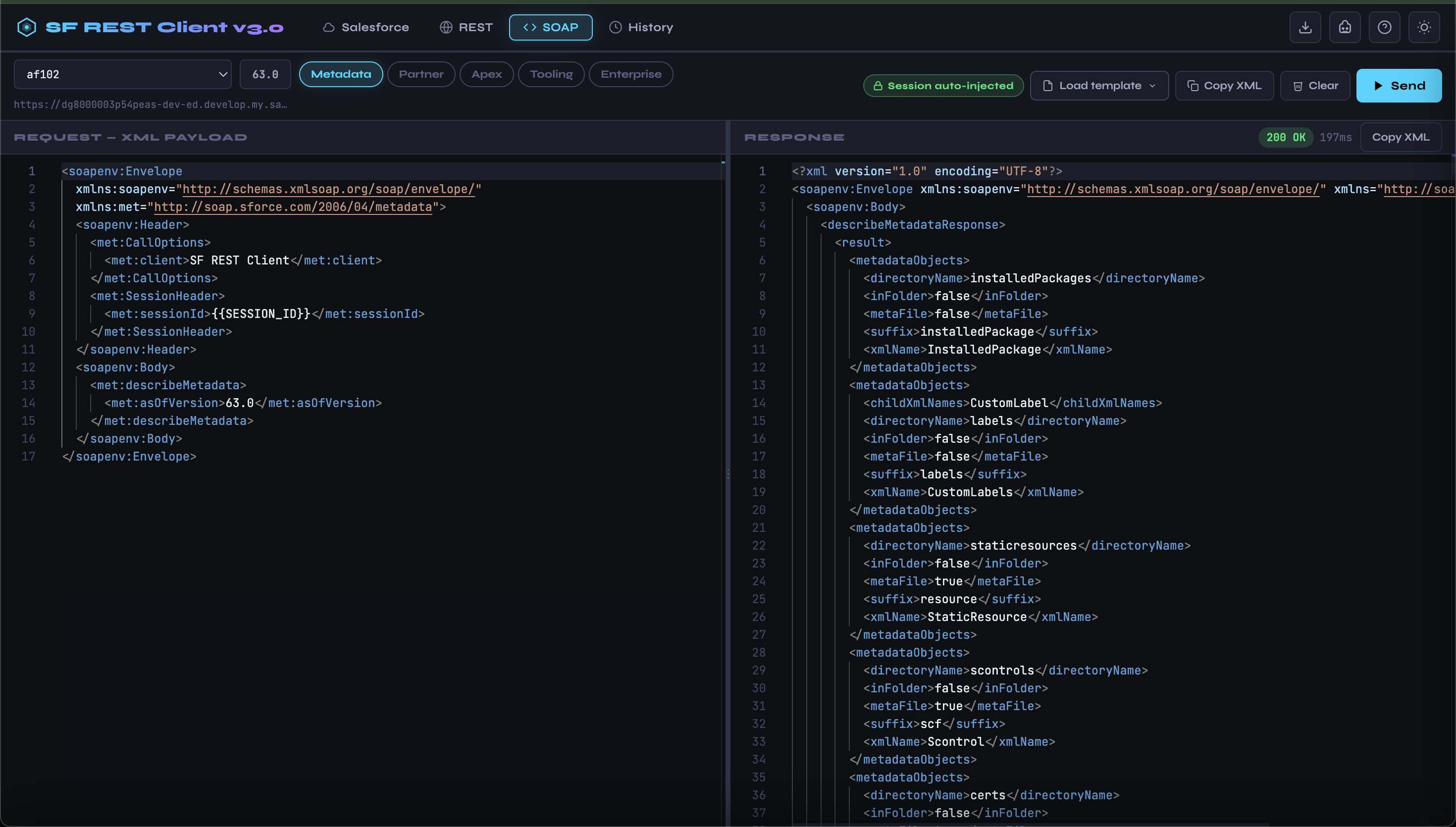
| 🌐 SOAP Tab | Salesforce SOAP client with SF Bearer Token |
| 📝 Monaco Editor | VS Code-grade editor with JSON/SQL syntax highlighting and auto-format |
| 🎨 Dark / Light Theme | Persistent theme toggle stored in localStorage |
| ↔️ Animated Splitters | Drag the dividers between panes to resize; glow animation on drag |
| 💾 Collections | Group and save requests into named collections per tab type |
| 📥 Export | Download all collections + history as a single sfutils-collections.json |
| ⏱️ History | Auto-logged request history (last 200) with status codes and timing |
| ⌨️ Keyboard Shortcut | Ctrl+Enter / Cmd+Enter to send the current request |
| 🔇 CLI Warning Filter | sf CLI update warnings are silently suppressed; only JSON is parsed |
Demo
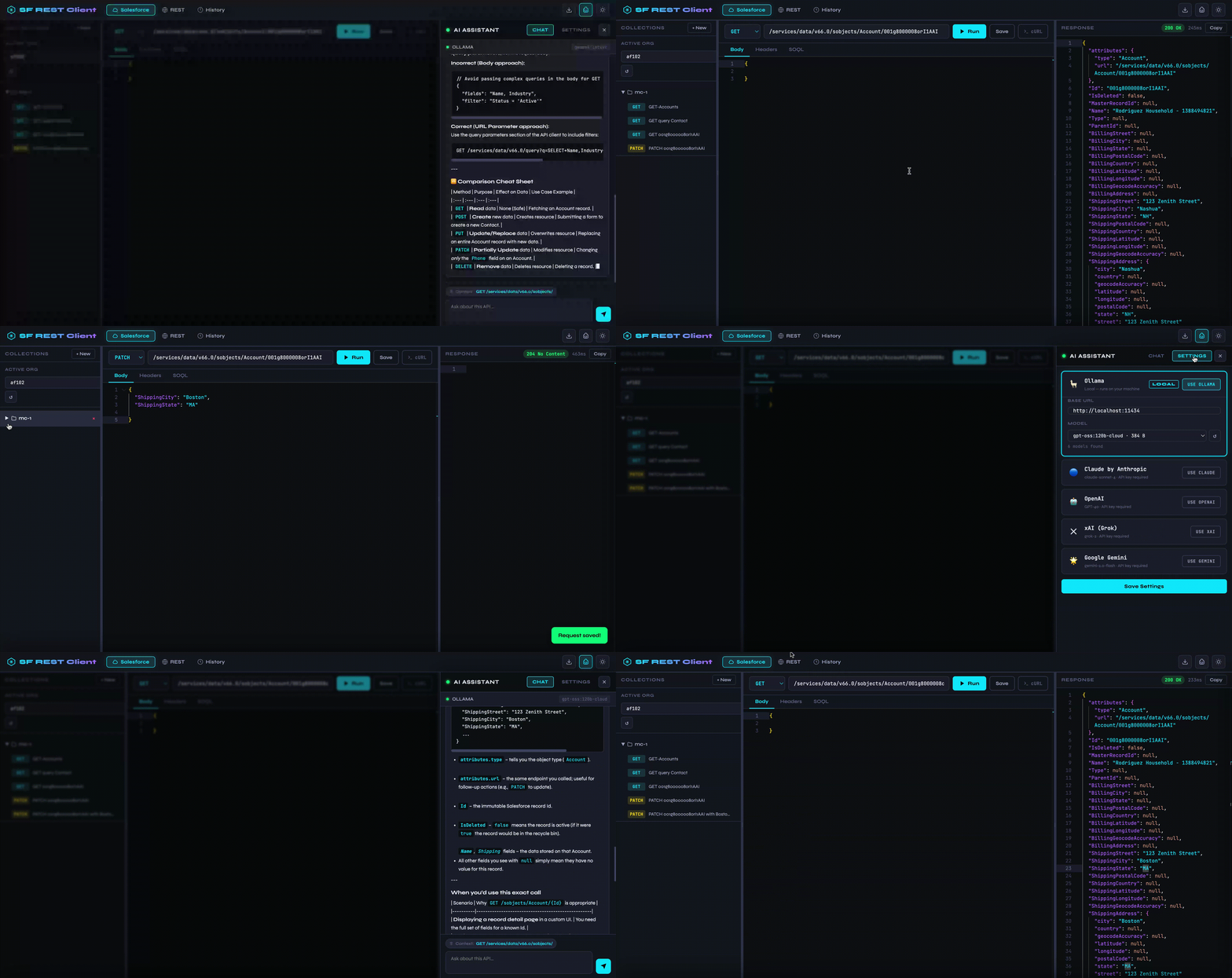
Help Screen
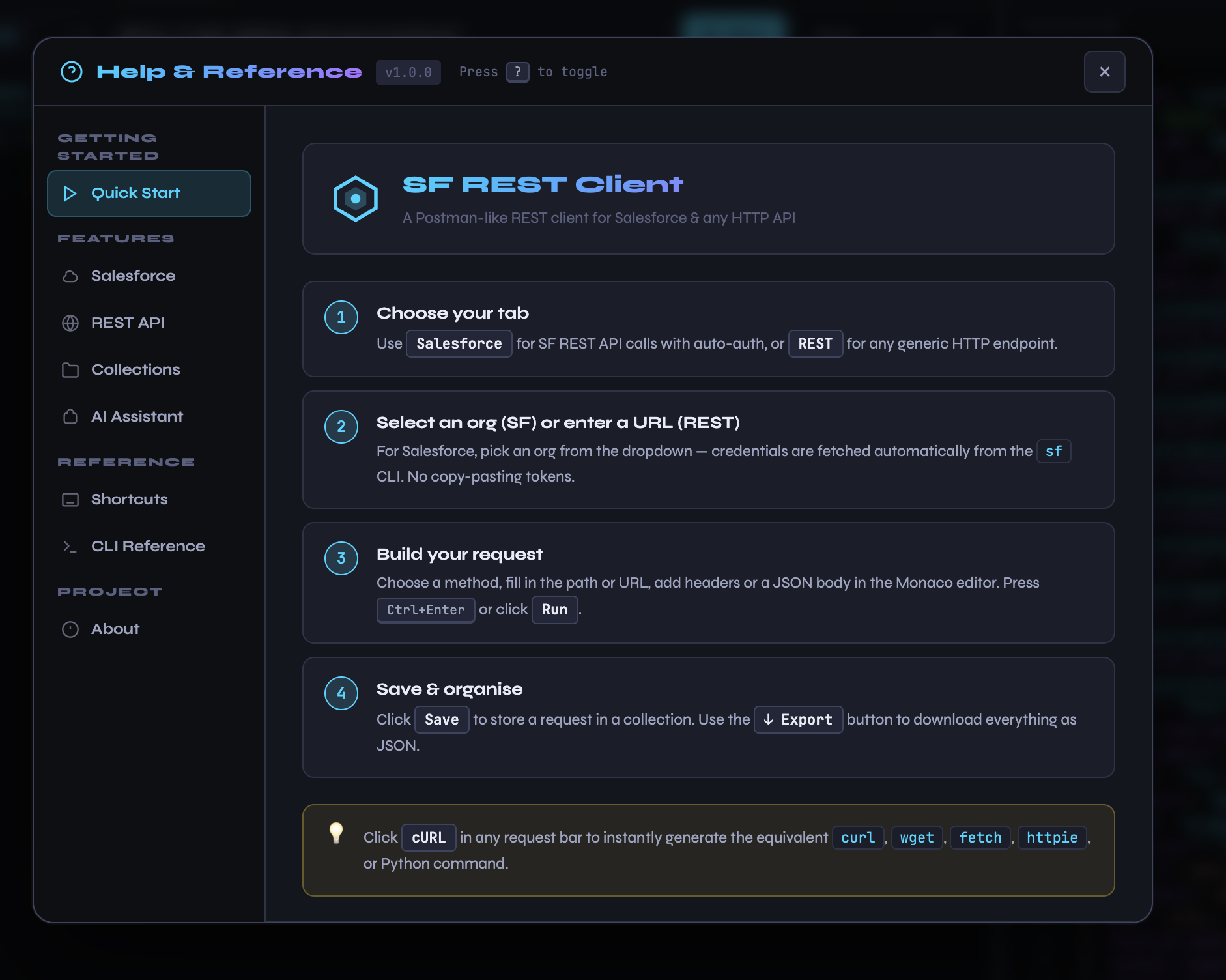
SOAP Screens
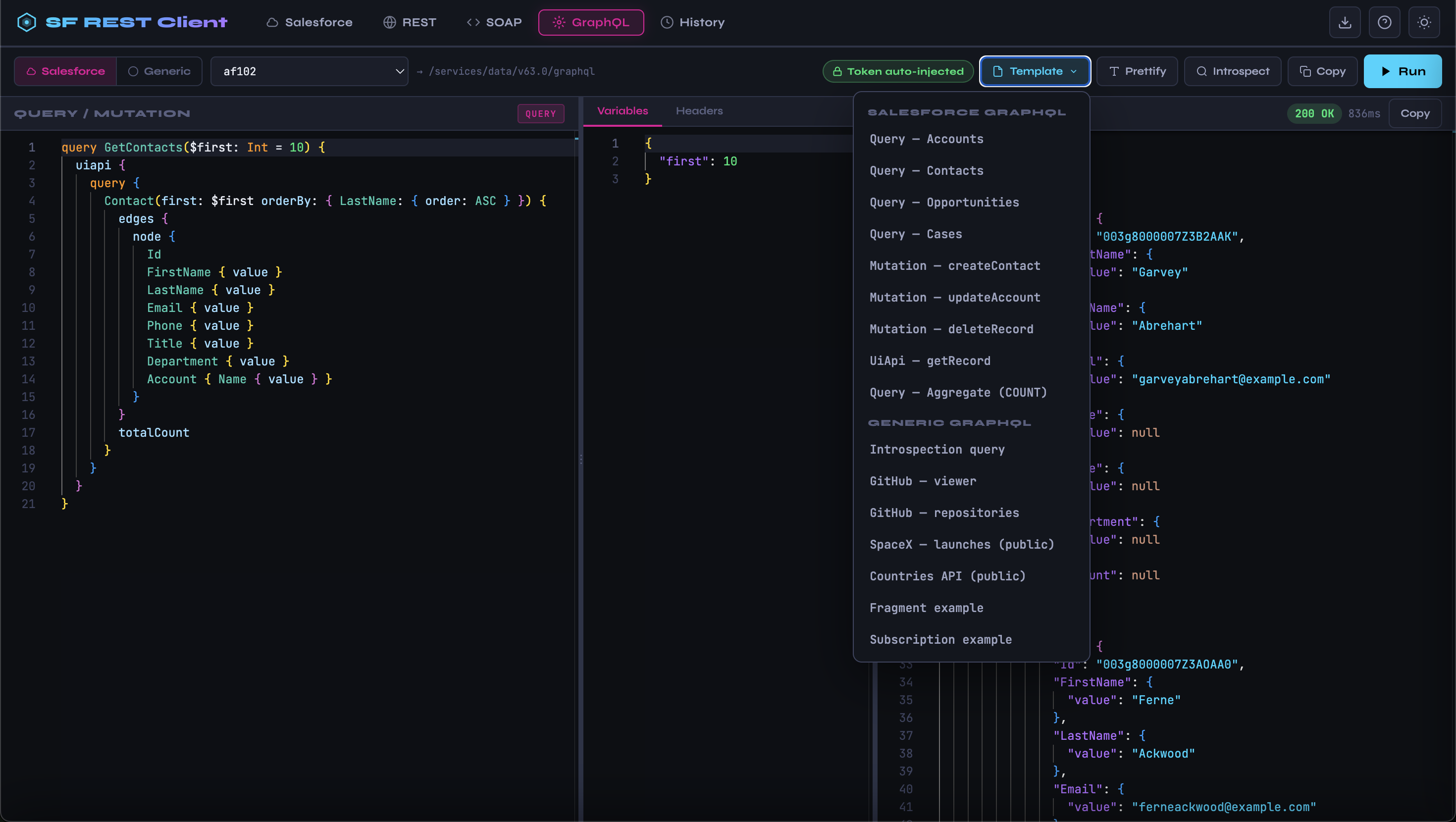
GraphQL screens
Architecture
┌─────────────────────────────────────────────────────────┐
│                        Browser                          │
│                                                         │
│  ┌──────────┐  ┌─────────────────────┐  ┌───────────┐  │
│  │ Sidebar  │  │   Monaco Editor     │  │ Response  │  │
│  │          │◄─┤   (Request Body /   ├─►│  Pane     │  │
│  │Collections  │    SOQL / Headers)  │  │           │  │
│  └──────────┘  └─────────────────────┘  └───────────┘  │
│       ↕ Animated Splitters (drag to resize)       ↕     │
│  ┌───────────────────────────────────────────────────┐  │
│  │          Tab Nav: Salesforce | REST | History     │  │
│  └───────────────────────────────────────────────────┘  │
└──────────────────────┬──────────────────────────────────┘
                       │ fetch() — JSON over HTTP
                       ▼
┌─────────────────────────────────────────────────────────┐
│                  Express Server                         │
│                                                         │
│  ┌─────────────────────┐   ┌────────────────────────┐  │
│  │   SF REST Routes    │   │  Generic REST Routes   │  │
│  │                     │   │                        │  │
│  │ GET  /api/sf/orgs   │   │ POST /api/rest/execute │  │
│  │ GET  /api/sf/token  │   │                        │  │
│  │ POST /api/sf/execute│   └────────────────────────┘  │
│  │ POST /api/sf/soql   │                               │
│  └──────────┬──────────┘   ┌────────────────────────┐  │
│             │              │  Collections & History  │  │
│             ▼              │                        │  │
│  ┌──────────────────────┐  │ GET  /api/collections  │  │
│  │    sf CLI (child_    │  │ POST /api/collections  │  │
│  │    process /        │  │ DELETE /api/collections │  │
│  │    execSync)        │  │ GET  /api/history       │  │
│  │                     │  │ GET  /api/export        │  │
│  │ sf org list --json  │  └────────────┬───────────┘  │
│  │ sf org display      │               │               │
│  └──────────┬──────────┘               ▼               │
│             │              ┌────────────────────────┐  │
│             ▼              │~/.sf-rest-client/      │  │
│  ┌──────────────────────┐  │ collections/data.json  │  │
│  │  Salesforce REST API │  │ (flat-file store)      │  │
│  │  (via axios, Bearer  │  └────────────────────────┘  │
│  │   token injected)    │                               │
│  └──────────────────────┘                               │
└─────────────────────────────────────────────────────────┘
How the Salesforce auth flow works
- The browser asks
GET /api/sf/orgs— the server runssf org list --json(stderr suppressed) and returns parsed org metadata. - When the user clicks Run, the browser posts to
POST /api/sf/executewith the selected username. - The server runs
sf org display --target-org <username> --jsonto retrieve a fresh access token and instance URL — no credentials are ever stored in the app. - The server injects
Authorization: Bearer <token>and proxies the request to the Salesforce REST API viaaxios. - The full response (status, headers, body, timing) is returned to the browser and rendered in the Monaco response editor.
Warning suppression
The sf CLI sometimes prints Warning: @salesforce/cli update available from X to Y. before the JSON output. The server handles this in two layers:
2>/dev/nullredirects stderr so update warnings never reach stdout.extractJSON()scans stdout for the first{and parses from there, safely ignoring any text that precedes the JSON block.
Prerequisites
Node.js 18 or later
npm 9 or later
Salesforce CLI (
sf) — only required for the Salesforce tab# Install sf CLI npm install -g @salesforce/cli # Verify sf --version
Installation & Usage
npm install -g sf-rest-client
Custom port or host:
sf-rest-client --port 8080
sf-rest-client --host 0.0.0.0 --port 8080
CLI Options
Usage: sf-rest-client [options]

Options:
  -p, --port <port>   Port to listen on          (default: "3131")
  -H, --host <host>   Host / interface to bind   (default: "localhost")
  --enable-ai         Enable the AI assistant panel (Ollama / Claude / OpenAI / Gemini / xAI)
  -h, --help          Show help
Salesforce Setup
Authenticate one or more orgs before starting the app:
# Production org
sf org login web --alias my-prod

# Sandbox
sf org login web --alias my-sandbox --instance-url https://test.salesforce.com

# Experience Cloud / custom domain
sf org login web --alias my-community --instance-url https://mydomain.my.salesforce.com

# Set a default org
sf config set target-org my-prod

# Set Alias
sf alias set [email protected]

# List all authenticated orgs
sf org list
SF REST Client calls sf org list at startup and whenever you click the ↺ refresh button. All orgs appear in the dropdown; the default org (marked ★) is pre-selected.
API Reference
All endpoints are served by the local Express server.
Salesforce
| Method | Path | Description |
|---|---|---|
| GET | /api/sf/orgs | List all authenticated SF orgs from sf CLI |
| GET | /api/sf/token/:username | Get a fresh access token for a given org username |
| POST | /api/sf/execute | Proxy a REST call to Salesforce (token injected server-side) |
| POST | /api/sf/soql | Run a SOQL query against a given org |
POST /api/sf/execute body:
{
  "username": "[email protected]",
  "method": "GET",
  "path": "/services/data/v64.0/sobjects/Account",
  "body": "",
  "headers": { "X-Custom": "value" }
}
Generic REST
| Method | Path | Description |
|---|---|---|
| POST | /api/rest/execute | Execute any HTTP request with optional auth |
POST /api/rest/execute body:
{
  "method": "POST",
  "url": "https://api.example.com/v1/items",
  "headers": { "Accept": "application/json" },
  "body": "{ \"name\": \"test\" }",
  "auth": {
    "type": "bearer",
    "token": "my-token"
  }
}
auth.type can be "none", "bearer", or "basic".
Collections & History
| Method | Path | Description |
|---|---|---|
| GET | /api/collections | Return all collections and history |
| POST | /api/collections | Create a new collection { name, type: "sf"\|"rest" } |
| DELETE | /api/collections/:id | Delete a collection and all its requests |
| POST | /api/collections/:id/requests | Add a saved request to a collection |
| DELETE | /api/collections/:id/requests/:rid | Remove a saved request |
| GET | /api/history | Return request history (newest first, max 200) |
| DELETE | /api/history | Clear all history |
| GET | /api/export | Download sfutils-collections.json |
Salesforce REST Examples
# Query accounts
GET  /services/data/v64.0/query?q=SELECT+Id,Name+FROM+Account+LIMIT+10

# List all SObjects
GET  /services/data/v64.0/sobjects

# Describe an SObject
GET  /services/data/v64.0/sobjects/Opportunity/describe

# Create a record
POST /services/data/v64.0/sobjects/Contact
Body: { "FirstName": "Jane", "LastName": "Doe", "Email": "[email protected]" }

# Update a record
PATCH /services/data/v64.0/sobjects/Contact/<Id>
Body: { "Title": "VP Engineering" }

# Delete a record
DELETE /services/data/v64.0/sobjects/Contact/<Id>

# Run Apex REST
GET  /services/apexrest/MyEndpoint/

# Tooling API — list Apex classes
GET  /services/data/v64.0/tooling/query?q=SELECT+Id,Name+FROM+ApexClass+LIMIT+20

# Metadata API — describe metadata
GET  /services/data/v64.0/tooling/sobjects/ApexClass/describe
SOQL tab examples:
SELECT Id, Name, Industry, AnnualRevenue FROM Account WHERE Industry = 'Technology' LIMIT 25
SELECT Id, Subject, Status, Priority FROM Case WHERE Status != 'Closed' ORDER BY CreatedDate DESC
SELECT Id, Name, StageName, Amount FROM Opportunity WHERE CloseDate = THIS_QUARTER
Generic REST Examples
# Public APIs (no auth)
GET https://jsonplaceholder.typicode.com/posts
GET https://api.github.com/users/octocat
GET https://api.open-meteo.com/v1/forecast?latitude=37.77&longitude=-122.42¤t_weather=true
# Bearer token auth
GET https://api.stripe.com/v1/customers
Authorization: Bearer sk_test_...
# Basic auth
GET https://api.example.com/v1/admin/users
Username / Password fields in Auth tab
# POST with JSON body
POST https://httpbin.org/post
Body: { "hello": "world" }Collections & History
Collections let you group and name requests so you can replay them later:
- Click + New in the sidebar to create a collection.
- Build a request and click Save — choose the target collection and give it a name.
- Click any saved request in the sidebar to load it into the editor.
- Click × on a collection or request to delete it.
History is recorded automatically for every request you run (up to 200 entries). Switch to the History tab to browse past calls with their method, URL, status code, and response time. Click Clear All to reset it.
Export — the download button (↓) in the toolbar exports everything (collections + history) as a single portable JSON file you can share with teammates or re-import into another instance.
Keyboard Shortcuts
| Shortcut | Action |
|---|---|
| Ctrl+Enter / Cmd+Enter | Send the current request |
| Ctrl+Shift+F (inside editor) | Format / prettify JSON |
Data Storage
All data is stored locally in ~/.sf-rest-client/collections/ — a human-readable JSON format in your home directory. No data is sent anywhere except the API endpoints you explicitly call.
Files:
~/.sf-rest-client/collections/data.json— Collections and history~/.sf-rest-client/collections/ai-config.json— AI assistant configuration (if enabled with--enable-ai)
Example data structure:
{
  "collections": [
    {
      "id": "uuid",
      "name": "My SF Calls",
      "type": "sf",
      "requests": [
        {
          "id": "uuid",
          "name": "List Accounts",
          "method": "GET",
          "path": "/services/data/v64.0/query?q=SELECT+Id+FROM+Account",
          "body": ""
        }
      ]
    }
  ],
  "history": [...]
}
Dependencies
| Package | Version | Purpose |
|---|---|---|
| express | ^5.2.1 | HTTP server and static file serving |
| commander | ^14.0.3 | CLI option parsing (--port, --host) |
| axios | ^1.15.0 | Proxying REST calls to Salesforce and external APIs |
| uuid | ^13.0.0 | Generating unique IDs for collections and history entries |
License
MIT (c) Mohan Chinnappan