
sfbatch
v1.0.14
Published
Salesforce Bulk API 2.0 CLI + Web UI (Insert/Update/Upsert/Delete)

Maintainers
 mohanchinnappan
Readme
sfbatch – The Ultimate Salesforce Bulk API 2.0 Tool
Fast • Beautiful • CLI + Web UI
The only Bulk 2.0 tool you’ll ever need.
Insert • Update • Upsert • Delete – with a gorgeous UI and lightning-fast CLI.
Features
| Feature | CLI | Web UI | Notes |
|----------------------------------|-----|--------|-------|
| Insert / Update / Upsert / Delete| Yes | Yes | All operations supported |
| Delete with only Id column | Yes | Yes | No more “Missing Name” errors |
| Real-time job monitoring | Yes | Yes | Polls every 5s + error details |
| Failed records auto-download | Yes | Yes | failedRecords.csv |
| God-tier CSV preview | – | Yes | Sort • Search • Resize • Copy • Pagination |
| No original file deletion | Yes | Yes | Your CSVs stay safe |
| Zero dependencies on Data Loader | Yes | Yes | Pure sf CLI + Bulk API 2.0 |
| Works on any org (prod, sandbox, scratch) | Yes | Yes | |
Demo
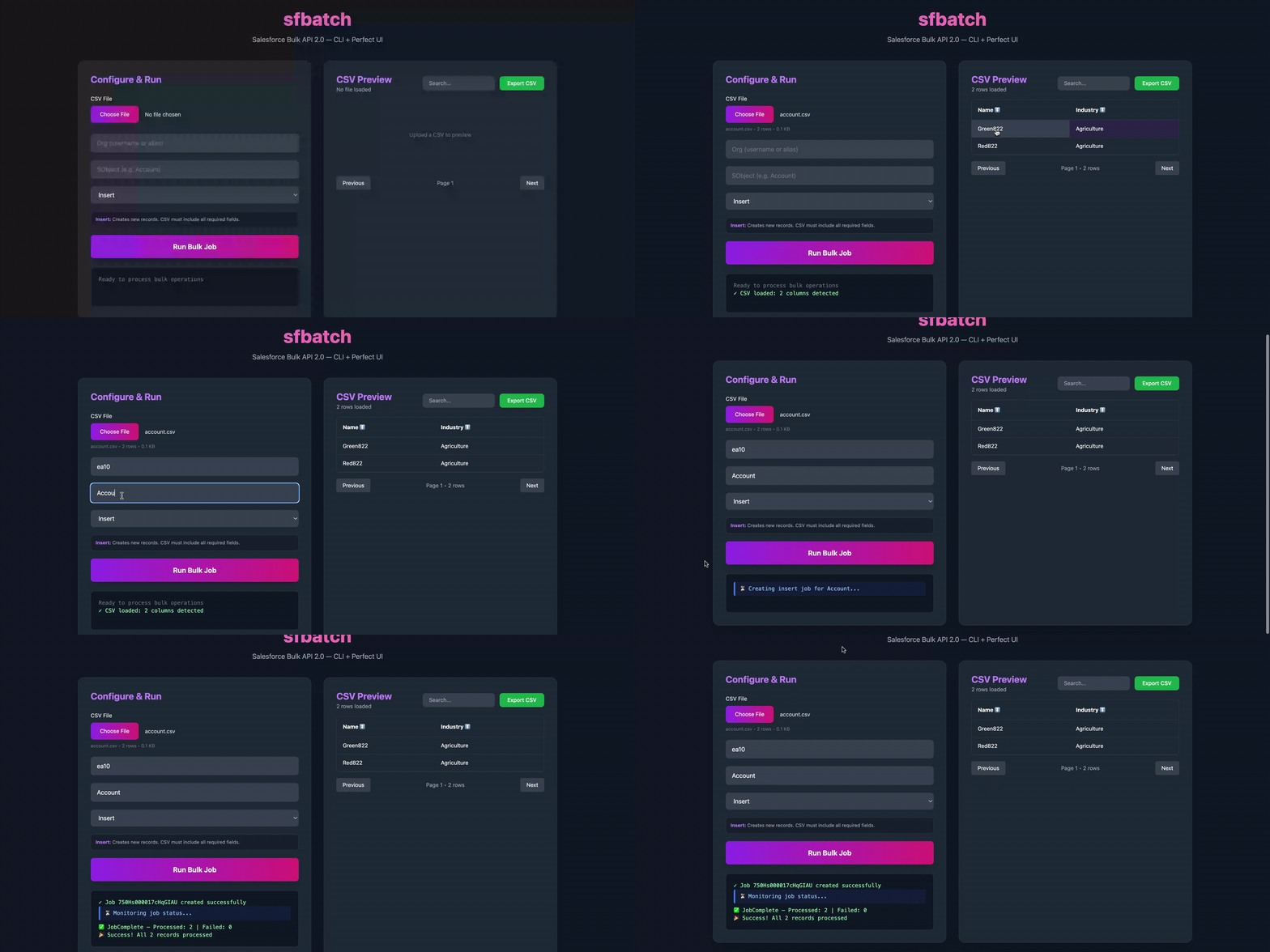
Installation (one command)
npm install -g sfbatchThat’s it. No Java, no Data Loader, no pain.
Quick Start
CLI (perfect for scripts & CI/CD)
# Delete Accounts (only Id column needed)
sfbatch run -f ./delete-accounts.csv -o prod -s Account -m delete

# Upsert Contacts using Email as external ID
sfbatch run -f contacts.csv -o my-dev -s Contact -m upsert -e Email

# Insert Leads
sfbatch run -f leads.csv -o sandbox -s Lead -m insert
Web UI
sfbatch ui
# → opens http://localhost:3789 automatically
Error: Port alredy in use
❌ Error: Port 3789 is already in use!

  Find and kill the process using port 3789:
     lsof -ti:3789 | xargs kill -9
     # or on Windows:
     netstat -ano | findstr :3789
Upload CSV → pick operation → watch live progress → download failed records → done.
UI Screenshot
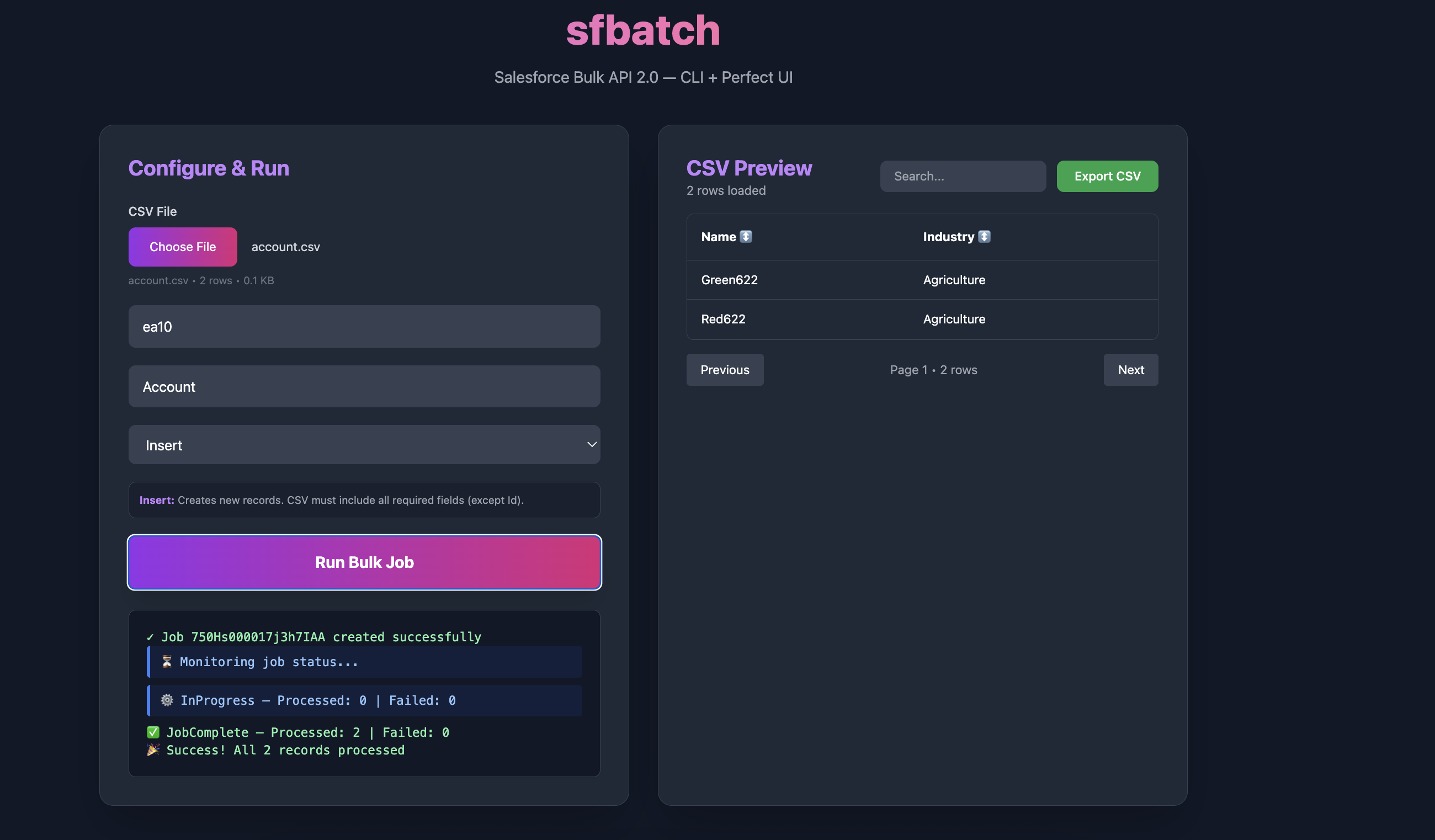
CLI sample run
  sfbatch run -f ~/Documents/csv/del-account.csv -o ea10 -s Account -m delete
Authenticated as: [email protected]
Fetching schema...
Validating CSV...
✓ Valid: 1 rows
Creating bulk job...
✓ Job created: 750Hs000017j3p2IAA
Monitoring job...
Status: JobComplete | Processed: 1 | Failed: 0
Job completed successfully!
Commands
sfbatch ui                     # Launch web UI
sfbatch run                    # Run a job from CLI
sfbatch schema -o <org> -s <obj>   # Show field schema (great for building CSVs)
Options (run command)
-f, --file     <path>     CSV file (required)
-o, --org      <alias>    Org alias or username (required)
-s, --sobject  <name>     Target object (required)
-m, --mode     <op>       insert | update | upsert | delete (required)
-e, --extid    <field>    External ID field for upsert (optional)
Why sfbatch is better than everything else
| Tool | Java Required | UI Quality | Delete Support | Failed Records | Open Source | |--------------------|---------------|------------|----------------|----------------|-------------| | Data Loader | Yes | 2005 vibes | Yes | Yes | Yes | | Workbench | No | Basic | Yes | Yes | Yes | | sfbatch | No | Awesome! | Perfect | Auto | Yes |
Author
Mohan Chinnappan