
shadow-claw
v1.38.0
Published
ShadowClaw - multi-runtime AI assistant.


Readme
🦞 ShadowClaw


ShadowClaw is a multi-runtime AI assistant featuring a rich interactive frontend client, a host-native headless server-side agent participant, and a local control plane that bridges them both.
In the frontend client (browser PWA or native Electron desktop app), the core orchestration state machine, dynamic context windowing, and tool-execution loop run off the main thread in a dedicated Web Worker, with sandboxed local execution via just-bash (or optional WebVM Alpine Linux) backed by OPFS and IndexedDB storage, and reactive UI powered by native Web Components and TC39 Signals.
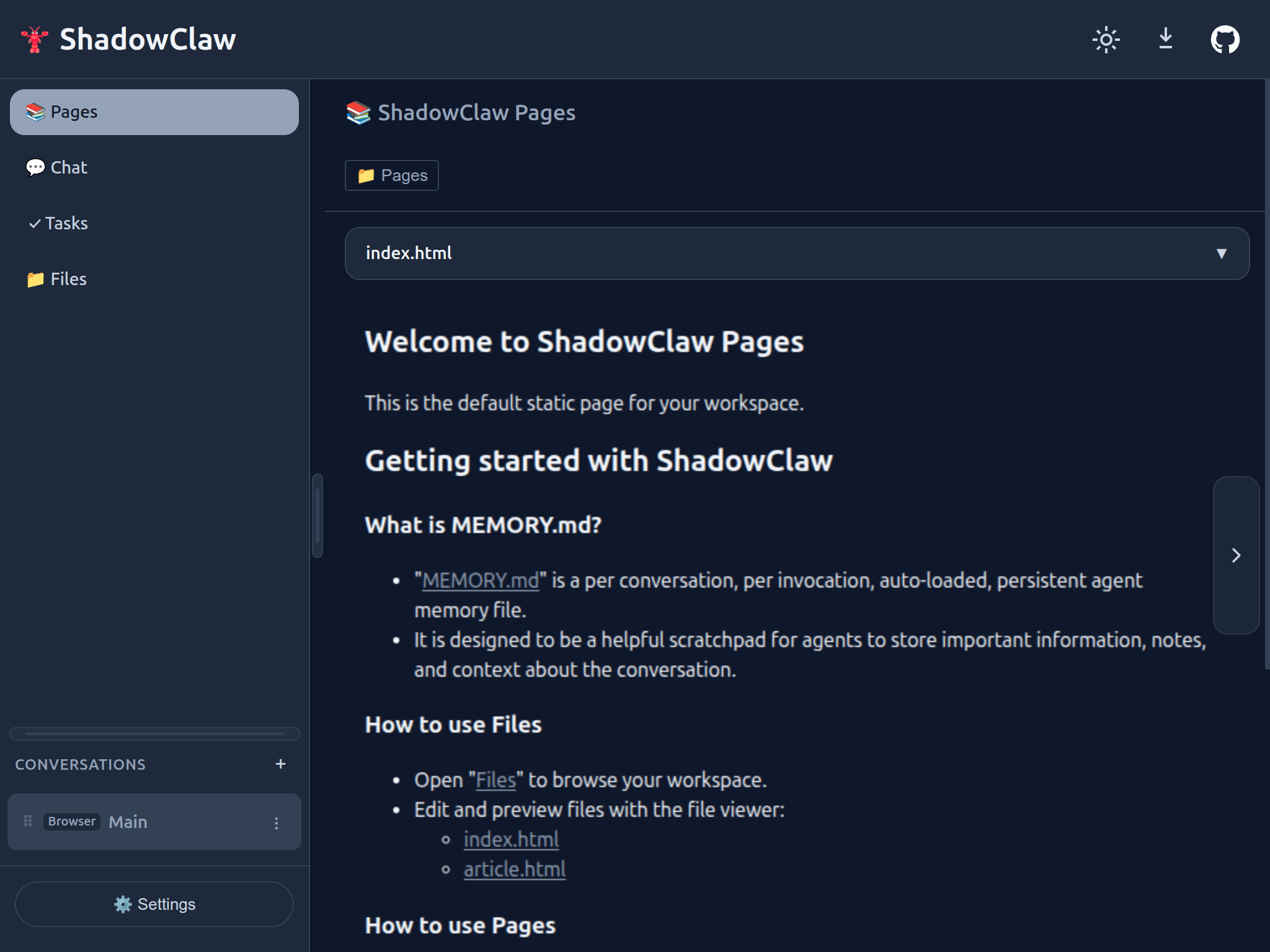
Watch a demo: Peer-to-peer Browser Native Agents in action (YouTube)
On the server side, the headless CLI agent participant (shadow-claw agent) runs the same reasoning loop, declarative skills, and tool chain pipeline directly against host Node.js environments—backed by SQLite (node:sqlite), native filesystem handles, and host OS shell execution. Inference routes seamlessly across cloud providers, as well as local engines.

Watch a demo: Running AI Agents Locally: ShadowClaw Setup and Prompt Testing (YouTube)
Tying the two runtimes together is the server-side control plane (shadow-claw server): a local Express daemon and client bridge that acts as a real-time bidirectional gateway connecting browser/Electron tabs, the CLI, and external AI clients. Connected browser tabs register over SSE, WebSocket, or WebRTC, becoming live execution surfaces with access to in-browser OPFS storage and WebMCP tools. External tools and CLI commands can dispatch prompts (shadow-claw send), trigger backups, or query state across any connected tab.
For external AI hosts, ShadowClaw provides multiple ways to interact with the browser agent and server:
- In-browser WebMCP tools: Exposed over
document.modelContext - CLI participant:
shadow-claw agentis a full-featured CLI agent that can be run from the terminal or CI/CD pipelines. - Control Plane API:
shadow-claw serverexposes a REST API that allows external AI clients to interact with the agent and server. - An official MCP server across two transports:
- Streamable HTTP (
POST /mcp): Built directly intoshadow-claw server, allowing HTTP-capable MCP clients to query and drive connected tabs over local network endpoints. - STDIO Bridge (
shadow-claw mcp): Connects desktop MCP clients directly over standard input/output. It discovers active browser tabs via the control plane and dynamically relays their in-browser tools (shadowclaw_client_*such as OPFSread_file,write_file, andbash), alongside built-in server tools (shadowclaw_server_*).
- Streamable HTTP (
See Apps Using ShadowClaw
Quick Start
1. Launch Interactive Assistant in Browser or Desktop
npx shadow-claw dev --openOpen Settings, configure your preferred provider (or run with the default OpenRouter or Prompt API), and start chatting.
2. Run Headless Server-Side Agent directly from Terminal
Execute prompts and declarative skills directly against your workspace without opening a browser:
# Initialize headless workspace with interactive model selection
npx shadow-claw agent init ./my-project

# Manage local models (list, download from Hugging Face with progress bar, set default)
npx shadow-claw agent model list
npx shadow-claw agent model download onnx-community/gemma-3-1b-it-ONNX-GQA
npx shadow-claw agent model set onnx-community/gemma-3-1b-it-ONNX-GQA

# Run one-shot agent prompt using host OS shell and filesystem (streams to stdout)
npx shadow-claw agent --workspace ./my-project run "list the files in this directory"

# Pipe plain text into an agent tool (auto-mapped to tool schema)
echo "how are you doing today" | npx shadow-claw agent tool rewrite_text

# Combine CLI prompt with piped document content and save to file
cat doc.txt | npx shadow-claw agent run "Summarize this" -o summary.txt

# Inspect available tools and skills
npx shadow-claw agent tools
npx shadow-claw agent skills

# Discover and import remote skills, declarative tools, and companion scripts
npx shadow-claw agent import https://xt-ml.github.io/shadow-claw-agent-cli-weather/
3. Scaffold a Project or Knowledge Hub
Create a custom template with pages and site configuration:
npx shadow-claw init my-assistant
cd my-assistant
npx shadow-claw dev --open
4. From Source (Contributing / Development)
git clone https://github.com/xt-ml/shadow-claw.git
cd shadow-claw
npm install && npm run dev  # Dev server → http://localhost:8888
Desktop App: npm run electron or npm run electron:build for a distributable installer.
Table of Contents
- Core Capabilities
- Architecture
- Multi-Conversation Support
- Providers & Models
- Agent Tools & WebMCP
- Conversations & Messaging Channels
- Documentation Index
- Development
- CLI Runtime Commands
- License
Core Capabilities
- Client-Side Worker Orchestration: The frontend agent decision loop, system prompt building, and tool execution run off the main thread in a dedicated Web Worker to keep the UI smooth and responsive.
- In-Browser Inference by Default: Uses the Prompt API (
window.LanguageModel) by default in the browser client (DEFAULT_PROVIDER = "prompt_api") with guided onboarding. When native support is not present, integrated polyfills (prompt-api-polyfillandbuilt-in-ai-task-apis-polyfillsbacked by Transformers.js / ONNX) enable cross-browser execution. - Headless Server-Side Agent Client: Execute the same tool-use loop, prompt assembly, and declarative skill tool chains directly from the terminal or CI/CD pipelines via
shadow-claw agent(init,model,skills,tools,tool,skill,import,run), with native host OS shell access (node:child_process), SQLite persistence (node:sqlite), real filesystem access (NodeFsDirectoryHandle), and in-process offline model execution via Transformers.js ONNX and Llamafile (featuring visual download progress bars and streaming) or cloud providers. - Configurable Multi-Model Routing: Route queries to Cloud providers (OpenRouter, Anthropic, Gemini, OpenAI, AWS Bedrock), local engines (Ollama, Llamafile, Transformers.js with on-demand Hugging Face model downloading and disk caching), or in-browser WebGPU models (LiteRT-LM).
- Dual-Dispatch Sandboxing & Storage: Client-side compute via sandboxed JavaScript and
just-bash(or WebVM Alpine Linux) backed by Origin Private File System (OPFS) and IndexedDB; paired with host-native Node filesystem handles and SQLite database persistence on the server side. - PWA & Electron Desktop Parity: Deployable as a progressive web app with Service Worker and Web Push, or as a native desktop application with full feature parity.
- Control Plane, CLI & Native MCP Server: Backed by a Node.js service layer and CLI (
shadow-claw) that provides background cron scheduling, remote backups, direct WebRTC DataChannel connectivity, and a Stateless MCP server featuring both native server management tools and dynamic browser tool relaying to external agent hosts (Claude Desktop, Cursor, Goose).
Architecture
ShadowClaw follows a dual-runtime agent pattern, sharing a unified tool-use loop, prompt assembly engine, and skill execution pipeline across both client environments:
┌─────────────────────────────────────────────────────────────────────────────────────────────┐
│                                    SHADOWCLAW RUNTIMES                                      │
├──────────────────────────────────────────────────────────┬──────────────────────────────────┤
│           1. INTERACTIVE FRONTEND CLIENT                 │  2. HEADLESS SERVER-SIDE CLIENT  │
│               (Browser PWA & Electron)                   │        (shadow-claw agent)       │
├──────────────────────────────────────────────────────────┼──────────────────────────────────┤
│ ┌──────────────────────────────────────────────────────┐ │ ┌──────────────────────────────┐ │
│ │        Web Components (Chat, Files, Tasks)           │ │ │  CLI Commands (init/run/etc) │ │
│ └──────────────────────────┬───────────────────────────┘ │ └──────────────┬───────────────┘ │
│                            ▼                             │                ▼                 │
│ ┌──────────────────────────────────────────────────────┐ │ ┌──────────────────────────────┐ │
│ │  Orchestrator State Machine (Signal Reactivity)      │ │ │   Headless Agent Participant │ │
│ └──────────────────────────┬───────────────────────────┘ │ └──────────────┬───────────────┘ │
│                            ▼                             │                ▼                 │
│ ┌──────────────────────────────────────────────────────┐ │ ┌──────────────────────────────┐ │
│ │  Agent Worker (Off-Main-Thread Web Worker)           │ │ │   Node.js Execution Target   │ │
│ └──────────────────────────┬───────────────────────────┘ │ └──────────────┬───────────────┘ │
├────────────────────────────┴─────────────────────────────┴────────────────┴─────────────────┤
│                             SHARED AGENTIC CORE & TOOLS                                     │
│          handleInvoke · executeTool · executeToolChain · discoverSkills · Memory            │
├──────────────────────────────────────────────────────────┬──────────────────────────────────┤
│ ┌──────────────────────────────────────────────────────┐ │ ┌──────────────────────────────┐ │
│ │  Browser Execution Layer                             │ │ │  Host OS Execution Layer     │ │
│ │  • Storage: IndexedDB + OPFS Group Workspaces        │ │ │  • Storage: SQLite Database  │ │
│ │  • Shell: just-bash POSIX Emulator or WebVM          │ │ │    + NodeFsDirectoryHandle   │ │
│ │  • Group ID: br:main                                 │ │ │  • Shell: native child_proc  │ │
│ │                                                      │ │ │  • Group ID: server:main     │ │
│ └──────────────────────────────────────────────────────┘ │ └──────────────────────────────┘ │
└─────────────────────────────────────────────────────────────────────────────────────────────┘
Key design principles:
- Shared Core Engine — Both the browser worker and headless CLI participant execute the exact same tool-use loop, prompt assembly, and declarative skill pipelines (
handleInvoke,executeTool,executeToolChain). - Storage Dual-Dispatch — Polymorphic storage routing (
ShadowClawDatabase): browser runs onIDBDatabase+ OPFS; headless CLI participant runs onnode:sqlite(DatabaseSync) +NodeFsDirectoryHandleon the real host filesystem. - Group Separation — Browser channel uses
br:main(andbr:<id>), while headless CLI automation defaults toserver:main. - Worker Isolation on Frontend — In browser and Electron runtimes, LLM calls, tool execution, and WebVM all run off-main-thread to keep the UI at 60fps.
- Reactive Signals — TC39 Signals (via
signal-polyfill) drive all UI updates.
Full architecture docs: See System Overview, Worker-Isolated Agent Runtime, and Headless CLI Agent Participant.
Multi-Conversation Support
Each conversation has:
- Independent chat history and token-aware context windowing
- Isolated file workspace (
shadowclaw/<groupId>/workspace/in OPFS, or real filesystem directory in CLI mode) - Scheduled tasks and cron automations
- Editable
MEMORY.md(loaded automatically as system context) - Optional per-conversation tool tagging and declarative tool overrides
- Optional per-conversation pinned provider/model and token budget limits
- Accessible sidebar with drag-and-drop reordering, clone support, and unread indicators
Last-active conversation persists across reloads. On first launch, a default "Main" conversation is auto-created (br:main for browser, server:main for headless CLI).
Full guide: docs/architecture/orchestrator.md
Providers & Models
ShadowClaw supports multiple LLM providers with a unified adapter pattern and configurable defaults:
| Category | Examples | Notes |
| :---------- | :------------------------------------------------------------------- | :--------------------------------------------------------------------------- |
| Cloud | OpenRouter, OpenAI, Anthropic, Google Gemini, AWS Bedrock, Vertex AI | Defaults out-of-the-box to OpenRouter (openrouter/free); API key required |
| Local | Ollama, Llamafile, Mesh LLM, Transformers.js | Runs on local server or in-browser; automatic Hugging Face model downloading |
| Browser | Prompt API (window.LanguageModel), LiteRT | WebGPU in-browser inference with transparent CPU/WASM polyfills |
Provider & Model Hierarchy:
ShadowClaw resolves default LLM providers and models via a strict precedence cascade:
- CLI Option:
--provider <name>/--model <model> - Environment Variable:
SHADOW_CLAW_PROVIDER/SHADOW_CLAW_MODEL(or provider-specific keys likeOPENROUTER_API_KEY,HUGGINGFACE_API_KEY,GEMINI_API_KEY,ANTHROPIC_API_KEY) - Database Configuration:
CONFIG_KEYS.PROVIDER/CONFIG_KEYS.MODEL - Declarative Workspace Config:
settings.defaultProviderandsettings.defaultModelinshadow-claw.config.json - Default Fallback: Defaults to Prompt API (
prompt_api) in browser contexts (with onboarding dialog and task API polyfills), and OpenRouter (openrouterwith modelopenrouter/free) for headless CLI agent execution.
Provider Highlights:
- In-Browser Inference Default: Defaults to Prompt API (
prompt_api) with guided onboarding and task API polyfills, enabling local, private, and zero-configuration browser execution. - OpenRouter Default for Headless CLI: Headless execution via
shadow-claw agentdefaults out-of-the-box toopenrouterwithopenrouter/free. - Local Models & Hugging Face Hub: Automatic on-demand downloading from Hugging Face Hub, disk caching under
assets/cache/transformers.js, and pre-warming endpoints (POST /transformers-js-proxy/prewarm). Unified local model tool calling extracts tool invocations across in-process Node executors and server proxy routes using OpenAI function schemas formatted directly for tokenizer chat templates. See Local Models Guide. - Prompt API & Polyfill Fallbacks: In the browser client, uses native
window.LanguageModelwhen available, with built-in polyfills (prompt-api-polyfillandbuilt-in-ai-task-apis-polyfillsbacked by Transformers.js / ONNX) for cross-browser execution. - Hardware Feature Probing & Fallbacks: Probes WebGPU adapter capabilities (
shader-f16), retries during downloads, and dynamically falls back to WebAssembly CPU (device: "wasm",dtype: "q4") if WebGPU initialization fails or software emulation is detected. - Streaming & Resilience: Streaming responses across OpenAI and Anthropic formats; adaptive rate limiting with
retry-afterhandling and 30-second auto-closing, ARIA-accessible countdown dialogs for fatal errors and throttling.
Setup & details: docs/guides/adding-a-provider.md | docs/subsystems/providers.md | docs/subsystems/local-models.md
Agent Tools & WebMCP
The agent has access to 50+ tools including:
| Category | Tools |
| :-------------- | :------------------------------------------------------------------------------------------------------------------------------------------------------------------------------------------------ |
| Files | read_file, write_file, patch_file, delete_file, move_file, copy_file, create_directory, list_files, open_file, attach_file_to_chat, send_file, search_files, diff_files |
| Shell | bash (native OS child process in headless CLI; just-bash emulator or optional WebVM in browser) |
| Built-in AI | summarize_text, write_text, rewrite_text, proofread_text, detect_language, translate_text (defaults to Active Conversation LLM backend with opt-in local browser Task API polyfill) |
| Git | git_clone, git_init, git_add, git_unstage, git_commit, git_push, git_pull, git_fetch, git_merge, git_diff, and more |
| Web | fetch_url, fetch_file, web_search (DuckDuckGo via configurable CORS search proxy and URL templates) |
| Compute | javascript (sandboxed in browser, native Node in headless) |
| Agents | spawn_subagent (parallel task delegation), prompt_peer (P2P agent prompt dispatch), list_peers (P2P peer discovery), ask_user (human-in-the-loop pause) |
| Time | get_current_time (ISO 8601 or IANA timezone) |
| Tasks | create_task, list_tasks, update_task, delete_task, enable_task, disable_task, run_task |
| UI | show_toast, send_notification, clear_chat |
| Context | update_memory (edits MEMORY.md) |
| Remote | remote_mcp_list_tools, remote_mcp_call_tool (external MCP servers) |
| Email | manage_email, email_read_messages, email_send_message |
| Rooms | create_room, invite_to_room, leave_room, list_room_members |
| A2UI | list_components, render_component |
Headless Capability Matrix & Tool Execution
Tools negotiate execution capabilities depending on the active environment:
- Headless-Safe Tools: Files, git, bash, fetch, tasks, javascript, email, MCP, and time execute natively in both browser Web Workers and headless CLI environments. In headless mode,
bashexecutes directly with full host OS command power viachild_process. - Browser-Only Tools: Interactive UI, chat, and PeerJS room tools (
ask_user,render_component,clear_chat,create_room,open_file,show_toast, etc.) are filtered out of prompt schemas in headless mode so models are never presented with tools they cannot execute, and report clear capability diagnostics if directly invoked via CLI. - Direct Tool Inspection & Execution: Inspect schemas or execute tools directly from the terminal via
npx shadow-claw agent tool <name> [jsonArgs]andnpx shadow-claw agent tools. - Stdin Piping & Unix Composability: Pipe JSON or plain text directly into tools (
echo ... | shadow-claw agent tool rewrite_text) or prompts (cat doc.txt | shadow-claw agent run "..." -o out.txt), redirect to files with-o, --output <file>, and suppress logs with-q, --quietfor clean Unix pipelines.
WebMCP Integration
When running in browsers supporting the Model Context Protocol (or via @mcp-b/webmcp-polyfill), ShadowClaw automatically registers its tool catalog on document.modelContext with normalized input schemas across Chrome versions and signal-based abort handling, routing tool execution safely through the Web Worker.
Declarative Tools, Skills & Remote Importer
- Declarative Tools & Skills: Extend assistant capabilities by placing JSON tool definitions in
.agents/tools/main/*.jsonand markdown skill descriptors in.agents/skills/**/SKILL.md. - Remote Artifact Importer: Accessible via the "Import" action in Tool Configuration (
<shadow-claw-tools>). Discovers tools, companion scripts, and skills over HTTP conforming to the Agent Skills Discovery RFC v0.2.0 (/.well-known/agent-skills/index.json), verifies SHA-256 digests, and persists them directly into the workspace. - Security Boundaries: Stored tools and companion scripts execute headless logic immediately. Custom element UI components (e.g.
<block-garden>,<x-pwgen>) and external domain origins are strictly guarded and must be declared inshadow-claw.config.jsonundercustomElementsandsecurity.connectSrc.
Full reference: docs/subsystems/tools.md | docs/subsystems/skills.md | docs/subsystems/webmcp.md
Conversations & Messaging Channels
ShadowClaw supports four messaging channels by default:
br:— In-browser chatim:— iMessage bridgepeer:— PeerJS WebRTC (includes direct peer and room file sharing in Files and File Viewer, and Peer Rooms for multi-agent collaboration)tg:— Telegram Bot API
Each channel creates isolated conversations with their own message history and workspace (server:main reserved for server/CLI automation).
Setup & architecture: docs/guides/configuring-messaging-channels.md (setup) | docs/subsystems/channels.md (architecture + custom channels)
Documentation Index
Comprehensive architectural specifications, subsystem deep-dives, step-by-step guides, and ADRs live in docs/:
- Architecture: System Overview · Orchestrator & State Machine · Worker Protocol · Storage System · Context Management · Streaming
- Subsystems: Headless Agent & CLI · Local Models & Hugging Face · Shell Emulator · WebVM · Git Integration · Channels · Tools & Profiles · Providers & Model Registry · Notifications & Scheduling · Electron Desktop · Reactive UI & Web Components · Remote MCP · Stateless MCP Server · WebMCP · Crypto & Secrets · Control Plane · Pages System · Agent Skills · Security Hardening · File Backup · Web Share Target · OpenAPI
- Guides: Adding a Provider · Adding a Tool · Adding a Shell Command · Adding a UI Page · Adding a Channel · Protocol-Agnostic Integrations · Service Accounts & Credentials · Configuring Messaging Channels · Server Development Configuration · Publishing to GitHub Pages
- Decisions: ADRs on Headless CLI Agent Participant, Bundled TypeScript Architecture, Native Web Components and Signals, Worker-Isolated Agent Runtime, IndexedDB and OPFS Storage, and Peer-to-Peer Protocol (A2A via AGUI)
- Agent Conventions: Architectural guardrails and conventions for AI coding agents
- E2E Testing Architecture: Playwright fixtures, page objects, and feature-gated testing
Development
npm run dev                  # Dev server (watch mode on http://localhost:8888)
npm run dev -- --https       # Dev server with opt-in HTTPS (auto-generates self-signed cert)
npm start                    # Express server
npm test                     # Jest (*.test.ts files live next to source)
npm run storybook            # Storybook component workbench (port 6006)
npm run build:storybook      # Build static Storybook documentation to dist/storybook
npm run build:lib            # Build reusable ESM library and TypeScript declarations to dist/lib
npm run build:cli            # Compile CLI commands and utilities to dist/cli via Rolldown
npm run e2e                  # Playwright E2E tests (e2e/*.test.ts)
npm run e2e:install          # Install Playwright browser binaries
npm run tsc                  # Full TypeScript type-check across all workspaces
npm run build                # Bundle application via Rolldown + generate service worker
npm run build:service-worker # Generate the Workbox service worker
npm run build:prod           # Production bundle build
npm run format               # Prettier
npm run electron             # Launch Electron desktop app
npm run electron:build       # Build Electron distributable
npm run electron:build:win   # Build Electron for Windows
npm run electron:build:mac   # Build Electron for macOS
CLI Runtime Commands
The shadow-claw CLI provides runtime driving, server services, and the headless agent participant:
# Headless Server-Side Agent Participant
npx shadow-claw agent init [dir]                     # Initialize workspace with interactive model selection
npx shadow-claw agent model list                     # List local cached ONNX and GGUF models
npx shadow-claw agent model download [modelId]       # Download model from Hugging Face with progress bar
npx shadow-claw agent model set [modelId]            # Configure default headless agent model
npx shadow-claw agent model remote --query <search>  # Search Hugging Face onnx-community repository
npx shadow-claw agent run "prompt"                   # Run agent prompt (streams stdout, logs to stderr)
cat doc.txt | npx shadow-claw agent run -o sum.txt   # Pipe document into agent prompt and write to file
npx shadow-claw agent skills                         # List discovered workspace skills
npx shadow-claw agent tools                          # List tools with capability matrix
npx shadow-claw agent tool <name> [jsonArgs]         # Inspect tool schema or execute directly
echo "hello" | npx shadow-claw agent tool <name>     # Pipe text directly into tool (schema auto-mapping)
npx shadow-claw agent skill <name>                   # Execute a declarative skill tool chain
npx shadow-claw agent import <url> [options]         # Discover and import remote RFC v0.2.0 skills and tools
npx shadow-claw agent listen                         # Start headless agent WebRTC listener with orchestration loop

# Browser & Client Interactivity
npx shadow-claw clients                              # List connected browser/Electron clients
npx shadow-claw send "your prompt" --client <id>     # Send a prompt to a connected client or peer agent (supports -f, --file)
npx shadow-claw send-file <file> --client <peerId>   # Transfer a file to a peer over WebRTC with optional --prompt
npx shadow-claw tasks --client <id>                  # List scheduled tasks on a client
npx shadow-claw backup                               # Trigger OPFS workspace backup
npx shadow-claw backup list                          # List available backup snapshots
npx shadow-claw backup delete --backup-id <id>       # Delete a backup snapshot

# Server Services & Daemon
npx shadow-claw mcp                                  # Run official Stateless MCP server (STDIO)
npx shadow-claw server --tmp                         # Run services with temporary directory cache (/tmp/shadow-claw)
npx shadow-claw server --cache-dir <dir>             # Run services with custom cache directory
npx shadow-claw webrtc listen                        # Start headless WebRTC DataChannel daemon
npx shadow-claw peer-id                              # Get or generate persistent CLI Peer ID
npx shadow-claw skills:index                         # Generate or update .well-known/agent-skills/index.json
When launching dev, run, serve, or server without an existing cache, ShadowClaw prompts interactively to select between .cache, tmpdir(), or a custom path (skip prompting via --tmp, -y, --cache-dir <dir>, or SHADOWCLAW_CACHE_DIR).
Commands support --transport webrtc for direct peer-to-peer DataChannel execution with connected browser clients. Control plane authentication automatically resolves tokens across flags, environment variables (SHADOWCLAW_CONTROL_TOKEN), system temporary directory (tmpdir()), parent directories, and SQLite with automatic fallback retry on 401 Unauthorized errors, and supports HTTPS endpoints via --https (and --insecure for self-signed certs).
Full CLI reference: docs/subsystems/cli.md
Apps Using ShadowClaw
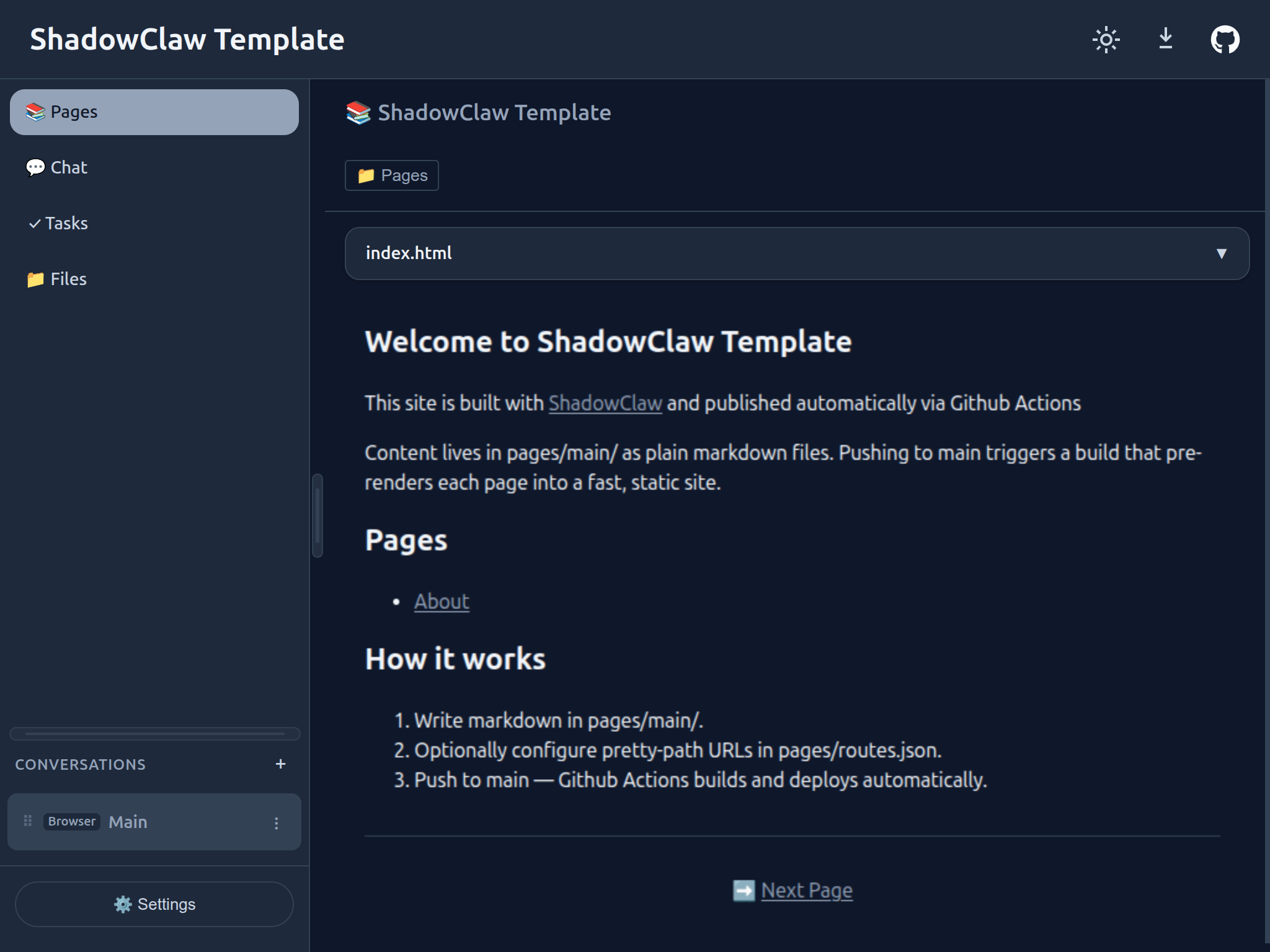
ShadowClaw Template

A ready-to-fork starter template for publishing custom static sites, documentation portals, and personal AI assistants using ShadowClaw as the build and runtime engine, complete with GitHub Actions workflows, declarative site configuration, pretty-path routing, and bundled skills.
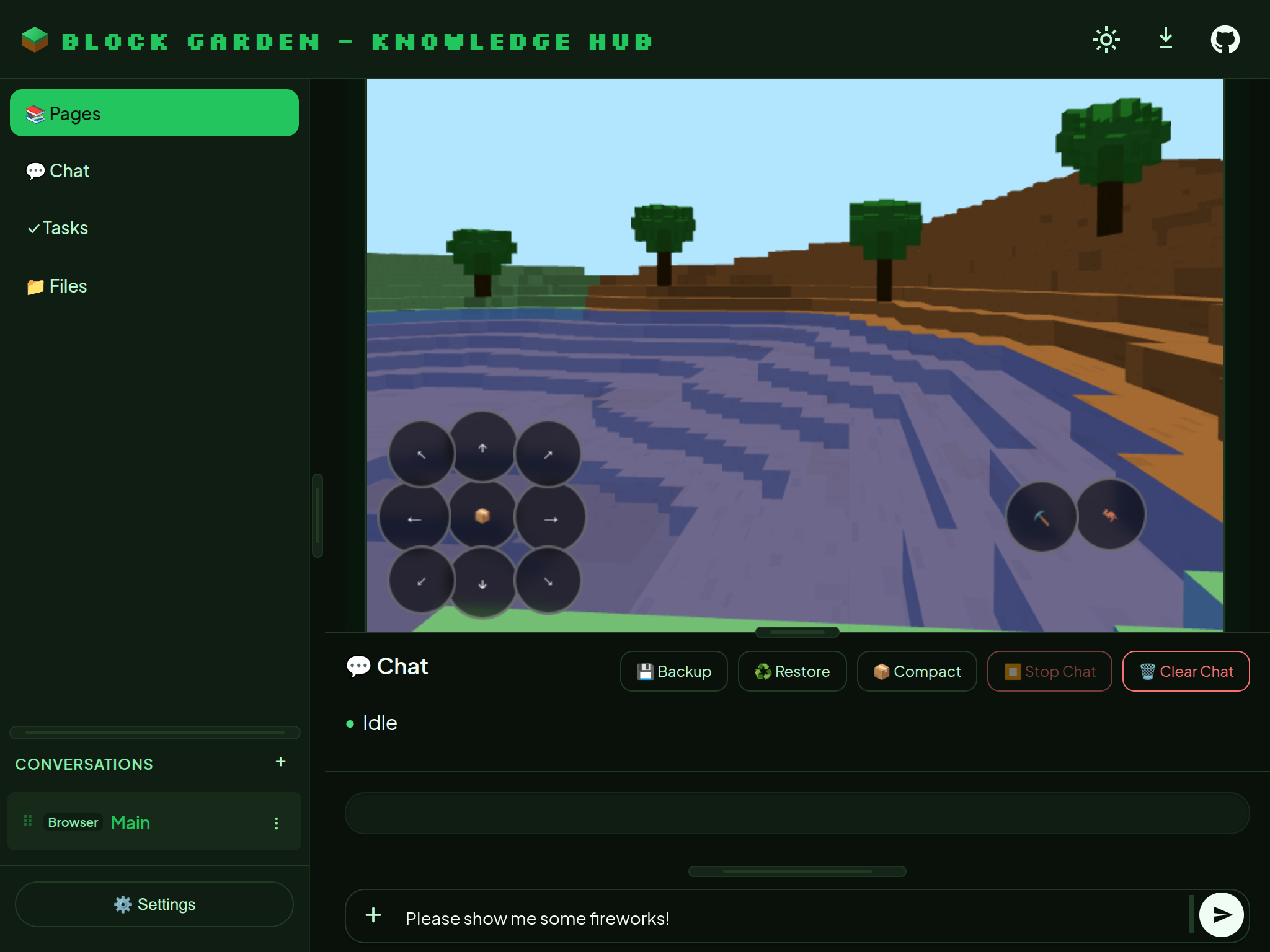
Block Garden Knowledge Hub
An interactive documentation portal and technical reference guide for Block Garden—a 3D voxel sandbox exploration, procedural world generation, and farming game engine—featuring embedded custom elements, modding APIs, and in-game agent tools.
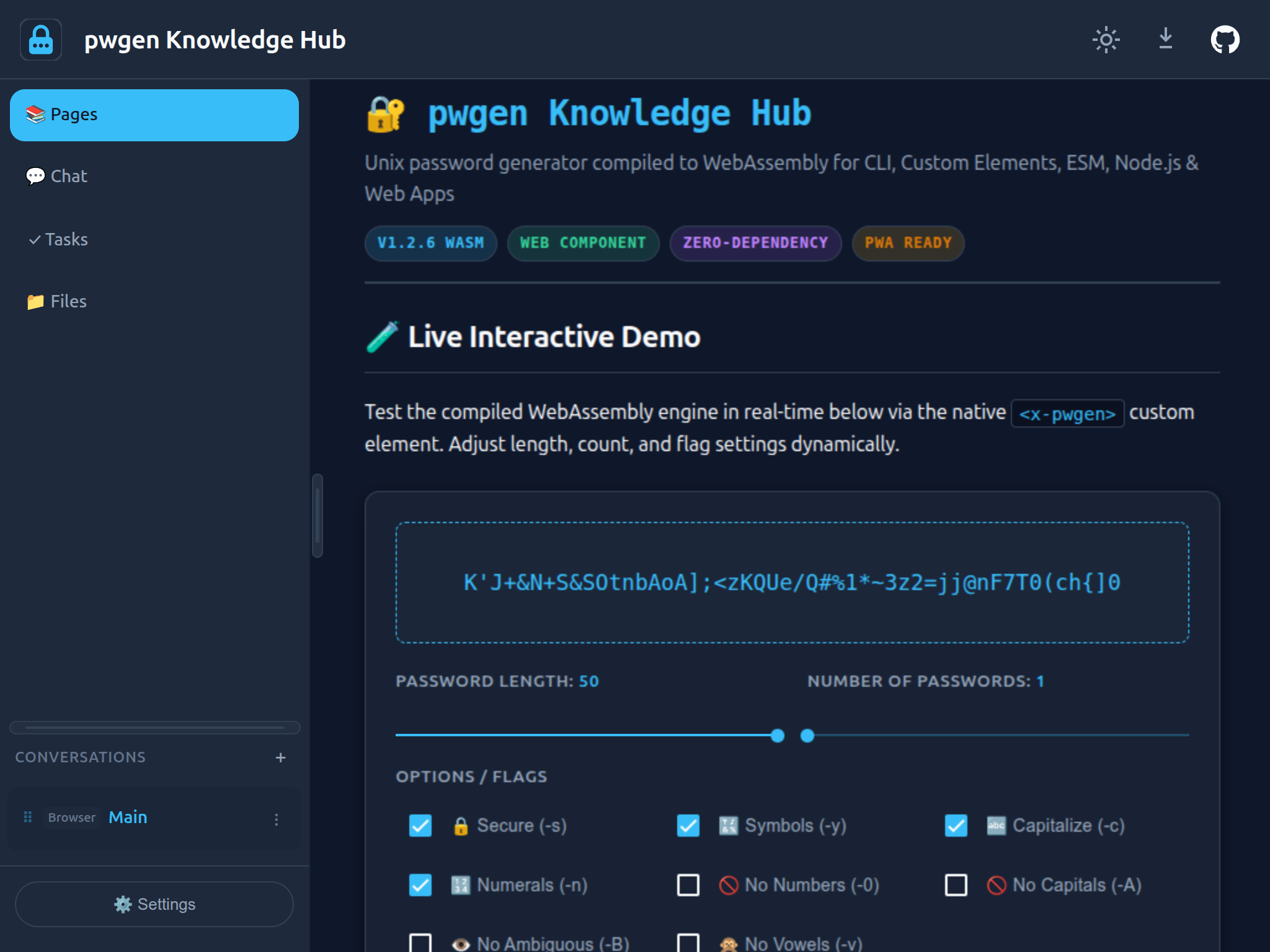
pwgen Knowledge Hub
An interactive documentation platform and demonstration engine for the classic Unix pwgen password generator compiled to WebAssembly, featuring <x-pwgen> custom elements, entropy analysis, and declarative password-generation agent tools.
ShadowClaw Agent CLI Weather
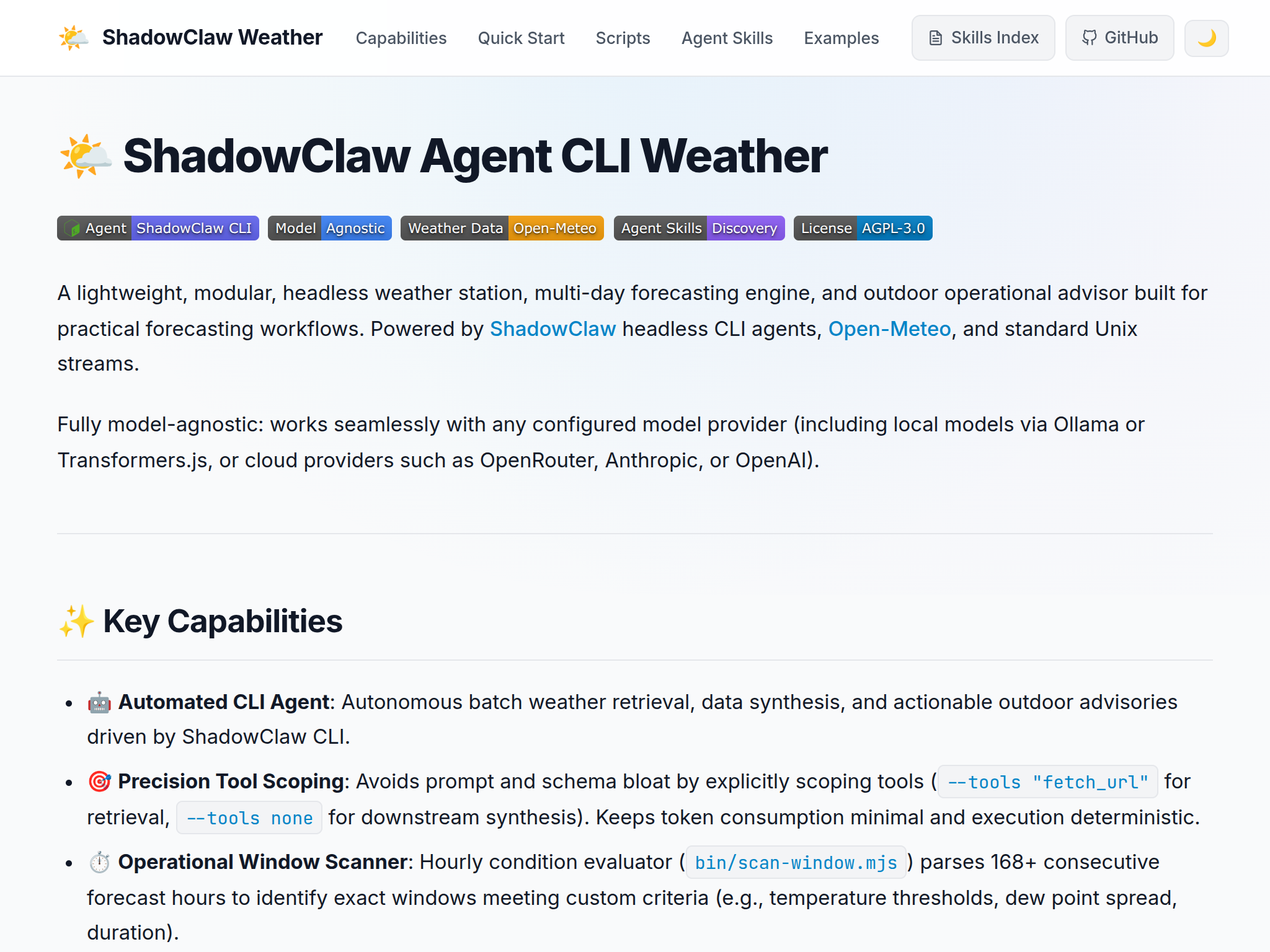
A lightweight, headless weather station, forecasting engine, and outdoor operational advisor powered by the ShadowClaw CLI, Open-Meteo, and Unix stream pipelines, featuring well-known agent skills discovery and automated window scanning.
License
AGPLv3. Core logic derived from openbrowserclaw (MIT).