
shear-react
v1.0.12
Published
shear image

Maintainers
 hujianrui
Readme
shear-react
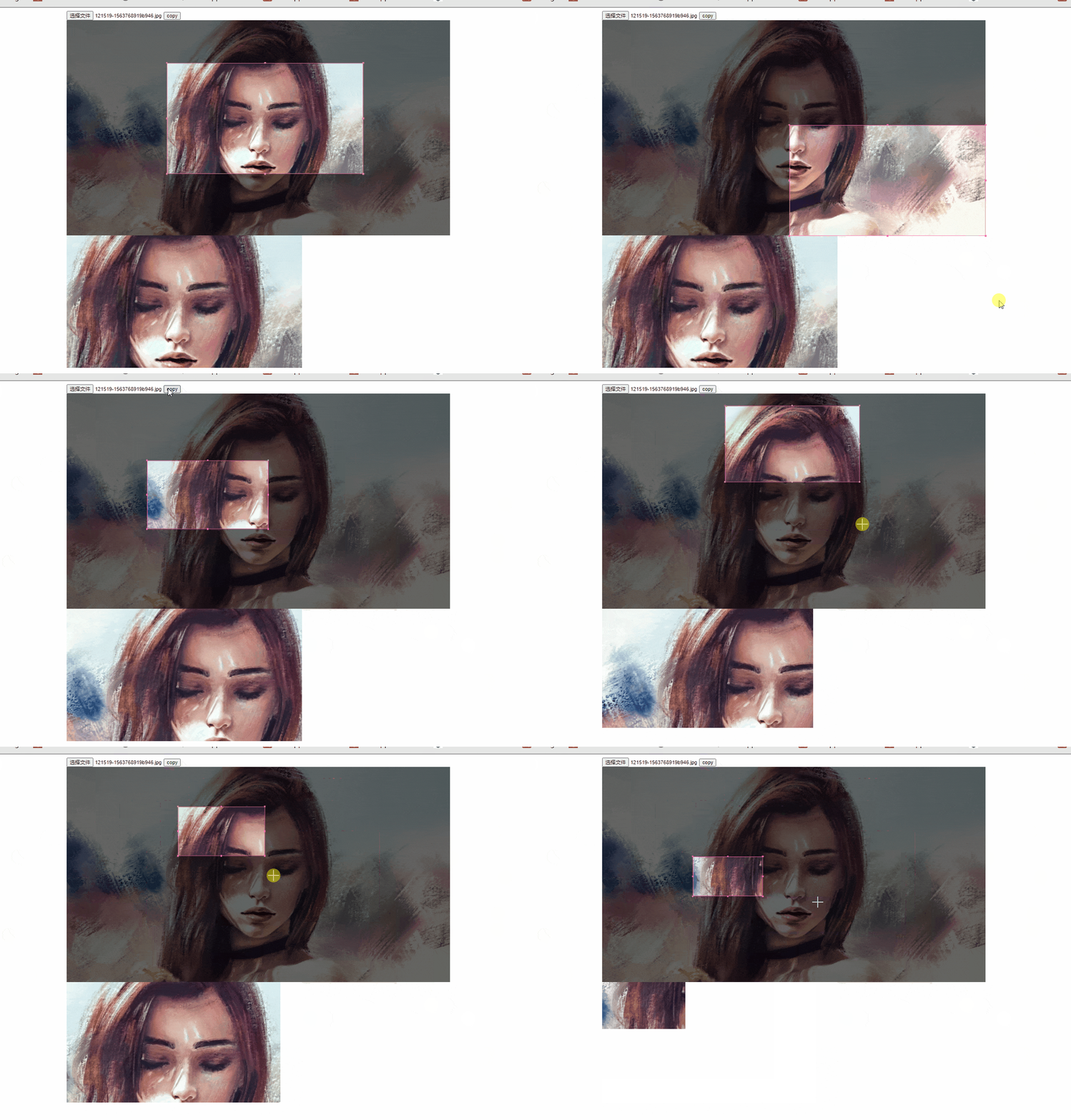
注意!!1.0.12版本之前的版本有bug不可用请使用1.0.12及之后的版本
Installation
npm install --save shear-reactExample
import React from 'react';
import { render } from 'react-dom'
// import Shear from '../../src/index';
import Shear from 'shear-react';
//  样式需要单独引入
import 'shear-react/lib/main.min.css';

class App extends React.Component {
  constructor(props) {
    super(props)
    this.Shear = React.createRef();
    this.state = {
      file: null
    }
  }
  onChange = (img) =>{
    this.setState({img});
  }
  handleFileChange = (e) => {
    const files = e.target.files[0];
    var reader = new FileReader();
       reader.readAsDataURL(files);
       reader.onload = () => {
        this.setState({
          file:reader.result
        })
       };
  }
  render() {
    const {onChange} = this;
    const { img,file } = this.state;
    return <div className="wode" style={{width: '1000px',margin:'0 auto'}}>
      <input id="file" onChange={this.handleFileChange} type="file"  name="file" multiple="multiple"></input>
      <button onClick={() =>this.Shear.current.cropImg()}>copy</button>
      <Shear aspectRatio={1} onChange={onChange} ref={this.Shear} width={1000} img={file} crossOrigin="anonymous"/>
      <img src={img} alt="图" />
    </div>
  }
}
render(<App />, document.getElementById('root'));
Options
img
- Type: string
- Default: null
图片链接
cropBoxColor
- Type: string
- Default: hotpink
裁剪框颜色
aspectRatio
- Type: number
- Default: offsetWidth/offsetHeight
裁剪框的宽高比,默认图片的宽度/图片的高度
onChange
- Type: (imgBase64: srting) : void
- Default: () => {}
裁剪的回调裁剪后的图片(base64)
width
- Type: string
- Default: 100%
工作区域的宽 默认100%
height
- Type: string
- Default: auto
工作区域的高 默认自适应(如果设置了高导致img图片样式被拉伸或收缩裁剪出来的图片同样也会拉伸或收缩)
crossOrigin
- Type: string
- Default: undefined
- MDN
- Options:
- anonymous
- use-credentials
img标签的 crossOrigin属性, 注: 图片跨域时需要设置否则裁剪失败(设置crossorigin 的前提是服务端允许你跨域获取图片,不允许设置了corssOrigin也没用)
ref
- 用ref触发cropImg方法触发裁剪操作
github:https://github.com/1340326961/shear-react
本人小菜鸡,自己写着玩,有一些瑕疵但是不影响大致使用,想加什么功能或者在什么节点上想暴露出哪些信息或者出现了什么bug,可以在github上提bug(请写中文我英语不好),还望大佬们多多指教优化代码