
short-video-maker
v1.3.0
Published
Creates short videos for TikTok, Instagram Reels, and YouTube Shorts using the Model Context Protocol (MCP) and a REST API.

Maintainers
 gyoridavid
Readme
Description
An open source automated video creation tool for generating short-form video content. Short Video Maker combines text-to-speech, automatic captions, background videos, and music to create engaging short videos from simple text inputs.
This project is meant to provide a free alternative to heavy GPU-power hungry video generation (and a free alternative to expensive, third-party API calls). It doesn't generate a video from scratch based on an image or an image prompt.
The repository was open-sourced by the AI Agents A-Z Youtube Channel. We encourage you to check out the channel for more AI-related content and tutorials.
The server exposes an MCP and a REST server.
While the MCP server can be used with an AI Agent (like n8n) the REST endpoints provide more flexibility for video generation.
You can find example n8n workflows created with the REST/MCP server in this repository.
TOC
Getting started
Usage
Info
- Features
- How it works
- Limitations
- Concepts
- Troubleshooting
- Deploying in the cloud
- FAQ
- Dependencies
- Contributing
- License
- Acknowledgements
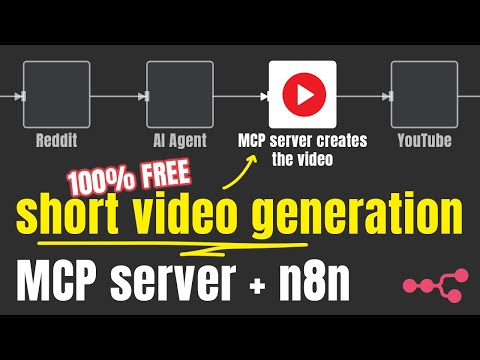
Tutorial with n8n
Examples
Features
- Generate complete short videos from text prompts
- Text-to-speech conversion
- Automatic caption generation and styling
- Background video search and selection via Pexels
- Background music with genre/mood selection
- Serve as both REST API and Model Context Protocol (MCP) server
How It Works
Shorts Creator takes simple text inputs and search terms, then:
- Converts text to speech using Kokoro TTS
- Generates accurate captions via Whisper
- Finds relevant background videos from Pexels
- Composes all elements with Remotion
- Renders a professional-looking short video with perfectly timed captions
Limitations
- The project only capable generating videos with English voiceover (kokoro-js doesn’t support other languages at the moment)
- The background videos are sourced from Pexels
General Requirements
- internet
- free pexels api key
- ≥ 3 gb free RAM, my recommendation is 4gb RAM
- ≥ 2 vCPU
- ≥ 5gb disc space
NPM
While Docker is the recommended way to run the project, you can run it with npm or npx. On top of the general requirements, the following are necessary to run the server.
Supported platforms
- Ubuntu ≥ 22.04 (libc 2.5 for Whisper.cpp)
- Required packages:
git wget cmake ffmpeg curl make libsdl2-dev libnss3 libdbus-1-3 libatk1.0-0 libgbm-dev libasound2 libxrandr2 libxkbcommon-dev libxfixes3 libxcomposite1 libxdamage1 libatk-bridge2.0-0 libpango-1.0-0 libcairo2 libcups2
- Required packages:
- Mac OS
- ffmpeg (
brew install ffmpeg) - node.js (tested on 22+)
- ffmpeg (
Windows is NOT supported at the moment (whisper.cpp installation fails occasionally).
Concepts
Scene
Each video is assembled from multiple scenes. These scenes consists of
- Text: Narration, the text the TTS will read and create captions from.
- Search terms: The keywords the server should use to find videos from Pexels API. If none can be found, joker terms are being used (
nature,globe,space,ocean)
Getting started
Docker (recommended)
There are three docker images, for three different use cases. Generally speaking, most of the time you want to spin up the tiny one.
Tiny
- Uses the
tiny.enwhisper.cpp model - Uses the
q4quantized kokoro model CONCURRENCY=1to overcome OOM errors coming from Remotion with limited resourcesVIDEO_CACHE_SIZE_IN_BYTES=104857600(100mb) to overcome OOM errors coming from Remotion with limited resources
docker run -it --rm --name short-video-maker -p 3123:3123 -e LOG_LEVEL=debug -e PEXELS_API_KEY= gyoridavid/short-video-maker:latest-tinyNormal
- Uses the
base.enwhisper.cpp model - Uses the
fp32kokoro model CONCURRENCY=1to overcome OOM errors coming from Remotion with limited resourcesVIDEO_CACHE_SIZE_IN_BYTES=104857600(100mb) to overcome OOM errors coming from Remotion with limited resources
docker run -it --rm --name short-video-maker -p 3123:3123 -e LOG_LEVEL=debug -e PEXELS_API_KEY= gyoridavid/short-video-maker:latestCuda
If you own an Nvidia GPU and you want use a larger whisper model with GPU acceleration, you can use the CUDA optimised Docker image.
- Uses the
medium.enwhisper.cpp model (with GPU acceleration) - Uses
fp32kokoro model CONCURRENCY=1to overcome OOM errors coming from Remotion with limited resourcesVIDEO_CACHE_SIZE_IN_BYTES=104857600(100mb) to overcome OOM errors coming from Remotion with limited resources
docker run -it --rm --name short-video-maker -p 3123:3123 -e LOG_LEVEL=debug -e PEXELS_API_KEY= --gpus=all gyoridavid/short-video-maker:latest-cudaDocker compose
You might use Docker Compose to run n8n or other services, and you want to combine them. Make sure you add the shared network to the service configuration.
version: "3"

services:
  short-video-maker:
    image: gyoridavid/short-video-maker:latest-tiny
    environment:
      - LOG_LEVEL=debug
      - PEXELS_API_KEY=
    ports:
      - "3123:3123"
    volumes:
	    - ./videos:/app/data/videos # expose the generated videos
If you are using the Self-hosted AI starter kit you want to add networks: ['demo'] to the** short-video-maker service so you can reach it with http://short-video-maker:3123 in n8n.
Environment variables
🟢 Configuration
| key | description | default | | --- | --- | --- | | PEXELS_API_KEY | your (free) Pexels API key | | | LOG_LEVEL | pino log level | info | | WHISPER_VERBOSE | whether the output of whisper.cpp should be forwarded to stdout | false | | PORT | the port the server will listen on | 3123 |
⚙️ System configuration
| key | description | default |
| --- | --- | --- |
| KOKORO_MODEL_PRECISION | The size of the Kokoro model to use. Valid options are fp32, fp16, q8, q4, q4f16 | depends, see the descriptions of the docker images above ^^ |
| CONCURRENCY | concurrency refers to how many browser tabs are opened in parallel during a render. Each Chrome tab renders web content and then screenshots it.. Tweaking this value helps with running the project with limited resources. | depends, see the descriptions of the docker images above ^^ |
| VIDEO_CACHE_SIZE_IN_BYTES | Cache for frames in Remotion. Tweaking this value helps with running the project with limited resources. | depends, see the descriptions of the docker images above ^^ |
⚠️ Danger zone
| key | description | default |
| --- | --- | --- |
| WHISPER_MODEL | Which whisper.cpp model to use. Valid options are tiny, tiny.en, base, base.en, small, small.en, medium, medium.en, large-v1, large-v2, large-v3, large-v3-turbo | Depends, see the descriptions of the docker images above. For npm, the default option is medium.en |
| DATA_DIR_PATH | the data directory of the project | ~/.ai-agents-az-video-generator with npm, /app/data in the Docker images |
| DOCKER | whether the project is running in a Docker container | true for the docker images, otherwise false |
| DEV | guess! :) | false |
Configuration options
| key | description | default |
| --- | --- | --- |
| paddingBack | The end screen, for how long the video should keep playing after the narration has finished (in milliseconds). | 0 |
| music | The mood of the background music. Get the available options from the GET /api/music-tags endpoint. | random |
| captionPosition | The position where the captions should be rendered. Possible options: top, center, bottom. Default value | bottom |
| captionBackgroundColor | The background color of the active caption item. | blue |
| voice | The Kokoro voice. | af_heart |
| orientation | The video orientation. Possible options are portrait and landscape | portrait |
Usage
MCP server
Server URLs
/mcp/sse
/mcp/messages
Available tools
create-short-videoCreates a short video - the LLM will figure out the right configuration. If you want to use specific configuration, you need to specify those in you prompt.get-video-statusSomewhat useless, it’s meant for checking the status of the video, but since the AI agents aren’t really good with the concept of time, you’ll probably will end up using the REST API for that anyway.
REST API
GET /health
Healthcheck endpoint
curl --location 'localhost:3123/health'{
"status": "ok"
}POST /api/short-video
curl --location 'localhost:3123/api/short-video' \
--header 'Content-Type: application/json' \
--data '{
    "scenes": [
      {
        "text": "Hello world!",
        "searchTerms": ["river"]
      }
    ],
    "config": {
      "paddingBack": 1500,
      "music": "chill"
    }
}'
{
"videoId": "cma9sjly700020jo25vwzfnv9"
}GET /api/short-video/{id}/status
curl --location 'localhost:3123/api/short-video/cm9ekme790000hysi5h4odlt1/status'{
"status": "ready"
}GET /api/short-video/{id}
curl --location 'localhost:3123/api/short-video/cm9ekme790000hysi5h4odlt1'Response: the binary data of the video.
GET /api/short-videos
curl --location 'localhost:3123/api/short-videos'{
"videos": [
{
"id": "cma9wcwfc0000brsi60ur4lib",
"status": "processing"
}
]
}DELETE /api/short-video/{id}
curl --location --request DELETE 'localhost:3123/api/short-video/cma9wcwfc0000brsi60ur4lib'{
"success": true
}GET /api/voices
curl --location 'localhost:3123/api/voices'[
"af_heart",
"af_alloy",
"af_aoede",
"af_bella",
"af_jessica",
"af_kore",
"af_nicole",
"af_nova",
"af_river",
"af_sarah",
"af_sky",
"am_adam",
"am_echo",
"am_eric",
"am_fenrir",
"am_liam",
"am_michael",
"am_onyx",
"am_puck",
"am_santa",
"bf_emma",
"bf_isabella",
"bm_george",
"bm_lewis",
"bf_alice",
"bf_lily",
"bm_daniel",
"bm_fable"
]GET /api/music-tags
curl --location 'localhost:3123/api/music-tags'[
"sad",
"melancholic",
"happy",
"euphoric/high",
"excited",
"chill",
"uneasy",
"angry",
"dark",
"hopeful",
"contemplative",
"funny/quirky"
]Troubleshooting
Docker
The server needs at least 3gb free memory. Make sure to allocate enough RAM to Docker.
If you are running the server from Windows and via wsl2, you need to set the resource limits from the wsl utility 2 - otherwise set it from Docker Desktop. (Ubuntu is not restricting the resources unless specified with the run command).
NPM
Make sure all the necessary packages are installed.
n8n
Setting up the MCP (or REST) server depends on how you run n8n and the server. Please follow the examples from the matrix below.
| | n8n is running locally, using n8n start | n8n is running locally using Docker | n8n is running in the cloud |
| --- | --- | --- | --- |
| short-video-maker is running in Docker, locally | http://localhost:3123 | It depends. You can technically use http://host.docker.internal:3123 as it points to the host, but you could configure to use the same network and use the service name to communicate like http://short-video-maker:3123 | won’t work - deploy short-video-maker to the cloud |
| short-video-maker is running with npm/npx | http://localhost:3123 | http://host.docker.internal:3123 | won’t work - deploy short-video-maker to the cloud |
| short-video-maker is running in the cloud | You should use your IP address http://{YOUR_IP}:3123 | You should use your IP address http://{YOUR_IP}:3123 | You should use your IP address http://{YOUR_IP}:3123 |
Deploying to the cloud
While each VPS provider is different, and it’s impossible to provide configuration to all of them, here are some tips.
- Use Ubuntu ≥ 22.04
- Have ≥ 4gb RAM, ≥ 2vCPUs and ≥5gb storage
- Use pm2 to run/manage the server
- Put the environment variables to the
.bashrcfile (or similar)
FAQ
Can I use other languages? (French, German etc.)
Unfortunately, it’s not possible at the moment. Kokoro-js only supports English.
Can I pass in images and videos and can it stitch it together
No
Should I run the project with npm or docker?
Docker is the recommended way to run the project.
How much GPU is being used for the video generation?
Honestly, not a lot - only whisper.cpp can be accelerated.
Remotion is CPU-heavy, and Kokoro-js runs on the CPU.
Is there a UI that I can use to generate the videos
No (t yet)
Can I select different source for the videos than Pexels, or provide my own video
No
Can the project generate videos from images?
No
Dependencies for the video generation
| Dependency | Version | License | Purpose | | ------------------------------------------------------ | -------- | --------------------------------------------------------------------------------- | ------------------------------- | | Remotion | ^4.0.286 | Remotion License | Video composition and rendering | | Whisper CPP | v1.5.5 | MIT | Speech-to-text for captions | | FFmpeg | ^2.1.3 | LGPL/GPL | Audio/video manipulation | | Kokoro.js | ^1.2.0 | MIT | Text-to-speech generation | | Pexels API | N/A | Pexels Terms | Background videos |
How to contribute?
PRs are welcome. See the CONTRIBUTING.md file for instructions on setting up a local development environment.
License
This project is licensed under the MIT License.