
signalk-rec-bms
v2.0.2
Published
SignalK plugin for REC-BMS
Downloads
149

Maintainers
 ofernander
Readme
signalk-rec-bms

Features
- Reads all available data streams from BMS and publishes to SignalK
- Supports WebSocket connection from the REC WiFi module with firmware >= SW164_2
- Supports serial connection directly from BMS
- Can set BMS settings when using serial connection
- Live status & settings page within SignalK
Notes
Tested with the 4 cell ABMS model only. Multi-unit series configurations are detected automatically but have not been tested beyond a single unit — proceed with caution if running multiple ABMS units in series.
Requirements
WebSocket connection (WiFi):
- A REC WiFi module with firmware >= SW164_2, which enables websockets
Serial connection:
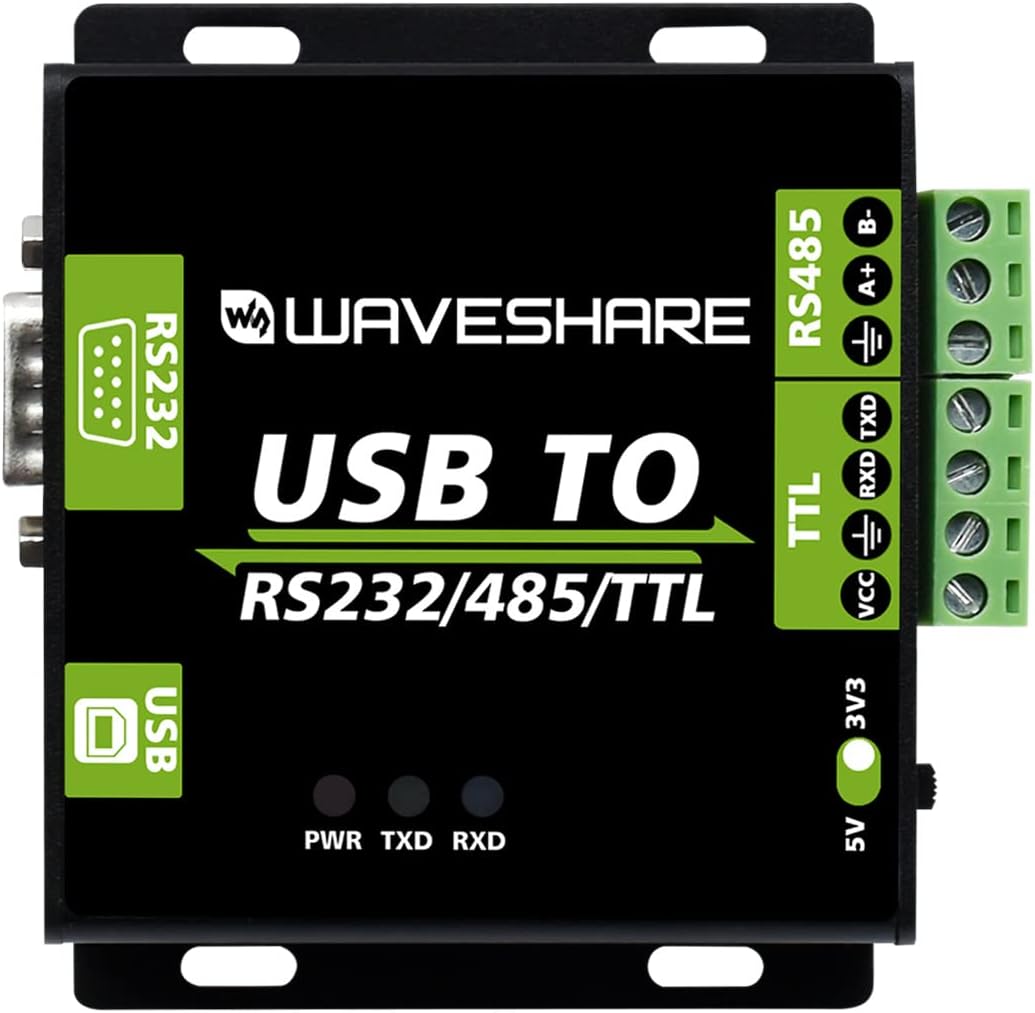
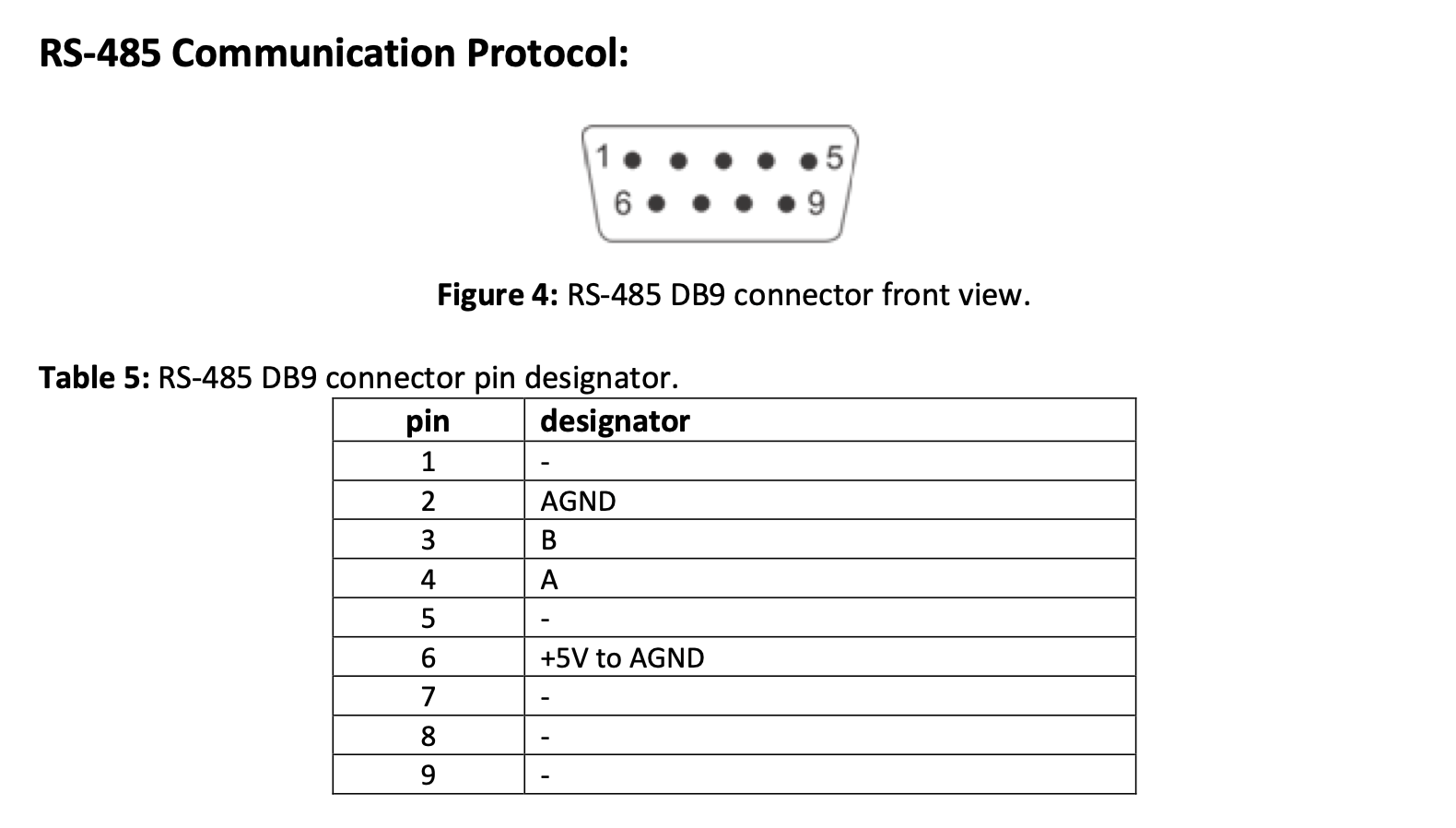
- RS485 to USB adapter with 3v output. The REC-BMS serial chip is not powered internally and you must supply 3v to power it.
Dependencies
- npm package: ws
- npm package: serialport
- npm package: crc
Installation (choose one)
Use the SignalK application store (preferred)
Run the following command:
npm install signalk-rec-bmsSignalK Paths
All data is published under electrical.batteries.bms.* by default. The base path is configurable via the deltaPrefix plugin setting. Key paths include:
| Path | Description |
|---|---|
| electrical.batteries.bms.voltage | Pack voltage |
| electrical.batteries.bms.current | Pack current |
| electrical.batteries.bms.power | Instantaneous power |
| electrical.batteries.bms.capacity.stateOfCharge | State of charge (0–1) |
| electrical.batteries.bms.capacity.stateOfHealth | State of health (0–1) |
| electrical.batteries.bms.capacity.nominal | Configured capacity (Ah) |
| electrical.batteries.bms.capacity.remaining | Estimated remaining (Ah) |
| electrical.batteries.bms.cellVoltage{N} | Individual cell voltages |
| electrical.batteries.bms.cellTemperature{N} | Cell temperatures (K) |
| electrical.batteries.bms.cellResistance{N} | Cell internal resistance (Ohm) |
| electrical.batteries.bms.bmsTemperature | BMS board temperature (K) |
| electrical.batteries.bms.minCellVoltage | Minimum cell voltage |
| electrical.batteries.bms.maxCellVoltage | Maximum cell voltage |
Temperature values are published in Kelvin in compliance with the SignalK specification. Instrument displays that respect SK unit preferences will convert automatically to °C or °F.
Victron Cerbo GX / Venus OS
VenusOS claims all USB serial devices by default via its serial-starter service, which cycles through Victron protocols and prevents SignalK from accessing the port. The setup script creates a udev rule that instructs VenusOS to ignore your specific RS485 adapter, leaving it available exclusively for SignalK. The rule uses a zz- prefix to ensure it overrides Victron's default rules regardless of load order.
curl -o /home/root/signalk-rec-bms-venusOS.sh https://raw.githubusercontent.com/ofernander/signalk-rec-bms/main/venus-os/signalk-rec-bms-venusOS.sh && bash /home/root/signalk-rec-bms-venusOS.shThe script will list your connected USB serial devices, you select which one is the usb to serial converter for your REC-BMS. Once complete, unplug and replug your RS485 adapter, then reboot the Cerbo device.
To uninstall: bash /home/root/signalk-rec-bms-venusOS.sh --uninstall or select the last option in the script menu.