signalk-trim-plugin
v0.0.12
Published
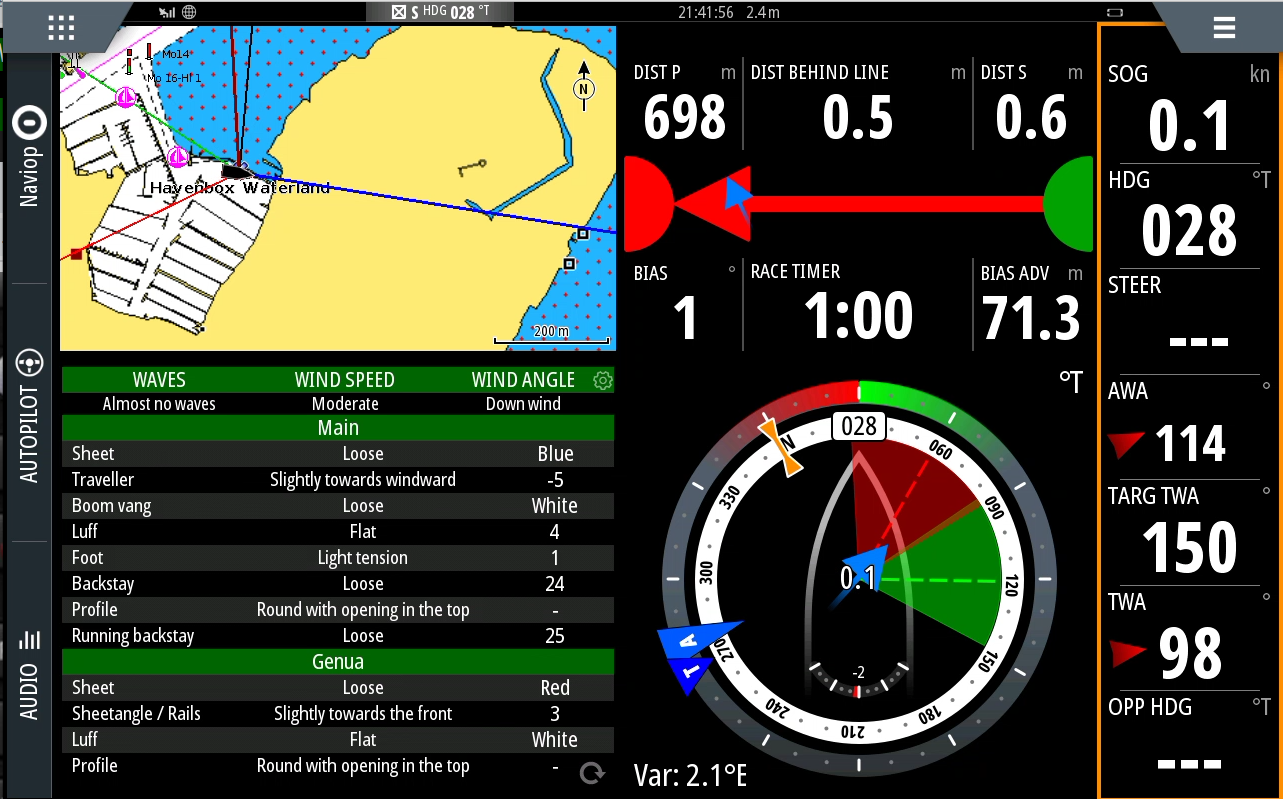
Trim webapp that auto detects conditions and allows custom trim markers

Maintainers
 hanstool
Readme
Trim webapp
A webapp that helps to trim the boat by storing advice and marker info. Inspired by the Trimm Scheibe.
Features
- Auto detect conditions
- Set your own markers per trim option
- English and Dutch start configuration available here.
Running on B&G MFD
To see the webapp on your B&G Vulcan or Zeus you need to install the signalk-mfd-plugin as well. You'll need to setup an additional IP on your SignalK server for it to work as described in it's readme.
Configure the signalk-mfd-plugin like:
Source: Sail trim
IP address: 192.168.3.12
Feature name: Sail trim
Name: Sail trim
Menu text: Sail trim
WebApp tile image url: http://192.168.3.12:3000/signalk-trim-plugin/trim.png
WebApp url: http://192.168.3.12:3000/signalk-trim-plugin/
Where 192.168.3.12 is the IP you've added.
On Signal K 2.x, /plugins/signalk-trim-plugin/... is admin-only. The MFD webapp reads options and config from the readonly API (allow_readonly):
GET /signalk/v1/api/signalk-trim-plugin/options
GET /signalk/v1/api/signalk-trim-plugin/readConfig
Saves still POST to /plugins/ and need an admin session. jQuery is vendored as public/jquery.min.js (SK 2.x no longer serves /jquery/dist/jquery.min.js).
npm publish
App Store installs come from the npm package signalk-trim-plugin. A GitHub Action patch-bumps and publishes at most once per UTC day when plugin/ or public/ changed since the last release (.github/workflows/release.yml). Publishing uses npm trusted publishing (GitHub OIDC). Once, as package owner on npmjs.com: Package → Settings → Trusted Publisher → GitHub Actions, with organization htool, repository signalk-trim-plugin, workflow filename release.yml, and allowed action npm publish.
Screenshot