simple-http-reverse-proxy
v1.0.4
Published
Simple HTTP reverse proxy with per-port header overrides, clustering and keep-alive.

Maintainers
 martinszeltins
Readme
Simple HTTP proxy
A lightweight reverse proxy with automatic multi-core workers and keep-alive connections for high throughput.
Requires Node ≥ 22.0.
Contributions are welcome!
If you can improve this, make it faster, more reliable - please send in a pull request. The goal for this CLI tool is to keep it as simple and easy to use as possible while making it as fast and reliable as possible.
GitHub: https://github.com/martinszeltins/simple-http-proxy
NPM: https://www.npmjs.com/package/simple-http-reverse-proxy
$ npx simple-http-reverse-proxy \
  --from localhost:1234 --to localhost:80 --host dave.dev --accept application/json \
  --from localhost:4567 --to localhost:80 --authorization "Bearer e1b42860" --x-custom-header MyValue

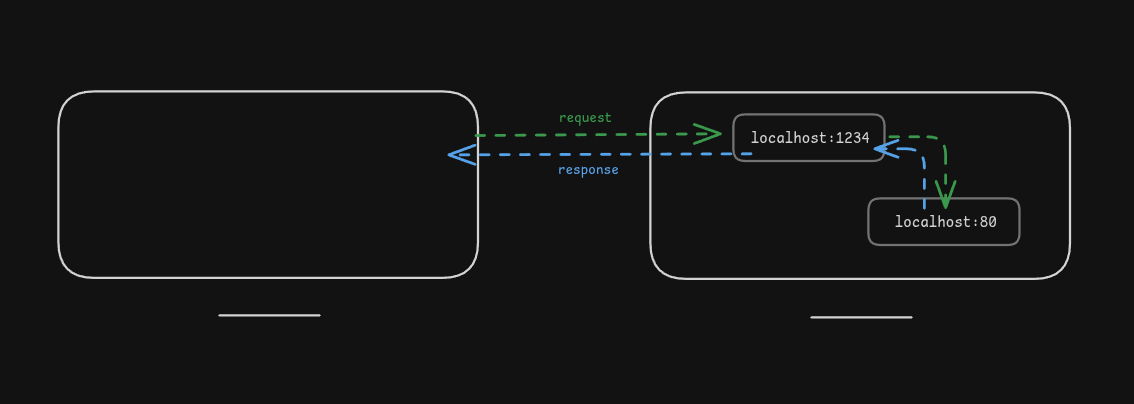
[info] HTTP proxy listening on "localhost:1234" forwarding to "localhost:80"
[info] HTTP proxy listening on "localhost:4567" forwarding to "localhost:80"
[info] Starting 16 workers (cores=16)
A request to http://localhost:1234/ will be forwarded to http://localhost:80/ with the Host header set to dave.dev and the Accept header set to application/json.
Note: The specified headers will be either added or overwritten in the proxied request. If the original request contained the header, it will be overwritten. If it did not, the header will be added.
Making HTTPS requests to target
Simply specify a target with :443 port to make HTTPS requests to the target server.
$ npx simple-http-reverse-proxy --from localhost:1234 --to google.com:443 --host google.com

$ curl localhost:1234
<!doctype html>
  <html>
    <title>Google</title>
    ...