
simple-js-payment-system
v1.1.5
Published
Simple payment modal system with Stripe integration


Readme
Payment System
A lightweight, customizable payment modal system with Stripe integration that supports both direct invocation and visit-count based triggers.
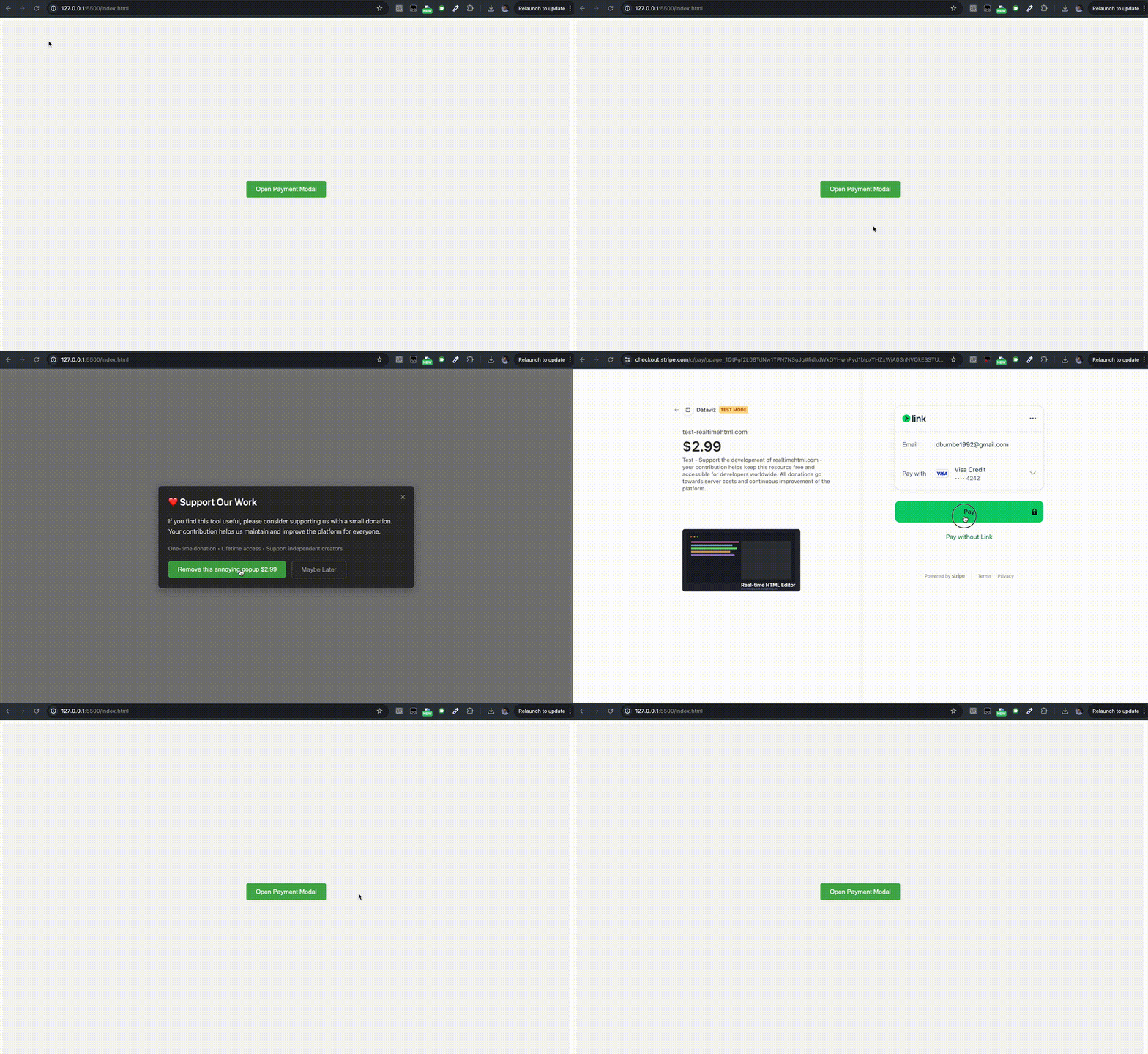
Features
- 🎨 Customizable modal design and text
- 💳 Stripe payment integration
- 🔄 Visit count based triggers
- 📱 Device-specific payment tracking
- 📊 Analytics integration (Google Analytics & Plausible)
Quick Start
<!-- Include Stripe.js -->
<script src="https://js.stripe.com/v3/"></script>
<!-- Include Payment System -->
<script src="https://unpkg.com/[email protected]/payment.js"></script>

<script>
new PaymentSystem()
    .minVisitCount(5)
    .discardVisitCount(1)
    .stripeConfig({
        test: {
            publishableKey: 'your_test_key',
            priceId: 'your_test_price_id'
        },
        live: {
            publishableKey: 'your_live_key',
            priceId: 'your_live_price_id'
        }
    })
    .isLive(true)
    .run();
</script>
Usage Examples
Direct Button Trigger
Create a button that shows the payment modal when clicked:
<button onclick="_PaymentSystem.showModalIfNotPaid()">
    Unlock Premium
</button>
Visit Count Based Trigger
Show the modal after specific number of visits:
new PaymentSystem()
    .minVisitCount(5)        // Show after 5 visits
    .discardVisitCount(1)    // Add 1 visit when user clicks "Later"
    .stripeConfig({
        // ...your stripe config
    })
    .run();
Customization
Modal Text
new PaymentSystem()
    .modalTitle('❤️ Support Our Work')
    .modalDescription('Your custom description')
    .modalSubDescription('One-time payment • Instant access')
    .modalActionText('Donate $2.99')
    .modalDiscardText('Maybe Later')
    .run();
Visit Count Configuration
minVisitCount: Number of visits before showing modaldiscardVisitCount: Number of visits to add when user clicks "Later"
// Show modal after 10 visits
// Add 2 visits when dismissed
new PaymentSystem()
    .minVisitCount(10)
    .discardVisitCount(2)
    .run();
Environment
// Automatically switch between test/live based on hostname
new PaymentSystem()
    .isLive(window.location.hostname !== '127.0.0.1')
    .run();
Payment Status Check
You can check if the user has already paid using the hasPaid method:
const payment = new PaymentSystem()
    .stripeConfig({
        // ...your config
    })
    .run();

// Check payment status
if (payment.hasPaid()) {
    console.log('User has paid');
} else {
    console.log('User has not paid');
}

// Example with conditional modal
function checkAndShowModal() {
    if (!payment.hasPaid()) {
        payment.showModal();
    }
}
Analytics
The system automatically tracks events if Google Analytics (gtag) or Plausible is present:
custom_pay_{pageName}: When user clicks payment buttoncustom_modal_close_{pageName}: When modal is closedcustom_modal_show_{pageName}: When showModalIfNotPaid is called
Device Tracking
Payment status is tracked per device using browser fingerprinting to prevent sharing of access between devices.