simple-node-chatbot
v1.0.7
Published
Simple JSON Chatbot
Downloads
8

Maintainers
 vishal.chauhan
Readme
Simple Node ChatBot
This module allows you to create your very first chatbot that run on you designed chat flow in a simplest way.
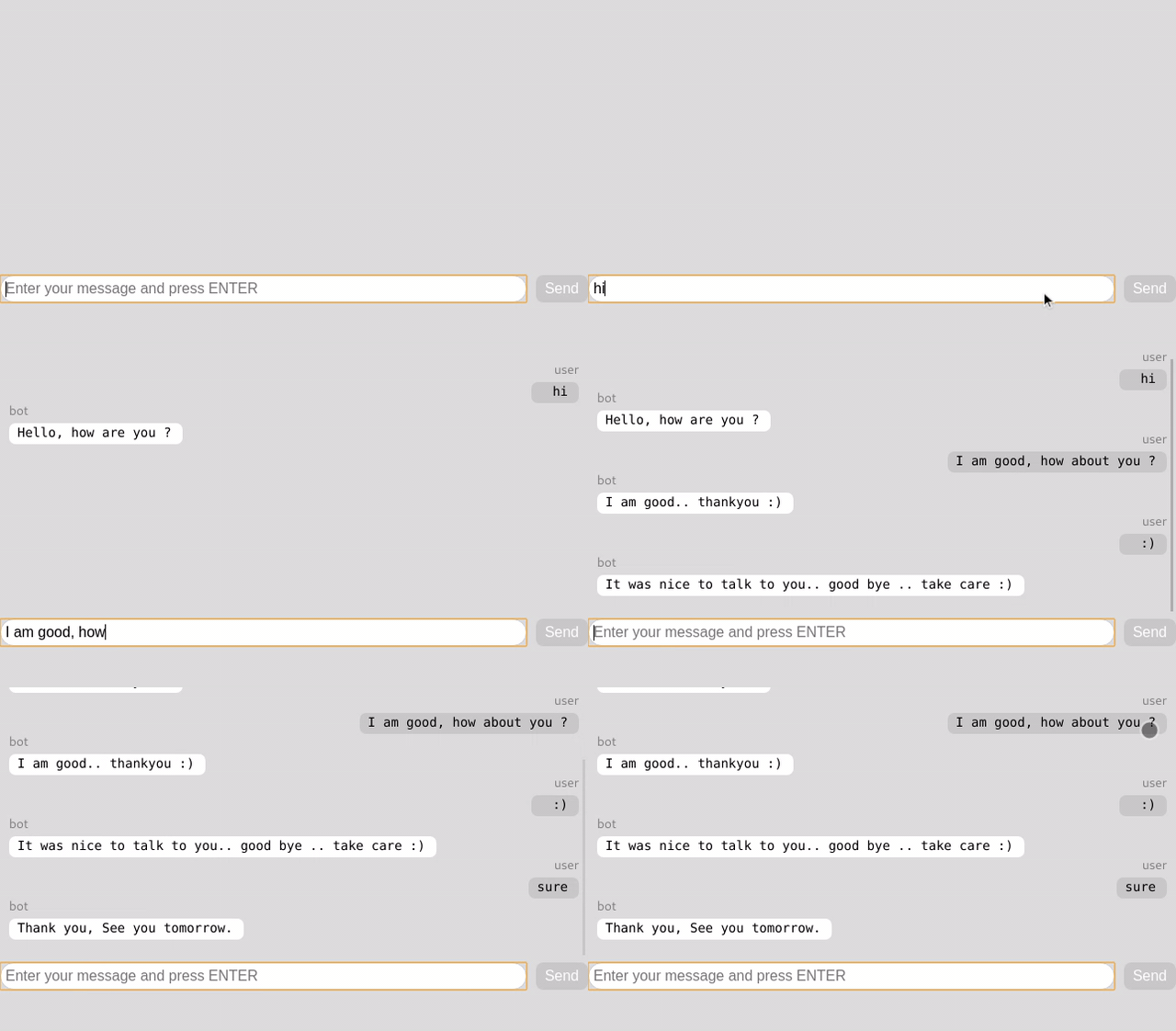
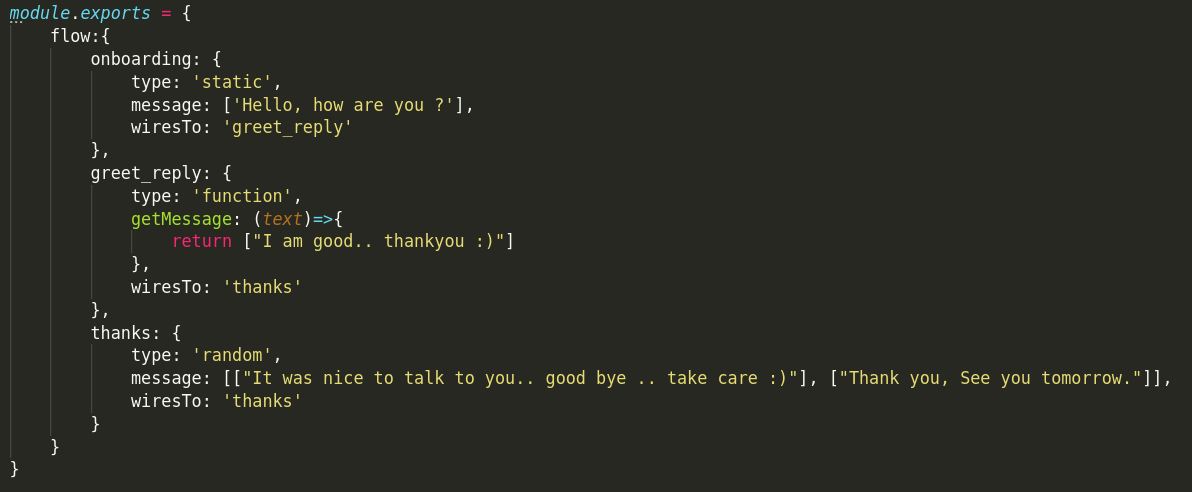
Step 1. create the structured chat flow, i.e the conversation flow, purely in a JSON format, but as a module in javascript. That's it. you are good to test the bot.
Configurations
chatflow.js
How To use:
Refer the example directory to checkout how this works.
server.js
let SimpleChatBot = require('simple-node-chatbot');
let socketIo = require("socket.io");
let express = require('express');
let app = express();

let usersTable = {};

let dbService = {
    saveUser : (data)=>{
        return new Promise((resolve, reject)=>{
            usersTable[data.from] = data;
            return resolve(usersTable[data.from]);
        })
    },
    getUser : (from)=>{
        return new Promise((resolve, reject)=>{
            return resolve(usersTable[from]);
        })
    },
    updateUser : (from, data)=>{
        return new Promise((resolve, reject)=>{
            usersTable[from].next_flow = data.next_flow;
            return resolve(usersTable[from]);
        })
    }
}

app.use('/', express.static(__dirname+'/public'))
const server = require('http').createServer(app).listen(4000);
let io = socketIo(server);

simpleChatBot = new SimpleChatBot({
    chatFlow: require('./chatflow.js'),
    welcomeFlow: "onboarding",
    dbService: dbService,
    socket: io
})
Applications:
The best use of this bot is to drive a structrured conversation or to answer frequjestly asked questions.
Features planned:
- Send multiple message as a response
- Make use of user input to derive the output response message by using a hashmap (one-of) (key-value)
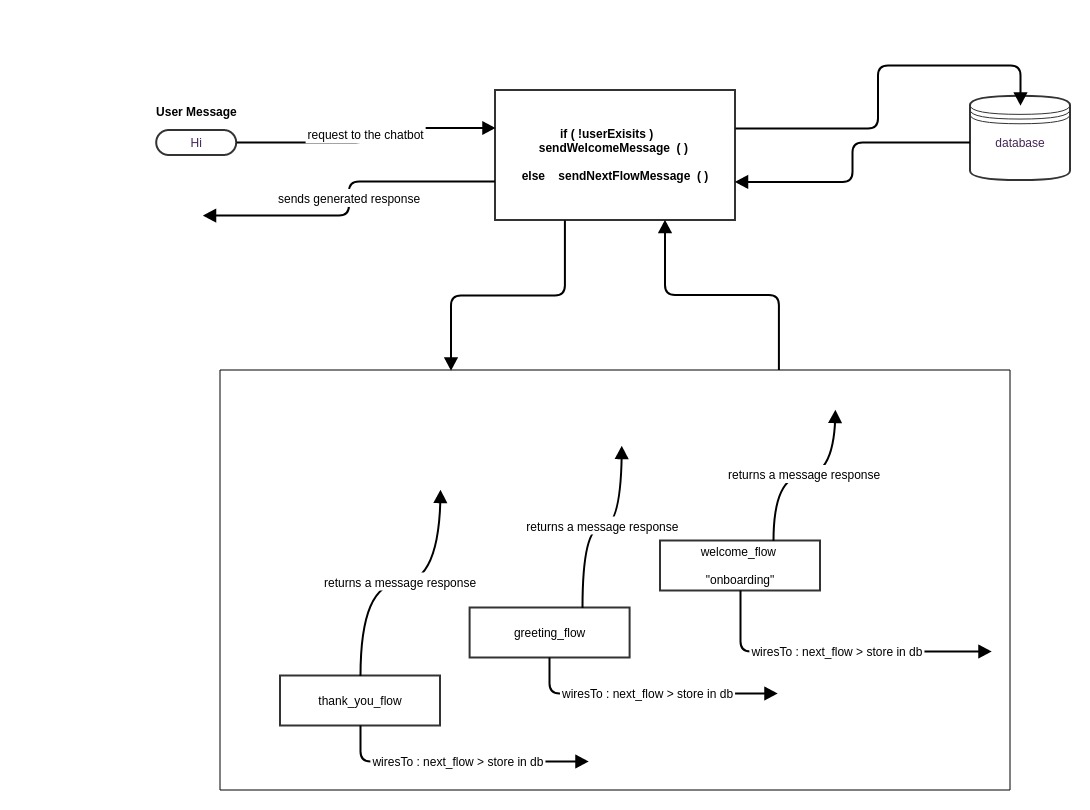
Below is the architecture that the bot follows.